Why Trust Gadgetbyte?
At Gadgetbyte, we invest substantial hours into rigorously testing each product or service we review, guaranteeing that you make informed purchases. Learn more about our testing process.
Review Overview
3.7
The Acer Swift Go 14 for 2024 is a great ultrabook with a compact and lightweight design and plenty of power. However, you might end up choosing the wrong and taking a severe hit to display and battery life if not careful. All configurations have plenty of connectivity options and a high quality webcam but only select ones offer the complete package.
Design and Build
9/10
Display
8/10
Keyboard
7/10
Trackpad
7/10
Performance
8/10
Audio
6/10
Webcam
9/10
Battery
7/10
Value for Money
6/10
Recently, another 14th-gen ultrabook landed in our office and this time, it was the Swift Go 14 from Acer. Looking at the spec sheet, you’ll find a lot of things to love about it…like the newest Core Ultra processor, fast memory, lightweight design, 1440p webcam, and more. But having used and tested it for a week, let me tell you why you should probably skip this one, in my detailed review of the Acer Swift Go 14 (2024).
Acer Swift Go 14 (2024) Review: Specifications
- Dimensions, Weight: 12.30 x 8.6 x 0.59-inches (W x D x H), 1.3 kg
- Display: 14″ WUXGA IPS panel, 60Hz refresh rate, 100% sRGB color gamut, 375 nits brightness
- Keyboard: Chiclet backlit keyboard, 1.4mm travel
- Security: Windows Hello-certified fingerprint login, TPM 2.0
- Processor: Intel "Meteor Lake" Core Ultra 7 155H (Intel 4 process)
- 16C/22T, 4.8 GHz max turbo frequency, 28W base power
- Graphics: Intel Arc (8 Xe-cores)
- RAM: 16GB LPDDR5X RAM (non-upgradable)
- Storage: 1TB SSD (2x M.2 NVMe PCIe 4.0, 1x free)
- Audio: Down-firing stereo speaker system
- Battery: 65 Watt-hours with 65W charging
- Webcam: QHD (1440p) camera
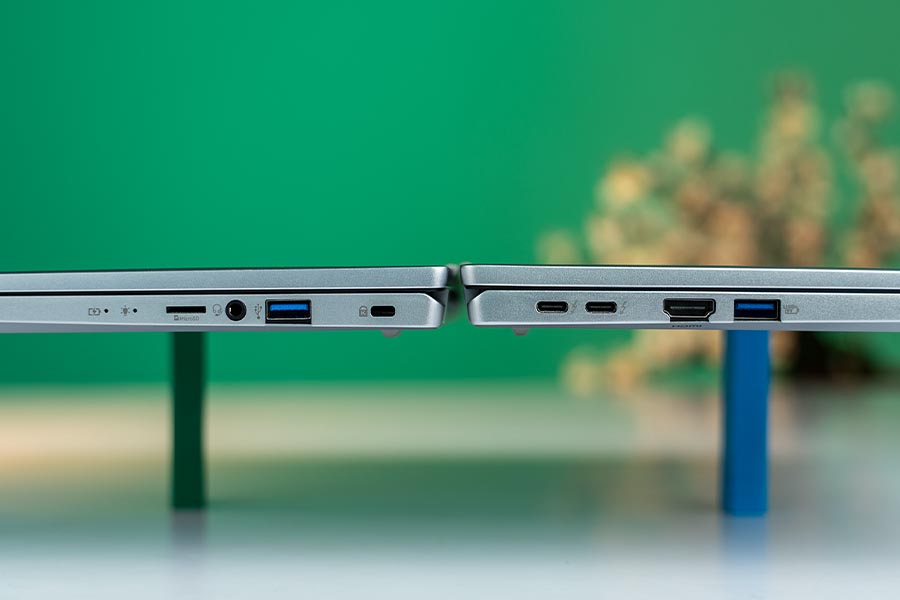
- I/O Ports: 2x Thunderbolt 4 (Power Delivery, DisplayPort), 2x USB 3.2 Gen 1 Type-A, 1x HDMI 2.1, 1x microSD reader, 1x 3.5mm combo audio jack
- Price in Nepal: NPR 163,000 (16GB RAM, 1TB SSD, *at the time of review)
- Check the full specifications of Acer Swift Go 14 SFG14-72T (2024) here
Acer Swift Go 14 (2024) Review:
Understanding the options
Before we begin, let’s understand Acer’s confusing naming scheme. Firstly there are two different models under the Swift Go 14 tag. One carries the “SFG14-72” model number while the other has a “SFG14-73” tag. Both ship with OLED and non-OLED configurations under “SFG14-72T” and “SFG14-73T” respectively. Depending on the region, both models might / might not be available and they cost about the same. However, scouring around the internet, I found reviews of the latter (73 models) scoring higher in benchmarks and having better thermal performance. Having said that, it’s unlikely to affect your everyday usage in a very meaningful way.
- Check out all the pricing and details of Acer Swift laptops here
Design
- 12.30 x 8.67 x 0.59-inches (W x D x H)
- 1.3 kg, Aluminum build material
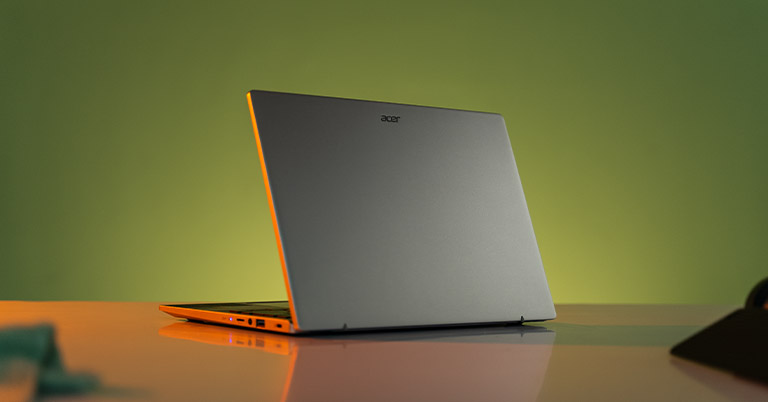
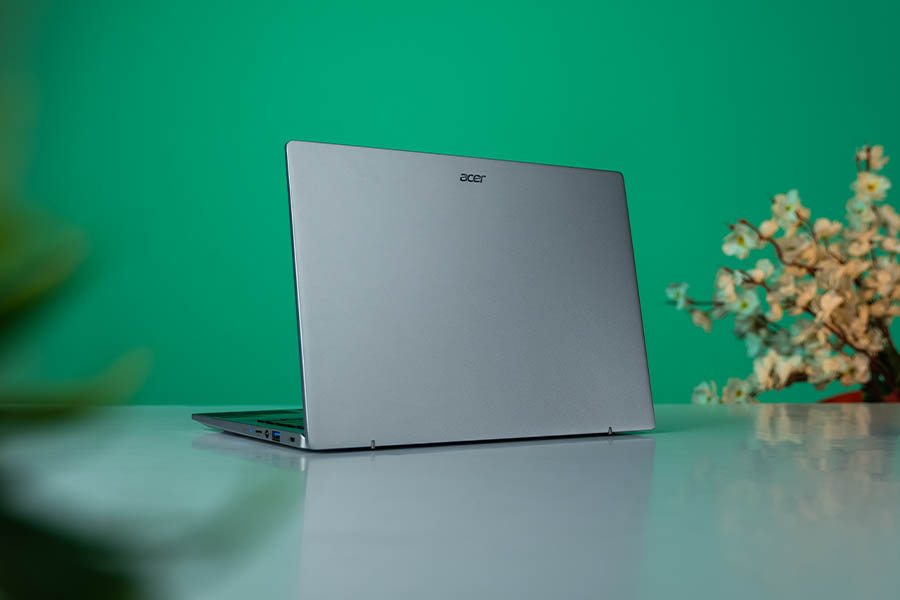
For an ultrabook, the Swift Go 14 does relatively well with its compact dimensions and lightweight design. The body is all metal with an aluminum lid so it feels decently sturdy as well.
Keyboard and Touchpad
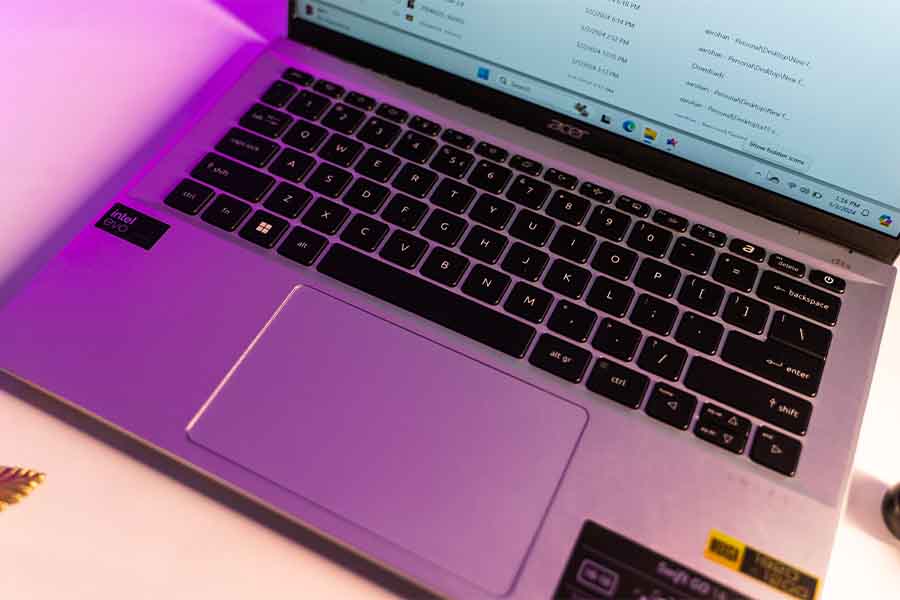
- White backlit chiclet keyboard (1.4mm travel)
- Plastic trackpad (with OceanGlass coating)
The keyboard is decent for the price but somewhat low travel and mushy. Nothing out of the ordinary there but I don’t like a few other things about it. First is the tiny up and down arrow keys and second is the power button which I accidentally clicked more times than I’d like to admit. But these are minor gripes that might not affect you at all so don’t weigh these criticisms too heavily. There are two levels of backlight that you can toggle with the F11 key and a dedicated ‘Acer Sense' key close to it.
Display
- 14" matte FHD+ (1920x1200) IPS touch display
- 60Hz refresh rate, 100% sRGB color gamut
- 375 nits brightness, ~ Gamma 2.1
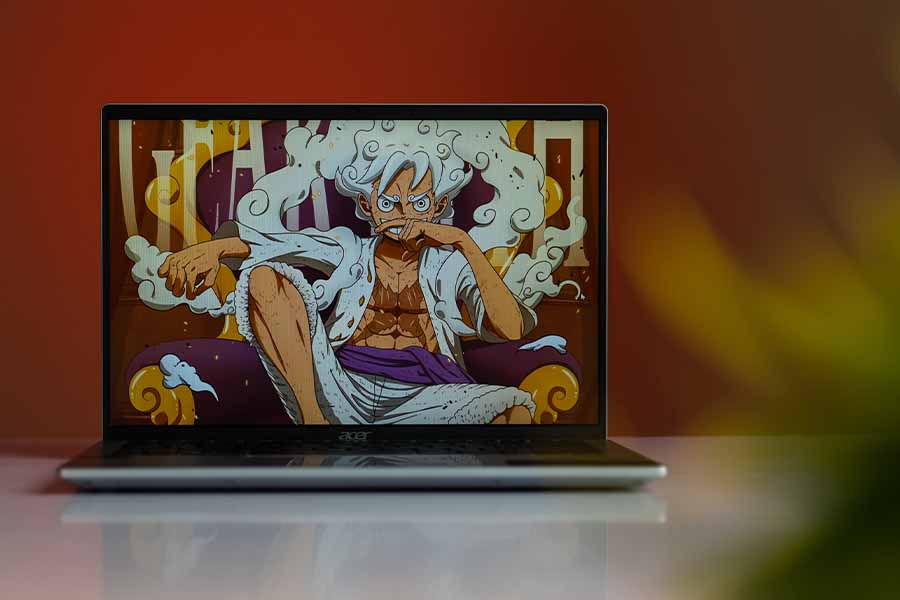
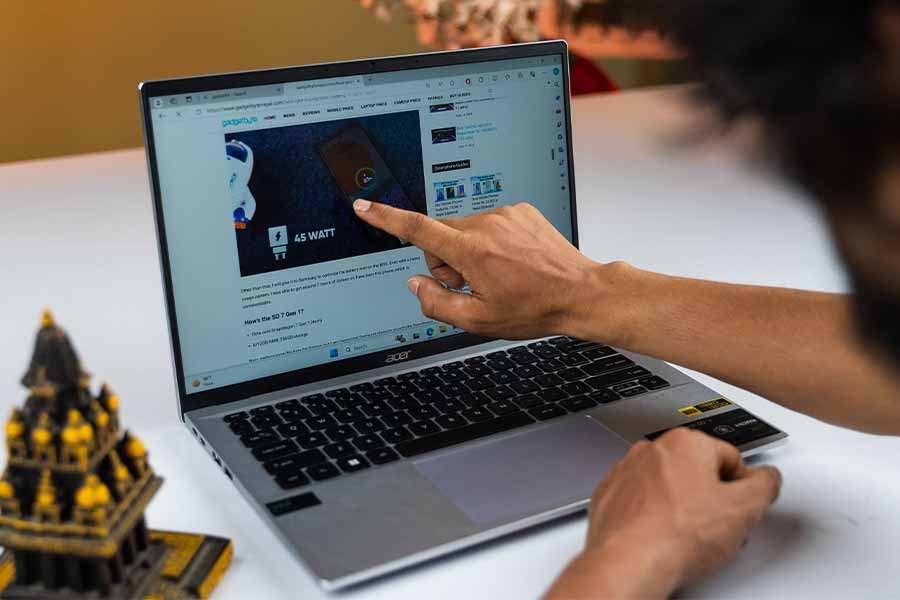
The display is another letdown here. It's a 14-inch IPS screen with Full HD plus resolution and a 60Hz refresh rate. Acer also sells an OLED version with a higher 2.8K resolution and a 90Hz display. The funny part is that both these configurations are very closely priced in Nepal and you can get your hands on the OLED (SFG14-73) with a 2-year warranty and the same processor/memory configuration for just around 155-160,000 rupees.
Performance
- Intel Core Ultra 7 155H CPU (28W TDP)
- Intel Arc graphics (Integrated)
- 16GB LPDDR5X RAM, 1TB PCIe 4.0 SSD
I mean how much are you really losing by going last year? Well, not much … at least in the CPU single-core department. The Core Ultra 7 155H in the new Swift actually performs worse in single-core than last year’s Core i5-13500H model. But, it’s unlikely you’ll ever notice the difference in everyday things like opening apps, browsing the web, and streaming content.
Intel Arc graphics
That being said, the new integrated Arc graphics is a total game changer.
NPU and AI
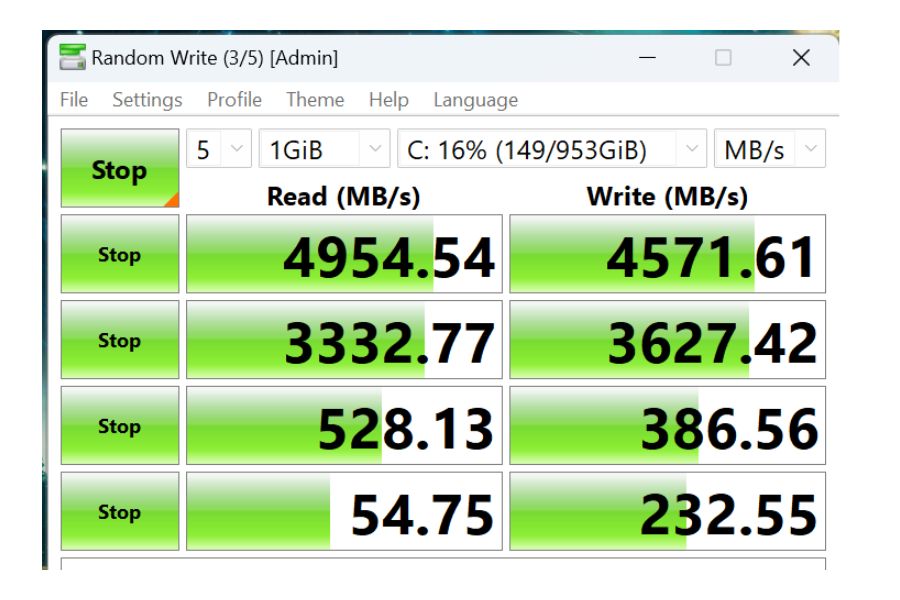
There’s also a dedicated NPU in the new processor for AI-related things but honestly speaking, aside from a few benchmarks and features, there isn’t a lot of software that really takes advantage of this. It is used for noise cancellation during video calls, blurring the background, auto-framing the subject, and generating AI images. Hopefully, more features roll out in the future but right now it’s more of a marketing gimmick. Memory-wise, you get 16 gigs of soldered RAM alongside a 1 terabyte Gen 4 SSD. And the read and write speeds are pretty good too.
Audio and I/O
The speakers are really not very exciting either. They sound tiny with not a lot of bass and impact so I’d recommend using speakers or headphones while watching movies for a more immersive experience.
Battery Life
- 65W battery, supports 100W charging via USB-C PD
- 65W Type-C adapter in the box
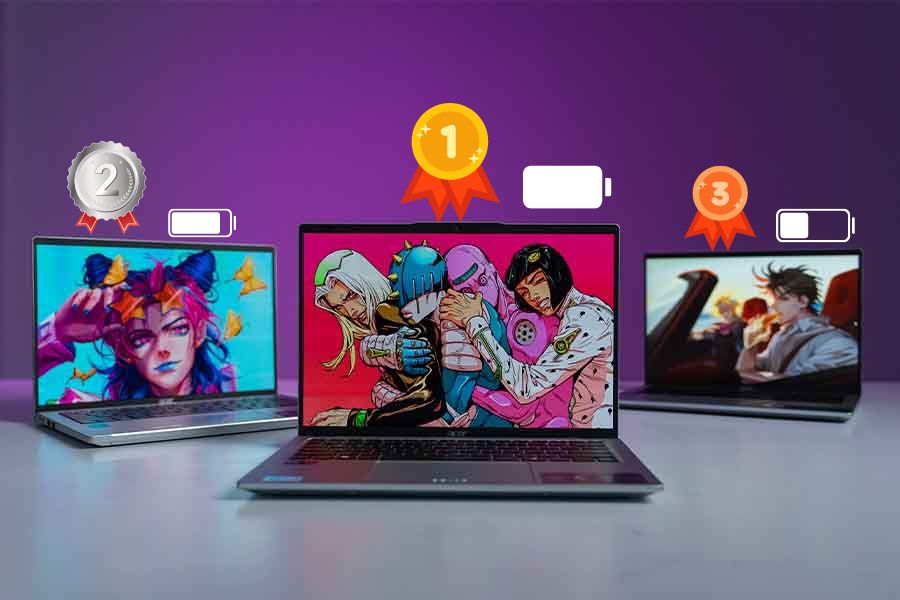
As I said before the Core Ultra 7 isn’t the biggest leap in power but should provide better efficiency. In my day to day, I have a decent backup of 6 to 6.5 hours of writing documents, watching videos, and using some Photoshop on the side. That’s relatively good endurance for an Intel laptop so I am definitely happy in that regard. But, if watching movies and series is what you mostly do, even last year’s OLED version will provide you with very good endurance.
Acer Swift Go 14 (2024) Review: Conclusion
So, that’s why I think you should probably skip the Acer Swift Go 14 ‘SFG14-72T’. It’s not as good as the ‘SFG14-73’ OLED model while being nearly just as expensive and it’s not as value for money as last year’s configuration. The newer Meteor Lake chips bring improved graphical performance and better efficiency which are both very important things for an ultrabook. But paying such a premium just for those two features while losing out on a gorgeous OLED display doesn’t make sense for most folks.
Acer Swift Go 14 (2024) Review: Pros and Cons
Pros:
- Metal build and lightweight design
- Powerful integrated Arc graphics
- Lots of ports and Type-C charging
Cons:
- IPS display is not as competitive
- Weak speakers
- Unimpressive battery life
- Premium price for Core Ultra
Article Last updated: February 4, 2026