Why Trust Gadgetbyte?
At Gadgetbyte, we invest substantial hours into rigorously testing each product or service we review, guaranteeing that you make informed purchases. Learn more about our testing process.
Review Overview
4
Design & Build
9/10
Display
8/10
Performance
8.5/10
Back Camera
7/10
Front Camera
6/10
Software & UI
9/10
Battery
8/10
Audio
7/10
Value for Money
9/10
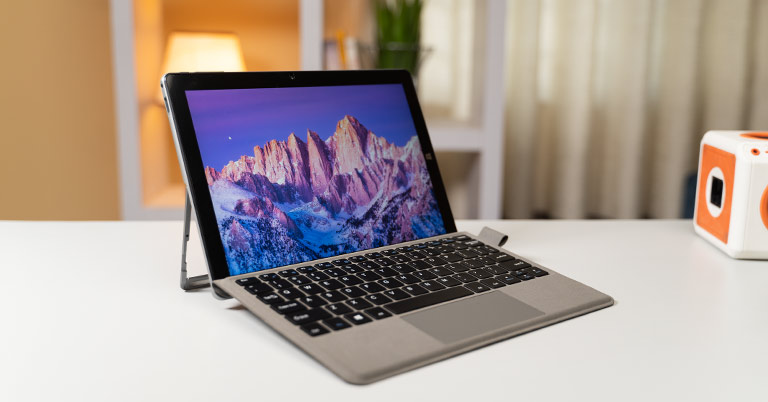
The Alldocube iWork 20 Pro is an excellent budget tablet that provides reliability via its performance. You have a wide range of Windows productivity apps to pick from, allowing you to work at any time. Furthermore, its port connectivity options are adequate for a budget tablet. However, I am hopeful that Alldocube will improve the cameras and audio in its next iteration. Overall, if you're a student searching for a low-cost tablet, Alldocube iWork 20 Pro can be your best bet.
Tablets, either Android or iOS-based, have always been the ideal option for multimedia consumption. Still, if you want a device that combines the mobility of a tablet with the optimization of a full-fledged laptop OS, Windows tablets are the safest option on the market. To that end, I've been using Alldocube's iWork 20 Pro tablet for about three weeks now. So, does it compete against the budget tablets available on the market? Let's find out on this review of the Alldocube iWork 20 Pro. Currently the Alldocube iWork 20 Pro costs USD 319 for an 8+128GB configuration where you get a bundled keyboard in the box.
Alldocube iWork 20 Pro Specifications:
- Design & Build: Metal build, 180.8 x 254.8 x 9.6, 600 grams
- Display: 10.5-inch IPS, FHD (1920×1280), 3:2 aspect ratio
- Keyboard: Full-size keys
- Trackpad: Multi-touch trackpad, Windows Precision drivers
- Processor: Intel Celeron N4120 CPU, 4C/8T, 2.60GHz Max Turbo Frequency, 16MB L3 Cache, 14nm process
- RAM: 8GB DDR4
- Storage: 128GB SSD
- Graphics: Intel UHD 600
- Audio: Stereo speakers
- Battery: 3500mAh
- Camera: Front (2MP), Back (5MP)
- Connectivity: WiFi 5 (ac), Bluetooth 4.2
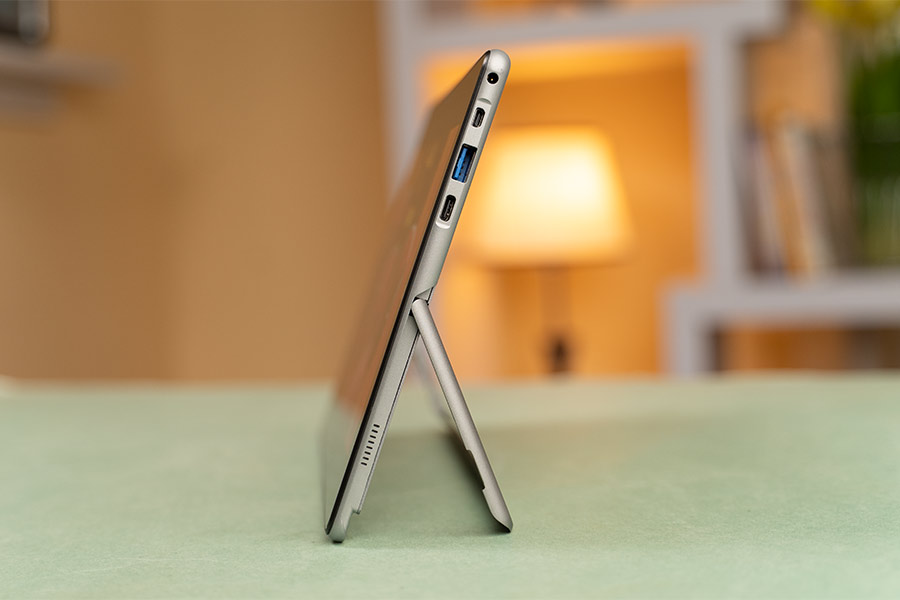
- I/O Ports: 2 × USB 3.0 Type-A, 1 × USB Type-C (w/PD), 3.5mm headphone jack, Micro HDMI
- Price in Nepal: N/A (USD 319)
Alldocube iWork 20 Pro Review:
Performance
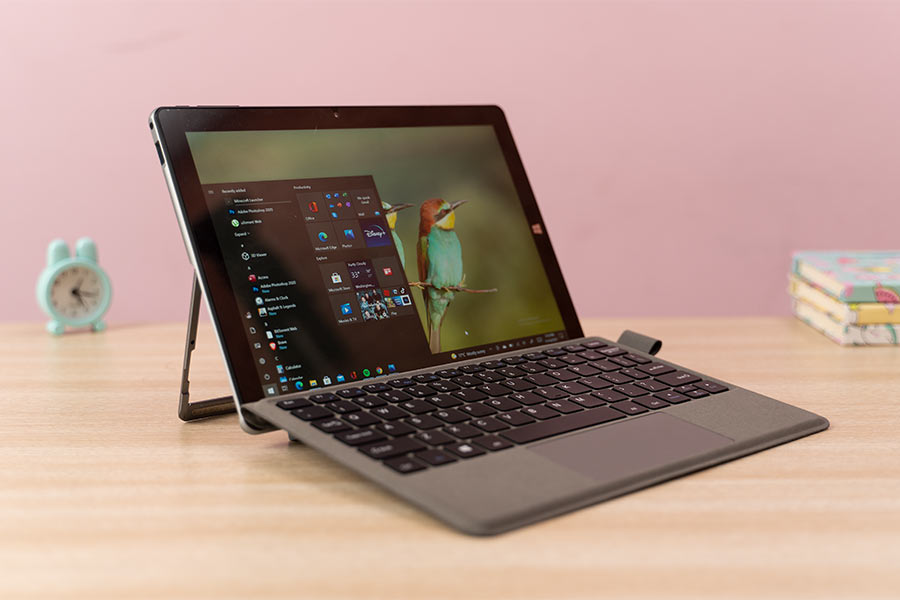
With that out of the way, let's start with what I consider to be the most reliable aspect of this machine— performance. It gets the Intel treatment with the quad-core Celeron N4120 processor that boasts 1.10GHz of base and 2.60GHz of burst frequency.
Not for gaming, obviously
Moreover, I also run Photoshop every now and then, which is unsurprisingly a demanding task for this machine. Using it for a while, I noticed a significant performance dip here. I also tried playing CS: GO on its lowest possible setting, but every second or so, the frame dip is observable. Even if you have to cope with stutters, a few lightweight titles like Temple Jungle Runner are still enjoyable on the iWork 20 Pro. And yeah, running such apps for some time does warm up the tablet on the back.
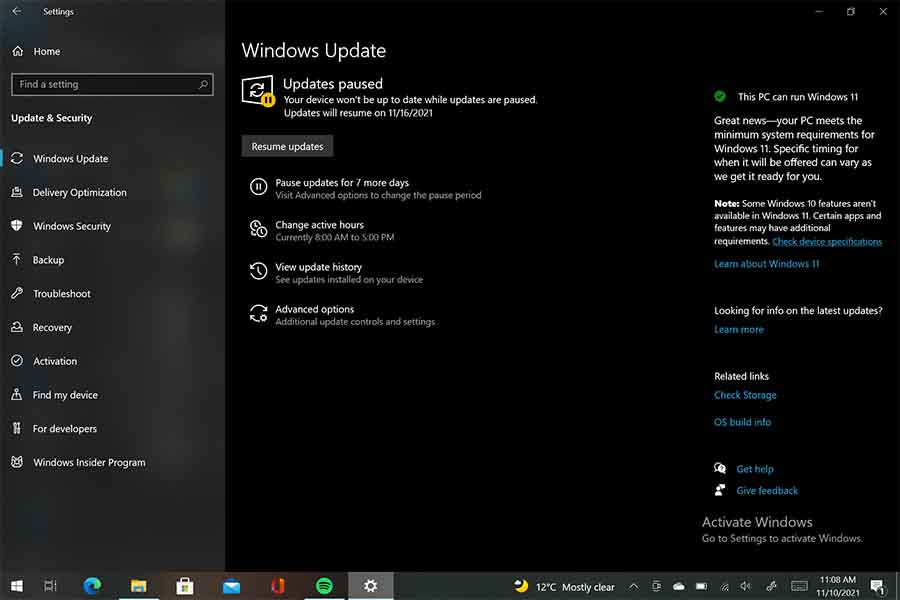
Windows 11
Design
Moving on, this tablet cuts no corner on the design front either. It gets a metallic makeover, complete with a matte finish and rounded edges on the rear. Likewise, it is 9.6mm thick and weighs 600 grams, so you'll need your true grit to hold it in your hands for a long period.
Keyboard and Touchpad
Aside from that, the iWork 20 Pro’s lower edge contains a 5-pin POGO connector that unites the tablet and keyboard. It solely weighs 249 grams and measures around 5mm thick. You can use it in either a completely flat or an angled position by simply folding the lid. Personally, I preferred using it in an inclined posture since it tilts the keyboard to the most comfortable typing position.
Display
Let’s now talk about the display. The iWork 20 Pro boasts a 10.5” fully laminated IPS panel with a Full HD resolution and 100% sRGB color gamut. Alldocube hasn't stated the panel's brightness level but it's bright enough for indoor use. The viewing angles are decent too, and watching movies or YouTube videos is quite a satisfactory experience on this thing.

Audio
Battery
Getting to the battery, this tablet is powered by a 26.6WHr cell that charges via a 24W power supply unit. On my regular usage, I got about 3 hours of screen-on time, which isn't terrible for a Windows tablet. Similarly, it takes over 2 hours to fill up this battery.
Camera
Alldocube iWork 20 Pro Review: Conclusion
To sum it all up, the Alldocube iWork 20 Pro is a pretty decent budget Windows tablet for the price. It basically ticks all the necessary boxes required for students and for enterprise-level users whose workload doesn’t consist of anything particularly demanding. Furthermore, its solid metal construction and decent battery life make it an even more appealing deal. Yet, it would have been the icing on the cake if Alldocube had offered a decent camera and reasonably better speakers.
Alldocube iWork 20 Pro Review: Pros and Cons
Pros:
- Metal build
- Reliable performance
- Decent keyboard
- Windows 11 support
- Decent battery life
- Value for money
Cons:
- Under-par cameras
- Mediocre speaker
Article Last updated: November 23, 2025
![Apple iPhone Price in Nepal [Updated 2026]](https://media.gadgetbytenepal.com/2025/12/Apple-iPhones-price-in-Nepal.jpg)
![Best Mobile Phones Under Rs. 50,000 in Nepal [Updated 2026]](https://media.gadgetbytenepal.com/2025/11/Best-Mobile-Phones-Under-Rs.-50,000-in-Nepal-2.jpg)