How affordable is Apple's "affordable" MacBook?
Why Trust Gadgetbyte?
At Gadgetbyte, we invest substantial hours into rigorously testing each product or service we review, guaranteeing that you make informed purchases. Learn more about our testing process.
Review Overview
4
The MacBook Neo is an interesting little laptop for sure. And despite its fair share of drawbacks, if you don't do much on your computer, this can be your perfect gateway to the world of Mac—while spending the least amount of money. But those with a slightly more demanding workflow and also a deeper pocket should be getting a MacBook Air instead.
Design and build
8.8/10
Display
8.7/10
Keyboard
9.2/10
Trackpad
8.9/10
Performance
7.9/10
Audio
7.9/10
Webcam
9/10
Battery
9.5/10
Value for money
7.7/10
Okay. I’ve got a very special review for you guys today because I just spent a couple of weeks with Apple's new MacBook Neo. And I'm finally done organizing my thoughts. But I’m sure you know quite a lot about this thing already, since this is pretty much the only thing “tech YouTube” has been talking about lately.
Actually, wait.
I think the MacBook Neo is the most ambitious, the most shocking product Apple has ever launched. ‘Cause this is the first “truly affordable” MacBook we’ve seen, ever since Apple began selling the very first MacBook back in 2006. It starts at just $599 (or $499 with the student discount)—and if you watch any MacBook Neo review from any Western YouTuber—I bet they’ll tell you something like “this is the easiest product I’ve ever recommended”.
But… भन्छन नि?? “It’s all relative”. And buying a MacBook in developing countries like Nepal has always been a completely different experience.
That $599 suddenly becomes रु. ११५,००० (this is just my educated guess, by the way, I'll update my review once the official price is finalized)—a 30% price difference after direct conversion. I’m not saying it’s Apple’s fault that the American Dollar is getting stronger than the Nepali Rupee. Or that I should blame Apple for high tariffs and taxes in Nepal. But suddenly the “cheap” MacBook Neo no longer feels “cheap” for Nepali consumers, right?
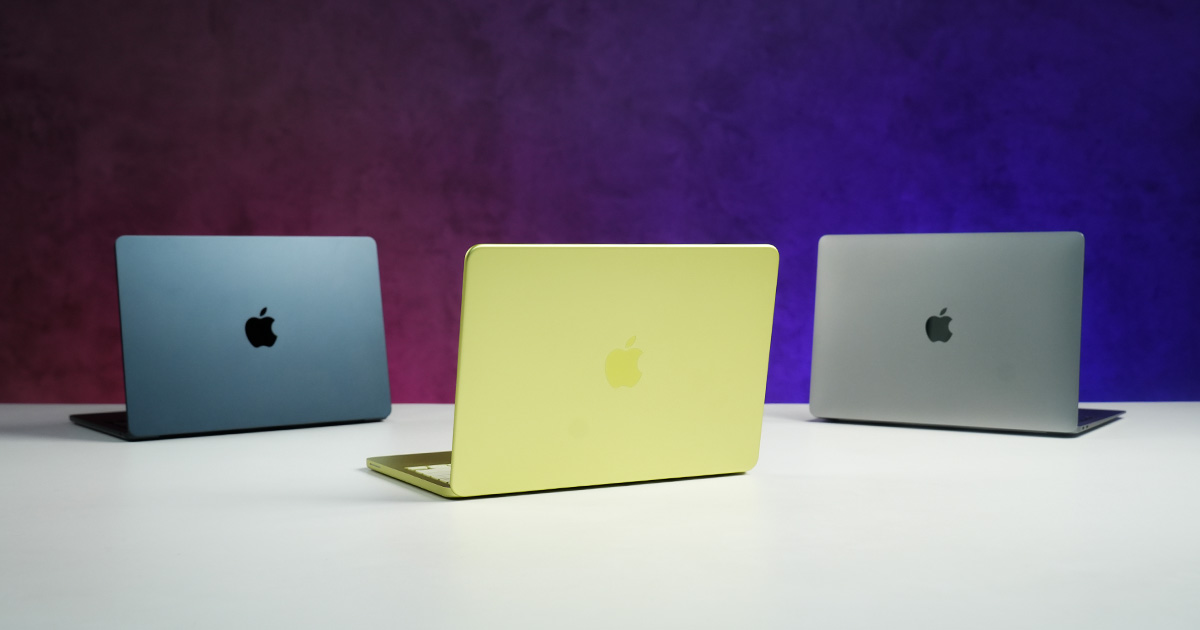
What I find more interesting is that adding a few thousand rupees gets you the M2 MacBook Air with double the memory and a bunch of other stuff that’s missing on the Neo. And I’m even seeing the 5-year-old M1 Air on sale at a similar price, so the question is… which “budget” MacBook should you buy? That’s exactly what I’ll help you figure out by the end of this review so that you don’t make a very expensive mistake. Let’s begin!
MacBook Neo review: Specifications
- Dimensions, Weight: 297.5 x 206.4 x 12.7 mm (W x D x H), 1.23 kg
- Display: 13″ IPS panel, 2408 x 1506 pixels, 60Hz refresh rate, 100% sRGB color gamut, 500 nits peak brightness
- Keyboard: Magic Keyboard (not backlit)
- Security: Touch ID (only with the 512GB configuration)
- Processor: Apple A18 Pro (6-core CPU, 5-core GPU)
- Memory: 8GB unified memory, 256/512GB storage
- Audio: Side-firing stereo speaker system
- Battery: 36.5 Watt-hours with up to 30W charging
- Webcam: FHD (1080p) FaceTime camera with no physical shutter
- I/O Ports: 2x Type-C (1x USB 3, 1x USB 2), 1x 3.5mm combo audio jack
- MacBook Neo Price in Nepal (Expected): NPR 115,000 (8/256GB)
MacBook Neo review:
Performance
- Apple A18 Pro chip
- (6-core CPU + 5-core GPU)
- 8GB memory, 256/512GB storage
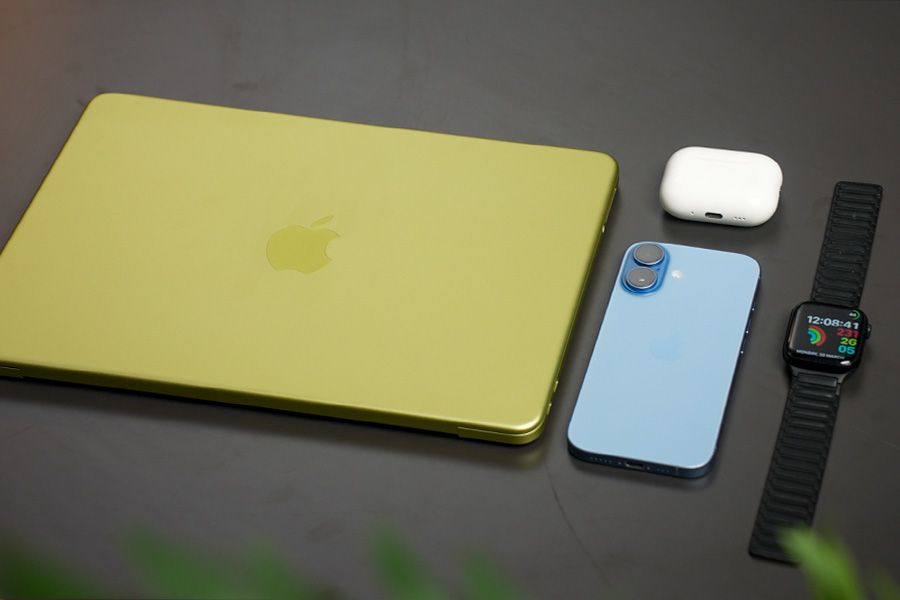
Okay. I’m sure the MacBook Neo’s “performance” is the one thing you guys want to know about the most, so let me start there. Especially since it uses the same A18 Pro chip as last year’s iPhone 16 Pro Max (review), minus a GPU core. But before I hit you with the benchmark numbers and everything else I’ve found, I feel like I need to clear up one big confusion about the Neo first.
So the thing is, since this MacBook is powered by an iPhone chip, I’ve seen a bunch of comments from people wondering if it runs on a specialized version of macOS.
And… no.
Even with an iPhone chip, the Neo runs on the same “macOS Tahoe” as every other MacBook. You can actually think of Apple’s “M” series chips for Macs as a beefier version of the “A” series chips on iPhones—with more CPU cores, more GPU cores, more memory, and everything else. And guess what? The A18 Pro comfortably won in all my single-core CPU tests!
Snappy af!
From something demanding like “Cinebench 2026” that tests a processor’s 3D rendering ability to “Geekbench 6” that sees how well a chip can handle basic day-to-day tasks, the MacBook Neo was far ahead of both the M1 and M2 Air. In browser benchmarks like “Speedometer 3.1” as well, I found the A18 Pro to be 16% faster than M2—and a whopping 40% faster than M1 Air!
| MacBook Neo | M1 Air | M2 Air | |
| Cinebench 2026 (single core) | 486 | 420 | 462 |
| Geekbench 6 (single core) | 3130 | 2346 | 2601 |
| Speedometer 3.1 | 48.4 | 34.7 | 41.6 |
| *higher is better | |||
Now, the Neo was dead last in literally every multi-core test I ran, but… I don’t think that matters.
| MacBook Neo | M1 Air | M2 Air | |
| Cinebench 2026 (multi core) | 1316 | 1508 | 1929 |
| Geekbench 6 (multi core) | 7556 | 8123 | 9401 |
| *higher is better | |||
At least not on a budget laptop like this one, because for most people, what matters more is how quickly their apps launch and how snappy and responsive the UI feels in general. Which is where you need fast single-core performance.

And in my regular workday, where I’d have no less than a couple dozen tabs open,
- with Spotify running in the background all the time…
- mixed with answering emails… attending video calls in between…
- and also some light Photoshop work now and then, I never felt like the MacBook Neo was struggling to keep up with me.
I thought its 8 gigs of memory would be a massive bottleneck, but man was I wrong! Mind you that you can’t configure the Neo with more memory either—just more storage.
Is 8GB of memory enough?
The way Apple implements “swap memory” to temporarily use disk storage as RAM so freakin’ well is just… the most underrated thing about macOS, if you ask me. Even though the read/write speed on this thing is pretty slow as well.
Just like what we saw on the M2 Air’s base variant, which has a single NAND chip.
That said, if your workflow is a bit more demanding than mine, then the M2 Air… with its 16GB of memory… is definitely gonna make a massive difference. Say you’re into video editing, maybe programming, some light 3D work with Blender, or if you wanna run local AI models, then spending a bit of extra cash on the M2 Air is gonna be totally worth it. Trust me.
| MacBook Neo | M1 Air | M2 Air | |
| devMEremenko (Xcode compile) | 388 | 441 | 344 |
| *time taken in seconds (lower is better) | |||
I tried compiling a codebase on “Xcode” and it was faster on the M2 Air. I tried running them through video editing tests on Davinci Resolve and photo editing tests on Photoshop… same result.
| Pugetbench tests | MacBook Neo | M1 Air | M2 Air |
| Davinci Resolve | 4909 | 4708 | 8244 |
| Photoshop | 37858 | 39534 | 54687 |
| *higher is better | |||
It’s not like the Neo can’t get through high-school level programming or simple 4K video edits for Instagram Reels or YouTube Shorts, but what I’m trying to say is that its limited memory and a weaker multi-core performance are gonna bottleneck real fast.
Oh wait—I haven’t even talked about their GPU yet. Where I knew the A18 Pro would, once again, trail behind both the M1 and M2 chips since those two have more GPU cores.
| 3DMark tests | MacBook Neo | M1 Air | M2 Air |
| Steel Nomad Light (1440p) | 1684 | 1830 | 2368 |
| Wild Life Extreme (4K) | 3701 | 4499 | 5709 |
| Solar Bay (1440p, ray tracing) | 6748 | 5800 | 7385 |
| *higher is better | |||
That’s exactly what happened, as you can see from these 1440p and 4K rasterized rendering tests I ran, although the MacBook Neo ended up with a much better score in ray-traced benchmark. Thanks to the hardware-accelerated ray tracing support on A18 Pro. It managed a respectable 16% better score than the M1 Air, while still losing to the M2 Air by nearly 10%.
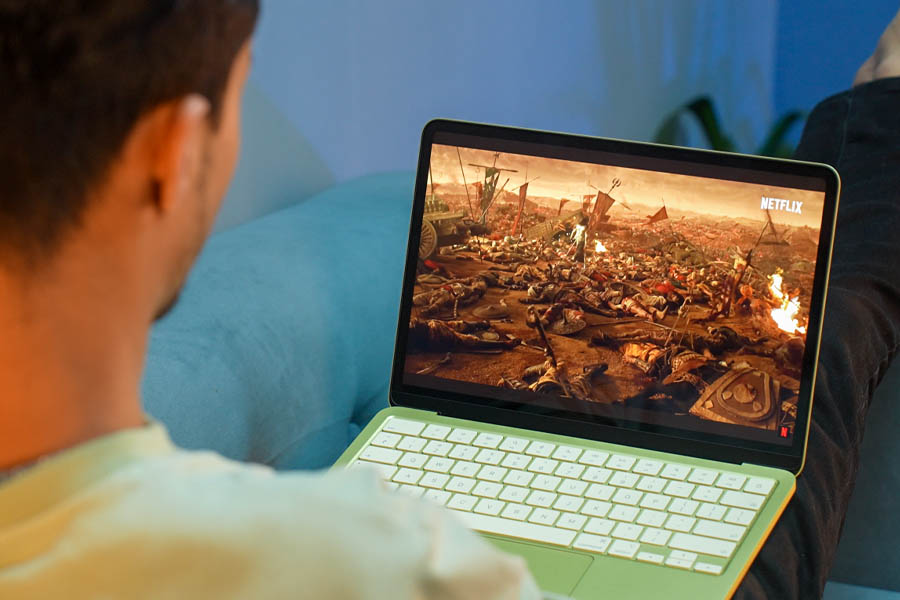
So the bottom line is that, as far as performance is concerned, the MacBook Neo is clearly better than the M1 Air for most tasks. There’s no doubt on that.
And if all you want is a basic productivity machine for browsing the web, streaming videos, writing notes, answering emails, and such, the MacBook Neo is absolutely unmatched at this price. A cool, quiet, fanless laptop is the dream! But push it a little… further than “basic tasks”, and you’d be wishing you had the M2 Air on your lap instead.
Design and build
- 297.5 x 206.4 x 12.7 mm (W x D x H)
- 1.23 kg, All-aluminum build
I wanna talk about the design next, and I have some good news and some bad news.
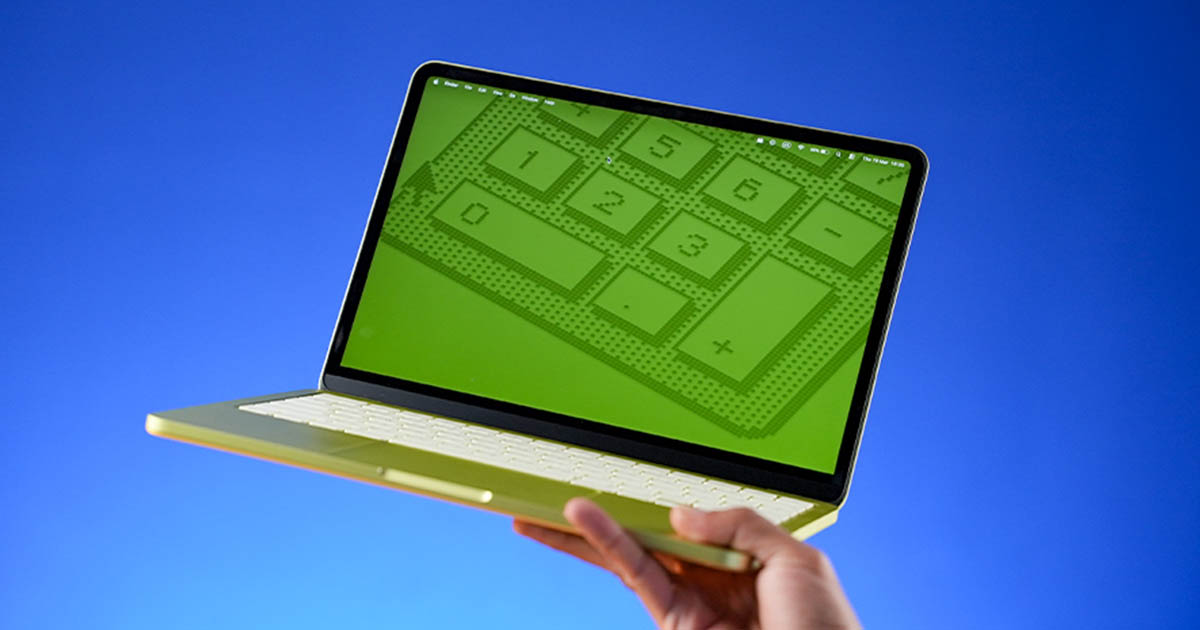
The good news is that despite being the cheapest MacBook ever, the Neo has better build quality than most Windows laptops at this price. It’s got a solid all-metal shell, nothing bends or creaks, I can open it up with one hand—and if that wasn’t enough—the Neo also comes in a bunch of neat color options too. Including this “Citrus” finish, which is my personal favorite.
Now for the bad news, Apple has made a bunch of weird compromises with the MacBook Neo. Just to upsell the Air. I guess that makes complete business sense, but as a potential consumer for one of these things, I’m pretty annoyed.
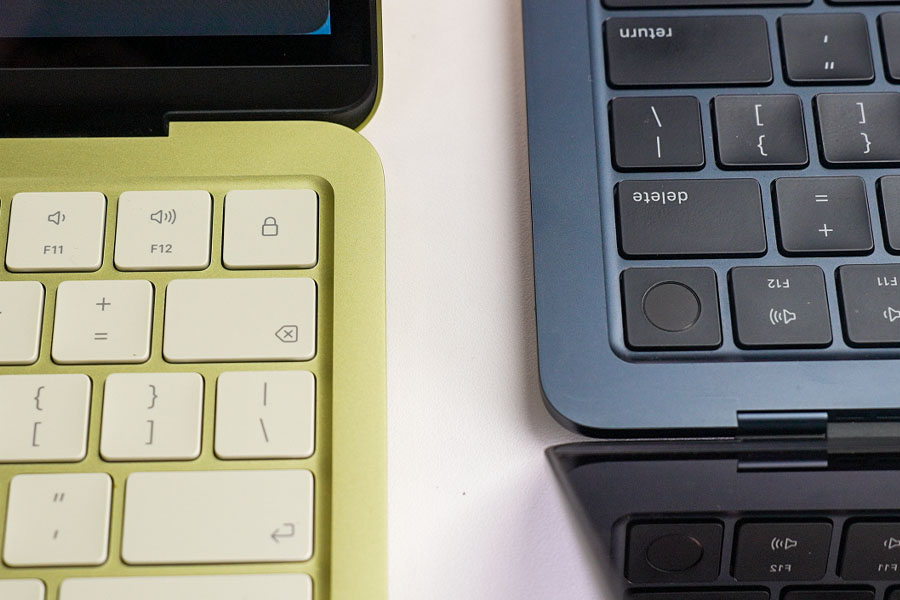
The first one is that the Neo’s cheapest model doesn’t have Touch ID for biometric verification. I approve logins, my passkeys, app installs, and other sensitive activities with my finger on my MacBook, so bypassing all that with a simple password felt really insecure. I know its 512GB variant comes with a Touch ID, but at that price, I’d argue the whole “value for money” thing about the MacBook Neo starts to fade away. More on that in just a minute.
No backlit keyboard? Really Apple?
And while it has the same Magic Keyboard as the M1 and M2 Air that I’ve absolutely loved typing on, this one’s not backlit. It’s such a basic feature—and I never even dreamed I’d be complaining about the lack of a backlit keyboard on a MacBook—but here I am.
The USB situation on the MacBook Neo is quite interesting as well.
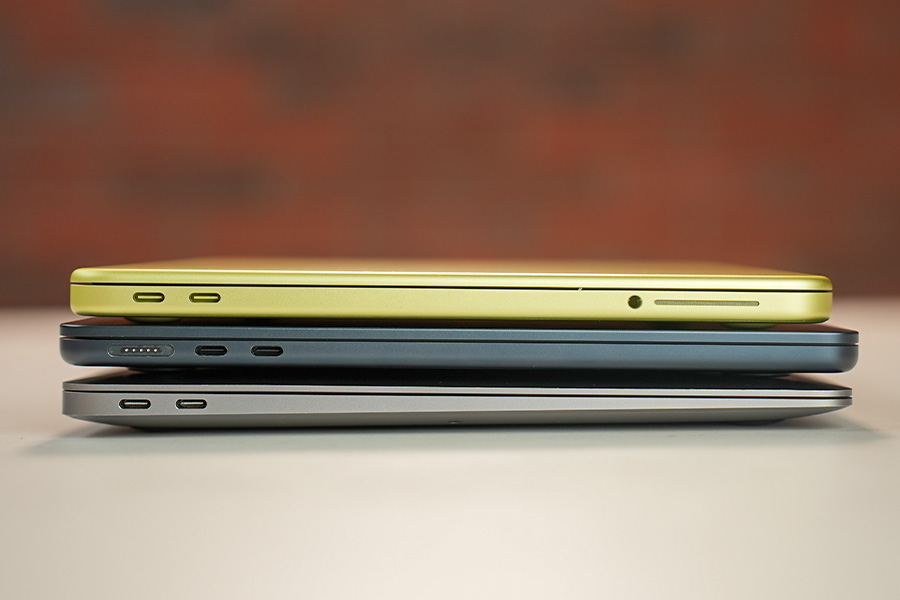
It doesn’t have MagSafe like the M2 Air, and only a couple of Type-C ports and a headphone jack. Like the M1 Air. But instead of high-speed USB 4 connections with up to 40 Gbps transfer speeds on those two, one of the Type-C ports on the Neo is USB 2 with a maximum data transfer rate of just 480 Mbps. Ouch!
| 40GB folder copy | |
| MacBook Neo (USB 2) | 1154 |
| MacBook Neo (USB 3) | 74 |
| M1 Air | 56.5 |
| M2 Air | 80.5 |
| *time taken in seconds (lower is better) | |
And I had to wait almost 20 minutes to finish copying a 40GB folder using it, while the same thing was 15x faster once I connected my external SSD to its other USB-C port. Which is even capable of connecting up to a 4K 60Hz monitor, by the way.
A whole new world (of mechanical trackpad)
What really surprised me is that Apple also designed a new “mechanical” trackpad for the MacBook Neo. You probably already know that Apple’s Force Touch trackpad has been my favorite for years—I love how responsive it feels and all its shortcuts, like being able to preview files, rename them, or look up word meanings with a simple click.
So you can imagine how disappointed I was about this downgrade. But you know what?
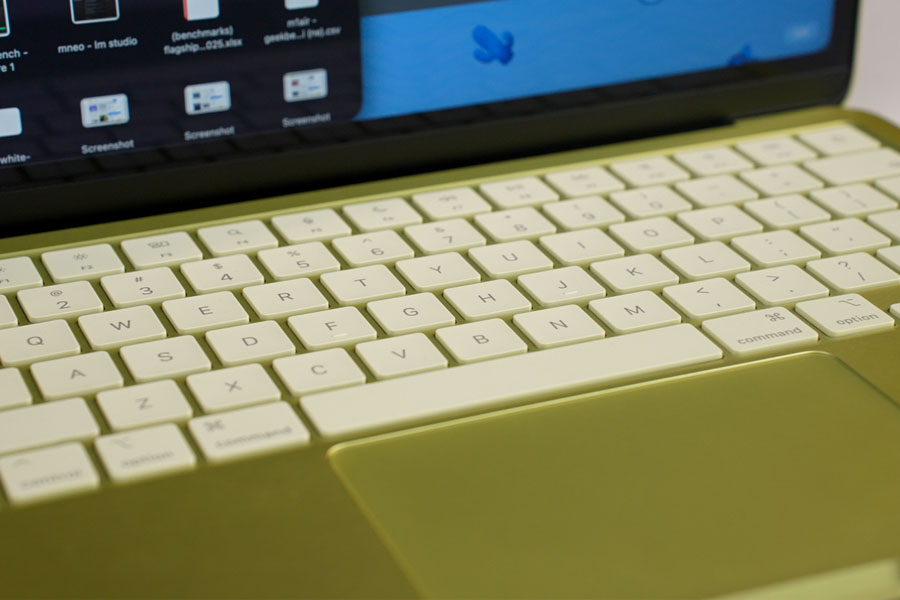
Other than missing out on those shortcuts I mentioned earlier, the Neo’s mechanical trackpad is actually really, really good. Every single gestures work as I’d expected: pinch, swipe, multi-touch… you name it. What’s even better is that—unlike how similar mechanical trackpads on budget Windows laptops feel very stiff near the top and don’t click very well—the MacBook Neo doesn’t have that problem at all.
Display
- 13" Liquid Retina IPS panel
- 60Hz refresh rate, 100% sRGB color gamut
- 500 nits peak brightness
Whereas Apple also left out two common display features from the MacBook Air to try and make this guy look a little less appealing. Besides these heavy, thick bezels, of course.
The first one is that the MacBook Neo’s display doesn’t support “True Tone”. I honestly don’t miss it much, but what’s funny is that the Neo still has an ambient light sensor—as you can see—so it seems to me all Apple did was software-lock True Tone for its cheapest MacBook. That’s… such a “classy” move from Apple.
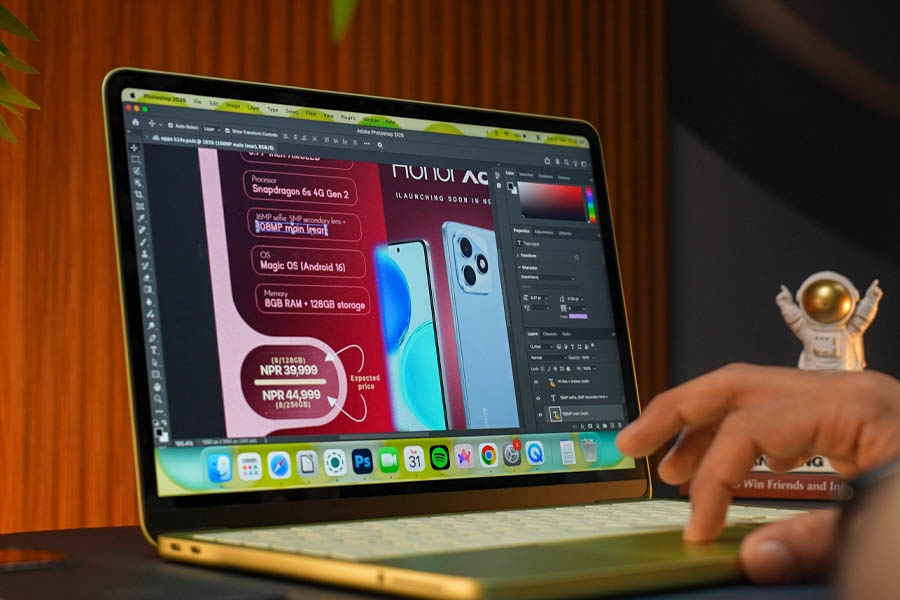
And unlike the MacBook Airs that cover 100% of the P3 gamut, the Neo only reaches a little over 70%. It can still show 100% of the sRGB colors, so this is still perfectly vibrant for streaming content or even some light photo editing jobs, although if you’re an app/web designer… and use tools like Figma and Illustrator… this could be a bummer.
But besides those two things, I don’t have any complaints about the Neo’s display. It’s got nice viewing angles, texts look plenty sharp—and with 500 nits of maximum brightness—visibility was never gonna be an issue here. Not when I’m working in my office or when I take it outdoors.
Webcam and speakers
- FHD (1080p) camera with no physical privacy shutter
- Side-firing stereo speakers
I also gotta talk about its speakers for a bit ‘cause the Neo is rocking a pair of side-firing speakers. Which I think is a “first” on a MacBook. Just so you know, the M1 Air has front-firing speakers, while they are hidden between the keyboard deck and the display on the M2 Air.
I must say the Neo doesn’t sound too bad on its own. It gets decently loud enough and everything sounds nice and clear, but after I compared it with the other two, the downgrade in audio quality became clear immediately. It doesn’t sound as full and rich (especially when putting it next to the M1 Air) and I also noticed how narrow its soundstage is.
The webcam on the MacBook Neo is pretty great, though.
Its 1080p camera is obviously miles better than the M1 Air’s 720p camera… while its image quality + microphone quality are pretty much identical to the M2 Air. I’d be more than happy to attend video calls with this setup!
Battery life
- 36.5Wh battery, up to 30W charging
- 20W power adapter provided inside the box
Finally—there’s battery life. Which turned out to be the most surprising thing about the Neo for me! It literally has the smallest battery on any MacBook. Ever.
So naturally I wasn’t expecting much in terms of battery with this thing, but man… it turns out I was seriously miscalculating how power-efficient that A18 Pro really is!
| MacBook Neo | M1 Air | M2 Air | |
| Battery life (casual usage) | 10 hours | 12 hours | 12 hours |
| *higher is better | |||
Because I’ve been consistently getting around 9 – 10 hours of screen time in my regular workflow I mentioned before, when keeping the brightness at about 200 nits. That’s actually super close to what I’ve been getting on the M1 and M2 Air! I tried sneaking in some gaming this one time, which was the most power-hungry thing I could put the Neo through, but yeah.
The MacBook Neo is not gonna disappoint casual users when it comes to battery life.
The A18 Pro is so efficient!
I also took a closer look at its power consumption… and I’ll just let these graphs speak for themselves.
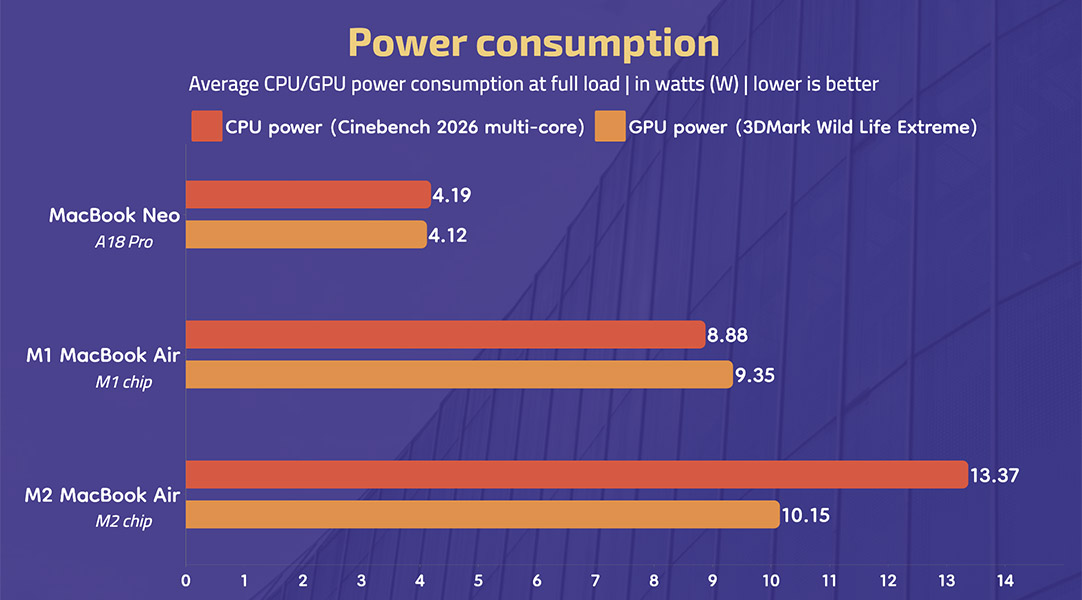
‘Cause even under heavy CPU or GPU usage, the A18 Pro was only sipping about 5W of power, which is 2 – 3 times less than what the M1 and M2 chips needed. That is absolutely insane! Mix that with the A18 Pro’s more efficient 3nm manufacturing process vs 5nm on these two, you can see why the MacBook Neo’s screen-on time is so damn impressive despite its tiny, tiny battery.
You know what’s not so impressive? Its charging speed.
Apple ships a super slow 20W power brick inside the box that takes 4 hours for a complete refill, although there is some good news. So Apple doesn’t mention it officially, but the MacBook Neo does support up to 30W of charging speeds—and my 65W Ugreen charger was able to take it from 5 to 100% in almost two and a half hours.
MacBook Neo review: Conclusion
Alright.
So let me wrap it all up now. And based on everything I’ve discussed throughout this review, one thing is crystal clear: the MacBook Neo is a fantastic little laptop. Especially to those who don’t do a lot on their computer besides web browsing and stuff.
I know it has its fair share of problems, like being limited to just 8GB of memory, no backlit keyboard, no Touch ID for the base model, and slow charging speed… but for the Western market, the MacBook Neo is a great way to enter the Apple ecosystem. Especially if you manage to grab it for just $499 with the student discount.
Which, let’s be honest, seems to be Apple’s main goal with the Neo. You buy a cheap MacBook… see how much better it is than what Windows laptops were offering… so you’re tempted to try out other fruits in Apple’s basket one. by. one.
But here in Nepal, where Apple's student discount program is nonexistent, that’s where it gets a little complicated for this guy. Or not because the M2 Air that avoids every. single. issue I have with the MacBook Neo is available for around NPR 125,000 these days. Making it a much better value!
And if you do more than the “basic” stuff, like programming, photo/video editing, or music production, the M2 chip’s superior multi-core performance and a spacious 16GB of memory are gonna be so much more useful than whatever else the MacBook Neo is offering. Trust me on this.
- Our video review of the MacBook Neo is coming up pretty soon
MacBook Neo review: Pros and Cons
| Pros | Cons |
| • An affordable MacBook | • Just 8GB memory |
| • Snappy everyday performance | • No backlit keyboard |
| • Nice, bright display | • The base variant doesn't get Touch ID |
| • Pretty design + sturdy build | • Slow 20W charger in the box |
| • Surprisingly impressive battery life |
Article Last updated: April 8, 2026
![Asus Vivobook 14 X1405VA (2023) Price in Nepal [Updated]](https://media.gadgetbytenepal.com/2025/08/Asus-Vivobook-14-X1405VA-Price-in-Nepal-.jpg)