Anthropic's new "Auto Mode" for Claude Code can run commands autonomously while blocking destructive actions.
We’ve been talking a lot lately about AI doing things it probably shouldn’t. And the last few days to weeks have brought a bunch of AI developments that have fascinated many. OpenAI shutting down Sora was one of the most shocking moves. But lately, Anthropic has managed to get all the big focus with all their products and updates, enough to shake up all of its competitors. Following that, they just bought a new update into the Claude Code called 'auto mode' is now available as a research preview for Team plan users, and it addresses one of the more nerve-wracking aspects of using an AI coding agent. Let's dive in!
Claude Code Auto Mode Overview
What is its use?
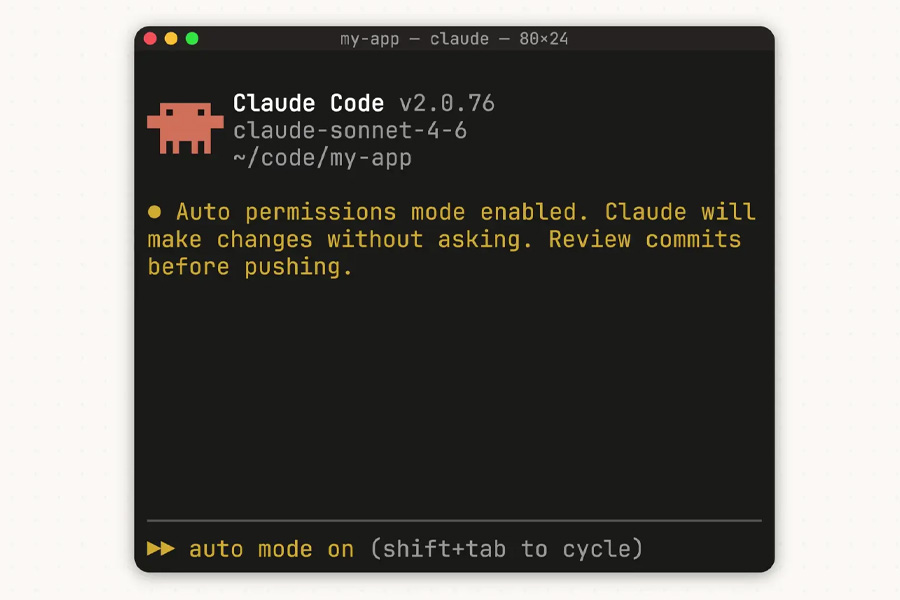
Claude Code has become powerful as it has shifted from just writing code to executing shell commands, moving files, pushing to GitHub, and yes, deleting things. The default behavior so far has been conservative, meaning it used to ask for your approval before every file write and bash command. And the alternative was a setting literally called "--dangerously-skip-permissions", which does exactly what it sounds like and is only really appropriate in isolated environments where Claude can't cause permanent damage.
The problem is that developers use it anyway because constant permission prompts kill productivity. Now the new Auto mode sits between these two extremes. So how does it work? It's is quite fairly simple. Let me explain!
New in Claude Code: auto mode.
Instead of approving every file write and bash command, or skipping permissions entirely, auto mode lets Claude make permission decisions on your behalf.
Safeguards check each action before it runs. pic.twitter.com/kHbTN2jrWw— Claude (@claudeai)
In this case, a classifier runs before each action and checks whether it's safe to proceed automatically or whether it should be blocked. Things like mass file deletions, sensitive data exfiltration, production deploys, force pushing to main, downloading and executing scripts from the internet, are the ones blocked by default. However, things like reading files, installing declared dependencies, or pushing to a branch Claude created cannot proceed without interruption.
- Also, read
Is there a risk?
Anthropic is surprisingly upfront about this. According to them, any kind of ambiguous user intent or missing context about your environment can still let risky actions through. It also occasionally blocks benign ones. If the classifier blocks the same action three times in a row or twenty times total in a session, auto mode pauses, and Claude falls back to prompting you manually.
Claude Code Auto Mode Availability
Right now, it's a research preview for Team plan users only. Enterprise and API users will get it in the coming days. It requires Claude Sonnet 4.6 or Opus 4.6 and won't work on Haiku, Claude 3 models, or third-party providers like Bedrock or Vertex.
- Meanwhile, check out our review of the Galaxy S26 Ultra
Article Last updated: March 26, 2026