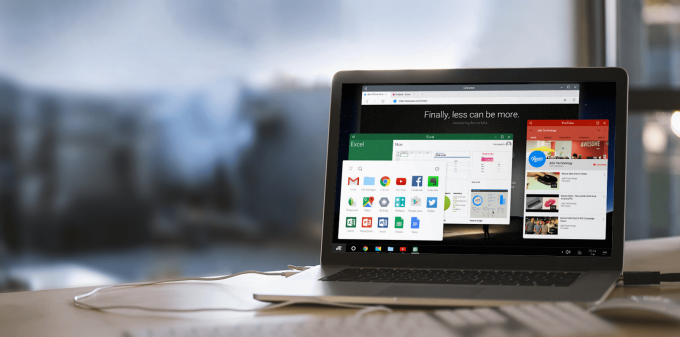
Android is an open platform which was limited only to mobile devices but it's perspective has got even wider. Now you can officially run Android as your operating system on PC, all thanks to Jide Technology which has been working to bring the simplicity and productivity of Android to PC.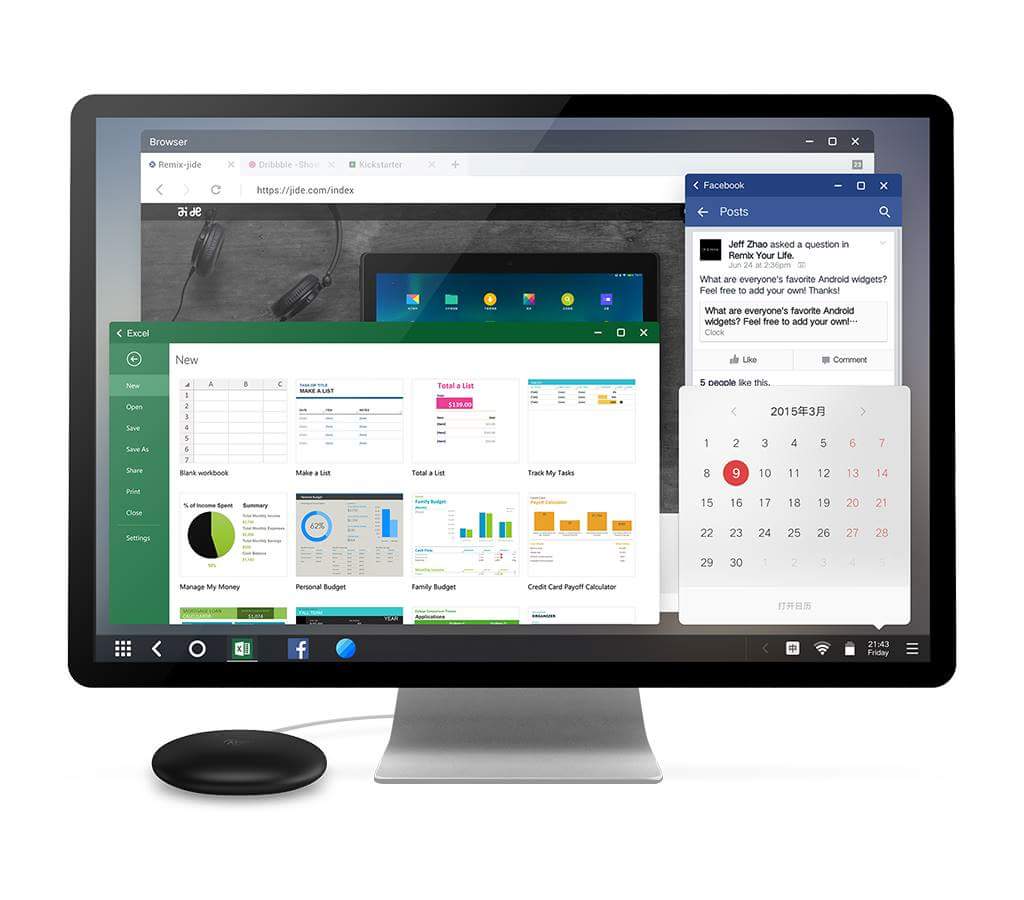 Remix OS is just Plug and Play, you need a bootable USB of Remix OS and run Android on almost any Intel (x86) based PC and even on few Macs with full Android app support.
Before installing the OS you need a USB 3.0 Flash Storage with 8GB (FAT32) or more with R/W speed of 20MB/s.
Remix OS is just Plug and Play, you need a bootable USB of Remix OS and run Android on almost any Intel (x86) based PC and even on few Macs with full Android app support.
Before installing the OS you need a USB 3.0 Flash Storage with 8GB (FAT32) or more with R/W speed of 20MB/s.
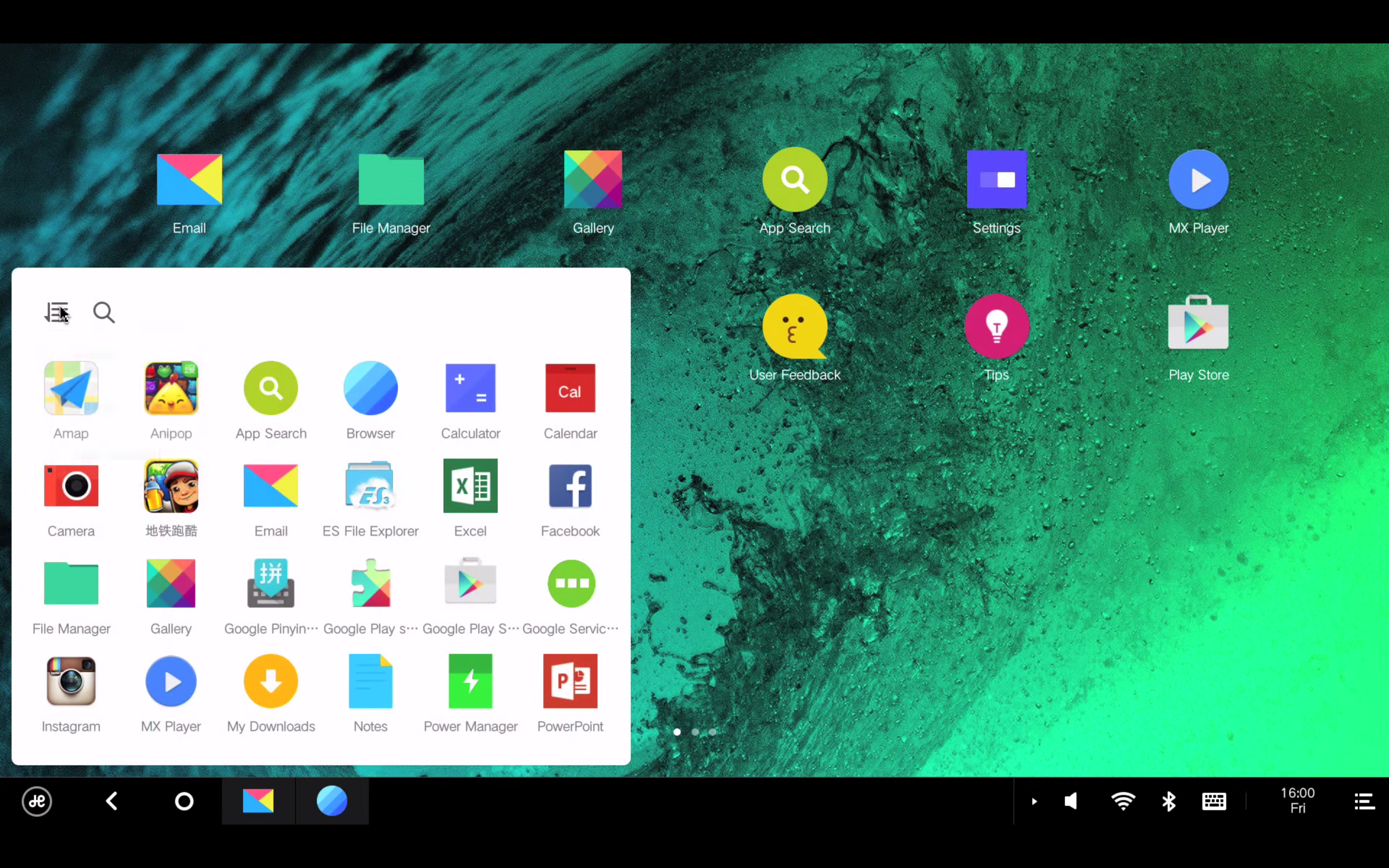 Nonetheless, the stable version of Remix OS will take the PC mobility to a whole new level, all that is needed is a USB Flash Drive within your reach. Remix OS is different than Tablet Android OS to some extent, it adopts a native desktop like UI with a taskbar included but it hasn't compromised the Android experience. It currently runs on Android 5.1.1 Lollipop and you see the material design aspects everywhere giving you a smooth and seamless experience.
Benchmarks shows the performance will be above par compared to some flagship Android phones but to be skeptical, it entirely depends on your hardware.
Nonetheless, the stable version of Remix OS will take the PC mobility to a whole new level, all that is needed is a USB Flash Drive within your reach. Remix OS is different than Tablet Android OS to some extent, it adopts a native desktop like UI with a taskbar included but it hasn't compromised the Android experience. It currently runs on Android 5.1.1 Lollipop and you see the material design aspects everywhere giving you a smooth and seamless experience.
Benchmarks shows the performance will be above par compared to some flagship Android phones but to be skeptical, it entirely depends on your hardware.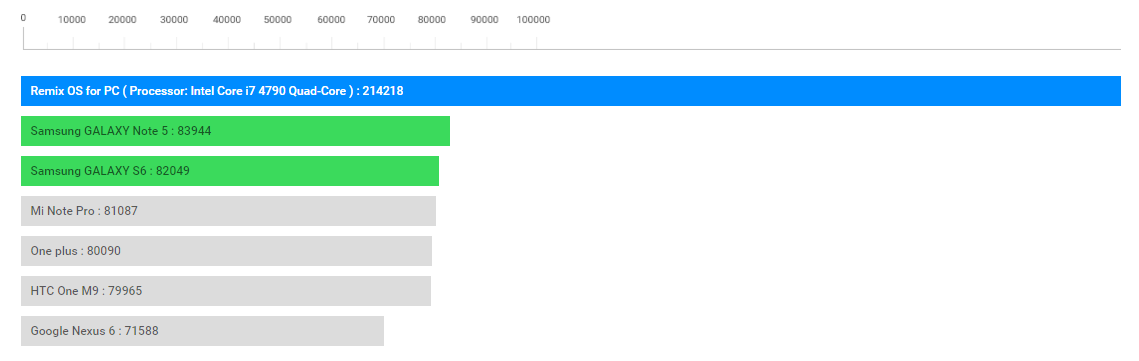
- Download Remix OS zip file (Legacy or EFI) depending on your system and unzip it.
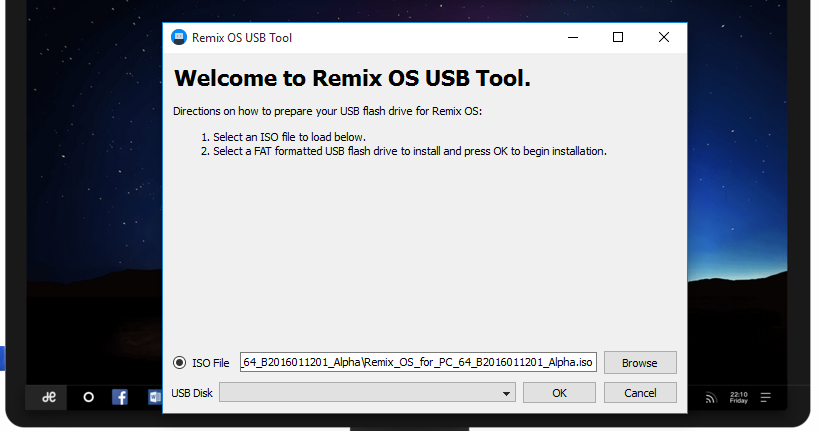
- Launch the Remix OS USB tool or any third party USB Boot Tool.
- Browse and Select the Remix OS ISO file and Select OK.
- Reboot your PC.
- Enter into Boot Mode pressing F12 during startup or other function keys
- Select "USB Storage Device" as boot option
- Select either "Guest Mode" or "Resident Mode" to start Remix OS.
Article Last updated: January 15, 2016
![HP Victus 15 (2023) Price in Nepal [Updated]](https://media.gadgetbytenepal.com/2023/05/HP-Victus-15-2023-Price-in-Nepal-and-Availability-1.jpg)
![HP Laptops Price in Nepal 2026 [Updated]](https://media.gadgetbytenepal.com/2022/12/HP-Laptop-Price-in-Nepal-2023.jpg)