At Gadgetbyte, we invest substantial hours into rigorously testing each product or service we review, guaranteeing that you make informed purchases. Learn more about our testing process.
Review Overview
4.3
The newest gaming laptops from Asus are pretty amazing, and the ROG Zephyrus M16 is yet another fine addition to the list. It features a great display, premium yet relatively light form factor, and good performance for its price. The only thing a little concerning is that its thermal design lets out hot air directly towards the screen whereas one of the RAM slots is soldered too. Other than that, this laptop is pretty well balanced!
Design & Build
9/10
Display
9/10
Keyboard
9/10
Trackpad
8/10
Performance
9/10
Audio
9/10
Battery
7/10
Value for Money
8/10
Asus has been doing really good in the gaming laptop arena these days. Recently, the company launched the Zephrus M16, which is yet another killer addition to its list. It comes with Intel’s Core i9-11900H CPU which can be paired with up to RTX 3070 GPU. Let me talk more about the Asus ROG Zephyrus M16 (GU603) in this full review.
This laptop is sort of the upgraded version of the Zephyrus G15 from last year. And both of them have a pretty identical footprint except for two major differences. First, the M16 comes with an Intel CPU instead of AMD that powered the G15, and second, the screen sees a much bigger upgrade.
Asus ROG Zephyrus M16 Specifications:
Design &Build: Dot Matrix finish (lid), 13.98W x 9.57D x 0.88H-inch, 1.90 kg, ErgoLift hinge (180º)
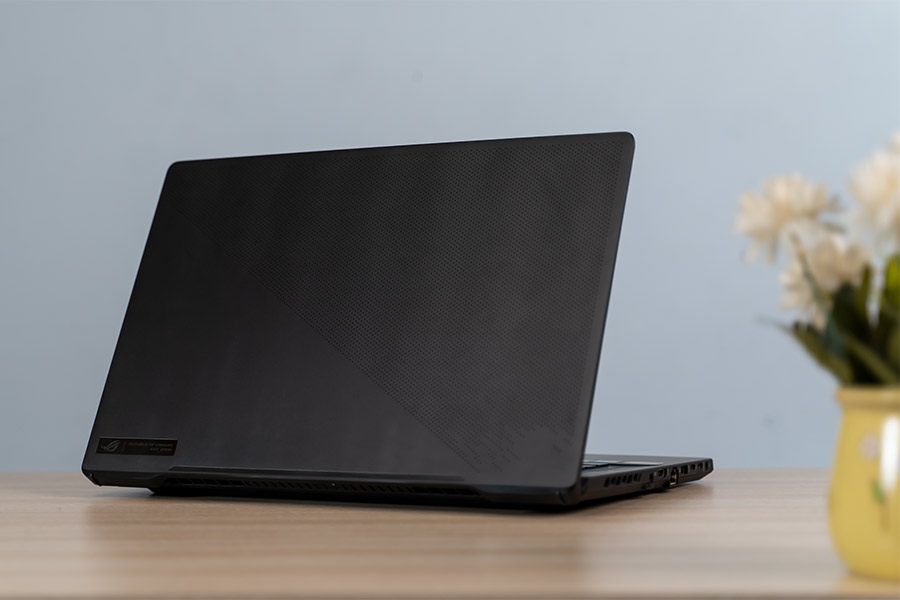
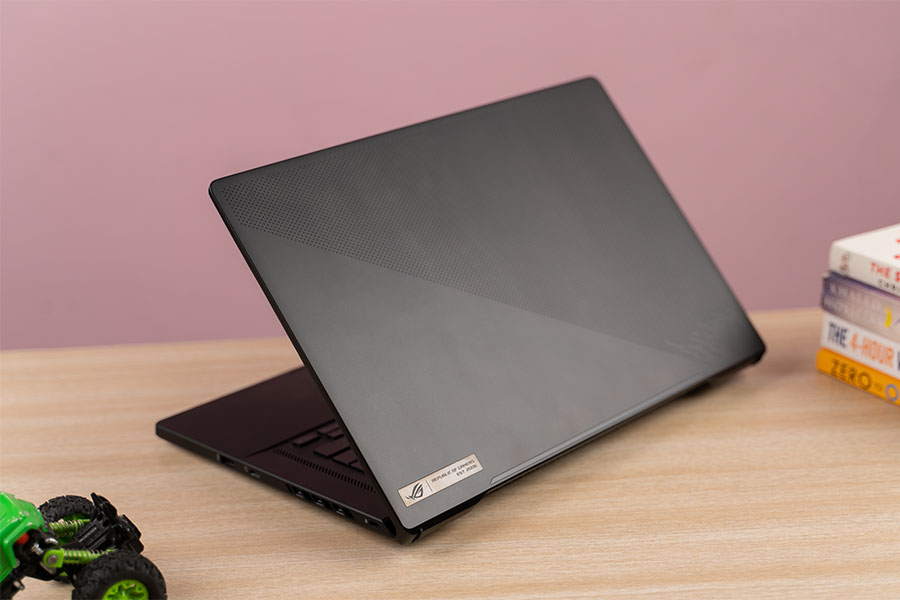
Starting with the design, I have to say that I’m a fan of what Asus has done here. This laptop sports a sleek back design over an aluminum hood which is filled with microdots on the diagonal half that reflects prismatic lights—that still looks pretty subtle.
Opening up the laptop reveals the soft black-painted RGB keyboard and trackpad. The design feels sturdy and premium. And despite being a gaming laptop, the M16 is not that heavy either. Weighing under 2 kg, it is one of the lightest devices compared to the rest of the competition.
Likewise, it features a good selection of ports too. It offers a power jack, an HDMI 2.0b, an RJ45, one USB 3.2 Gen 1 Type-A, two USB-C Thunderbolt 4, and a headphone jack on the left while the right side has one USB 3.2 Gen 1 Type-A and a micro SD card slot.
No gallery images available
The only thing that I wish was a bit different is the placement of the power button, which I would have preferred at the back. Also, a full-sized card reader would have been more helpful for content creators.
Keyboard, Trackpad
Backlit full-sized chiclet keys (RGB)
N-key rollover, 1.7mm key travel
Glass trackpad with integrated left/right keys
On the other hand, the Zephyrus M16 comes with an RGB-backlit chiclet-style keyboard. Like with other Asus laptops, you can customize the RGB lighting from the Armory Crate app. You even get a dedicated button for it on the top left of the keyboard deck, along with shortcuts for volume control and microphone.
No gallery images available
The keys are well-spaced too, but I do wish the arrow keys were a little bigger. Apart from that, the power button also doubles as the fingerprint sensor which works quite accurately.
As for their feedback, this keyboard is incredible to type on. It is clicky, punchy, and offers quite a solid key travel. The keyboard does flex a little which is probably because of the ErgoLift Hinge design, but it’s nothing to worry about.
Even the lid does not suffer much flex, which is good. And for those of you who are concerned, yes, you can open the laptop with one hand as well. Down below, you have a center-aligned trackpad which is quite good and clicky. I especially like the fact that it’s spacious and really responsive.
Display
16" anti-glare non-touch 2K IPS panel
144Hz refresh rate, 100% DCI-P3 gamut
Moving on, the display of this laptop is the best thing. It’s a 16" 2K IPS panel with a 144Hz refresh rate. There’s also a 165Hz variant, but it’s not available in the Nepalese market as of now.
Anyway, the bezels on this thing are incredibly slim—thereby making content consumption or gaming a delight. It’s a matte panel that gets really bright with a peak brightness of up to 512 nits.
And because this laptop is targeted towards gamers and content creators alike, this screen’s quality is something to talk about. With 100% DCI-P3 color coverage, it is pretty color accurate.
Webcam
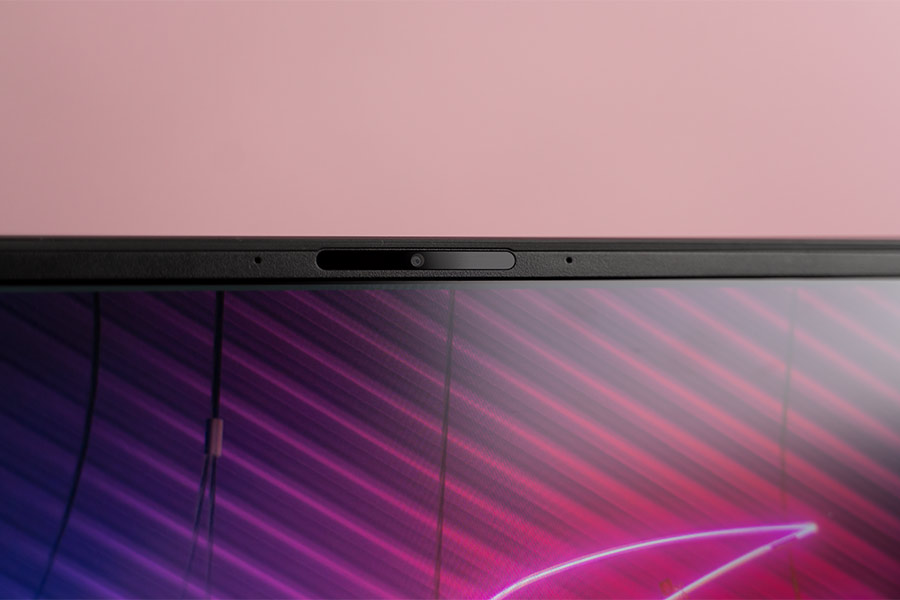
720p HD camera
No privacy shutter
The Zephyrus M16, unlike the G15, features a webcam on the top bezel. It’s a standard 720p camera which is like any other HD laptop webcam you could find. As a result, its quality is not anything exceptional but will get you through your online classes and meetings.
Audio
2x 2W tweeter, 4x 2W woofer
Smart Amp Technology, Dolby Atmos
Complementing this screen are 6 speakers in total. It has two front-facing tweeters on either side of the keyboard alongside two woofers on both sides underneath. With this setup, you can even enjoy some bass, whereas the audio gets loud enough too.
Don’t get me wrong, the sound is not as good as the MacBooks, but it’s pretty good for a gaming laptop. It's a solid B+ in my books.
Performance
Intel Core i9-11900H CPU (45W TDP)
NVIDIA RTX 3060 95W (discrete GPU)
32GB DDR4 RAM, 1TB PCIe NVMe SSD
Getting to the performance side of things, as mentioned above, our unit comes with Intel’s Core i9-11900H CPU, RTX 3060 GPU (80W TGP up to 95W) with 6GB GDDR6 VRAM, a total of 32 gigs of RAM (16GB soldered), and 1TB of M.2 NVMe PCIe 4 SSD. You also get an extra M.2 slot in case you require more storage.
With this setup, the Zephrus M16 had no problem handling my workload including opening up to 20 Chrome tabs, editing documents on LibreOffice, and light editing on Photoshop. Complemented by 32GB of RAM, suffice it to say, it was able to hold all the apps in memory too.
But of course, this laptop is not just not meant for your typical everyday work. It’s a gaming machine with capable hardware to support it. So, I tested its capabilities against a handful of AAA titles, and here are the results:
1080p gaming benchmarks
*Note: All games were played on Turbo Performance Mode
S.N.
Title
Average FPS (Ultra Graphics)
1
Assassin’s Creed Odyssey
59
2
Far Cry 5
79
3
Grand Theft Auto V
86
4.
Battlefield V
124
S.N.
Title
Average FPS (High Graphics, DX12 on)
1
CyberPunk 2077
53
2
Red Dead Redemption 2
85
3
Shadow of the Tomb Raider
86
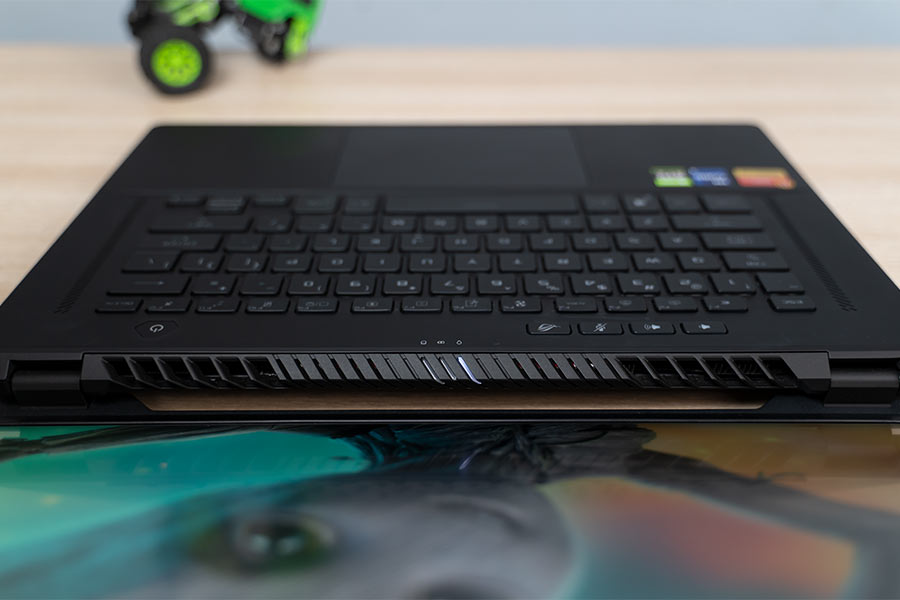
Moreover, the good news here is that the Zephyrus M16 handles thermals quite well. You won’t experience any kind of thermal throttling while playing demanding games or even when editing videos on Premiere Pro and Adobe After Effects. But that's not to say this laptop does not heat up at all.
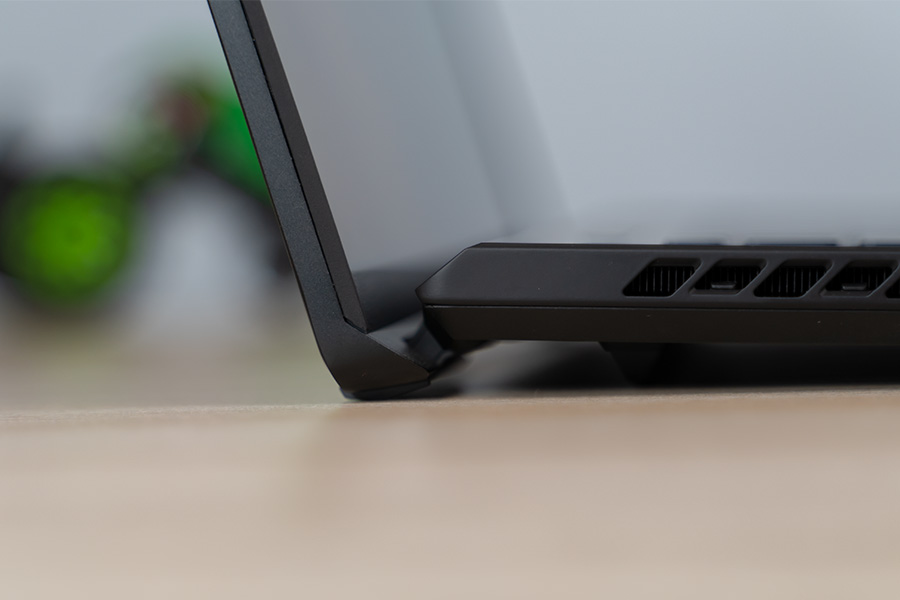
While playing AAA titles for a prolonged period, the center and top portion of the keyboard heats up a bit, but it's nothing alarming. The only thing that I am a little concerned about is that the front exhaust fans blow air directly towards the screen, making it heat up a little.
Additionally, these fans get quite noisy during gameplay. So, unless you have a pair of headphones on, you might have to put up with quite a bit of annoyance.
Battery Life
90 Watt-hour 4-cell battery
240W AC power adapter
Lastly, you get a fairly large 90Wh battery on the Zephyrus M16, which I was expecting to last around 6-6.5 hours during normal tasks. But after all my tests, I was able to achieve only about 5.5 hours of screen-on time.
Then again, this is also meant to be a gaming laptop, so most of us will be plugging it in anyway. So, it’s not that big of a deal.
Additionally, a nifty feature on most Asus laptops, including this one, is how it automatically lowers the refresh rate to 60Hz when unplugged. It is a pretty nifty battery-saving feature that I wish other manufacturers adopted too.
Asus ROG Zephyrus M16 Review: Conclusion
To conclude this review, I have really enjoyed my time with the Asus ROG Zephyrus M16. Form its powerful performance, amazing display, to its stellar build quality, almost everything about this laptop makes it a worthy option in its price segment.
Yes, you can get other RTX 3060-powered laptops at much cheaper prices, but their build and display quality are not as good as this one. And the top-of-the-line Intel CPU here delivers stellar performance too.
Thus, if you are a gamer and a content creator, the M16 can fulfill both of your requirements. Also, I find Asus’s Armory Crate app to be quite well-made compared to others.



![Realme Mobile Price in Nepal [Updated 2026]](https://media.gadgetbytenepal.com/2025/11/Realme-Mobile-Price-in-Nepal.jpg)
![Oraimo Accessories Price in Nepal [Updated 2026]](https://media.gadgetbytenepal.com/2026/08/Oraimo-Accessories-Price-in-Nepal-2026.jpg)