Before jumping into this review of the Asus Vivobook Pro 14 OLED (M6400), a quick confession. I love my MacBook, I really do. But as someone who was in the Windows ecosystem not too long ago, I do miss a couple of things here.
Like the ability to easily snap windows for example, or play thousands of games both new and old. Because of this, I’m on the lookout for a Windows laptop that can do all this stuff every once in a while. One that’s also thin, lightweight, and has a long-lasting battery life. The MacBook has thoroughly spoiled me with its portability and battery endurance after all. So when I stumbled upon the 2022 edition of the Vivobook Pro 14 OLED from Asus, I knew I had to test it out.
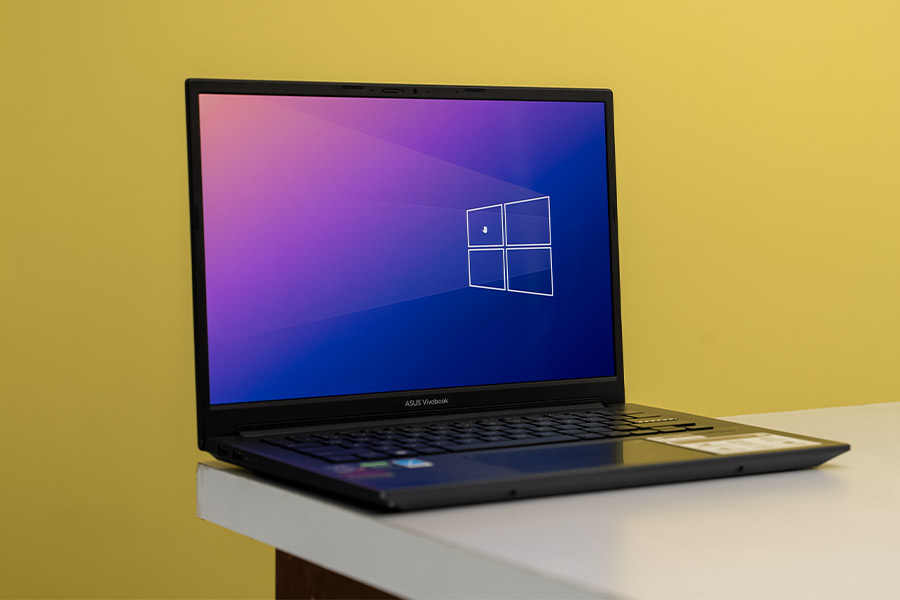 That too on a fairly compact chassis, weighing less than 1.5 kg! And at USD 1,200 for the 16GB RAM and 1TB SSD configuration, it’s not crazy expensive either. At least in the international market. Here in Nepal, it is fairly costly at NPR 2 lakhs! So… is it the perfect Windows alternative to the M2 MacBook Air? Let me discuss all that in this Asus Vivobook Pro 14 OLED (M6400) review.
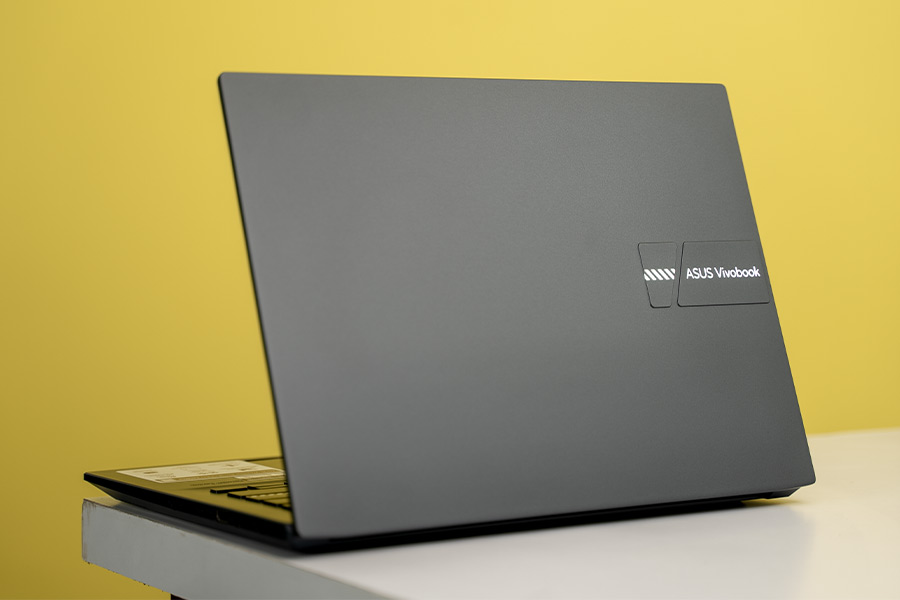
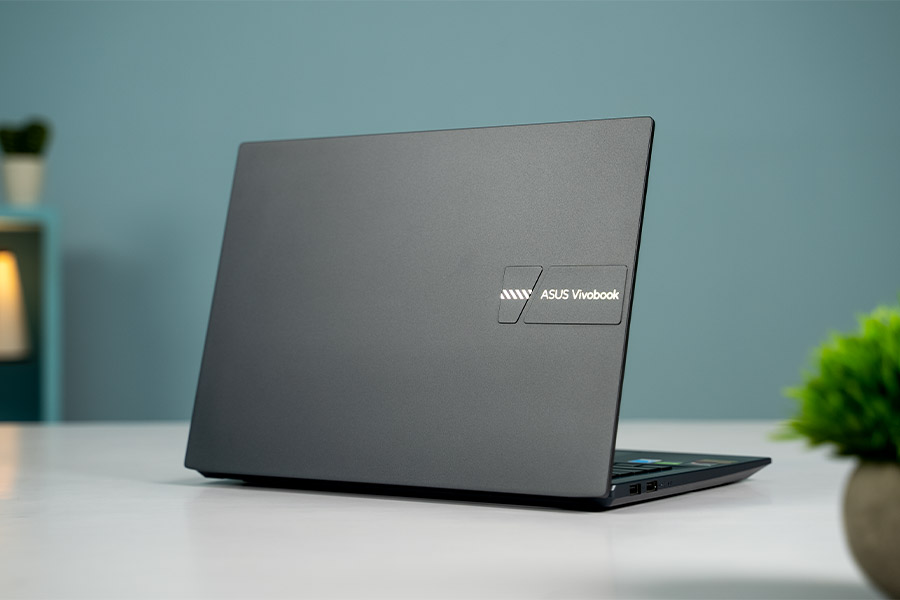 Apart from the lid, the rest of the body here is plastic-made. But thanks to this nice matte finish, it doesn’t feel too cheap or anything. And Asus says this laptop’s surface has also been treated with an anti-bacterial coating; which apparently prevents bacterial growth by up to 99%. I have no way of verifying if that’s true or not, so I guess I’m gonna have to take their word on this one. The Vivobook Pro is also military-standard 810H certified for greater durability even though it’s not a big fat gaming laptop like those under the TUF series from Asus. Nice!
 Anyway, it had been a while since the last time I used a laptop with an OLED display and wow, I had forgotten just how much I was missing out on all this time! And the reason this display looks so good is also because of its rich color palette. With an incredible 100% DCI-P3 color gamut that’s Pantone validated for accuracy, this is a great work monitor for graphic designers, video editors, and basically anyone who needs a color-accurate screen.
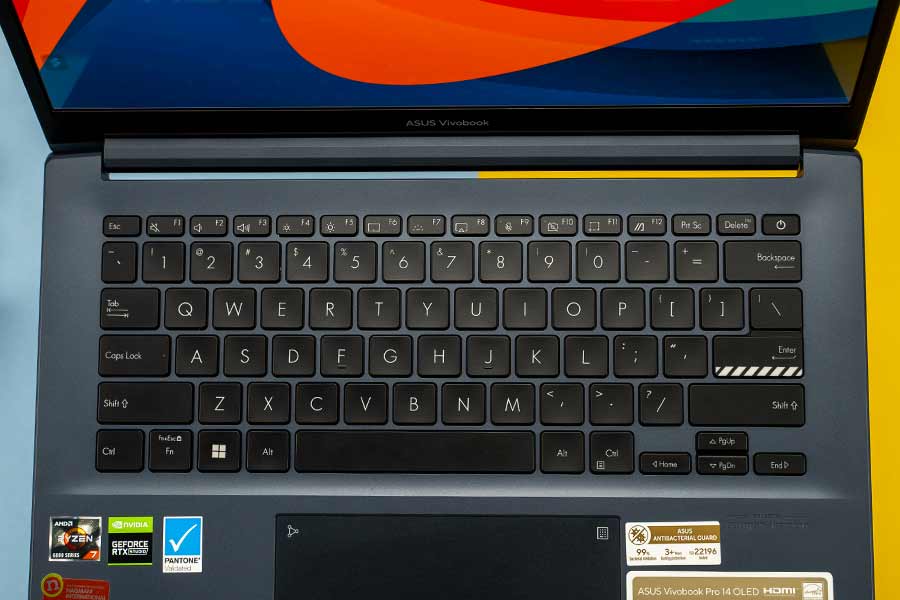 Of course, it’s also backlit but this is where things could’ve been a little better. That’s because the keyboard backlight bleed here can be distracting when you’re working in a somewhat dark room. Almost forgot to mention, this power button also integrates a fingerprint reader for a snappy Windows Hello login.
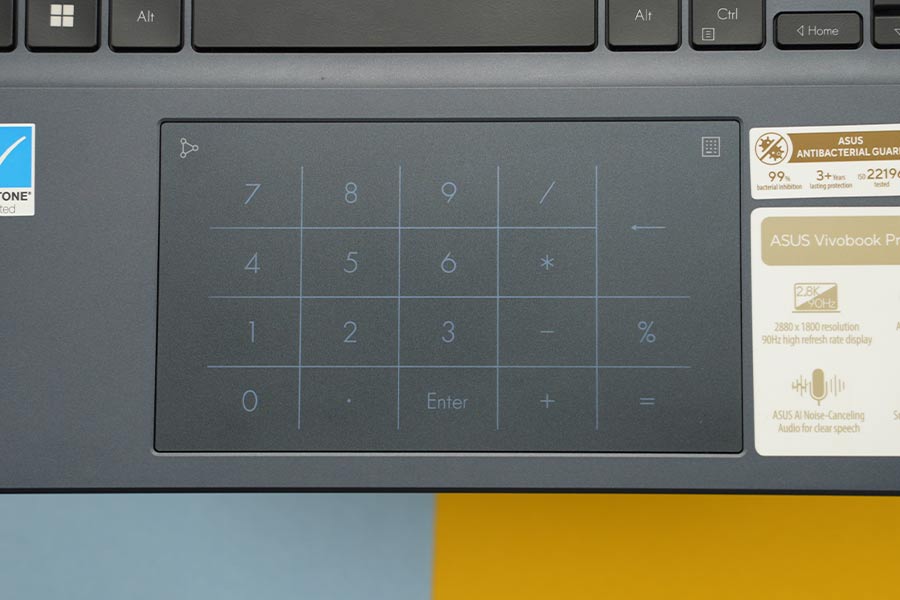 But more importantly, the trackpad on our unit randomly decides to lag sometimes. I’ve checked, I’ve double-checked its sensitivity settings, updated to the latest drivers, performed a clean Windows reinstall, and still nothing. I even tried switching to the built-in Windows trackpad driver instead of the one from Asus, but that didn’t do the trick either.
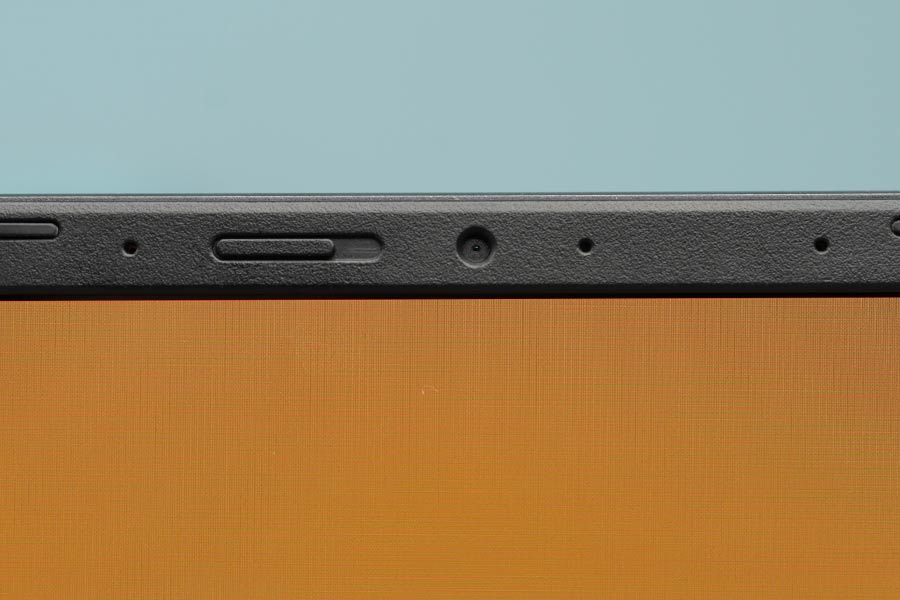 And full disclosure, I’ve never cared too much about AI noise-cancellation technology on laptops simply because they turn out to be a gimmick most of the time. But the Vivobook Pro has genuinely impressed me with how effectively it can cut out the background noise. It’s so good!
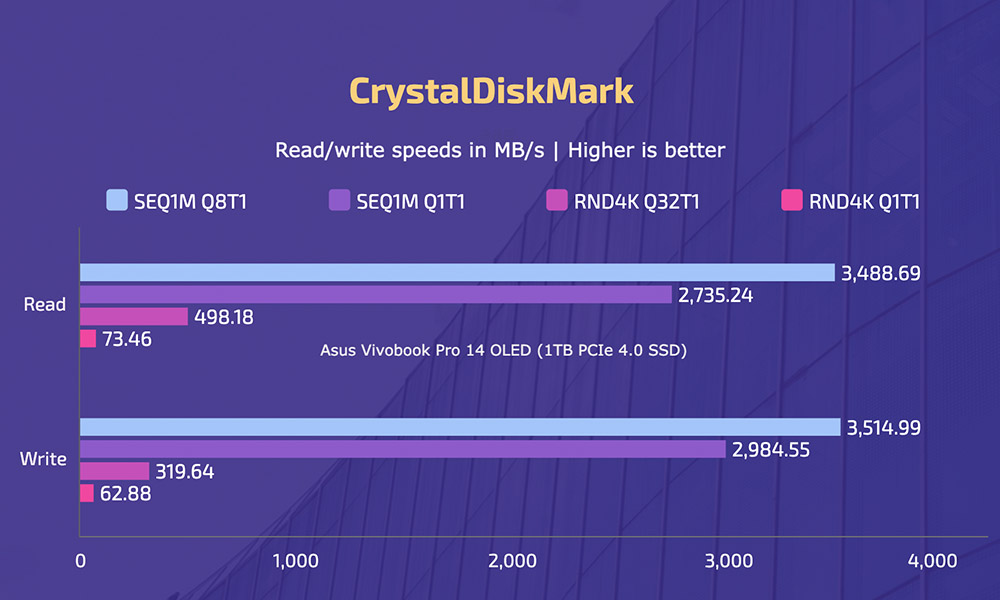 Anyway, although you can choose from multiple storage options, Asus only ships the Vivobook Pro with 16GB of LPDDR5 RAM. And you can’t upgrade it down the line either; on both Intel and AMD models. But despite this, it has handled my casual everyday usage just fine. Editing 4K video projects on Premiere Pro with multiple layers has also not been a problem. I even edited a few After Effects projects with simple text animations and it handled all that without breaking a sweat.
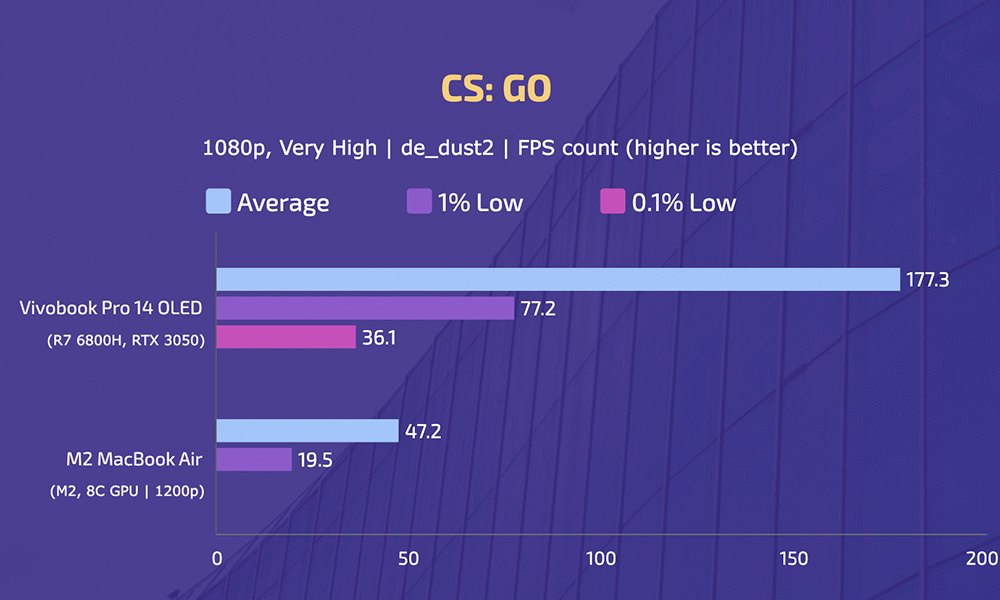 Not just average fps, but the Vivobook Pro also manages a far smoother gaming experience overall. You can also enjoy popular games like GTA V, Forza Horizon 5, FIFA 23, and Overwatch 2 with above 70 fps on average at medium to high graphics settings here. But make sure you're using a Game Ready driver instead of a Studio driver when you're gaming. Not only does it bring game-specific optimizations, but I’m also getting slightly higher fps with the Game Ready driver.
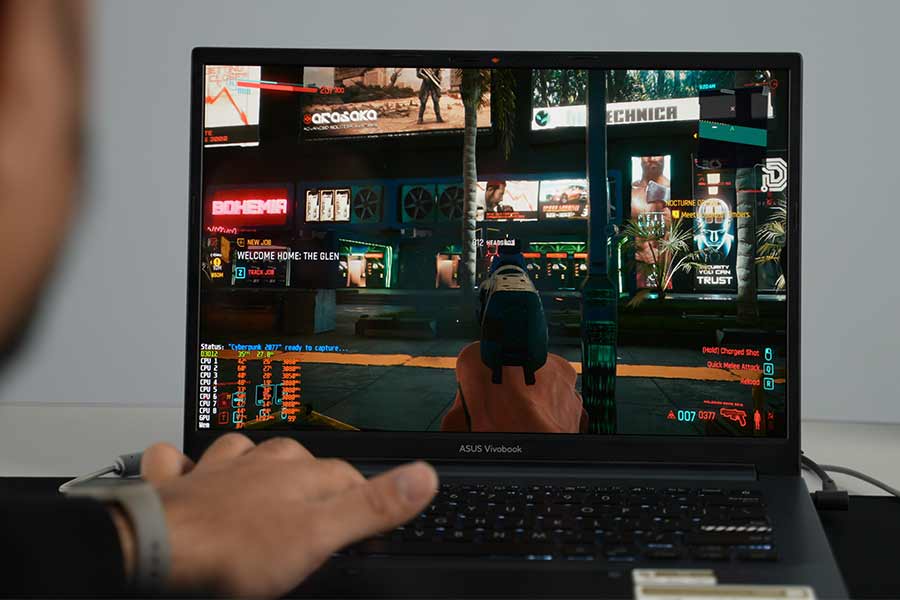 On top of this, since its screen isn’t G-SYNC or FreeSync certified, you will also notice screen tearing when playing some fast-paced titles like Overwatch 2. Having said that, you can avoid all this for a pretty decent gaming experience by assigning a max frame rate inside the game (or NVIDIA Control Panel) or turning on VSync.
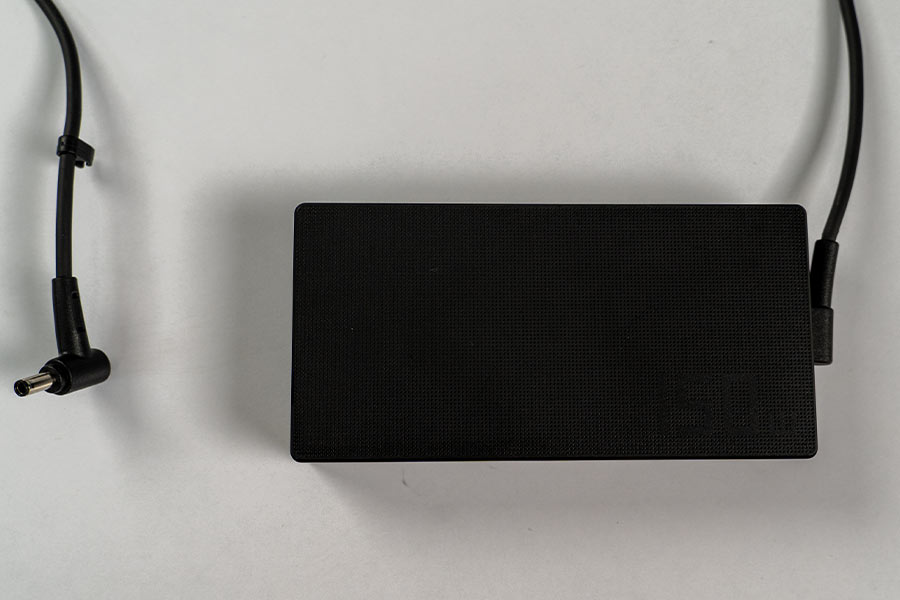 To juice it up, Asus ships this rather clunky 150W AC adapter. I would’ve given the Vivobook Pro a perfect ten in terms of portability but I must deduct a point because of this. And I don’t think it needs a 150W power supply anyway. We know that the laptop maxes out at 60W TDP, which means even 100W charging is more than sufficient. And that’s exactly what its USB4 port can handle, by the way. So if you’ve got a USB4 cable and a USB-PD charger that can push at least 100W of power, you can ditch the AC adapter.
 And I think just how much you value an OLED display will also have a big say on whether the Vivobook Pro is going to be worth it to you or not. If you answered yes, then great. And if you answered no, then there are a few alternatives you can consider. The Lenovo Slim 7 Pro X, for example, brings a similar set of CPU and GPU. But with a touchscreen and up to 32GB memory option. Or, last year’s ROG Zephyrus G14 is another stunning 14” Ultrabook that is currently available at really attractive prices.
Asus Vivobook Pro 14 OLED (M6400) Review: Specifications
- Design & Build: Aluminum / plastic build material, 12.50 x 9.0 x 0.74-inches (W x D x H), 1.45 kg, Asus Antibacterial Guard
- Color Options: Solar Silver, Quiet Blue, Cool Silver
- Display: 14″ glossy OLED panel, 90Hz refresh rate, 100% DCI-P3 color gamut, 400 nits brightness, Pantone validated, SGS Eye Care Display
- Resolution: 2.8K (2880 × 1800) resolution, 16:10 aspect ratio, 242 PPI
- Keyboard: Full-size backlit keyboard, 1.4mm travel
- Trackpad: Glass trackpad (Supports NumberPad)
- Security: Windows Hello-certified fingerprint sensor
- Processor: AMD Ryzen 7 6800H CPU (Zen 3+, Cezanne), 8C/16T, 4.7GHz Max Turbo Frequency, 16MB L3 Cache, TSMC 6nm process (FinFET), 45W default TDP
- Graphics: NVIDIA GeForce RTX 3050, 4GB GDDR6 VRAM
- RAM: 16GB LPDDR5 RAM (non-upgradable)
- Storage: 512GB / 1TB SSD (M.2 NVMe PCIe 3.0 / PCIe 4.0)
- Audio: Down-firing stereo speaker system, Smart Amp, Dolby Atmos
- Battery: 63 Watt-hours Li-Ion battery
- Power Supply: 150W AC Adapter (20V, 7.5A)
- Webcam: 720p HD camera, Privacy shutter, Built-in array microphone (with Cortana and Alexa voice-recognition support)
- Connectivity: WiFi 6E (802.11 a/b/g/n/ac/ax), Bluetooth 5.0
- I/O Ports: 1x USB 4 Type-C, 1x USB 3.2 Gen 1 Type-A, 2x USB 2.0 Type-A, 1x HDMI 2.1, 1x Micro SD card reader, 1x 3.5mm audio jack
- Price in Nepal: Rs. 200,000 (16GB RAM, 1TB SSD)
- What’s Inside The Box: Laptop, 150W power adapter, Asus backpack, User manual and other documents
Asus Vivobook Pro 14 OLED (M6400) Review:
Just listen to some of its specs. From the latest Ryzen 6000 processor to RTX 3050 graphics, and a frickin' OLED display, it’s got it all.Design and Build
- 12.50 x 9.0 x 0.74-inches (W x D x H)
- 1.45 kg, Asus Antibacterial Guard
- Aluminum / plastic hybrid build material
So whether you’re a germaphobe or a generally clumsy person, these things should give you some peace of mind.Okay, it probably goes without saying that I’ve absolutely loved handling this laptop! Besides the sleek and lightweight design that makes traveling with the Vivobook Pro so incredibly comfortable, its grippy rubber feet do a great job of keeping the laptop firmly on a desk as well. And the ability to open it up with just a finger is also a nice touch.
You've been... Thunder(bolt) struck
Now, AMD notebooks have historically fallen behind those with an Intel CPU when it comes to I/O choices. Mostly because Intel’s Thunderbolt interface wasn’t available on AMD processors. But that kinda changes with the Ryzen 6000 series. While Thunderbolt is still very much proprietary to Intel, the company has open-sourced Thunderbolt 3 to be used under the USB4 specification. As a result, this USB4 port on the Vivobook Pro is capable of a lot of things. Like connecting an external GPU, an 8K 60Hz display, or up to 40 Gbps data transfers!No gallery images available
Other than this, you’ll also find one HDMI 2.1, one USB 3.2 Gen 1 Type-A, one micro SD card reader, and one 3.5mm headphone jack on the right, whereas the left side is home to a couple of USB 2.0 Type-A ports.
That’s a pretty congested port placement, right? So if you’re right-handed like me, having to run basically all the important cables from this side is going to be hectic when using a mouse—especially when you’re working with a dual-monitor setup. Talking about multiple monitors, I’m quite fond of this “ScreenXpert” feature which lets me effortlessly control my app windows between different screens. It works so well that I can’t believe this is something that’s not built into Windows itself!
Display
- 14" glossy non-touch 2.8K OLED panel
- 90Hz refresh rate, 100% DCI-P3 color gamut
- Pantone validated, SGS Eye Care display
A++++++ display
The factory color calibration on our unit was also spot-on with almost no major difference when trying to re-tune it with a professional colorimeter. As for the color space, we found that the Vivobook Pro covers 100% sRGB, 100% DCI-P3, and 95% AdobeRGB gamut. So yeah, no false advertising there.No gallery images available
If all that wasn’t enough, Asus has also installed multiple color profiles—including sRGB, DCI-P3, and Display P3—so that you can get started right away. And you can continue to work on this laptop for long hours without risking dry eyes or other similar issues since it is also TUV Rheinland certified against low blue light emission.
Really, it’s got everything you could possibly ask for in a flagship display.That 90Hz refresh rate might not sound like a lot, and yes, many people argue that they can’t tell the difference between a 60Hz and a 90Hz display on a smartphone. But on a substantially larger screen like this one, 90Hz is definitely a big deal. And one last thing. Burn-in has always been a concern with OLED displays but in 2022 machines like this one, there are a bunch of features like pixel shifting and pixel refresh to prevent OLED burn-in, so I wouldn’t worry about it.
Keyboard
- Full-size backlit keyboard
- 1.4mm travel distance
Trackpad
- Glass trackpad
- NumberPad support
Audio
- Down-firing stereo speakers
- Smart Amp, Dolby Atmos support
Webcam
- 720p HD camera
- Built-in privacy shutter
Performance
- AMD Ryzen 7 6800H CPU (45W TDP)
- NVIDIA RTX 3050 graphics (4GB GDDR6)
- 16GB LPDDR5 RAM, 1TB PCIe 4.0 SSD
No gallery images available
While this is something the M2 MacBook Air doesn't struggle with either, I found the Vivobook Pro to deliver much faster rendering times in tools like Blender and Premiere Pro since it has a much more powerful dedicated graphics unit.
It's time to play some games!
Besides content creation, this laptop also lets you play games. Including a few modern ray-traced titles like Cyberpunk 2077 and Control at 1080p medium to low settings. And guess what, even to this day, gaming is something macOS simply sucks at. Out of 7 games I tested, only CS: GO was available on the MacBook without having to use any virtualization tools like Parallels.No gallery images available
For cooling, this laptop’s dual-fan “IceCool Plus” thermal technology is only meant to handle up to 60W of heat; from the CPU and the GPU combined! So since the Ryzen 7 6800H alone has a TDP of 45W, expect some major thermal throttling when pushing the settings or when playing some graphics-intensive games.
RTX 3050 TDP?
Side note, Asus hasn’t specified RTX 3050’s TDP on the Vivobook Pro anywhere on its product page. And looking it up on the NVIDIA Control Panel, we found that it’s rated at 65W. But that’s literally impossible here since as I mentioned before, its cooling system is designed to dissipate no more than 60W of heat. And when playing heavy games or running some graphics-intensive benchmarks, I found that it maxes out at 45W most of the time. Just like the CPU.No gallery images available
All things considered, the Vivobook Pro’s fans do a decent job of keeping the temperature in check. It gets the hottest in the middle of the keyboard deck where I measured a peak temperature of just 42 – 43°C. Not bad. However, since its exhaust vent is sandwiched between the hinge and the display, some of the hot air gets routed directly to the screen. That would be concerning if this laptop had relatively more power-hungry processors that would dissipate more heat, but as things stand, it’s not a big deal at all.
Battery
- 63 Watt-hour 3-cell battery
- 150W AC power adapter
Asus Vivobook Pro 14 OLED (M6400) Review: Conclusion
Okay, let's wrap up this review of the Asus Vivobook Pro 14 OLED (M6400) now. So is this the perfect Windows alternative to the M2 MacBook Air? Maybe not a “perfect” alternative but it’s certainly a close one. Look, there are some things it does better than the MacBook; like the spectacular OLED display, extensive port selection, and all its gaming possibilities.Or at the very least, it comes toe-to-toe with what Apple is offering in terms of portable build quality, clean design, and a killer keyboard.So if you don’t want to switch to macOS (or can't because of its limitations) and are looking to buy a capable 14” Ultrabook without spending too much, the Vivobook Pro is easily one of the best options out there. I’m certainly not gonna recommend it to content creators with a demanding workflow, but casual users who want a little bit of gaming and light editing can definitely consider this.
- Watch our video review of the Asus Vivobook Pro 14 OLED (M6400)
Asus Vivobook Pro 14 OLED (M6400) Review: Pros and Cons
Pros:- Portable design
- Excellent 90Hz OLED display
- Nice keyboard
- Webcam with privacy shutter
- Decent productivity, gaming performance
- Stays fairly cool and silent
- Good enough battery life
- No variable refresh rate support
- Non-upgradable RAM
- Clunky power adapter
- Trackpad lags occasionally
Article Last updated: November 28, 2022