Looking for the best AI video tools you can use right now? You have come to the right place.
It's interesting that we've come this far with AI generation models, for better or worse, of course. From Will Smith's infamous spaghetti video that broke the internet to AI-generated videos now being used to completely fool anyone, the reactions you can get range from funny and silly to dangerous and downright scary. We'll probably run out of adjectives describing the current state of AI models at some point. But anyway, it does have some good use cases, or at least I thought so—things like education-related videos where explaining complex concepts becomes more accessible. And there are also various downsides of course, from misinformation to deepfakes, including the widespread flooding of what's called "AI Slop," and many people are increasingly angered by the rising RAM prices driven by AI demand.
But here we are in 2026, and the tools have gotten absurdly good. Not in that sparkly marketing way where everything is revolutionary, but in the kind of way where you actually pause and wonder if what you're watching was shot with a camera or conjured from thin air. The gap is closing fast, and honestly, it's both impressive and unsettling. So let's talk about five tools that are leading this charge that are listed in no order.
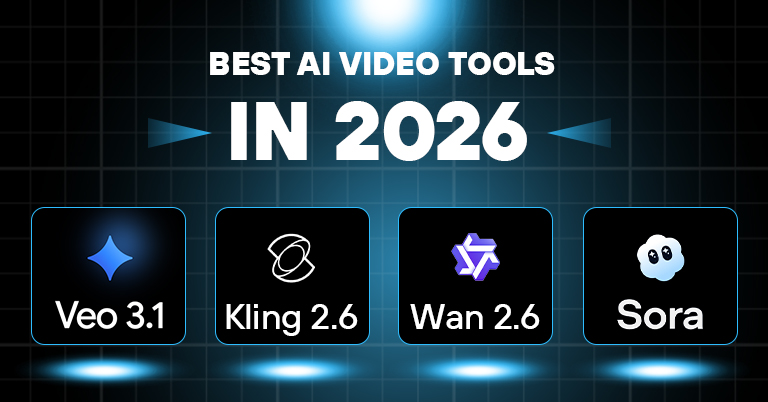
Best AI Video Tools in 2026
Veo 3.1
Starting our list is the Veo 3.1, which is Google's entry into AI video generation, and its accessible through Gemini and their enterprise tools. The main selling point is text-to-video with native audio and the ability to maintain character consistency across shots using reference images. It's the first mainstream model to support 4K upscaling, but it's reconstruction-based rather than true 4K capture.
For pricing, Google AI Pro costs USD 19.99/month for about 8-10 videos, while the Ultra tier with proper 4K costs USD 249.99/month. Similarly, API access runs $0.10-$0.40 per second. And sadly, there's also no real free tier beyond a 3-month trial for new Cloud users.
Pros:
- 4K capability that actually holds up
- Strong prompt following and instruction adherence
- Native vertical video support
- Integrated audio generation
Cons:
- 8-second limit requires constant stitching
- Slow generation times
- Inconsistent physics simulation
- Expensive pricing structure
Kling 2.6
Kling 2.6 is from a Chinese company, Kuaishou, which built audio generation into its core architecture. It handles text-to-video and image-to-video with phoneme-level lip synchronization across multiple languages, including Chinese, English, Korean, and others. When characters speak, their mouths actually move in sync with the words, which is an impressive feat because, surprisingly, it has been very hard for AI to replicate.
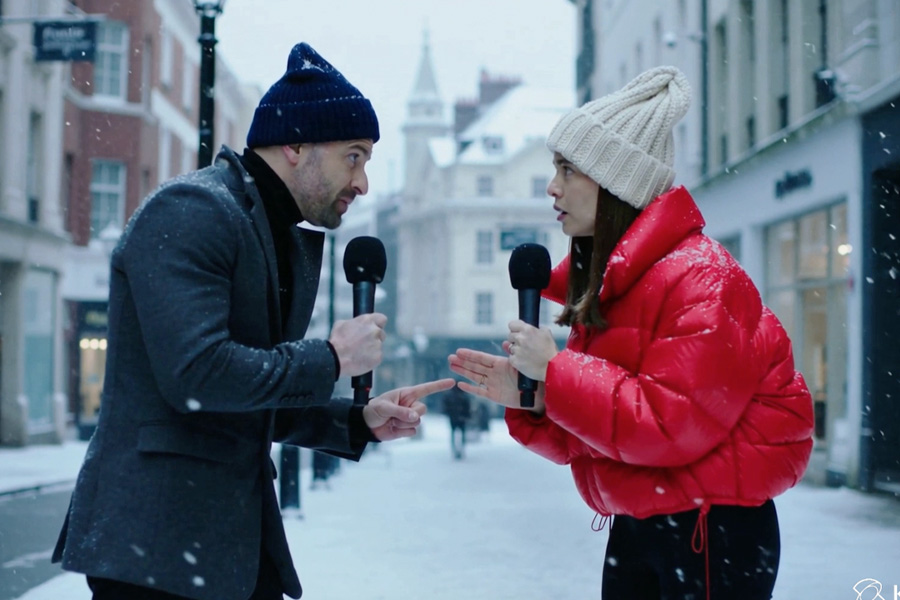
Moreover, Kling also excels at making stylized content and action sequences. This is particularly useful for creating video generation for something like futuristic techno-utopian sequences. Here you will find convincing motion blur and appropriate engine sounds. But human subjects repeatedly showed limitations on the Kling 2.6, based on our testing. We tested an interview segment, where we got fantastic visuals, but alongside that, we also got missed dialogues that didn’t come out as we had expected, and the voices were still very robotic. And in other cases, the dialogues were straight-up garbled nonsense. Following this, Kling handled sound effects and ambient audio better than actual speech, especially in English. I have heard good things about its generation speed, but in my testing, it was not quite the case. It was considerably slower than Veo 3.1. But it might have been the case that I used more complex features like lip syncing.
Pros:
- Native audio integration from the start
- Fast generation times
- Excellent motion handling for action
- Actually affordable with free tier
Cons:
- Dialogue quality weak, especially in English
- Environmental sounds lack depth
- Credit consumption unpredictable
- Prompt understanding is inconsistent
Wan 2.6
Wan 2.6 from Alibaba Cloud is built mostly for multi-shot storytelling rather than single impressive clips. It automatically coordinates multiple shots within a single generation—establishing wide shots, close-up reactions, and detail shots—that can smoothly cut together with coherent pacing. The "Starring" feature lets you cast characters from reference videos into new scenes. It supports up to 15 seconds at 1080p with native audio-visual synchronization and handles text-to-video, image-to-video, and video-to-video generation.
The tool requires thinking in sequences rather than single shots, which creates a learning curve. If you are just looking to generate a single clip, it might be overkill. Although the AI lacks a full understanding of dramatic structure and sometimes transitions awkwardly, failing to grasp actor physics, it still produces a coherent structure that many amateur filmmakers struggle to achieve. It is by no means comparable to an actual filmmaker—or even someone well-versed in cinematic production—but in our tests, a character finding something produced an appropriate shot progression with consistent lighting and character details. The automatic shot selection made sense cinematically. Creative or abstract requests, however, felt forced into conventional patterns.
Pros:
- Multi-shot narrative generation
- Excellent character consistency
- 15-second duration
- Competitive pricing
Cons:
- Requires narrative thinking
- Conventional story structures
- Generic music generation
Seedance 1.5
Seedance 1.5 Pro is another AI video tool made by ByteDance and is focused primarily on audio-visual synchronization. It is a joint audio-video model where sound and image are generated together in the same pass, rather than being stitched afterward. Its standout feature is multilingual lip-sync across Mandarin, English, Japanese, and many other Asian languages. When characters speak, their lips move correctly with phonemes and tonal languages. It's optimized for expressive performance content—character animation, dance sequences, and emotional performances where body language and timing matter as much as visuals.
The interface is clean and focused. You can try it yourself by uploading an image or typing a prompt, selecting your output settings, and generating a video. The challenge is understanding what Seedance does best. It's not a general-purpose video tool, as it is optimized mainly for character-led content with movement and emotion. You get a few free “credits” when starting trial access, but the time it takes to generate a video with audio can be painfully long. Most of my free attempts didn’t produce meaningful output, sometimes taking more than 35,000 seconds, after which I had to give up.
There are, however, many videos generated through Seedance available online, and checking them shows some impressive results. Animation with synchronized lip movements generates clean outputs with mouth shapes matching phonemes, timing accurate, and emotional expression tracking the mood perfectly. Multilingual testing also demonstrates the phonetic modeling sophistication of Seedance 1.5. Moreover, the model can generate videos with decent background stability, unlike models where environments warp as characters move. Non-performance content, however, clearly reveals some weaknesses, likely due to the narrow optimization. Landscape shots and abstract visuals work, but usually don’t benefit much from Seedance's specialized architecture.
Seedance 1.5 Pro is accessible through ByteDance's BytePlus/Volcano Engine API at approximately $1.20 per million tokens for video generation. Through third-party platforms, pricing varies: around $0.28 per generation on Pro tiers, with platforms like Seedance.tv offering subscription models. The Mini plan is approximately $18/month (400 credits, ~40 videos), and the Popular tier is $60/month (2,000 credits, ~200 videos). Yes, limited free tier available but they come with severe amount of restriction, including quality, time, usage limits, and so on.
Pros:
- Best-in-class lip synchronization
- Exceptional vocal quality
- Strong clothing/hair physics
- Affordable pricing
Cons:
- Optimized for performance content only
- 15-second limitation
- 1080p max resolution
- Narrow use case
Sora 2
Sora 2 is OpenAI's follow-up to the model that broke the internet in 2024. It is probably the most popular and well-regarded AI video tool right now, and rightly so—it was positioned as the point where video AI moves from impressive demos to functional tools. It focuses on physical accuracy, world simulation, and narrative understanding. The "Cameos" feature lets you upload a short video of yourself and insert your likeness into generated scenes with accurate appearance and voice. It's built into a social iOS app where you can create, remix, and share videos in a TikTok-style feed. Maximum length is 25 seconds on Pro tiers, the longest among mainstream models.
- You can check the video here
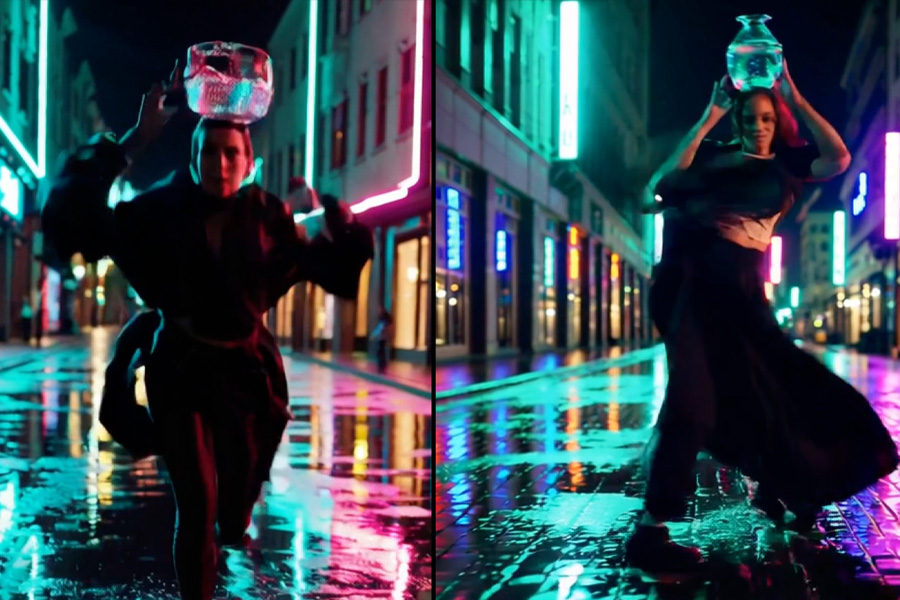
Testing this model showed its highs and lows very clearly. For example, generating a video of a figure skater with a cat on her head came out genuinely delightful. The movement physics looked real, the cat stayed balanced, and the audio included appropriate ice skating sounds. But pushing it with unconventional requests produced slightly weird results. In one attempt, I asked Sora to generate a video of a character running across a flooded neon city street while carrying a glass vase full of water on their head—here, the physics completely broke down. The physics simulation genuinely stands out when it works: water splashing, glass breaking, and fabric flowing are all areas where Sora excels. However, reliability is the persistent issue—sometimes it nails physics, sometimes it completely ignores gravity.
OpenAI discontinued all free access to Sora 2 for image and video generation for non-subscribers. Anyway, the pricing is also different from other models because access is bundled with ChatGPT. Access is now exclusively available through paid subscriptions or API. The ChatGPT Plus plan at $20/month provides 1,000 credits monthly, which is limited to 720p resolution and 5-second videos with watermarks. The ChatGPT Pro plan at $200/month offers 10,000 credits monthly plus unlimited relaxed-mode generation.
Pros:
- Longest generation length (25 seconds)
- Cameos feature for personalization
- Strong narrative understanding
Cons:
- Expensive
- Inconsistent quality between generations
Best AI Video Tools in 2026: Conclusion
So where does this leave us? None of these tools is perfect. Each has strengths that matter for specific use cases and frustrating limitations that make you want to throw your computer out the window. The reality is that most professional workflows in 2026 aren't using just one of these tools. You generate B-roll in Veo, character performances in Seedance, action sequences in Kling, and stitch everything together in traditional editing software. And its probably worth saying that, the AI video revolution will perhaps not replace video production any time soon either. It's just added more options to the toolkit, each with its own quirks and compromises.
Article Last updated: February 3, 2026