Searching for the best laptop for students in Nepal? Check out our updated 2026 list of top laptops in Nepal for students, featuring powerful CPUs, great battery life, and more!
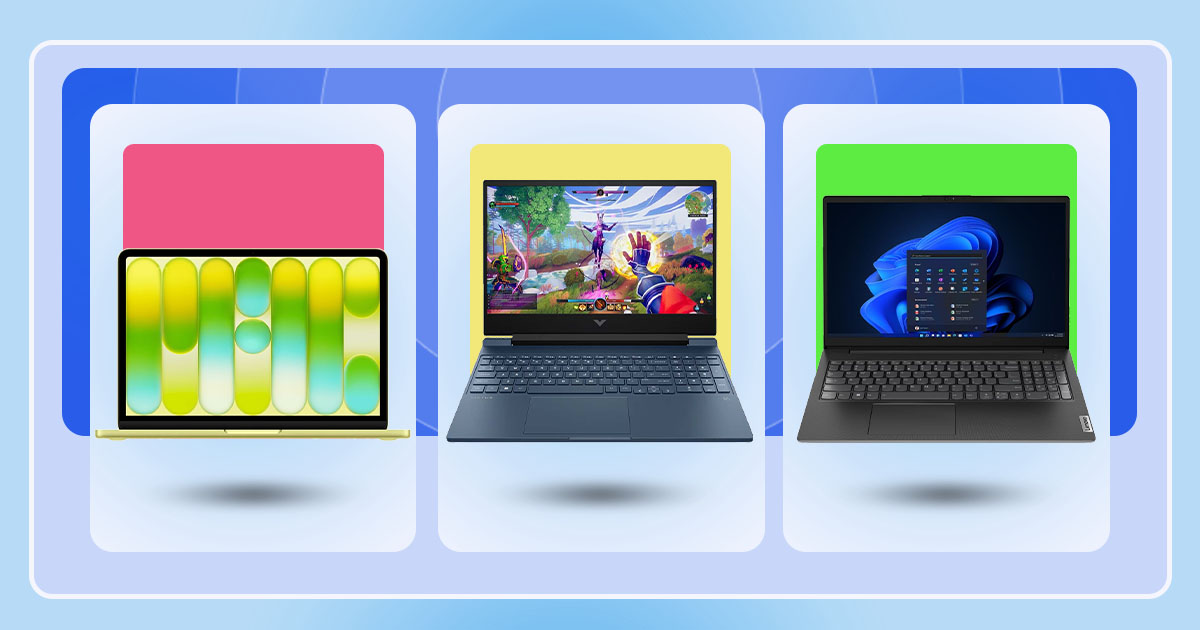
If you are looking for the best laptop in Nepal for students, this buying guide covers the top options currently available. In 2026, there are various options available for students, including laptops from different brands such as Asus, Acer, and Lenovo, that offer excellent value for money, with good performance and great battery life.
How to buy laptops and find the best laptop for students in Nepal?
Purchasing a laptop for a student in Nepal can be quite overwhelming. There are so many different price ranges and specifications available that it is often hard to make up your mind. Most of the more affordable laptops usually have either an Intel Core i3 or an AMD Ryzen 3 processor. A few of the better-value laptops might have an Intel Core i5 or an AMD Ryzen 5 processor.
To ensure that you have an adequate level of performance while using your laptop for online classes, assignments, browsing, and other basic software, the minimum amount of RAM and SSD that you would want on a laptop would be 8GB RAM and a 512GB SSD. In this price range, almost all laptops will offer a Full HD (1920x1080) display, which is fine for studying, watching lectures online, and day-to-day work.
Also read:
Best Laptop for Students in Nepal
Under NPR 50,000
ASUS VivoBook Go 14
If your budget is strictly under NPR 50,000, the ASUS VivoBook Go 14 is currently your only option available. It comes with an Intel Celeron N4500 (with 2 cores, 2 threads) CPU, 4GB DDR4 RAM, and a 128GB NVMe SSD. Here you also get a 14-inch FHD IPS display with a 60Hz refresh rate, 250 nits of brightness, and 45% NTSC color coverage. Other than this, we also have a 720p webcam, and it weighs just around 1.3kg, making it a good option for students.

Now, as you already know, the specs are definitely pretty basic, especially the 4GB RAM and Celeron processor. So, don't expect much in terms of multitasking or performance. However, if you're comfortable replacing Windows 11 with a lightweight Linux distribution, this laptop makes more sense, as it should provide a much smoother experience for everyday tasks.
At NPR 45,999, you can get it for simple tasks like browsing, writing assignments, attending online classes, and basic programming.
| ASUS VivoBook Go 14 E410KA Specifications: | |
| Display | 14" FHD 60Hz IPS, 250 nits, 45% ntsc |
| CPU | Intel Celeron N4500 (2 cores / 2 threads, up to 2.8 GHz) |
| GPU | Intel UHD Graphics |
| RAM | 4GB DDR4 |
| Storage | 128GB SSD |
| Battery | Li-Ion 42 Wh |
| Weight | 1.3 kg |
| Dimensions | 325 × 217 × 18 - 18.4 mm |
| Price | NPR 45,999 |


Under NPR 60,000
Dell Wyse 5470
If you can increase your budget to around NPR 60,000, the Dell Wyse 5470 is a great option for you. As it comes with an Intel Celeron N4100 processor (4 cores, 4 threads, up to 2.4GHz), 8GB DDR4 RAM, and a 256GB SSD. Compared to the previous ASUS VivoBook Go 14's Celeron N4500, the N4100 has more cores, but the N4500 is newer and has a slightly higher clock speed. Still, Dell has an advantage in multitasking, as it comes with 8GB RAM compared to just 4GB on the ASUS. But just keep in mind that the RAM cannot be upgraded here.

For the display, here you get a 14-inch Full HD IPS panel with a 60Hz refresh rate, 250 nits of brightness, and 45% NTSC color coverage. It's a basic display, but it should be fine for everyday use.
At NPR 58,999, the Dell Wyse 5470 should be fine for assignments, browsing, online classes, and other basic tasks.
| Dell Wyse 5470 Specifications | |
| Display | 14” IPS FHD (1920 x 1080 pixels), 60Hz , 250 nits (typ), 45% NTSC |
| CPU | Intel Celeron N4100 (4C/4T, up to 2.4 GHz) |
| GPU | Intel UHD Graphics 600 |
| RAM | 8GB DDR4 (2400 MT/s) |
| Storage | 256GB Gen4 NVMe SSD |
| Battery | Li-Ion 42 Wh |
| Weight | 1.79 kg |
| Dimensions | 330.03 x 238 x 20.6 mm |
| Price | NPR 58,999 |
Under NPR 70,000
1. ASUS Vivobook 14 X1404VA
At around NPR 70,000, we have the ASUS Vivobook 14 X1404VA. The main reason I have picked this laptop is due to its CPU; here we get an Intel Core i3-1315U processor. It has 6 cores and 8 threads, with a boost clock speed of up to 4.5GHz. You also get 8GB DDR4 RAM and a 128GB NVMe SSD. For a student, this is a good setup for assignments, online classes, browsing, and everyday office work.

The laptop also has a 14-inch Full HD IPS display with a 1920 x 1080 resolution. It is a basic 60Hz panel with 250 nits of brightness and 45% NTSC color coverage. The Intel UHD Graphics is fine for regular use, but don't expect much from it in demanding games or video editing. Other features include a Magic Numpad on the touchpad, Wi-Fi 5, Bluetooth 5.1, and Windows 11.
Here, my biggest complaint is the 128GB SSD. It can fill up pretty quickly once you start installing apps and saving files. So, you might have to use an external drive or upgrade the storage later.
| ASUS Vivobook 14 Specifications | |
| Display | 14” FHD (1920 x 1080 pixels), 60Hz, 250 nits, 45% NTSC |
| CPU | Intel Core i3-1315U (6C/8T, up to 4.5 GHz) |
| GPU | Intel UHD Graphics |
| RAM | 8GB DDR4 |
| Storage | 128GB Gen4 NVMe SSD |
| Battery | Li-Ion 42 Wh |
| Weight | 1.4 kg |
| Dimensions | 325 x 214 x 18 mm |
| Price | NPR 70,999* |
2. Acer Aspire Lite 14
Next, we have the Acer Aspire Lite 14, which is a bit different from the ASUS. While its processor isn't as powerful as ASUS, it gives you 512GB of storage and a taller, modern display. Under the hood, we get an Intel Core i3-N355 processor with 8 cores and a boost clock speed of up to 3.9GHz. We also get 8GB LPDDR5 RAM, which should be enough for regular student work, browsing, documents, and online classes.

On the front, we have a 14-inch WUXGA IPS display with a 1920 x 1200 resolution and a 16:10 aspect ratio. This extra vertical space is useful when you are reading long documents or browsing websites, so you won't have to scroll as much as you do on 16:9 aspect ratio displays.
A few things to keep in mind are that we only get 250 nits of brightness and it comes with only 45% NTSC color coverage, so it isn't suitable for color-accurate tasks. Also, the 8GB RAM is soldered onto the motherboard, so it cannot be upgraded later.
| Acer Aspire Lite 14 Specifications | |
| Display | 14” WUXGA (1920 x 1200 pixels), 60Hz, 250 nits, 45% NTSC |
| CPU | Intel Core i3-N355 (8C/8T, up to 3.9 GHz) |
| GPU | Intel UHD Graphics |
| RAM | 8GB LPDDR5 |
| Storage | 512GB Gen4 NVMe SSD |
| Battery | Li-Ion 45 Wh |
| Weight | 1.35 kg |
| Dimensions | 314.4 x 220 x 18.95 mm |
| Price | NPR 78,999* |
Under NPR 80,000
Lenovo V15 G4
Next, if your budget is around NPR 80,000, the Lenovo V15 G4 is a great pick. It packs Intel’s 13th-gen Intel Core i3-1315U processor, which comes with 6 cores, 8 threads, and a boost clock speed of up to 4.5GHz. Along with this, we also get 8GB DDR4 RAM and a 512GB NVMe SSD, which should handle everyday student work, office tasks, browsing, and multitasking without any issues. For graphics, here we get Intel UHD Graphics, so don't expect it to handle demanding games or heavy graphics work.

What I really like about this laptop is that you can upgrade its RAM later. Unlike some of the other options which come with soldered memory, the Lenovo V15 G4 supports up to 24GB RAM. So, if you find 8GB isn't enough for you, you have the option to add more later.
Other than this, we have a 15.6-inch Full HD IPS display with a 60Hz refresh rate and 300 nits of brightness. At 1.65kg, it is not the lightest laptop around, but it should still be manageable to carry to college.
| Lenovo V15 G4 Specifications | |
| Display | 15.6” IPS FHD (1920 x 1080 pixels), 60Hz, 300 nits |
| CPU | Intel Core i3-1315U (6C/8T, up to 4.5 GHz) |
| GPU | Intel UHD |
| RAM | 8GB DDR4 |
| Storage | 512GB Gen4 NVMe SSD |
| Battery | Li-Ion 45 Wh |
| Weight | 1.65 kg |
| Dimensions | 359.2 x 235.8 x 19.9 mm |
| Price | NPR 83,999* |
Under NPR 100,000
1.Acer Aspire Lite 15 AL15-41
At around NPR 1 lakh, you can get a pretty good laptop these days. And one of our recommendations in this price range is the Acer Aspire Lite 15 AL15-41. It comes with the AMD Ryzen 5 7430U processor, featuring 6 cores and 12 threads, which is good enough for everyday tasks, multitasking, and even some heavier workloads. You also get 16GB DDR4 RAM and a 512GB NVMe SSD, so there's enough memory and storage for most users out there.

One thing I really like about this laptop is that you can upgrade the RAM up to 32GB and the SSD up to 1TB, but keep in mind that there's only one SSD slot. For the display, you get a 16-inch Full HD IPS panel with a 60Hz refresh rate. It's nothing fancy, though we still get a basic 250 nits of brightness and 45% NTSC color coverage, which means it's not the best choice for photo or video editing.
So overall, it's a pretty decent package for students, especially if you mainly need a laptop for everyday work, studies, and multitasking.
| Acer Aspire Lite AL15-41 Specifications: | |
| Display | 16-inch IPS LCD panel, FHD (1920 x 1080 pixels), 60Hz refresh rate, 250 nits, 45% NTSC |
| CPU | AMD Ryzen 5 7430U (6C/12T, up to 4.3 GHz) |
| GPU | AMD Radeon Graphics |
| RAM | 16GB DDR4 (3200MHz) |
| Storage | 512GB NVMe SSD |
| Battery | Li-Ion 36 Wh |
| Weight | 1.59 kg |
| Dimensions | 360 x 232 x 19.9 mm. |
| Price | NPR 97,999 |
2. Lenovo IdeaPad Slim 3
Now, if performance is more important to you, then you should look at Lenovo’s IdeaPad Slim 3. Unlike the Acer, this one comes with an Intel Core i5-13420H processor. It's an H-series chip with 8 cores and 12 threads, clocking up to 4.6GHz. So, here you get a bit more processing power, especially for heavier tasks. However, it still uses integrated Intel UHD Graphics, so don't expect it to handle demanding games or graphics-intensive work.
The display is also another highlight of this laptop. As you get a 15.3-inch WUXGA IPS panel with a 1920 x 1200 resolution and a taller 16:10 aspect ratio. It also has 300 nits of brightness, which is higher than the Acer's 250-nit panel. So, if you spend a lot of time reading documents, working on spreadsheets, or browsing, the extra screen space should come in handy.

Now, the 8GB of RAM might seem a little disappointing, especially when the Acer already offers 16GB. But Lenovo has included one SO-DIMM slot alongside the soldered memory, allowing you to upgrade it to 24GB. There are also two storage slots available, giving you more room for future upgrades.
Between the two, the Acer is the easier recommendation for most students, as it has 16GB RAM and balanced hardware. But if you regularly use heavier applications and want the extra CPU performance, the Lenovo is the way to go.
| Lenovo IdeaPad Slim 3 Specifications: | |
| Display | 15.3-inch IPS LCD panel, WUXGA (1920 x 1200 pixels), 60Hz refresh rate, 300 nits, 45% NTSC |
| CPU | Intel Core i5 13420H (8C/12T, up to 4.6 GHz) |
| GPU | Intel UHD Graphics |
| RAM | 8GB DDR5 (4800MHz) |
| Storage | 512GB NVMe SSD |
| Battery | Li-Ion 50 Wh |
| Weight | 1.52 kg |
| Dimensions | 343.4 x 239.5 x 17.8 - 18.8 mm |
| Price | NPR 101,999* |
Under NPR 120,000
1. Apple MacBook Neo
If you prefer macOS over Windows, the Apple MacBook Neo is a great option. It is Apple's first attempt at making a more affordable MacBook, with a starting price of USD 699 in the US, up from its original USD 599 launch price. In Nepal, its price has also increased from NPR 121,000 to NPR 135,000. Even with the price hike, it is still a relatively affordable way to get into Apple's laptop lineup.
The MacBook Neo is powered by a lower-binned version of Apple's A18 Pro chip, with six CPU cores and five GPU cores. While it isn't as powerful as Apple's regular M-series chips in every area, its performance in everyday use is surprisingly good. Its single-core CPU performance is even faster than the M1 and M2 chips, which helps make app launches and general macOS navigation feel very smooth.

The 13-inch display is another highlight. It offers 500 nits of brightness and 100% sRGB color coverage, making it a good screen for everyday use and media consumption. You also get good battery life and a few playful color options. However, the 8GB memory is soldered and cannot be upgraded. Apple has also skipped a backlit keyboard, and the base 256GB variant does not include Touch ID.
So, if your work mostly involves browsing, watching videos, writing documents, and other everyday tasks, the MacBook Neo is still a good starter MacBook.
| Apple MacBook Neo Specifications: | |
| Display | 13-inch IPS panel, WQXGA (2408 x 1506 pixels), 60Hz refresh rate, 500 nits, 100% sRGB |
| CPU | Apple A18 Pro (6 cores) |
| GPU | Apple A18 Pro (5 cores) |
| RAM | 8GB unified memory |
| Storage | 256/512GB SSD |
| Battery | Li-Ion 36.5 Wh |
| Weight | 1.23 kg |
| Dimensions | 297.5 × 206.4 × 12.7 mm |
| Price | NPR 135,000 (256GB) | NPR 154,000 (512GB) |
2. Dell XPS 13 (2026)
If you want a thin and lightweight Windows laptop, the Dell XPS 13 (2026) is one of the best options to consider. It is powered by Intel's latest Core 5 320 processor, which comes with 6 cores and a boost clock speed of up to 4.6GHz. You also get 8GB LPDDR5x RAM and a 512GB SSD. This setup is good enough for everyday tasks like browsing, working on documents, attending online classes, and light multitasking.

The biggest highlight here is its 13.4-inch 2.5K IPS touchscreen. It has a 120Hz refresh rate, 500 nits of brightness, and 100% DCI-P3 color coverage. So, here you get sharp visuals, smooth scrolling, and vibrant colors.
Portability is also another strong point of this laptop, as it is just around 12.75mm thick and weighs only 1kg, making it very easy to carry around. It also packs a 52Wh battery and supports 65W USB-C charging, which should get you through a day of basic use. However, the 8GB RAM is soldered and cannot be upgraded later.
Overall, the XPS 13 is a good choice if you value portability, a premium design, and a high-quality touchscreen more than raw performance.
| Dell XPS 13 DX13260 (2026) Specifications | |
| Specification | Details |
| Display | 13.4-inch IPS, 2.5K (2408 x 1506 pixels), 120Hz, 500 nits, 100% DCI-P3 |
| CPU | Intel Core 5 320 (6 cores/6 threads, up to 4.6GHz) |
| GPU | Intel Graphics |
| RAM | 8GB LPDDR5x (7467 MT/s) |
| Storage | 512GB SSD |
| Battery | Li-ion 52Wh |
| Weight | 1kg |
| Dimensions | 296.90 x 200.70 x 12.75mm |
| Price | NPR 134,999* |
3.Lenovo IdeaPad Slim 3 15AHP10
Next, we have the Lenovo IdeaPad Slim 3 15AHP10. Under the hood, we get AMD's Ryzen 7 8840HS processor, featuring 8 cores, 16 threads, and a boost clock speed of up to 5.1GHz. It comes with 16GB DDR5 RAM and a 512GB SSD, making it suitable for everyday tasks and heavy multitasking. For graphics, it uses integrated AMD Radeon 780M graphics, which can handle casual 1080p gaming at low settings.

On the front, we get a 15.3-inch WUXGA IPS touchscreen with a 1920 x 1200 resolution, 16:10 aspect ratio, and 60Hz refresh rate. The taller screen gives you more room when working with documents or browsing the web. It also has 300 nits of brightness. If 16GB RAM is not enough for your work, you can also upgrade it to 24GB. There is also an extra M.2 slot, so you can add another SSD later.
Despite its large screen and powerful processor, the IdeaPad Slim 3 weighs just around 1.59kg. It also packs a 50Wh battery. The combination of a powerful processor, capable integrated graphics, touchscreen, and upgrade options makes it a good all-rounder in this price range.
| Lenovo IdeaPad Slim 3 15AHP10 Specifications | |
| Specification | Details |
| Display | 15.3-inch IPS WUXGA (1920 x 1200 pixels), 60Hz, 300 nits |
| CPU | AMD Ryzen 7 8840HS (8C/16T, up to 5.1GHz) |
| GPU | AMD Radeon 780M |
| RAM | 16GB DDR5 (5600 MT/s) |
| Storage | 512GB Gen4 NVMe SSD |
| Battery | Li-ion 50Wh |
| Weight | 1.59kg |
| Dimensions | 343.4 x 239.5 x 17.9–18.9mm |
| Price | NPR 131,999* |
4. Dell 16 DC16255
Another laptop worth looking at around this budget is the Dell 16 DC16255. It comes with AMD's Ryzen 7 250 processor, which has 8 cores, 16 threads, and a boost clock speed of up to 5.1GHz. Dell has paired it with 16GB RAM and a 512GB SSD, making it suitable for everyday work, office tasks, and multitasking.
The integrated AMD Radeon 780M graphics also gives you some room for casual gaming. It can run esports titles at 1080p with low to medium settings, while older or less demanding AAA games should also be playable with lower graphics settings.

On the front, we have a large 16-inch WUXGA touchscreen with a 1920 x 1200 resolution and a 16:10 aspect ratio. This gives you more screen space for documents, spreadsheets, and browsing. However, the display has a standard 60Hz refresh rate and only covers only 45% of the NTSC color gamut, so it isn't the best choice for color-accurate tasks.
So, if you prefer a bigger screen and plan to use your laptop mostly at a desk for work, study, and entertainment, the Dell 16 is a good option. Just keep in mind that its larger size might not be as convenient to carry around every day.
| Dell 16 DC16255 Specifications | |
| Display | 16” IPS FHD+ (1920 x 1200 pixels), 60Hz, 300 nits, 45% NTSC |
| CPU | AMD Ryzen 7 250 (8C/16T, up to 5.1 GHz) |
| GPU | AMD Radeon 780M |
| RAM | 16GB DDR5 5600 MT/s |
| Storage | 512GB Gen4 NVMe SSD |
| Battery | Li-Ion 54 Wh |
| Weight | 1.98 kg |
| Dimensions | 357.30 x 250.60 x 16.74 mm |
| Price | NPR 134,999* |
Under NPR 150,000
1. HP Victus 15 (RTX 4050)
If you can stretch your budget to around NPR 160,000, the HP Victus 15 with RTX 4050 is the best option. It comes with Intel's 13th Gen Core i5-13420H processor, featuring 8 cores, 12 threads, and boost speeds of up to 4.6GHz. You also get 16GB DDR5 RAM and a 512GB NVMe SSD, making it a good option for gaming and other demanding tasks.

The main highlight is, of course, the NVIDIA RTX 4050 GPU with 6GB VRAM. It offers good performance for 1080p gaming and can also handle tasks like 3D animation, motion graphics, and video editing. You also get support for NVIDIA features like DLSS 3 and Frame Generation in supported games.
As for the display, we get a 15.6-inch Full HD IPS panel with a 144Hz refresh rate. While the refresh rate is good for gaming, its 250 nits brightness and 45% NTSC color coverage are quite average.
| HP Victus 15 Specifications | |
| Specification | Details |
| Display | 15.6-inch IPS FHD (1920 x 1080 pixels), 144Hz, 250 nits, 45% NTSC |
| CPU | Intel Core i5-13420H (8C/12T, up to 4.6GHz) |
| GPU | NVIDIA GeForce RTX 4050 6GB |
| RAM | 16GB DDR5 (5600 MT/s) |
| Storage | 512GB Gen4 NVMe SSD |
| Battery | Li-ion 52.5Wh |
| Weight | 2.3kg |
| Dimensions | 357.9 x 255 x 23.5mm |
| Price | NPR 165,999* |
2. HP Victus 15 (RTX 3050)
If you want to spend a little less, the HP Victus 15 with RTX 3050 is another option. It is powered by AMD's Ryzen 5 8645HS processor, paired with 16GB DDR5 RAM and a 512GB SSD. The RTX 3050 with 6GB VRAM can handle popular games at 1080p, although you will have to lower the settings in some demanding titles.

| HP Victus 15 15-FB3009AX (2025) Specifications | |
| Specification | Details |
| Display | 15.6-inch IPS FHD (1920 x 1080 pixels), 144Hz |
| CPU | AMD Ryzen 5 8645HS (6C/12T, up to 5.0GHz) |
| GPU | NVIDIA GeForce RTX 3050 6GB |
| RAM | 16GB DDR5 (5600 MT/s) |
| Storage | 512GB Gen4 NVMe SSD |
| Battery | Li-ion 53Wh |
| Weight | 2.29kg |
| Dimensions | 357.9 x 255 x 23.5mm |
| Price | NPR 148,999* |
3. Acer Nitro Lite 16
Lastly, we have the Acer Nitro Lite 16. It comes with an Intel Core i7-13620H processor and an NVIDIA RTX 4050 GPU. This processor has 10 cores and 16 threads, with a boost clock speed of up to 4.9GHz. You also get 16GB DDR5 RAM and a 512GB Gen4 NVMe SSD.

For gaming, the RTX 4050 should handle popular multiplayer titles like Valorant and Call of Duty without much trouble. You can also play heavier games like Red Dead Redemption 2 and Elden Ring, although you might need to adjust the graphics settings for smoother gameplay.
The display is another reason to consider this laptop. It has a 16-inch WUXGA IPS panel with a 1920 x 1200 resolution and a 165Hz refresh rate. Compared to the 144Hz panel on the HP Victus, you get a slightly higher refresh rate, which can make gameplay feel smoother in competitive titles. The laptop also has a 57Wh battery and weighs around 2.20kg.
Overall, the Acer Nitro Lite 16 is a good option if you want a stronger Intel processor, a bigger screen, and a high refresh rate for gaming.
| Acer Nitro Lite 16 Specifications | |
| Specification | Details |
| Display | 16-inch WUXGA (1920 x 1200 pixels), 165Hz |
| CPU | Intel Core i7-13620H (10C/16T, up to 4.9GHz) |
| GPU | NVIDIA GeForce RTX 4050 |
| RAM | 16GB DDR5 |
| Storage | 512GB Gen4 NVMe SSD |
| Battery | Li-ion 57Wh |
| Weight | 2.20kg |
| Dimensions | 361 x 278 x 25mm |
| Price | NPR 169,999* |
Best Laptop For Students (Summary)
| Laptop | Price in Nepal |
| Under NPR 50,000 | |
| ASUS VivoBook Go 14 | NPR 45,999 |
| Under NPR 60,000 | |
| Dell Wyse 5470 | NPR 58,999 |
| Under NPR 70,000 | |
| ASUS Vivobook 14 X1404VA | NPR 70,999 |
| Acer Aspire Lite 14 | NPR 78,999* |
| Under NPR 80,000 | |
| Lenovo V15 G4 | NPR 83,999* |
| Under NPR 100,000 | |
| Acer Aspire Lite 15 AL15-41 | NPR 97,999 |
| Lenovo IdeaPad Slim 3 | NPR 101,999* |
| Under NPR 120,000 | |
| Apple MacBook Neo | NPR 135,000* |
| Dell XPS 13 (2026) | NPR 134,999* |
| Lenovo IdeaPad Slim 3 15AHP10 | NPR 131,999* |
| Dell 16 DC16255 | NPR 134,999* |
| Under NPR 150K | |
| HP Victus 15 (RTX 4050) | NPR 165,999* |
| HP Victus 15 (RTX 3050) | NPR 148,999* |
| Acer Nitro Lite 16 | NPR 169,999* |
Frequently Asked Questions
Article Last updated: November 13, 2026