| ASUS VG278Q Full HD Gaming Monitor 27.0" | 27" 1080p (1920x1080) TN panel |
| 144Hz refresh rate | |
| 72% NTSC | |
| 400 nits of brightness | |
| 1ms GTG response rate | |
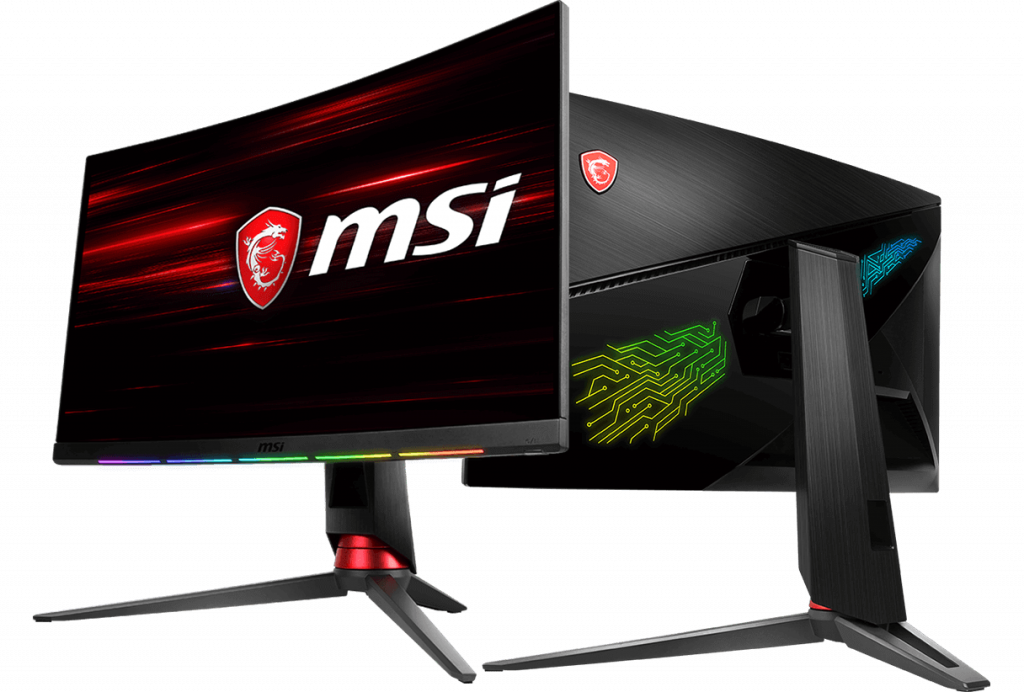
| MSI G27C2 27'' Curved 1080p Full HD Gaming Monitor | 1ms response rate |
| 27" 1080p (1920x1080) VA panel Curved | |
| 144Hz refresh rate | |
| 85% NTSC | |
| 300 nits of brightness | |
| BenQ RL2455HM 24" LED Gaming Monitor | 24" 1080p (1920x1080) TN panel (16:9 display) |
| 60Hz refresh rate | |
| 1ms GTG response rate | |
| Dell SE2417HG 24" Gaming Monitor | 24" 1080p (1920x1080) TN panel (16:9 display) |
| 60Hz refresh rate | |
| 300nits brightness | |
| 2ms GTG response rate |
Article Last updated: November 25, 2025

![HMD Mobile Price in Nepal [Updated]](https://media.gadgetbytenepal.com/2026/03/HMD-Mobile-Price-in-Nepal.jpg)
![Best Mobile Phones Under Rs. 60,000 in Nepal [Updated 2026]](https://media.gadgetbytenepal.com/2025/11/Best-Mobile-Phones-Under-Rs.-60,000-in-Nepal-1.jpg)