This feature is currently only available to users in the US, but it should come to other regions shortly as well.
Google recently confirmed that it would allow users to change their Gmail addresses. But this feature is available only in the USA at this point. In this article, I will explain everything, including the process for changing your old embarrassing Gmail address and the expected global release of this feature.
Google allows changing the Gmail Address.
How was the username in the past?
When Google introduced Gmail, it was very new to users with limited knowledge. Most of the people at that time were using it for the first time. Hence, people didn't think twice about creating a weird email address and using a name or word that might seem embarrassing or odd for fun. After creating those addresses, people realize that these embarrassing emails will shape how others perceive them. The widespread use of email in school, college, and professional settings has also become a source of embarrassment. In addition, creating a new email was not as easy as it is now. After this, Google users have no choice but to use the same embarrassing email address, regardless of where they are using it. Also, some users stop using their Google accounts to avoid embarrassment.
Google announcement
For the past few months, the news of Google planning to allow users to change their email addresses and usernames has been all over the internet. Google has finally turned a new reality for those living in the USA, as they can now change their unusual username. At this point, only Google account holders can fully access this update. Since this is just an announcement, it may take some time for the real changes to take effect. But if you live outside the United States, you need to wait longer for the global release announcement.
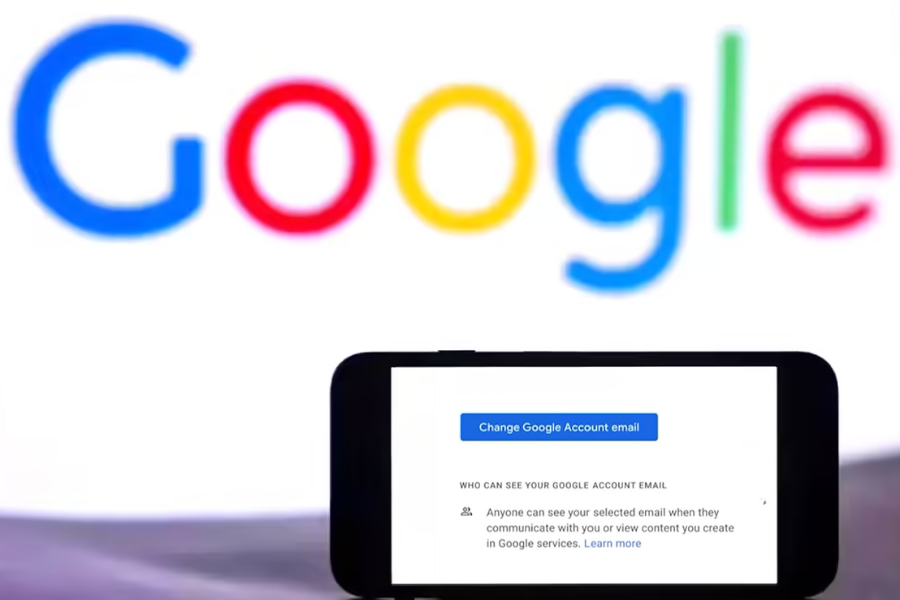
In the process, keep in mind that you only get one chance to change your username each year. Likewise, if there is a typing error or any other error occurs during the process, you have to wait a year to rectify your mistake. Although Google offers the option to revert to the previous username, the user cannot create a new one for 30 days.
Process to Change the Gmail Username
Now, let's discuss the process of changing your embarrassing Gmail address to a new, professional one.
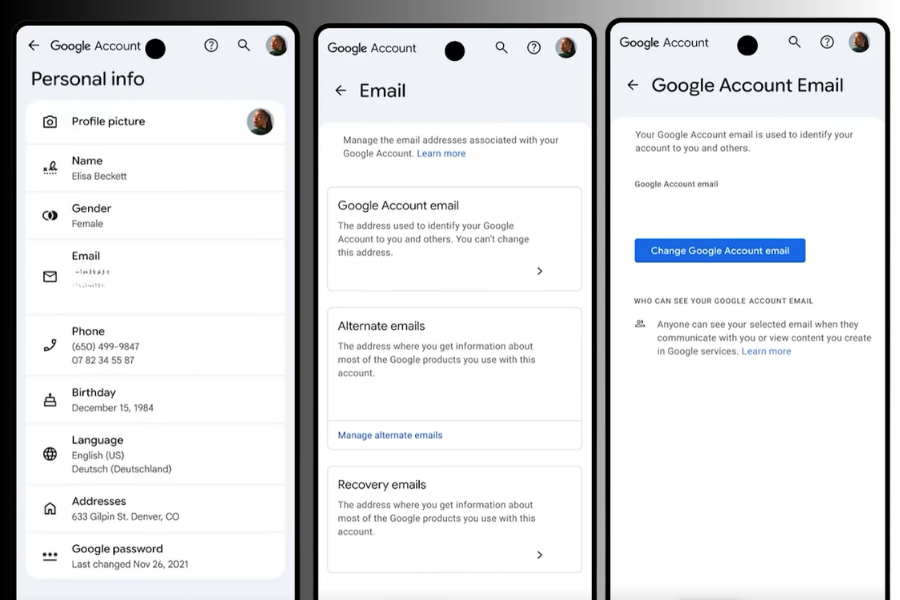
- First, go to the Google account settings and click on Personal info.
- After that, click on Email and then your Google Account Email
- Now, you will see the icon that says "Change Google Account Email"; click it.
- Here, you pick a new username that suits you and save it.
Status of Old Username
You finally get an idea about the process of changing the new username. But you might wonder what will happen to your old username. You don't have to worry about it at all, as it will just be your alternate username. You can also use this old username to sign in to your Google account. Also, your data from the old email will also be shown in the new username, so you don't have to worry about data loss either.
- Also Read:
Google allows changing Gmail Address: Conclusion
Google addressing the issue of many users being embarrassed by unusual usernames was work they needed to do very early. Nevertheless, it is a powerful move by Google to attract its inactive users to use it again. In some cases, this feature may have a great positive impact as people will finally have a chance to get rid of those unusual usernames. In my view, if Google reduced the period from 12 months to 24 hours, it would benefit users.
- Meanwhile, you may also like our review of the Nothing Phone 4a.
Article Last updated: April 1, 2026