Security Researcher Mustafa Al-Bassam from London after entering McDonald’s, his Android phone prompted him to download the fast-food chain’s mobile app. After the incident, he checked his phone which is running Android newest builds and soon discovered that it’s almost impossible to prevent Google Maps collecting your location.
As you may know, Google Play services are capable of constantly tracking Android users' movements because it uses features like nearby to create "location awareness."
As Google explains in a blog post:-
"One of the unique features of mobile applications is location awareness. Mobile users take their devices with them everywhere, and adding location awareness to your app offers users a more contextual experience. The location APIs available in Google Play services facilitate adding location awareness to your app with automated location tracking, geofencing, and activity recognition."
In other words, Google Play's APIs are responsible for this continuous tracking, not Android's location APIs.
That means if a mobile user with one of the newest Android builds tries to switch off location for Google Play (Apps > Google Play Store > Permissions), they'll get a pop-up window warning them that turning location off for Google Play will disable that feature on every single app installed on their device.
What if you uninstall Google Play and/or Google Maps?
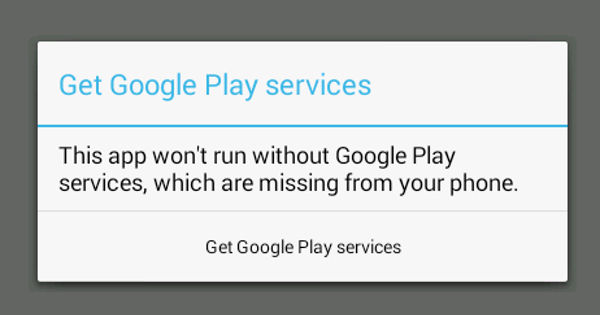
You won’t be tracked but you’ll have to manually update each of your apps. Some app might not even work anymore without the installation of Google Play services.
According to the recent reports, Google has acknowledged that was a bug and stated:-
"We identified a bug affecting a small number of users in a recent release of the Google Play. For users in the error state, the Google Play app was unable to obtain GPS, causing it to make frequent unsuccessful requests and use the battery. We will be rolling out a fix in the next few days."
[socialpoll id="2387712"]
Article Last updated: September 16, 2016