Hmmm... is Apple giving MacBook users something they've wanted for years, or solving a problem they never had?

Apple has unveiled the new MacBook Pro with ProLED XDR Display in 14-inch and 16-inch sizes, just a day after introducing the 14-inch MacBook Pro M6. Both models bring tandem OLED technology and touchscreen support to Apple's professional laptop lineup for the first time, with the new display promising improved contrast, brighter highlights, and a wider color gamut for creative work. The redesign also brings a thinner, lighter chassis and a Dynamic Island, while the new models retain the M5 Pro and M5 Max chips. In this article, I will cover both 14-inch and 16-inch MacBook Pro models, including their specifications, availability, and expected price in Nepal.
Key Highlights
- ProLED XDR tandem OLED display featuring 10–120Hz ProMotion, up to 2,000 nits peak HDR brightness, and touchscreen support.
- Redesigned with a thinner, lighter aluminum chassis, Dynamic Island, and illuminated Apple logo.
- Powered by M5 Pro and M5 Max chips with support for up to 128GB unified memory and up to 16TB storage.
- Up to 22–24 hours of video playback battery life, featuring Thunderbolt 5 ports, Wi-Fi 7, Bluetooth 6, and Thread.
- Enhanced 12MP Center Stage camera with Advanced Video Stabilization and a redesigned six-speaker sound system with 50% deeper bass.
MacBook Pro with ProLED XDR Display Overview
Display
Starting with the biggest upgrade on the new MacBook Pro is, of course, its display—the talk of the town. And if you ask why? Well, because Apple has moved from mini-LED to a tandem OLED panel, which it calls ProLED XDR, and added touchscreen support for the first time on a Mac. The OLED panel promises deeper blacks, better contrast, and brighter highlights, while touch lets you interact with macOS directly from the screen.
A brighter display with better colors
Both the 14-inch and 16-inch MacBook Pro with ProLED XDR Display feature ProMotion with an adaptive refresh rate of 10Hz to 120Hz. Apple claims up to 1,000 nits of sustained full-screen brightness and peak brightness of up to 2,000 nits for HDR content and outdoor SDR use. The screen also supports the P3 and Adobe RGB color spaces, along with a 10,000,000:1 contrast ratio.
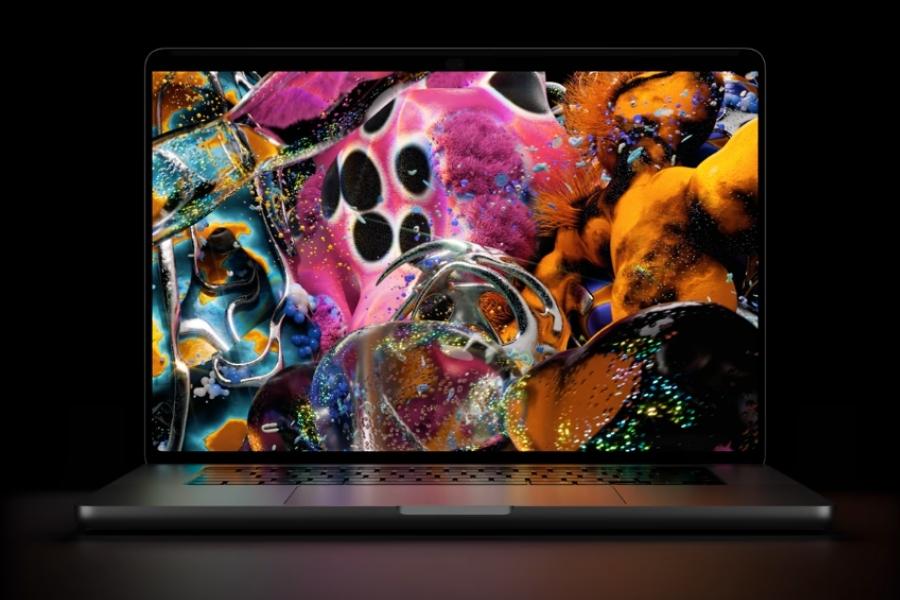
The 14-inch model has a 14.2-inch display with a 3024 × 1986 resolution, while the 16-inch version gets a 16.3-inch panel with a 3472 × 2266 resolution. Both support up to one billion colors and True Tone. There's also an optional nano-texture glass finish for those who want to reduce reflections when working in bright environments.
The move to OLED should be particularly noticeable when watching HDR content or working with images that have bright highlights against dark backgrounds. Blacks look properly black, rather than showing the glow that can appear around bright objects on a backlit display. The rich colors and high contrast also make the panel appealing for photo and video work, although the wider color gamut will matter more to people working with color-critical content than to someone who mostly browses the web or watches videos.
Apple finally adds a touchscreen to the Mac
Another major change is that you can now interact with the MacBook Pro's display directly. You can swipe through webpages, pinch to zoom into photos, drag content between apps, and use touch gestures to resize or arrange windows. Compatible creative apps can also offer touch-friendly controls for tasks such as editing photos or working with timelines, while the keyboard and trackpad remain available as usual.
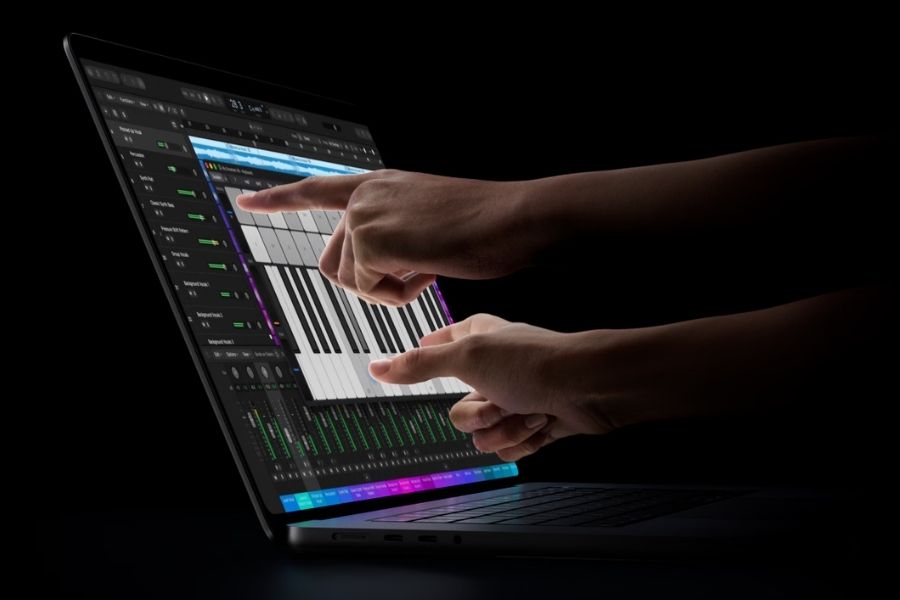
Apple has also replaced the familiar notch with a Dynamic Island around the camera. It can display system indicators, Live Activities, and Siri AI interactions, letting you check updates or control certain features without switching away from your current task.
But is a touchscreen really useful on a MacBook?
While having a touchscreen sounds nice on paper, think about how you actually use a laptop. Most of the time, you're typing or navigating with the trackpad, and repeatedly reaching up to touch the display could get tiring. Touch might feel more natural when zooming into a photo or moving things around, but for everyday browsing, writing, and multitasking, the keyboard and trackpad may still be more convenient. And if you want a device built around touch, there's already the iPad.
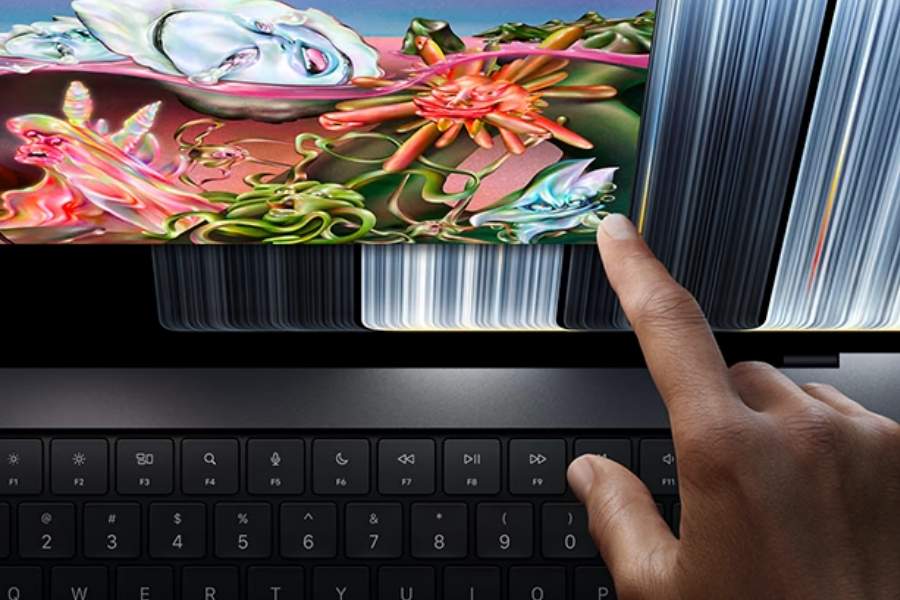
That's not to say the touchscreen is pointless. It could be handy for certain creative tasks, especially when you want to interact directly with what's on the screen. However, tapping the display can also make it wobble, which isn't ideal when you're trying to make precise adjustments. So, while I'm glad Apple has finally added touch support to the MacBook, I wouldn't consider it a reason to upgrade on its own.
Design and Build
Moving on to the design, the MacBook Pro with ProLED XDR Display keeps its familiar aluminum chassis, although Apple has made both sizes thinner and lighter than their predecessors. The 14-inch model weighs 1.38kg with the M5 Pro chip and 1.40kg with the M5 Max, down from around 1.6kg on the previous models. Similarly, the 16-inch version weighs 1.82kg or 1.84kg, depending on the chip, compared with roughly 2.15kg before.
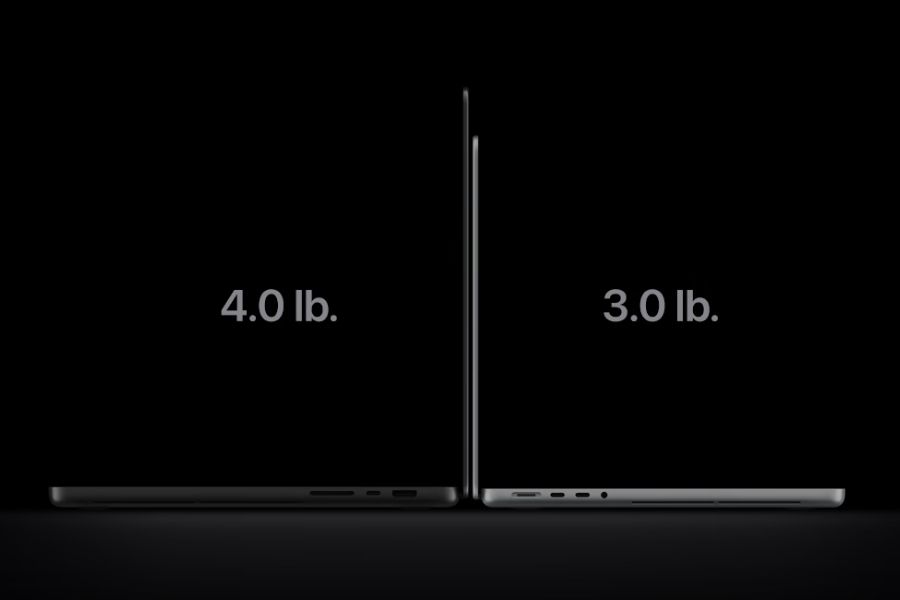
The difference might not seem huge on paper, but carrying a lighter laptop around every day should make a difference, especially with the larger 16-inch model.
The glowing Apple logo is back
Moreover, the MacBook Pro with ProLED XDR Display brings back the illuminated Apple logo on the lid, a feature last seen on older MacBooks around a decade ago. Previous models used the display's backlight to illuminate the logo, whereas the new OLED models use a separate light source. Its brightness still adjusts with the display, much like it did on older MacBooks.
Keyboard, Camera and Audio
The Magic Keyboard with backlighting, Touch ID, and the Force Touch trackpad remain largely unchanged. Apple has, however, updated the 12MP Center Stage camera with Advanced Video Stabilization and Desk View, which lets you show your workspace during video calls.
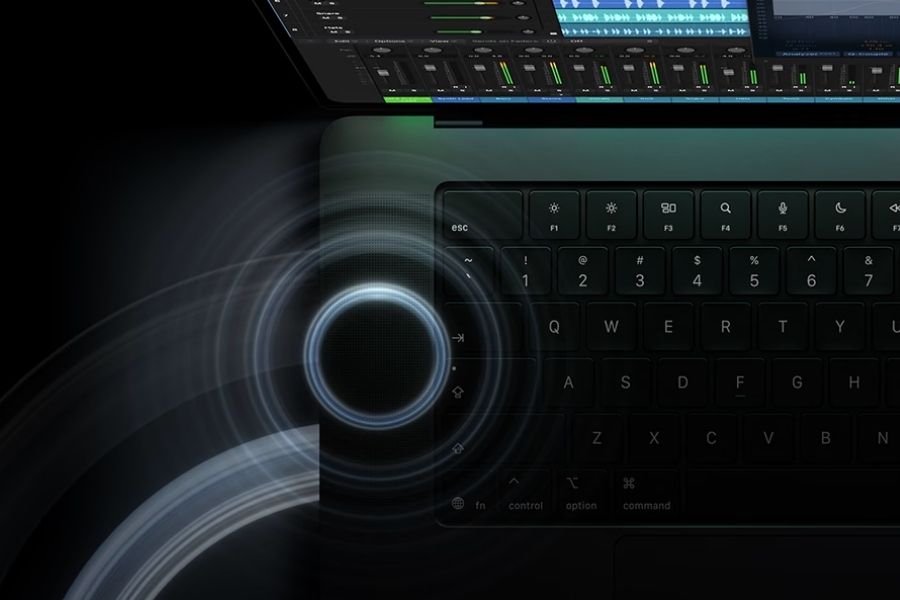
On the audio side, the six-speaker system has also been redesigned, with Apple claiming 50% deeper bass and updated tweeters for clearer sound. A three-mic array with Voice Isolation rounds out the setup for calls and recordings.
You may also like:
- Apple MacBook Pro arrives with M6 chip and up to 24 hours of battery life!
- Apple MacBook Pro 16-inch (M5 Pro / M5 Max) is now even more expensive in Nepal
Performance and Memory
Under the hood, the MacBook Pro with ProLED XDR Display comes with Apple's M5 Pro and M5 Max chips, the same as the regular MacBook Pro. Both models are designed to handle demanding workloads. The M5 Pro should be enough for most professional tasks, while the M5 Max offers more graphics power and memory bandwidth for heavier workloads.
| Model | Chip | CPU | GPU | Unified Memory | Memory Bandwidth |
|---|---|---|---|---|---|
| 14-inch | M5 Pro | 15-core | 16-core | 24GB or 48GB | 307GB/s |
| 14-inch / 16-inch | 18-core | 20-core | 24GB, 48GB, or 64GB | ||
| M5 Max | 18-core | 32-core | 36GB | 460GB/s | |
| 18-core | 40-core | 48GB, 64GB, or 128GB | 614GB/s |
For everyday productivity, coding, photo editing, and most video-editing work, the M5 Pro should offer plenty of performance. The M5 Max is better suited to more demanding tasks such as complex 3D rendering, visual effects, and working with large video projects, where its additional GPU cores can make a difference.
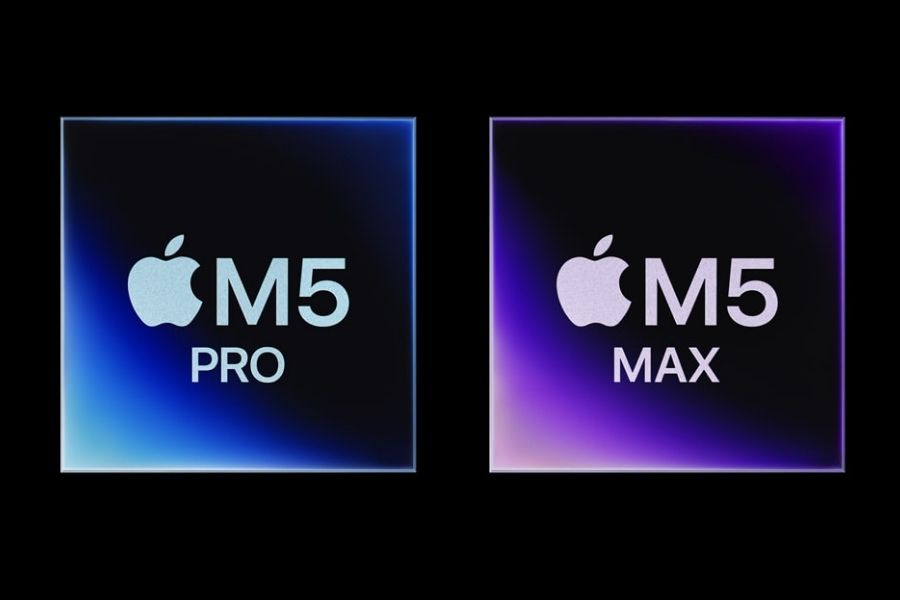
In terms of memory, the M5 Pro supports up to 64GB of unified memory, while the M5 Max goes up to 128GB. More memory can help when working with large projects or running demanding applications simultaneously, although most users won't need the highest configuration.
Battery and Connectivity
Coming to battery, Apple claims up to 22 hours of video streaming on the 14-inch M5 Pro model and 20 hours on the M5 Max version. The 16-inch models last longer, with up to 24 hours on the M5 Pro and 22 hours on the M5 Max. Both sizes support fast charging, reaching up to 50% in around 30 minutes with a compatible power adapter.
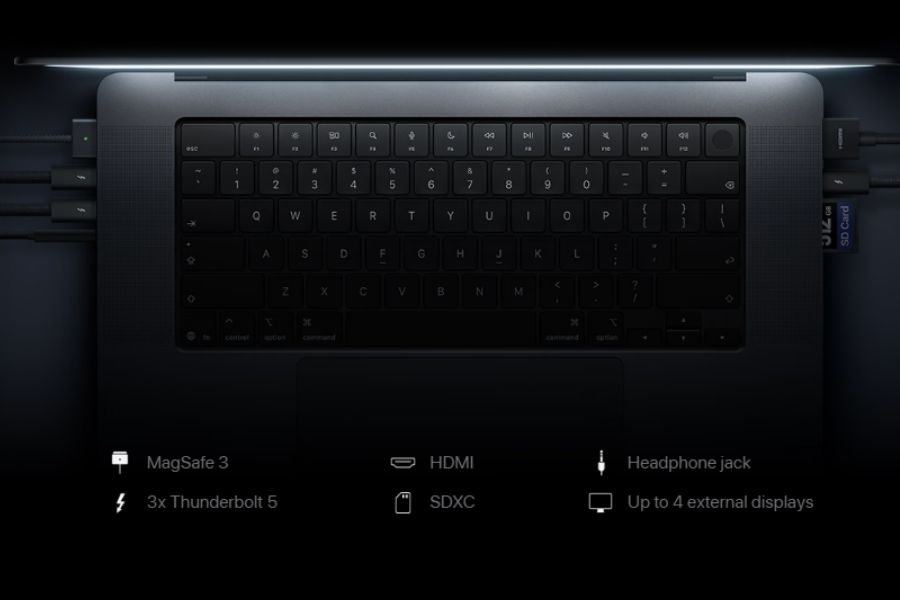
For connectivity, you get three Thunderbolt 5 (USB-C) ports, an HDMI port, an SDXC card slot, a 3.5mm headphone jack, and MagSafe 3 for charging. Wireless connectivity includes Wi-Fi 7, Bluetooth 6, and Thread support through Apple's N1 chip.
MacBook Pro with ProLED XDR Display Specifications:
- Design and Build: Aluminum chassis, Space Black and Silver
- 14-inch (M5 Pro): 1.50cm thick, 1.38kg or 1.40kg (M5 Max)
- 16-inch (M5 Pro): 1.60cm thick, 1.82Kg or 1.84kg (M5 Max)
- Display: ProMotion adaptive refresh rate of 10–120Hz, up to 1,000 nits sustained full-screen brightness, up to 2,000 nits peak HDR brightness and outdoor SDR brightness, optional nano-texture glass
- 14-inch model: 14.2-inch ProLED XDR tandem OLED, 3024 × 1986 pixels resolution, 254 ppi
- 16-inch model: 16.3-inch ProLED XDR tandem OLED, 3472 × 2266 pixels resolution, 254 ppi
- Chipset: 16-core Neural Engine, Neural Accelerators, hardware-accelerated ray tracing
- 14-inch: M5 Pro (15-core CPU, 16-core GPU or 18-core CPU, 20-core GPU)
- 14-inch: M5 Max (18-core CPU, 32-core or 40-core GPU)
- 16-inch: M5 Pro (18-core CPU, 20-core GPU)
- 16-inch: M5 Max (18-core CPU, 32-core or 40-core GPU)
- Memory:
- 14-inch M5 Pro: 24GB/48GB unified memory (16-core GPU) or 24GB/48GB/64GB (20-core GPU)
- M5 Max: 36GB (32-core GPU), 48GB/64GB/128GB (40-core GPU)
- 16-inch M5 Pro: 24GB/48GB/64GB unified memory
- M5 Max: 36GB (32-core GPU) or 48GB/64GB/128GB (40-core GPU)
- Storage: 1TB SSD with M5 Pro, configurable to 2TB or 4TB; 2TB SSD with M5 Max, configurable to 4TB, 8TB, or 16TB
- Software and UI: macOS, Apple Intelligence, Siri AI, Dynamic Island
- Camera: 12MP Center Stage camera, Desk View support, Advanced Video Stabilization, 1080p HD video recording
- Audio: Six-speaker sound system with force-cancelling woofers, studio-quality three-mic array, Voice Isolation and Wide Spectrum microphone modes
- Connectivity: Wi-Fi 7, Bluetooth 6, Thread, Apple N1 wireless chip, three Thunderbolt 5 (USB-C) ports, HDMI, SDXC card slot, MagSafe 3, 3.5mm headphone jack
- Battery:
- 14-inch: 72.6Wh battery; M5 Pro offers up to 22 hours of video streaming and 14 hours of wireless web browsing, while M5 Max offers up to 20 hours of video streaming and 13 hours of wireless web browsing.
- 16-inch: 100Wh battery; M5 Pro offers up to 24 hours of video streaming and 17 hours of wireless web browsing, while M5 Max offers up to 22 hours of video streaming and 16 hours of wireless web browsing.
MacBook Pro with ProLED XDR Display Price in Nepal and Availability
The new MacBook Pro has been officially launched globally with a starting price of USD 2,899 for the 14-inch M5 Pro model and USD 3,399 for the 16-inch version. Whereas the M5 Max configuration starts at USD 4,499 and USD 4,799, respectively. There is no information regarding its availability in the local market yet, however, if it is announced here. We can expect the MacBook Pro with ProLED XDR Display price in Nepal to be around NPR 5,35,999 for the 14-inch M5 Pro and NPR 6,29,999 for the 16-inch variant.
Note: Actual local prices may differ due to taxes, import costs, and retailer pricing.
| MacBook Pro with ProLED XDR Display | Model | Price Globally (Official) | Price in Nepal (Expected) |
| 14-inch | M5 Pro (24GB/1TB) | USD 2,899 | NPR 535,999 |
| 16-inch | USD 3,399 | NPR 629,999 | |
| 14-inch | M5 Max (36GB/1TB) | USD 4,499 | NPR 825,999 |
| 16-inch | USD 4,799 | NPR 879,999 |
MacBook Pro with ProLED XDR Display: Is the OLED upgrade worth it?
The new MacBook Pro brings a major display upgrade, with tandem OLED technology and touchscreen support finally coming to the Mac. The thinner and lighter design is welcome, too, although the M5 Pro and M5 Max chips mean performance isn't necessarily the main reason to choose this model over the regular MacBook Pro.
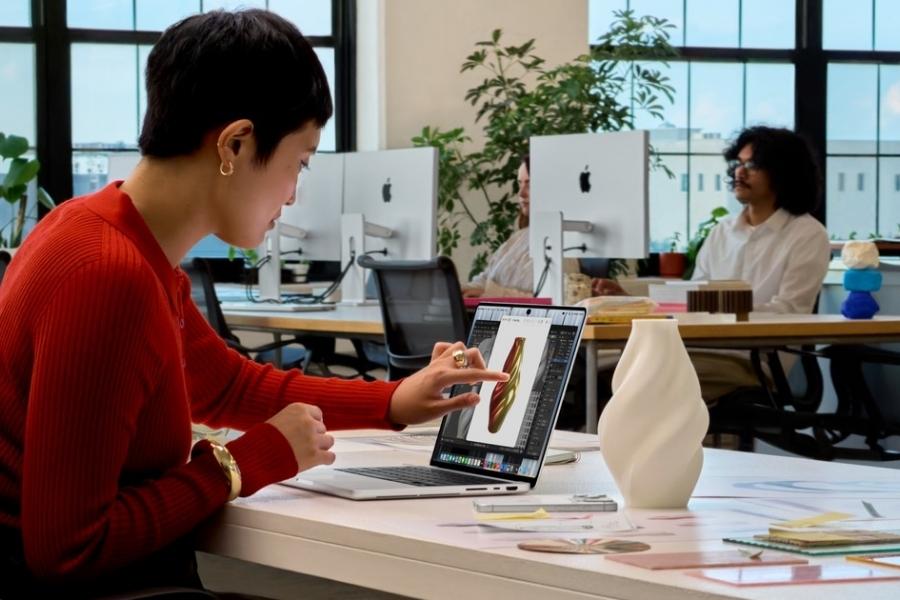
The touchscreen could be useful for creative work, but it remains to be seen how naturally it fits into everyday macOS use. And with prices starting at USD 2,899, this is still a very expensive laptop. If you mainly need a powerful MacBook for editing, coding, or general productivity, the regular MacBook Pro may already offer what you need. The ProLED XDR version makes more sense if its display upgrades and touch controls are features you'll genuinely use.
- Meanwhile, watch our video on the best smartwatches in Nepal for every budget!
Article Last updated: October 29, 2026