Rooting your Android is the best technique to gain access to some of its coolest features – like installing custom ROM's and downloading new apps before they officially get released. And when it comes to rooting Android, users have more options than ever before.Today, we are going to teach you how to root android phone using SuperOneClick.

SuperOneClick promises to root any Android smartphone or tablet on the market today. But we have personally encountered the scenario of bricking of some of our smartphone. The process involves users simply connecting their Android device to their computers, download the SuperOneClick program, then run it to unlock root access to their smartphone or tablet. So, Root your phone at your own risk!

So Here is How to Root Android Phone
- Download and Install the SuperOneClick Application.
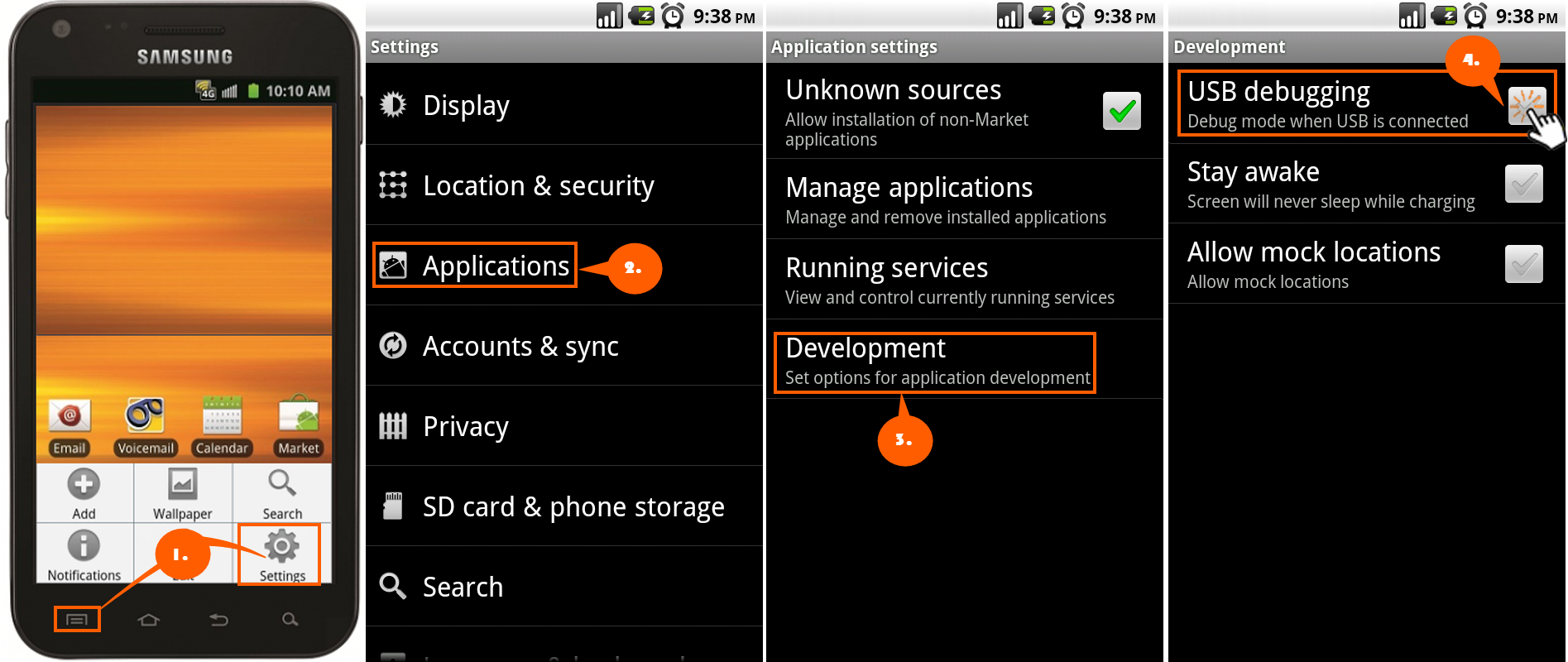
- Go to --> Phone Settings > Applications > Development > Enable USB Debugging mode. Please check that your Android mobile is connected to your PC using USB. It is recommended to remove the Memory Card before Rooting your mobile.
- Execute SuperOneClick and click on the Root button.
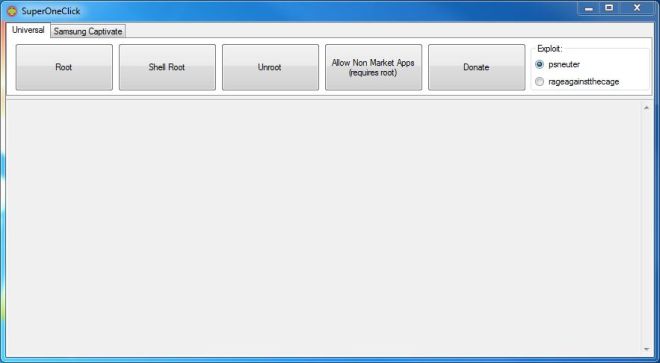
Screen shot of SuperOneClick
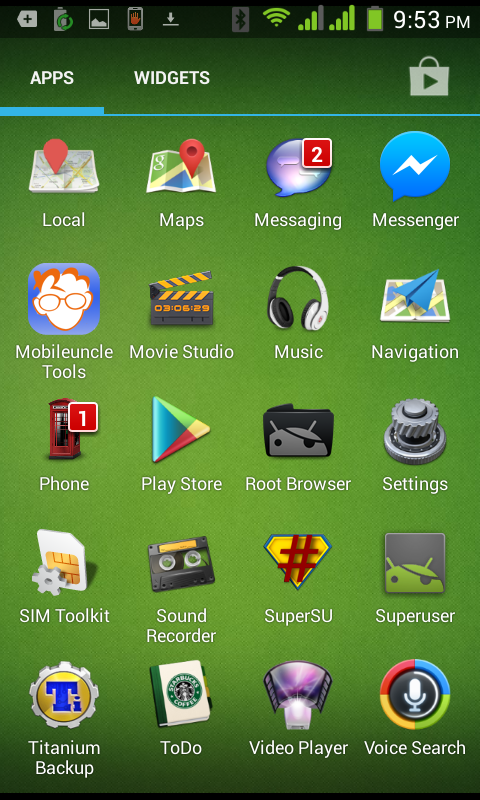
- Wait till the application succeeds in Rooting your Android mobile. After Success message, you will be able to see Superuser.
- Check the YouTube Video for more Guidance below.
Article Last updated: November 12, 2015