Why Trust Gadgetbyte?
At Gadgetbyte, we invest substantial hours into rigorously testing each product or service we review, guaranteeing that you make informed purchases. Learn more about our testing process.
Review Overview
3.9
Design and build
8.3/10
Display
8.5/10
Keyboard
8.7/10
Trackpad
7.4/10
Performance
7/10
Audio
6.8/10
Webcam
6.8/10
Battery
9.3/10
Value for money
7.3/10
Even though the Acer Aspire 14 AI (2025) has very few flaws of its own, we find it really difficult to recommend it over the considerably superior Acer Swift 14 AI. Which has better GPU performance and a nicer build quality at a cheaper price.
If you’re searching for an affordable Ultrabook in Nepal, I bet Acer’s “Swift” series keeps popping up everywhere you look. And why wouldn’t it? Those things pack some serious specs for the price—and I’ve recommended its latest model with Intel’s excellent “Lunar Lake” chip to so many folks. So when I recently came across the Acer Aspire 14 AI with AMD’s Ryzen AI 300 processor at a similar price, I really only wanted to know one thing:
Is AMD actually the way to go this year?
Well, I daily-drove the Acer Aspire 14 AI for a couple of weeks to find the answer to that question, so allow me to share all my experience in this full review.
Acer Aspire 14 AI 2025 review: Specifications
- Dimensions, Weight: 225.9 x 312 x 15.9 mm (W x D x H), 1.25 kg
- Display: 14″ OLED panel, WUXGA (1920 x 1200 pixels), 60Hz refresh rate, 100% DCI-P3 color gamut, 500 nits peak brightness (HDR)
- Keyboard: Backlit chiclet keys
- Security: Windows Hello face authentication, TPM 2.0
- Processor: AMD Ryzen AI 7 350 (8 cores / 16 threads, up to 5 GHz)
- RAM: 16GB LPDDR5X memory (non-upgradeable)
- Storage: 512GB SSD (M.2 NVMe PCIe 4.0)
- Audio: Down-firing stereo speaker system
- Battery: 65 Watt-hours with 65W charging
- Webcam: FHD (1080p) camera with a physical shutter
- I/O Ports: 2x USB4 Type-C (DisplayPort 1.4, Power Delivery), 2x USB 3.2 Gen 1 Type-A, 1x HDMI 2.1, 1x MicroSD card reader, 1x 3.5mm combo audio jack
- Price in Nepal: NPR 134,999
Acer Aspire 14 AI 2025 review:
Performance
- AMD Ryzen AI 7 350 CPU (15 – 54W TDP)
- AMD Radeon 860M graphics (Integrated)
- 16GB LPDDR5X RAM, 512GB PCIe 4.0 SSD
And let me start with the performance side of things itself.
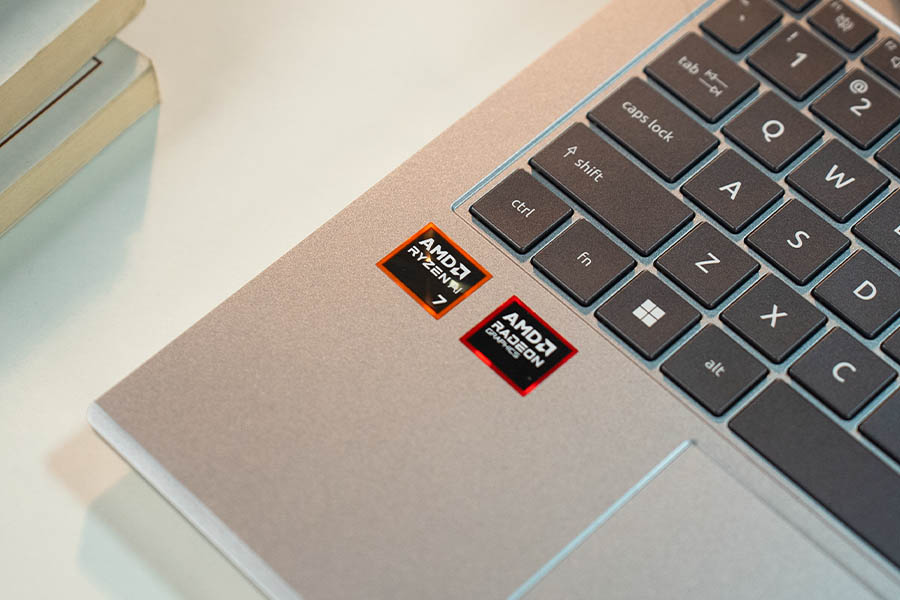
So underneath this… metallic-silver exterior is AMD’s new Ryzen AI 7 350 processor. With its 8 cores / 16 threads setup populated by four Zen 5 and four Zen 5c cores.
What’s interesting is that, unlike Intel’s performance and efficiency cores that stem from different architectures, these Zen 5c “compact” cores are functionally the same as the regular Zen 5 ones. The only difference is that they’re slightly smaller in size (physically on the processor die) and don’t clock as high as Zen 5. And mix it with the fact that Intel intentionally gave up hyperthreading on Lunar Lake in pursuit of efficiency, this new AMD chip had an easy shot at winning the “CPU performance” battle this year.
And yep.
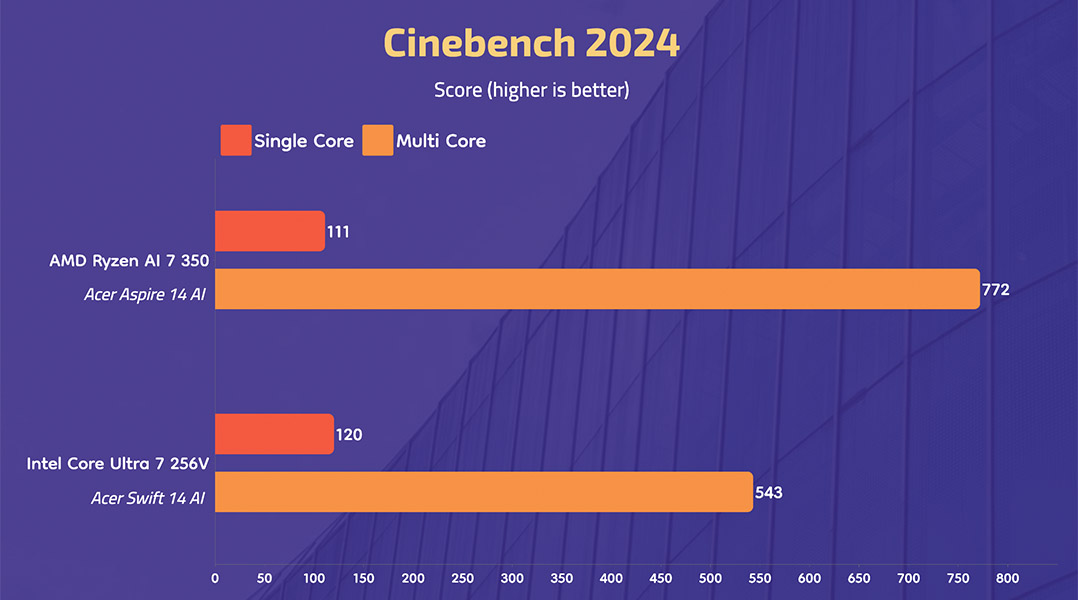
The Ryzen AI 7 350 managed a convincing 42% better multi-core result than its closest Intel alternative: the Core Ultra 7 256V. Although it’s still trailing (slightly) when it comes to single-core performance. What that means is that while you’re likely not gonna notice anything different under casual use between the two, this AMD processor is absolutely gonna rip through more computationally demanding tasks. Like video editing or code compiling, for instance.
Both of which are something this Ultrabook can handle to some extent, by the way.
I also had high hopes for the integrated graphics (iGPU) on this AMD chip since AMD has historically been quite impressive with this stuff. But it turns out Intel’s “Arc 140V” iGPU is… something else. Absolutely annihilating AMD’s Radeon 860M graphics in DirectX 12-based benchmarks like 3DMark Steel Nomad Light, where it posted a towering 86% higher score. While managing a modest 10% lead in DirectX 11-based Unigine Heaven benchmark.
So even if you plan on killing time with casual FPS games like Valorant on a thin-and-light laptop such as this, you’re gonna have better luck with Intel this year.
That said, I didn’t have any performance issues with my Aspire 14 AI. It’s got a healthy 16GB of LPDDR5X memory, so multitasking between my dozen-tabbed Chrome with Spotify and LibreOffice—with occasional cameos from Photoshop and LocalSend—was a breeze. I also love how Acer has shipped quite a fast PCIe Gen4 SSD on this thing, which is upgradeable too. Unlike its memory, which is soldered into the motherboard.
This was all with the fan profile set to “Silent”, just so you know. And as the name suggests, the Aspire 14 AI stayed whisper quiet in all my tests. Not that its solitary fan can make a whole lot of noise even when I unleash it or anything, but “smooth + silent” is always a combo I love to see on an Ultrabook. Oh, and I almost forgot—this is also a “Copilot+ PC”.
Meaning it’s got a separate Neural Processing Unit (NPU) on top of the CPU and the GPU to handle different AI workloads on-device. Like generating images, blurring the background during video calls, translating audio, or Microsoft’s nightmarish “Recall” feature that takes a “screenshot” of everything you do so that you can find it later on using natural language.
I’ll be honest—I’m not intrigued by any of those AI features at this point. And I’ve even remapped the Copilot key using PowerToys to play/pause media instead of summoning Microsoft’s AI assistant. I actually tried remapping it to the right-click key, but since that didn’t work, that’s what I had to settle for.
Design and build
- 225.9 x 312 x 15.9 mm (W x D x H)
- 1.25 kg, Aluminum lid, plastic keyboard deck
Alright.
The performance side of things was pretty much a mixed bag on the Aspire 14 AI.
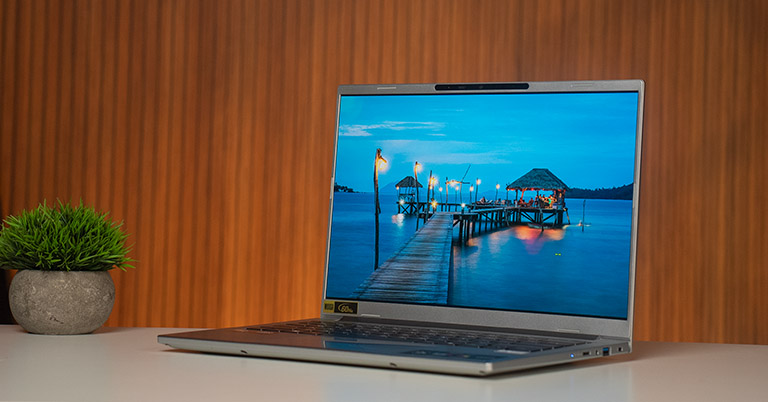
So what about something like the design? Well… I’ll let you be the judge on that. ‘Cause on one hand, this guy looks clean (minus all the unnecessary stickers that Acer has decided to shove in my face). The silver finish is a personal favorite, and I gotta say, it feels quite well-made and perfectly comfortable as an everyday carry as well. Weighing just 1.25 kg.
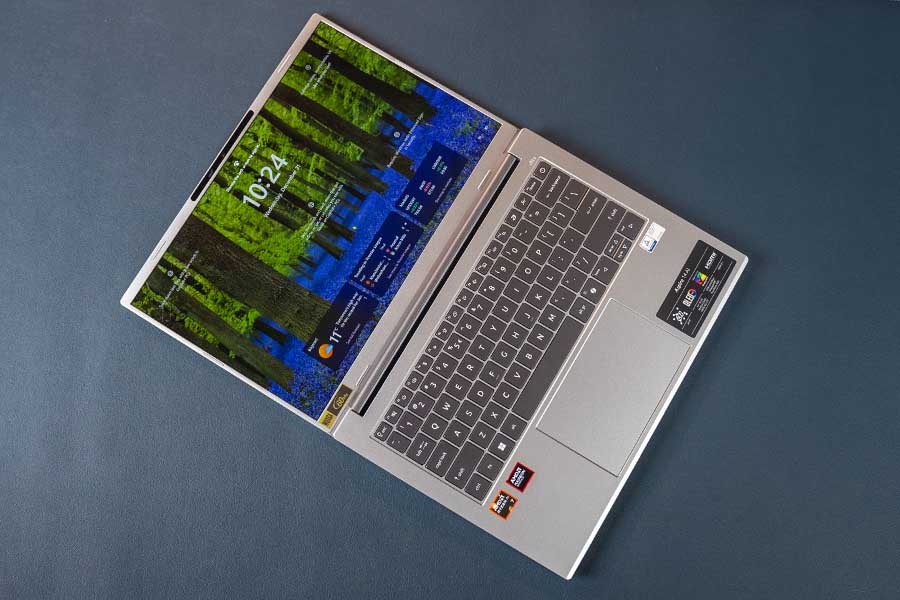
That 180º hinge is solid, and I’ve barely noticed any keyboard flex here.
For the most part, I don’t have many complaints with Aspire 14 AI’s port selection either. Just one question as to why on Earth does it have a microSD card? Even if Acer was targeting this laptop towards photographers or content creators, a full-sized SD Card reader slot would’ve made much more sense.
And this has been followed up with two Type-A (5 Gbps) ports, two Type-C (USB4), one HDMI 2.1, and one 3.5mm headphone jack. As always, you’re not gonna find a Thunderbolt connection on this AMD-powered amigo.
The other thing you need to know about the Aspire 14 AI’s build quality is that its keyboard deck is entirely plastic-made. Its lid is aluminum-topped—yes—but unlike Acer’s Swift laptops that get a premium aluminum chassis, the Aspire 14 AI doesn’t earn that privilege.
Display
- 14" glossy WUXGA OLED panel
- 60Hz refresh rate, 100% DCI-P3 color gamut
- 500 nits peak brightness (HDR)
At least its display is a sweet one. You’re looking at a 14” OLED panel with a tall 16:10 aspect ratio and a 100% DCI-P3 color gamut. And since its brightness can hit an impressive 400 nits (or up to 500 nits for HDR content), I bet you’re gonna have a hard time looking away from this screen.
This is a glossy panel—so glares from any ambient light sources could get irritating every once in a while—although I’d still say this is an easy 9/10 display.
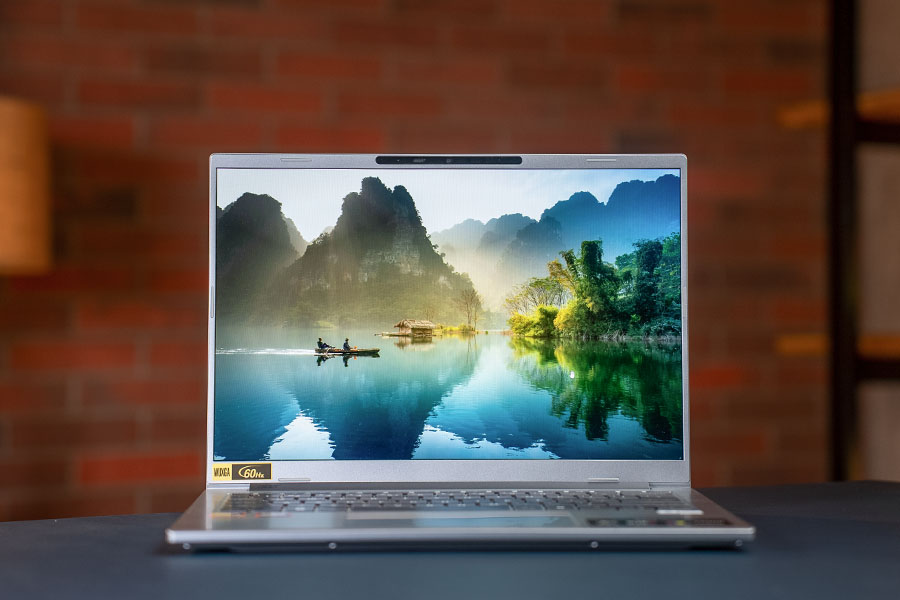
The only thing(s) keeping it from being an ideal 10-on-10 are its:
- refresh rate and resolution.
The Acer Aspire 14 AI has a 60Hz refresh rate and an FHD+ (1920 x 1200) resolution only. Neither of them is a dealbreaker to me, to be honest. Especially considering this is a tiny 14” screen, so scrolling through things doesn’t look that choppy, while fine texts look perfectly readable too. But yes, I can see how this can be mildly… annoying to some.
Keyboard and trackpad
- Backlit chiclet keyboard
- Plastic trackpad with Windows Precision driver
Anyway, I actually love this keyboard.
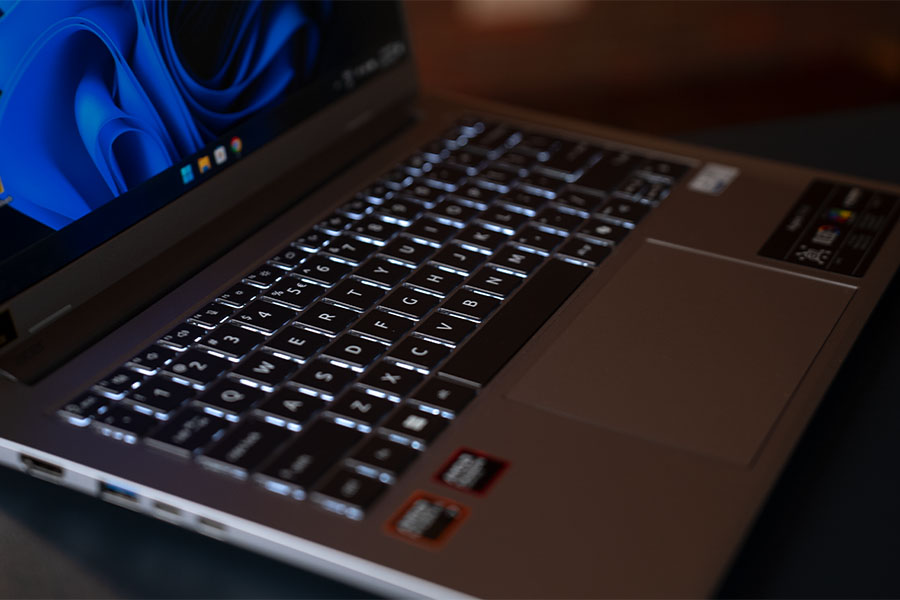
These backlit keys are perfectly spaced, with a nice, springy feedback—while still remaining as quiet as they come—so I had no problem maintaining my usual 100+ WPM typing speed. That plastic trackpad definitely isn’t my favorite thing about the Aspire 14 AI, but it gets the job done. And I guess that’s all that matters in the end.
Webcam and speakers
- FHD (1080p) camera with physical privacy shutter
- Downfiring stereo speakers
While we’re on the topic of “things that aren’t too impressive”, I gotta throw in its speakers and webcam as well. The speakers—they sound incredibly smeared, there’s zero bass, and the mid frequencies overshadow everything else. All. the. time. And even though Acer went with a half-decent 1080p camera here, I’m not too happy with the video quality.
You know what?
I’m probably in the minority on this one, but I think facial recognition-based logins suck.
I gotta adjust my position or the laptop itself to look at the camera first → the camera then has to recognize my face → and then it eventually unlocks the computer. The entire process is tedious and just… a little too slow for my taste. Just give me a fingerprint reader, man.
Battery
- 65Wh battery with 65W charging (USB-C)
The battery life on the Aspire 14 AI, however, is solid as a rock.

It’s got a standard 65Wh battery, and on my everyday use with the brightness level set to 40%, fan profile set to “Silent”, and battery mode set to “Balanced”, I was getting around 9.5 hours of screen time on average. That easily puts it among the best battery life I’ve ever tested on a Windows laptop—trailing only behind the Snapdragon-powered Asus Vivobook S15 (review).
Acer Aspire 14 AI 2025 review: Conclusion
Okay.
So to wrap up this review, the Acer Aspire 14 AI obviously has a lot to love. From a clean design to smooth performance, excellent keyboard, and great battery life, it definitely has what it takes to be a lovely thin-and-light laptop.
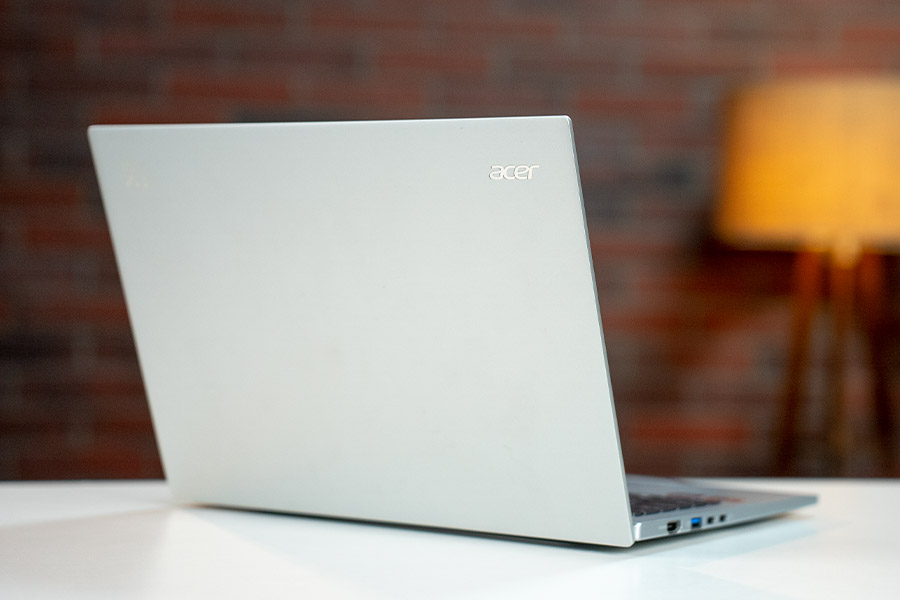
The only problem now is that it’s priced uncomfortably close to the Acer Swift 14 AI (review) that I'm currently seeing on sale for NPR 133,999. A thousand rupees cheaper than the Aspire 14.
And that thing has a more powerful Intel “Lunar Lake” processor, a more premium metallic chassis, a more versatile I/O option with Thunderbolt connectivity, and a sharper webcam, to name a few. A…ll that at the cost of a slightly worse battery life. Just slightly.
Acer Aspire 14 AI 2025 review: Pros and cons
| Pros | Cons |
| • Great performance | • A bit pricey |
| • Excellent battery life | • Just 60Hz refresh rate |
| • A gorgeous OLED display | • Terrible speakers |
| • Nice keyboard |
Article Last updated: January 20, 2026