Just in time as #QuitGPT is trending all over the internet.
As we continue to contemplate on what AI is best for the each job, Anthropic is moving aggressively to win over users from its biggest rivals, like OpenAI's ChatGPT. The company has officially announced that one of its most exclusive features is now free for everyone. Yes, you read that right.

Anthropic's memory import tool, which is designed to help users move their data, preferences, and personality from other AI chatbots, is now available for free-tier users. Thus making switching from ChatGPT or other third-party chatbots as seamless as possible for their users. Let's take a closer look.
What is Claude's memory import tool?
As the name suggests, this feature allows users to transfer personal context, preferences, and key information from other AI platforms (like ChatGPT or Gemini) into Claude.
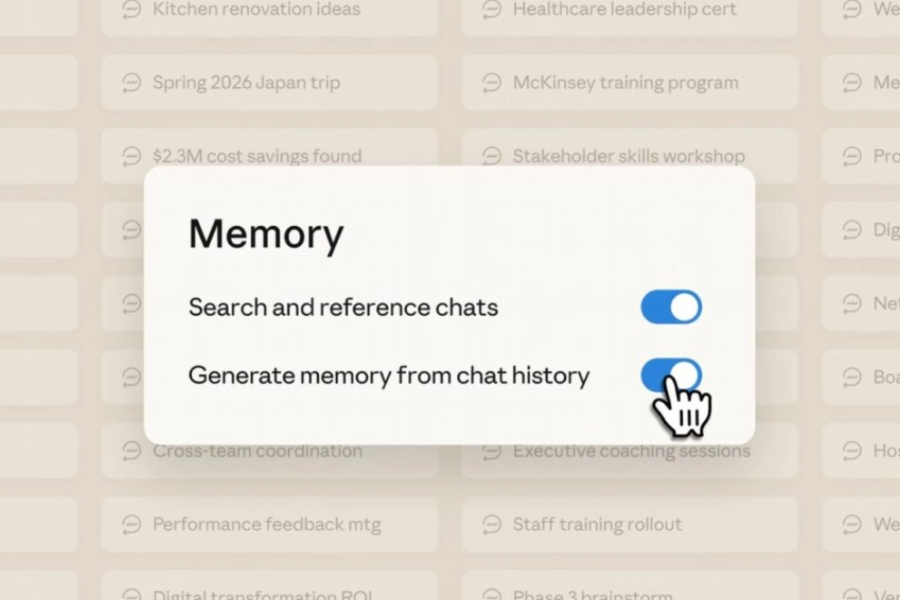
It enables users to maintain continuity in conversations and project context without needing to manually re-teach the new AI about their background, writing style, or preferences. Which is one of the biggest reasons users hesitate to switch AI platforms (and yes, I'm one of them.)
You may also like:
- ChatGPT group chats launched globally with new collaboration features
- DeepSeek vs ChatGPT - How do they compare?
- Best AI video tools in 2026
How does it work
The process is quite simple; rather than using a direct API link, Claude uses a copy-paste method to transfer the data. Anyone can do it in just two steps:
.png)
Step 1: Anthropic provides a specialized prompt that you have to paste into a chat with any AI provider (ChatGPT or Gemini). It’s written specifically to bring your entire AI history together in one chat.
Step 2: Copy and paste the results you get from the provided prompt into Claude's Settings → Capabilities → Memory.
That's it, it's as easy as pie. Claude will now update its memory, so you are good to go and do your task.
(Note: Anthropic says it could take up to 24 hours for Claude to fully understand and incorporate the memories into its personality.)
Key features of memory import tool in Claude
- Third-Party Platform Support: The memory import tools work cross-platform, meaning you can get your data moved from ChatGPT, Google Gemini, and Microsoft Copilot hassle-free.
- Free to Access: This feature is now available to all users and not just to Claude Pro subscribers.
- Privacy Control: Users also get to choose what they want to keep in Claude's memory and what not. You can view, edit, or delete any specific memory that AI has imported at any time.
- Manual Verification: Since it uses the copy-paste method, you can see exactly what data is being transferred before committing.

Why is the memory import feature free in Claude?
It goes without saying that Anthropic is sharply capitalizing on the growing ChatGPT boycott by making such features available to its free users. Because, in case you didn't know, OpenAI recently accepted the US Department of Defense's request to access its AI for mass surveillance and developing autonomous weapons. The exact same request that Anthropic boldly declined.
As a result, people began uninstalling ChatGPT en masse while Claude's downloads jumped through the roof. And with Anthropic's latest move, it will only make it easier for ChatGPT users to shift to Claude.
- Meanwhile, check out our Xiaomi 17 Ultra review
Article Last updated: March 4, 2026