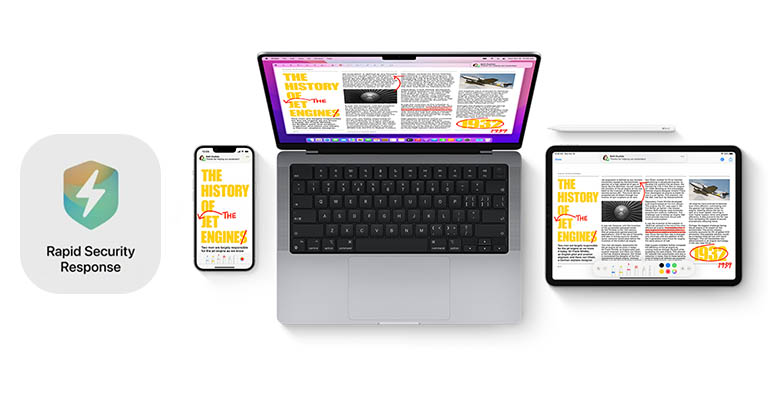
Apple has rolled out a new type of public security update called "Rapid Security Responses" (or RSR in short) for iOS, iPadOS, and macOS users. Rapid Security Responses allow Apple to fix security vulnerabilities without having to push an entire system update. Let's learn more.
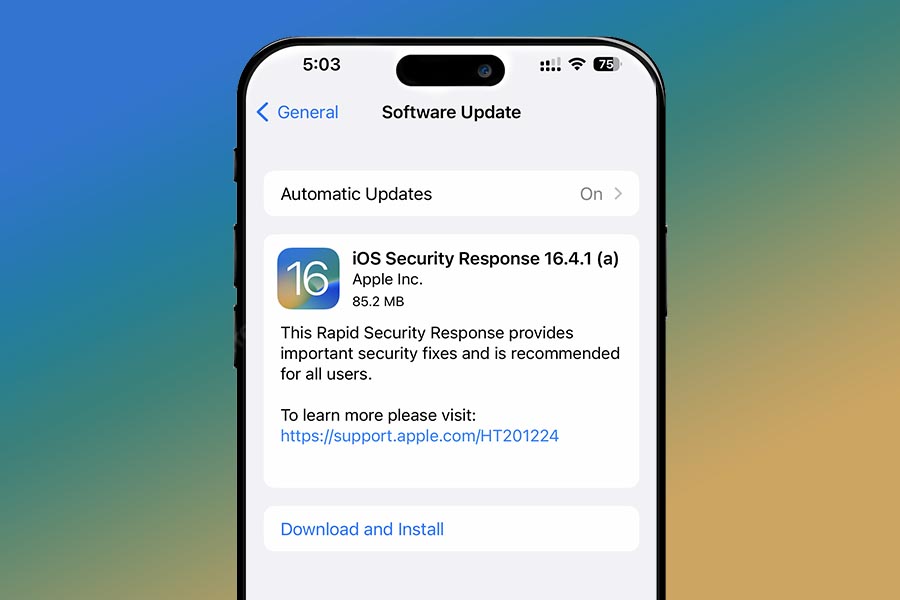 The size of the said RSR update is about 300MB for Macs and about 85MB for iPhones and iPads. It should only take a few minutes to download the update, and you'll need to restart the device for the installation process to kick off. The update is then represented by an "(a)" suffix in the software version name.
Apple Rapid Security Responses (RSR): Overview
In Apple’s own words, "Rapid Security Response (RSR) is a mechanism for shipping security fixes to users more frequently." The company announced RSR last year in WWDC 2022, and this is the first time RSR has been available to the public. To be able to receive this update, your device must be on the latest stable software version available for it. So that's iOS 16.4.1, iPadOS 16.4.1, and macOS 13.3.1 for iPhones, iPads, and MacBook/iMacs, respectively.What's included?
About the update itself, Apple hasn’t revealed exactly what security issues it has fixed. But Apple says "(RSR) deliver important security improvements between software updates — for example, improvements to the Safari web browser, the WebKit framework stack, or other critical system libraries. They may also be used to mitigate some security issues more quickly, such as issues that might have been exploited or reported to exist 'in the wild.'"- Also Read:
- Apple MacBook Price in Nepal 2023 (Updated)
- Apple's next AirPods could have drastically more immersive sound
- Apple's long-rumored 15-inch MacBook Air is launching pretty soon
How to download it?
By default, Apple enables RSR to be automatically installed like other major updates. You can follow these steps to make sure it's enabled on your device:- iPhone or iPad: Go to Settings > General > Software Update > Automatic Updates. Then keep "Security Responses & System Files" on.
- Mac: Choose Apple menu > System Settings > General > Software Update. Click the "Show Details (i)" button next to "Automatic Updates". And make sure to turn on "Install Security Responses and system files".
- Meanwhile, check out our iPhone 14 Pro Max vs Galaxy S23 Ultra comparison
Article Last updated: May 2, 2023