Our computer carries our private data, plans, and strategies. Some of them are so confidential that we do not want even our close ones to know. So leaving the PC unlocked in our absence can bring significant repercussions. Locking and unlocking the computer every time departing and approaching the device is annoying. So, to avoid this tedious job with the privacy maintained intact, Untethered Lab has brought a device named Gatekeeper, which locks and unlocks the device automatically and wirelessly sensing the proximity of the owner.
What is Gatekeeper device?
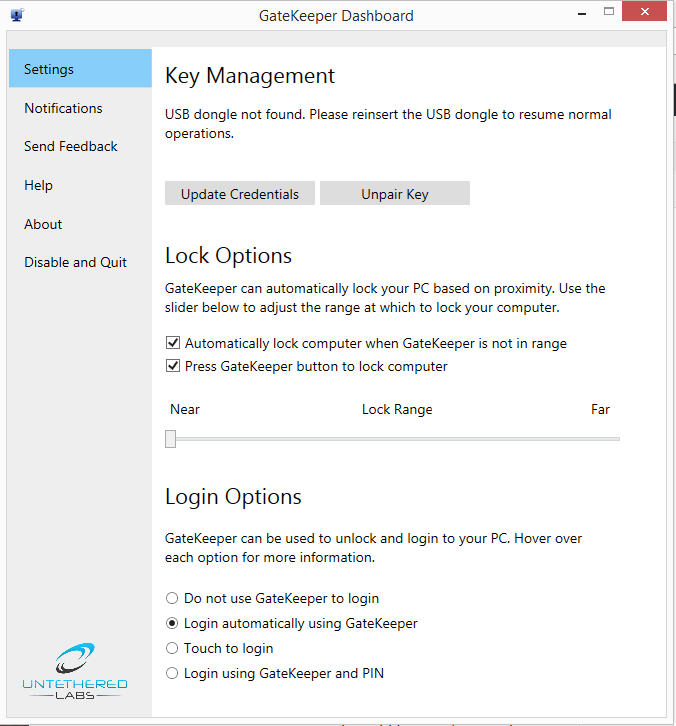
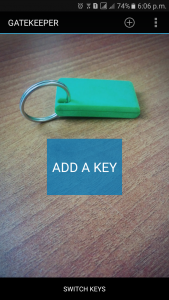
Gatekeeper device can be simply described as a key that locks and unlocks your computer. The device comes in the package with a key, USB dongle (like the receiver of a wireless mouse), coin shaped non-rechargeable CR2032H battery to power the key, and key strap to prevent losing this small device. The key inherits a rectangular shape that comes with a dimension of 45 x 25 x 6 mm and employs Bluetooth technology to track its distance from the computer. To use the gatekeeper device, the USB dongle should be inserted into the USB port of the computer. The second step should be to download the Gatekeeper software, which is available on the official website of Untethered Lab. Once the user pairs the PC with key and inserts the credentials (PIN and password) in the software, the Gatekeeper device is good to go.
My experience with Gatekeeper device
Article Last updated: May 31, 2026


![Apple iPhone Price in Nepal [Updated 2026]](https://media.gadgetbytenepal.com/2025/12/Apple-iPhones-price-in-Nepal.jpg)