Would you try Google's new selfie video recovery feature or stick to traditional methods?
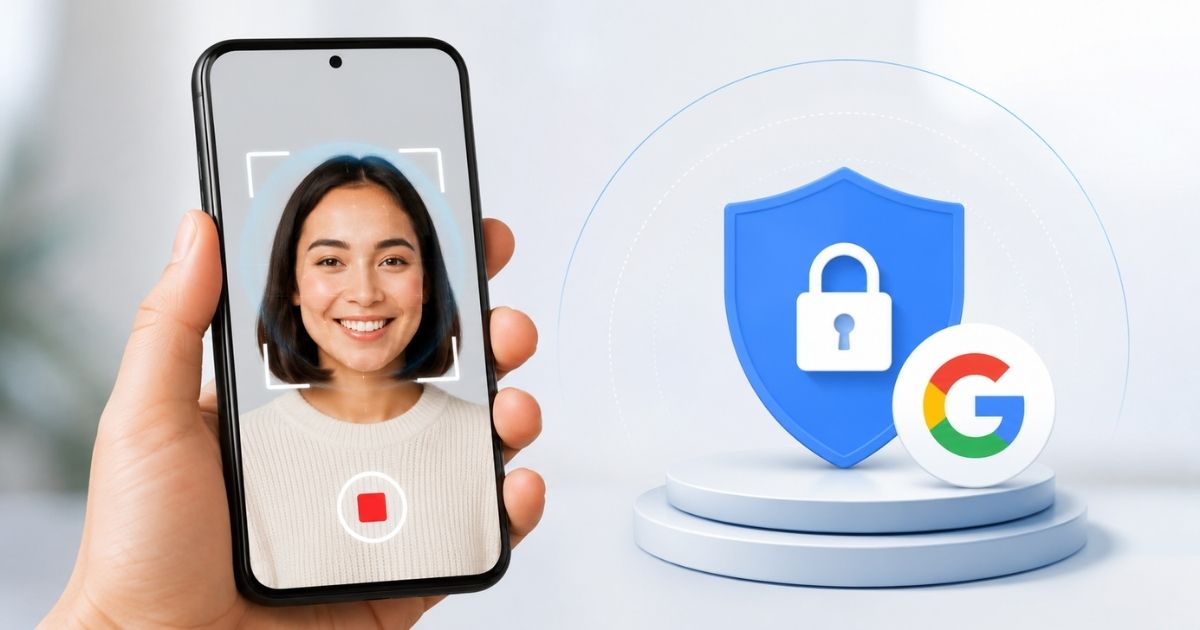
Google has introduced a new way to recover your account if you ever get locked out. Instead of relying only on your password, recovery phone, or another device, eligible users can now set up a selfie video as a backup sign-in method. This means you have another way to prove your identity when traditional recovery options aren't available.
Key Highlights
- Google now lets you recover your account using a selfie video if you get locked out.
- The feature serves as an optional backup recovery method alongside passwords, passkeys, and two-factor authentication.
- Selfie video verification uses liveness detection to help prevent spoofing with photos, videos, or AI-generated deepfakes.
- Google says selfie videos are encrypted, stored with your consent, and can be deleted at any time.
- The feature is rolling out gradually to eligible personal Google Accounts worldwide.
The new option comes as online accounts face growing threats from phishing attacks, SIM swaps, and increasingly convincing AI-generated deepfakes, making secure account recovery more important than ever. In this article, I will discuss Google's new feature for signing in to a Google account using a selfie video in detail.
Google selfie video sign-in Overview
What is the new recovery feature?
Your Google Account stores everything from Gmail and Photos to Drive files and saved passwords. Losing access to it can be frustrating, especially if you've forgotten your password or no longer have access to your recovery phone or trusted device.
To address this, Google has introduced a new "Selfie video" sign-in option. Once enabled, you can regain access to your account by recording a short selfie video instead of depending entirely on traditional recovery methods. That said, it's an optional recovery method and doesn't replace your password, passkeys, or two-factor authentication.
How does it work?
Getting started, You'll need to record a short selfie video while following a few guided head movements. This captures multiple angles of your face and creates a reference video linked to your Google Account.
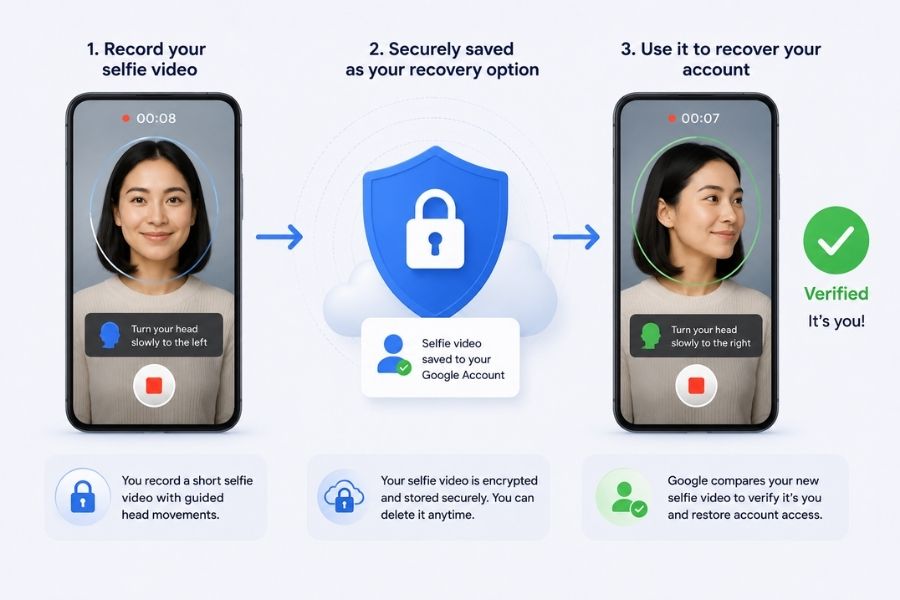
Later, if you ever get locked out, Google will ask you to record another selfie video. The system then compares the new recording with the one you previously saved while checking for liveness through guided movements. As a result, it can verify that it's really you trying to sign in and not someone using a photo, replayed video, or AI-generated deepfake.
How to set up Google selfie video sign-in?
Before you begin, keep in mind that you need to enable this feature while you still have access to your Google Account. It can't be set up during an active account recovery or lockout.
- Open your Google Account settings.
- Head to the Security & Sign-in section.
- If the feature is available for your account, select Selfie video.
- Follow the on-screen instructions to record a short selfie video while moving your head as prompted.
- Review the recording and save it to enable selfie video as a recovery option.
Privacy and security
On the privacy front, Google says your selfie video is stored only after you give your consent and remains encrypted while stored on its servers. Moreover, you have full control over the data and can delete the saved selfie video from your Google Account settings at any time.
By default, the video is used only for account sign-in and recovery unless you explicitly choose to allow Google to use it for additional purposes. On top of that, Google says it combines selfie verification with its existing security systems to detect suspicious login attempts and block impersonation.
- Also Read:
- Vivo Android 17 (OriginOS 7) Update Tracker: Is your Vivo phone eligible?
- Samsung Galaxy Watch9 debuts with AI-powered health tracking and faster performance
- Samsung Galaxy Z Flip8 launched with bigger cover display and One UI 9
Google selfie video sign-in Availability
As for availability, the selfie video sign-in feature is rolling out gradually to eligible personal Google Accounts worldwide. You can check whether the feature is available for your account and set it up from the Security & Sign-in section of your Google Account settings. However, it isn't available for all account types, including some Workspace, child, and Advanced Protection accounts.
Final thoughts
Overall, I think it's a practical addition that offers extra peace of mind without replacing Google's existing security measures. If you're ever locked out of your Google Account, having a selfie video as a backup could make the recovery process much less stressful. Since Google lets you manage and delete the video whenever you want, it also addresses some of the privacy concerns. Overall, it's a thoughtful addition that could prove useful in the long run.
- Meanwhile, you may like our review of the Android 17 Features.
Article Last updated: July 24, 2026
.png)
![Best Budget Gaming Laptops in Nepal [Updated 2026]](https://media.gadgetbytenepal.com/2026/10/Best-budget-gaming-laptop.jpg)
-Price-Nepal.jpg)