Is the Tab S11 a great value for the price? Let's find that out.
Why Trust Gadgetbyte?
At Gadgetbyte, we invest substantial hours into rigorously testing each product or service we review, guaranteeing that you make informed purchases. Learn more about our testing process.
Review Overview
4.5
Design and Build
9/10
Display
9.5/10
Performance
9.5/10
Cameras
8/10
Software and UI
9/10
Battery
9/10
Audio
9.5/10
Value for Money
8/10
The Galaxy Tab S11 offers a premium, powerful tablet experience without the bulk or high price of the Ultra model. It’s a big step up from Samsung’s mid-range tablets, with fewer compromises and a better overall feel. Still, it’s expensive and more than what most people truly need. So, budget users may prefer cheaper options like the Xiaomi Pad 7, but for a high-end Android tablet, the Tab S11 is hard to beat.
A couple of months ago, Samsung announced the Galaxy Tab S11—Samsung’s flagship tablet for the year, alongside the monstrous Tab S11 Ultra. What’s interesting is that other than their physical size (and a couple of minor things), these two are practically identical as well.

So if you were in the market for a premium tablet, the Tab S11 duo already looks quite impressive from its spec sheet, right? The only problem is, Samsung literally doesn’t have any competition in the “flagship Android tablet” space. Not one. I know the competition has been absolutely heating up in the midrange and upper-midrange segment lately, but unfortunately, Samsung is still enjoying its monopoly in the premium arena.
Which begs the question:
- “Should I buy the Tab S11 because I have no other choice?
- Or should I buy it because it’s actually a good product?”
Don’t worry. That’s exactly where I can help since I’ve been using the Tab S11 for a couple of weeks now. And in this review, I’m gonna tell you the good, the bad, the ugly, and everything you need to know before spending NPR 129,999 on the Tab S11. So let’s get started!
Samsung Galaxy Tab S11 Specifications
- Design and Build: 253.8 x 165.3 x 5.5 mm, 469–471 gm, glass front, aluminum frame & back, IP68 water and dust resistant, supports stylus, Enhanced Armor aluminum
- Display: 11.0-inch Dynamic AMOLED 2X, 1600 x 2560 pixels (~274 ppi), 120 Hz refresh rate, HDR10+, 1000 nits typical / 1600 nits peak, Mohs 5 protection
- Chipset: MediaTek Dimensity 9400+ (3nm)
- Memory: 12GB RAM, 128/256/512GB / 2TB UFS storage, microSDXC support
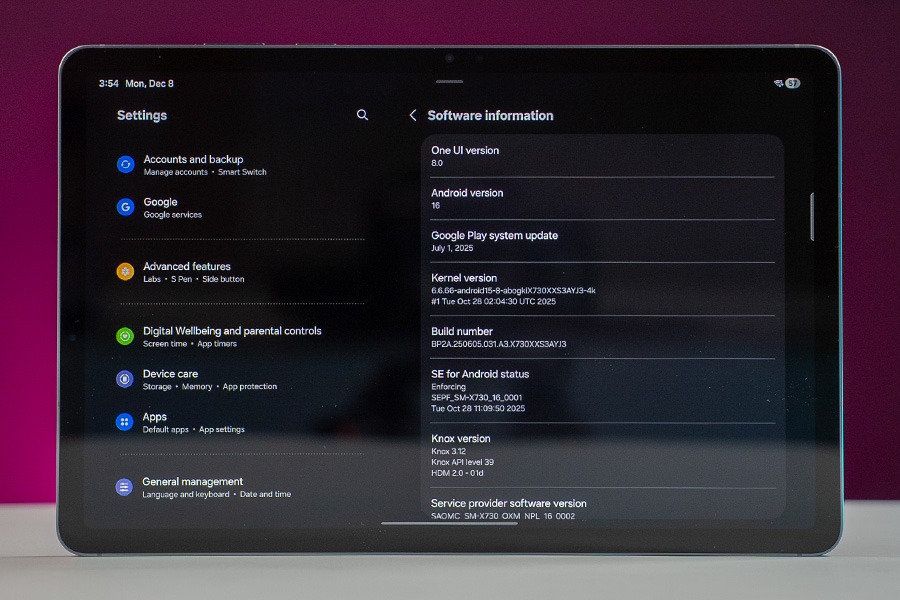
- Software and UI: Android 16 with One UI 8
- Cameras: 13MP f/2.0 rear, 12MP f/2.4 ultrawide front, 4K video recording
- Security: Fingerprint sensor under display (optical)
- Connectivity: Wi-Fi 6e, Bluetooth 5.4, USB-C 3.2, magnetic connector, GPS/GLONASS/BDS/GALILEO (cellular model only)
- Sensors: Fingerprint, accelerometer, gyroscope, proximity, compass
- Battery: 8,400 mAh, 45W wired charging
Price in Nepal: NPR 129,999 (12/256GB)
Check the full specifications of Samsung Galaxy Tab S11 here
Samsung Galaxy Tab S11 Review
Design
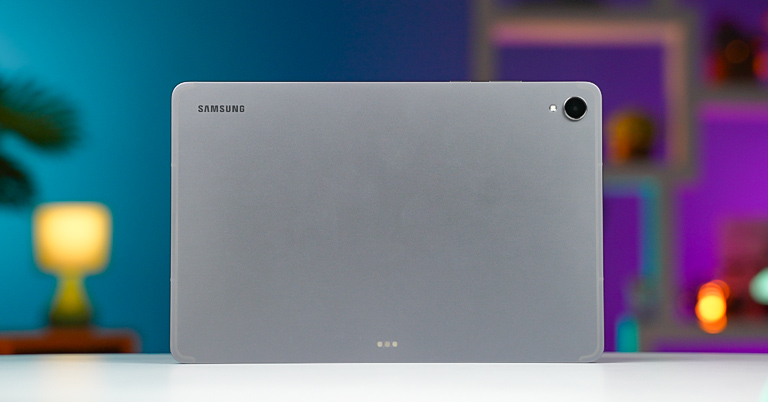
Okay. I wanna start this review with the design side of things—and the very first thing that caught my attention here was actually how light it is! Because at just 470 grams, this is easily among the lightest 11-inch tablets I’ve ever used. And it’s not like Samsung has cut corners on build quality or battery size either, since the Tab S11 still comes with a tough armor-aluminum case and a hefty 8,400 mAh battery.
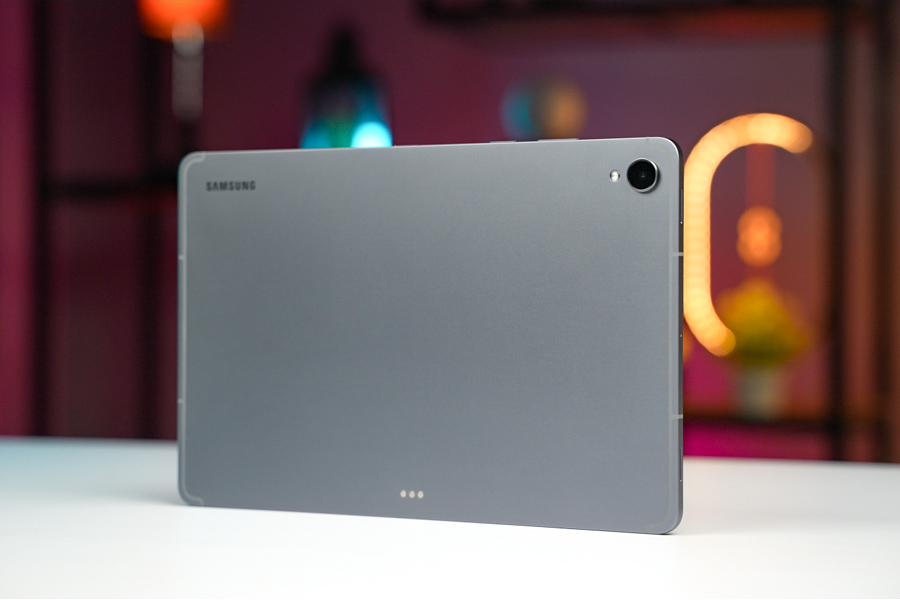
That’s not all. Unless you’re buying a chonky, rugged tablet, I can’t think of a single brand besides Samsung that gives a proper IP68 dust and water seal on their high-end tablets. Yep—not even Apple’s expensive iPad Pros have any form of official IP rating. So the fact that I don’t have to worry about accidentally spilling water on my Tab S11 feels like such a luxury.
Stylus inside the box
You know what else a luxury is? A stylus you don’t have to pay for since Samsung ships one inside the box itself! I’ll tell you more about Samsung’s redesigned S Pen in just a minute—but yeah—the Tab S11 nails the design experience for me. It feels great to touch. It’s even more comfortable to hold, it’s equally durable, and I get a stylus for free? I mean, what more could I possibly ask for?
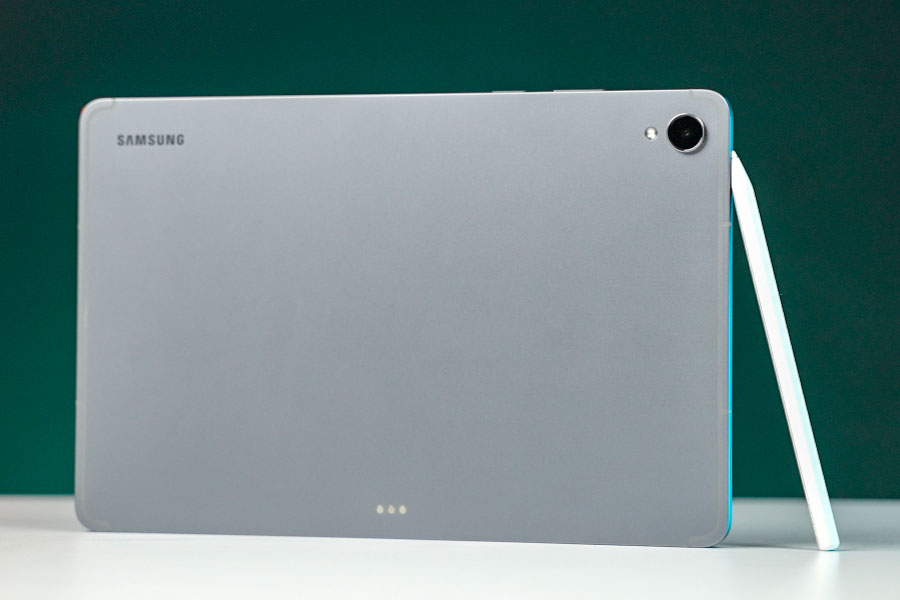
And the fun doesn’t stop there.
Gorgeous display and speakers
You see, one of the main reasons why I’ve grown so fond of the Tab S11 is because of how awesome the multimedia experience is on this thing. I knew its “OLED display + quad speaker” combo was gonna be a banger, and I was spot on!

The color accuracy is just *chef’s kiss*: you get deep inky blacks and bright highlights, all complemented by rich, detailed audio from its speakers.
I love how I can even tune its speakers with different equalizers and audio effects based on the app I’m using! So… when I’m listening to some hip-hop tracks on Spotify, I can enable “bass boost” for that extra kick of bass. In comparison, I’ve enabled the option to boost dialogue clarity whenever I’m binging a show on some other app.
I was frankly expecting this to be a total gimmick at first, but nope. There’s actually a noticeable difference in audio quality if you’re listening closely. I’ve been watching “Pluribus” these days (great show btw, totally recommend it)—and man—that explosion sequence in episode 3 looked and sounded so freaking good on the Tab S11.
And of course, other than watching videos, this display impresses everywhere else, too. From sharpness to brightness and smoothness, you name it, this guy’s got it!
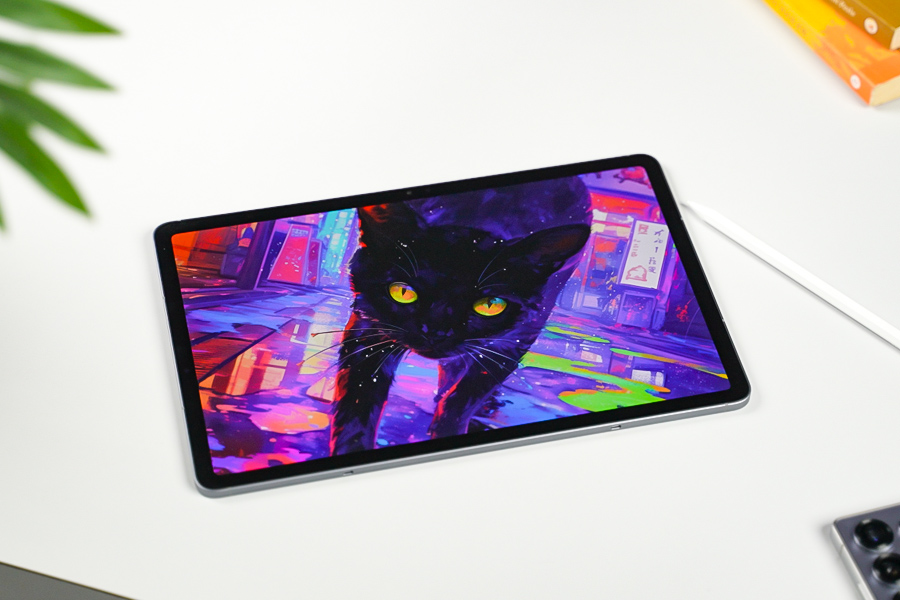
It doesn’t even have that weird notch like its “Ultra” sibling to house the 12MP front camera. Whose quality is quite nice, by the way. Just don’t use its auto framing feature to track you around as you move, ‘cause then the image quality gets too soft, without any texture, almost like a water painting.
That’s fine—and my only major complaint is that I wish Samsung’s “anti-reflective coating” weren’t exclusive to the Tab S11 Ultra. That would’ve made it an A+ display for me. Easily.
Slow fingerprint sensor
So that, mixed with a couple of other minor annoyances like its slow optical fingerprint reader instead of an ultrasonic one, these bezels that are a bit thicker than I’d like, and a slow PWM dimming, as always means Samsung is gonna have to settle with an “A” this time.
Performance
Alright. I wanna talk about performance next. And since this is a flagship tablet, a flagship processor is what you get here. The Tab S11 has MediaTek’s Dimensity 9400+ chip inside, and although it clearly fares below the latest Dimensity 9500 in terms of raw power, I seriously doubt anyone will find its performance to be inadequate. From multitasking between a bunch of apps at a time to playing AAA games at their max settings—or even emulating old game consoles—the Tab S11 hardly broke a sweat at anything in my usage. The only thing that was bugging me was that its base model has just 128GB of storage, the unit that I have tested.
Which means I frequently had to uninstall my games or delete my local media files to make room for the new ones. I know Samsung gives me the option to add up to 2TB of storage via a microSD card, but is it too unreasonable of me to ask for 256GB of starting storage? On something that costs this much?
OneUI Supremacy
Anyway, even before I tell you anything about the software experience on the Tab S11, I think most of you already know that I love Samsung’s One UI. It’s been my favorite version of Android for quite some time now. And while One UI 8 was honestly a pretty dull upgrade on smartphones, it’s the exact opposite in the tablet world. So, Samsung has basically mastered the basics, right?
- like using splitscreen with multiple apps or with a floating window,
- saving a shortcut to launch multiple apps at once,
- and a taskbar to quickly access all my favorite apps.
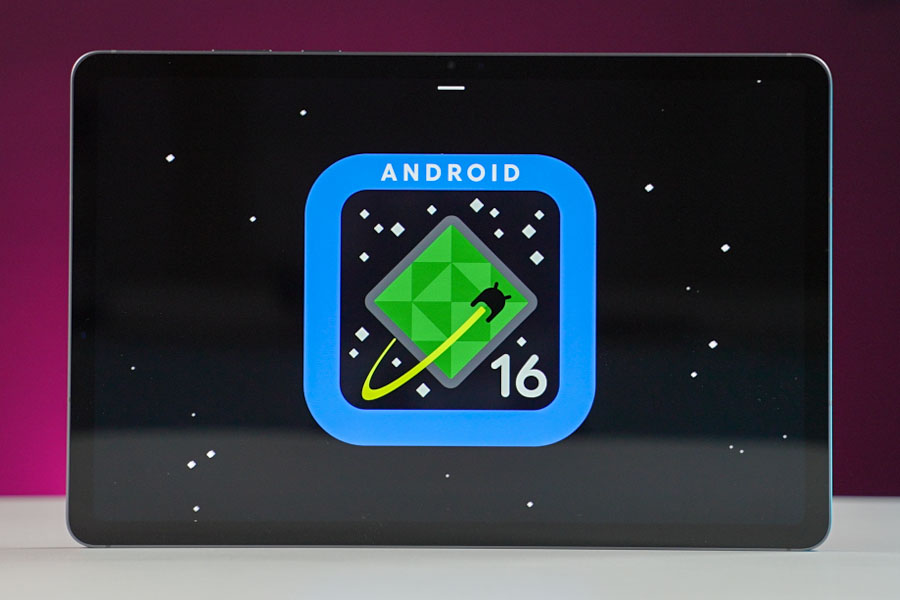
Not to mention, if you’re in the Samsung ecosystem, the Tab S11 will work even more coherently with all your devices, like being able to continue browsing the web from my phone to my tablet, sharing clipboards, etc.
What I liked the most?
And where One UI 8 builds on top of all that is with two things:
First, the DeX experience has been redesigned—and I mostly love it.
‘Cause now I can just swipe down on any app like this to instantly enable a desktop-like environment whenever I have to work between more than 2/3 apps at once. Just like I would on my Mac or my Windows setup, if I tried doing the same on the default Android space instead of DeX, look how chaotic it ends up getting!
Not only that, but One UI 8 also lets me create up to four workspaces or “desktops” to organize my workflow better. Just like I would on my Mac or my Windows setup. So I can have one desktop for all my office work, one for all my entertainment apps—it’s so cool!
Of course, this all makes more sense if you’ve got its keyboard accessory as well, but I should warn you that the Tab S11’s keyboard cover no longer has a trackpad. I have absolutely no clue what Samsung was thinking by getting rid of such a rudimentary feature, but that’s the way things are this time.
S Pen
Even its S Pen has suffered a downgrade. Since, like the Galaxy S25 Ultra, the Tab S11’s stylus doesn’t have Bluetooth either. Meaning it’s a passive stylus that can’t handle my gestures to take photos or launch an app or something.
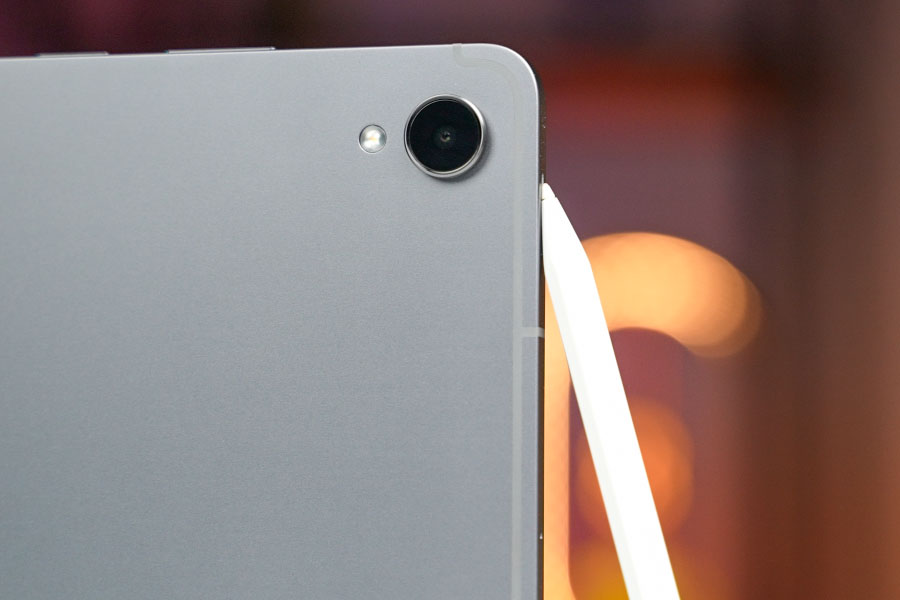
I don’t think this is that big a deal on a tablet—and I actually found its “hexagonal” shape to be more interesting instead. ‘Cause I grew up writing with pencils that were the exact same shape, so this one immediately felt more comfortable and grippy to me compared to Samsung’s older S Pens. I love it!
So I was constantly taking notes, doodling something, and then having Samsung’s AI turn it into a more digestible artwork, and writing into a text box instead of typing with this guy.
There was this one weird bug where the Tab S11 would randomly type in a letter as I moved in to write something, but I think Samsung can easily fix it with an update. Which reminds me. The Tab S11 also has 7 years of OS + security updates to its name, so as far as performance and software are concerned, this is as good as it gets in the Android space.
Battery Life
What’s left? Oh yeah—the battery life. So the Tab S11 has mostly been my multimedia + gaming machine, and with a little bit of this… a little of that, its 8,400 mAh battery has been netting me almost 8 hours of screen time on average. Not quite on the same level as the M4 iPad Pro I tested last year, but not bad! Whereas it supports 45W charging, and using my 65W Ugreen PD charger, the Tab S11 went from 5 to 100% in an hour and a half.
Samsung Galaxy Tab S11 Review: Conclusion
Alright. That brings me to the end of my review. And guess what? The Tab S11 is easily my favorite Android tablet right now. I’ve reviewed a bunch of budget and midrange Samsung tablets at this point, although after daily-driving this thing for a couple of weeks, it’s hard not to see what I’ve been missing out on all those years. I always had to deal with different “ifs” and “buts” with those midrange Galaxy Tabs—and man—this is a whole new world.
I also love how Samsung has course-corrected with its tablet lineup this time. ‘Cause if you remember, there was no “Galaxy Tab S10” last year. Which means you literally didn’t have a choice if all you wanted was a relatively compact tablet that’s easy to carry around.
But things are super simple now.
- If you want the biggest, the most ridiculous tablet experience Samsung has to offer, there’s the Tab S11 Ultra.
- Whereas the regular Tab S11 perfectly boils down that experience onto a more manageable form factor.
And as I said in the very beginning, apart from a larger display and a larger battery, there’s hardly anything worth drooling over for the “Ultra” model. It’s also like 50% more expensive—so for most folks, the Tab S11 looks to be positioned quite nicely. That being said, this is still an easy overkill for the majority of people. Oh yeah.
And if all you want is a decent multimedia device that you can also game on + get some work done, the Xiaomi Pad 7 that costs less than half as much is a much better value. But if you’ve got the money and you want a premium experience, I’m sure you’re gonna love the Tab S11!
Samsung Galaxy Tab S11 Review: Pros and Cons
Pros
- Excellent performance
- Premium build and feel
- Great display and battery

Cons
- Still expensive for most people
- More power than many users actually need
- Cheaper tablets (like Xiaomi Pad 7) give better value for basic use
Article Last updated: December 11, 2025