Why Trust Gadgetbyte?
At Gadgetbyte, we invest substantial hours into rigorously testing each product or service we review, guaranteeing that you make informed purchases. Learn more about our testing process.
Review Overview
3
Design and Build
6.5/10
Display
6/10
Performance
5/10
Rear Cameras
5/10
Front Camera
5/10
Software and UI
7.5/10
Battery
7.5/10
Value for Money
6/10
Symphony Z40 has a decent display, good enough performance and battery life, and a clean UI for a budget phone. However, the company can still improve on aspects like cameras and thermal efficiency to extend the phone's appeal to new heights.
In this review, I will be sharing my experience with the Symphony Z40. But before that, let me familiarize you with the brand (if you aren't already). You may not have heard about Symphony, but it is one of the largest smartphone brands in our neighboring country of Bangladesh. Symphony started its journey as a bar phone manufacturer and then jumped to entry-level budget smartphones. Last year, the company expanded to Nepal as well with three budget devices. Among them all, I have been testing the Z40 for quite some time now. To note, it is the most powerful phone in Symphony Nepal's portfolio.
Symphony Z40 Specifications:
- Body: 76.6 x 165 x 8.9mm, 193.5 gm
- Display: 6.55-inches IPS LCD panel, 16.7m colors
- Resolution: HD+ (1600 x 720 pixels), 268 PPI
- Chipset: MediaTek Helio G35 4G (12nm Mobile Platform)
- Memory: 3/4GB RAM, 32/64GB storage (expandable up to 128GB)
- Software & UI: Android 10
- Rear Cameras: Triple (13MP primary, 5MP ultrawide, 2MP portrait)
- Front Camera: 13MP sensor (punch-hole)
- Audio: Loudspeaker, 3.5mm headphone jack
- Security: Rear-mounted fingerprint sensor, Face unlock
- Sensors: Accelerometer, Light, Proximity
- Battery: 5000mAh Li-Po, 10W charging via USB-C port
- Color Options: Dazzling Blue, Delightful Green, Jolly Blue
- Price in Nepal: Rs. 17,999 (4/64GB)
Symphony Z40 Review:
Design and Build
- 76.6 x 165 x 8.9mm, 193.5 gm
- Plastic back/frame, glass front
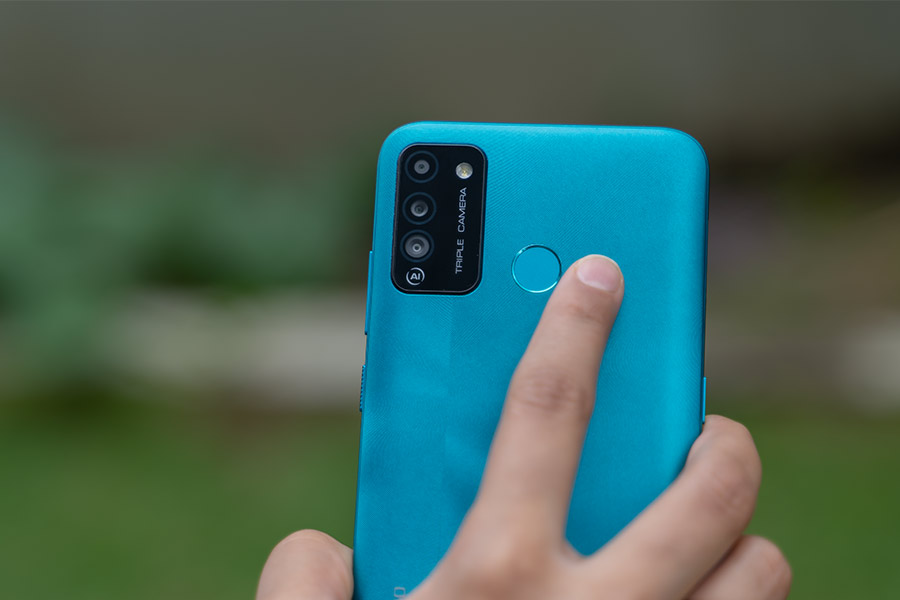
- Corrugated finish at the back
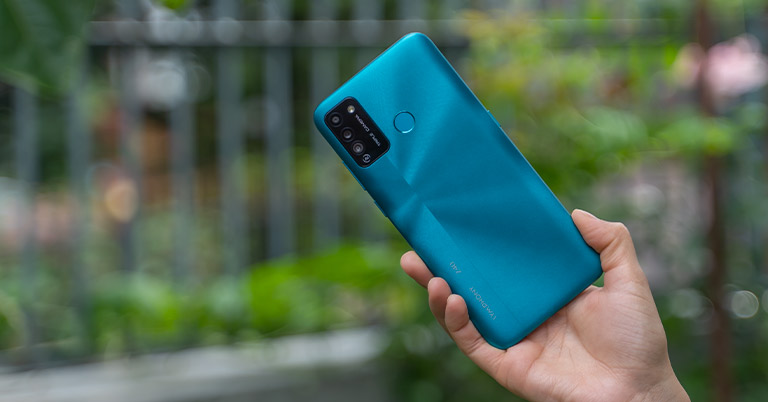
Starting with the design, the phone is available in three colors: Dazzling Blue, Delightful Green, and Jolly Blue. For this review, we got ourselves the Dazzling Blue variant of Symphony Z40. Its body and frame are both made out of plastic. The latter has been curved for a better grip.
Display
- 6.55-inches HD+ IPS LCD panel
- 60Hz, 268 PPI, Widevine L3
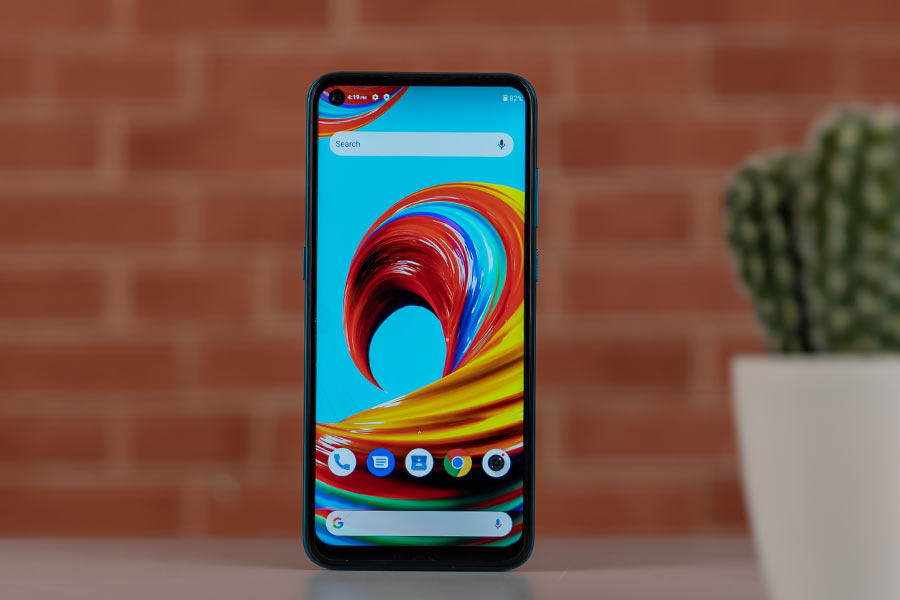
Moving on, Symphony Z40 features a 6.55-inch HD+ display with 1600 x 720 pixels. The screen is surrounded by thick bezels. In addition, there is a left-aligned punch-hole cutout that could get distracting at times. Also, its diameter is quite large compared to what we're used to on other budget or mid-range phones.
Performance
- Octa-core MediaTek Helio G35 4G SoC (12nm)
- 3/4GB RAM, 32/64GB storage (expandable up to 128GB)
- Android 10 (almost stock) with few customizations
Under the hood, the Symphony Z40 packs a MediaTek Helio G35 chipset. It's an entry-level SoC with two clusters of 4x Cortex-A53 CPU cores clocked at 1.8GHz and 2.3GHz. Handling the graphics is PowerVR GE8320. This silicon has been paired with either 3/4GB of RAM and 32/64GB of eMMC 5.1 storage. The latter is expandable up to 128GB using an external MicroSD card as well. Here, our review unit of Symphony Z40 is of the 4/64GB configuration.

Gaming experience
Getting to gaming, PUBG Mobile maxes out at Balanced graphics and Medium frame rate. After just 15 minutes of Team Deathmatch, the CPU temperature rose to 40ºC from 33º (monitored using CPU Monitor app). Also, the gameplay starts as playable but becomes more sluggish over time—suggesting performance throttling. Thus, it is clear that Symphony Z40 is not made for heavy gaming. Then again, which budget phone is? On the other hand, you can play light games fairly smoothly here. I tried Piano Tiles 3 and faced no issues even with the touch response.
Software
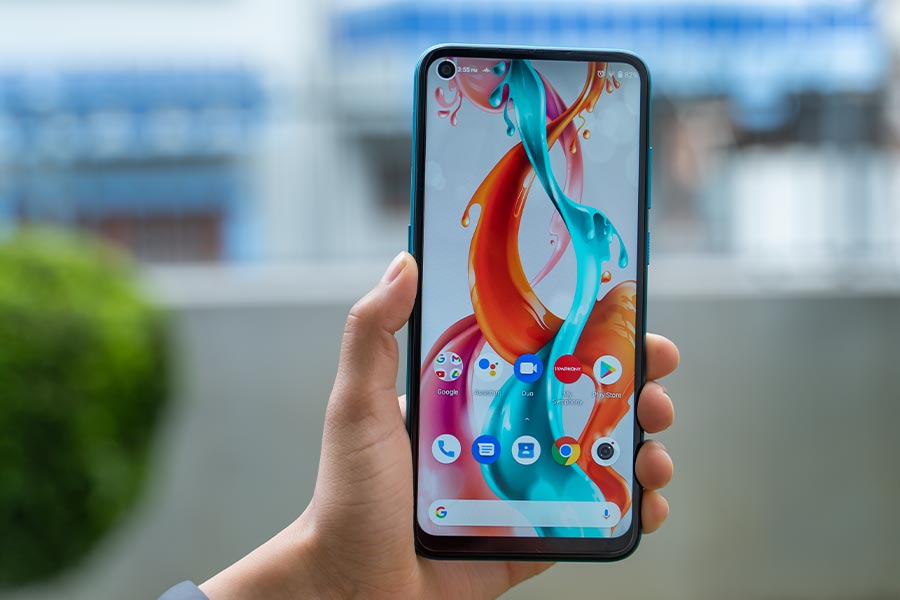
Getting to UI, Symphony Z40 ships with Android 10 out-of-the-box. You will find some games and bloatware pre-installed on the phone. The good thing is that you can uninstall most of them. However, you can't get rid of Google's suite of apps, Facebook, and My Symphony app. The UI is also ad-free, in case you were wondering.
Camera
- Triple camera setup at the back
- (13MP primary, 5MP ultrawide, 2MP portrait)
- 13MP selfie camera (punch-hole cutout)
Normal Images
As you can see from these photos, the primary sensor struggles with maintaining exposure. The skies are blown out.
Wideangle Images
Likewise, photos from the 5MP ultrawide camera aren't any good either.
Portraits
Selfie Images
Additionally, the selfie camera whitens the subject's face.
Battery and Audio
- 5000mAh battery with 10W charging
- Single speaker, 3.5mm headphone jack
Moving on, Symphony Z40 features a massive 5,000mAh battery which charges over a Type-C port. A 10W charger is included in the box too. On average, the phone provided around 5 hours of screen-on time during my usage. The onboard charger takes an excess of 3 hours to juice it up from 0 to 100%.
Conclusion
To sum it up, the Symphony Z40 has all the recipes for a decent entry-level phone. This includes a good screen, a fairly powerful processor, a clean UI, and all-day battery life. Still, I would love to see Symphony optimize the camera and thermals. As it stands, it is an average performing budget phone with a sturdy design, clean ad-free UI, and adequate storage.
Symphony Z40 Review: Pros and Cons
Pros:
- Sturdy design
- Good display
- Clean, ad-free UI
- Decent battery life
Cons
- No Widevine L1 certification
- Heats up quickly under gaming
- Unoptimized camera app
Article Last updated: November 23, 2025