Here's everything you need to know before buying a TV in 2020!
N
By | Senior Editor
Senior Editor
PublishedFeb 18, 2020
After the invention of the television, the craze for the radio had significantly declined. And seeing a pattern from that fact, it was predicted that television would turn obsolete with the conception of the internet. It’s been almost 35 years or so since the world was introduced to this heavenly invention, yet we still run towards the television to watch our favorite shows and sporting events. In addition to being an entertainment unit, TV also sits as a decorative piece inside a room. As a result, a house without a television looks quite incomplete these days. So, if you are thinking the same and are looking to buy a new TV, there are a few things to keep in mind. And we hope this article will be a helpful guide for our audience before buying a TV. Let the show begin!
Display Size & Resolution
The first thing to consider before buying a TV is its size and resolution. And on determining the size, you need to be clear about the room in which you are going to install it and also the purpose. A simple rule of thumb is – bigger the room, bigger the TV.
When it comes to determining the resolution, the purpose of the TV should be well defined. If your primary use case of the TV is limited to watching regular TV shows only, then an HD or a Full-HD TV would do just fine. This is because the TV channels broadcasted at high quality usually come in an HD resolution. Therefore, in this case, it's better not to go with high-res TVs as they do not usually go easy on the wallet.
But what doesn’t mix, is a big TV with a low-resolution display.
Though you won’t find such practice from esteemed manufacturers like Samsung, Sony, LG, etc. some dishonest brands do fool an unsuspecting buyer by advertising their TV for having a big display at a low-low price.
Similarly, if you are into streaming videos and watching high-res movies, you'll need to upscale the resolution. In such cases, Full-HD or 4K TVs usually make your TV viewing experience better.
Retina Distance
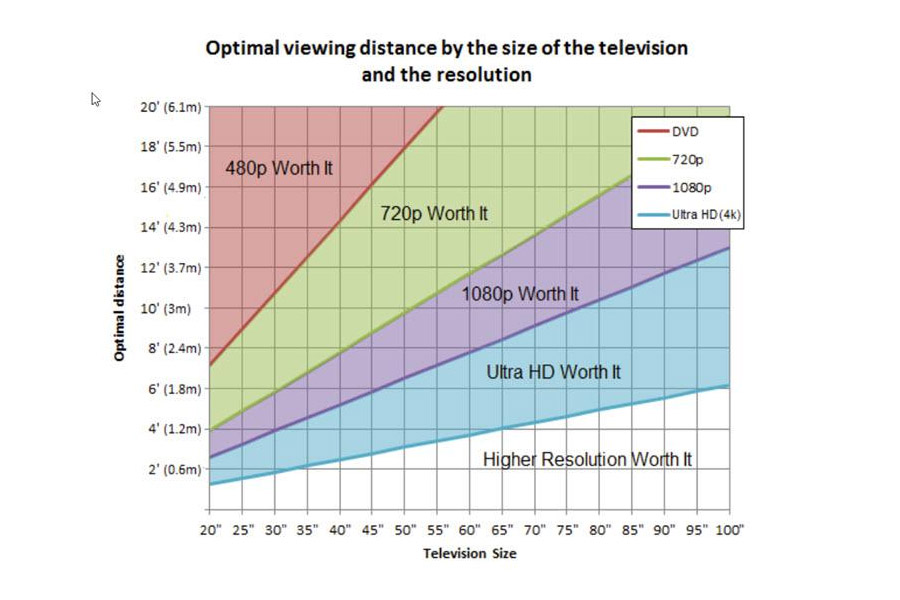
But whatever the resolution and size of the TV, you will ultimately start to notice some pixelation if you watch the screen from a close distance. For that reason, make sure you maintain a proper distance (or retina distance) with the TV. Here, the need for properly determining the TV size according to the room comes into factor as well. There’s a commonly accepted standard viewing distance for different sizes of the TV with different resolutions.
Credit: RTINGS.com
For example, the minimum recommended distance is 7 feet (2.13 meter) for a 55-inch Full-HD TV, while it goes to half at 3.5 feet (1.07 meter) for the same 55-inch but with 4K UHD resolution. Following this, you will be able to enjoy your TV on the resolution it natively comes on.
Resolution
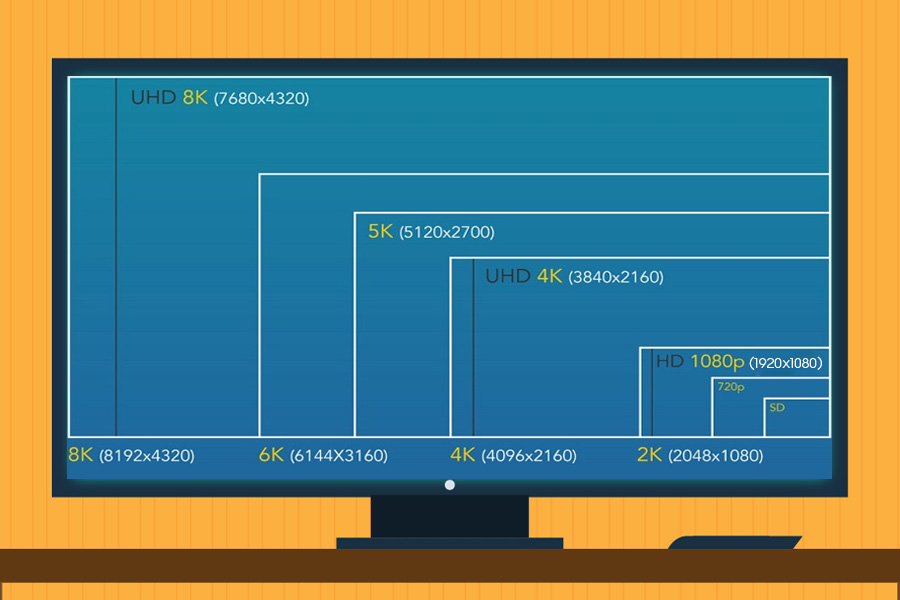
Let’s talk more about resolutions, which is the physical number of pixels on the screen. You have:
HD (1280 x 720pixels)
Full-HD (1920 x 1080pixels)
4K UHD (3840 x 2160pixels)
8K UHD (7680 x 4320pixels)
resolutions and more. And yeah, higher the resolution, sharper the picture quality, and better the viewing experience. But sadly, the resolutions on themselves don’t mean squat, unless the content on the TV is of the same resolution as well. A 720p video will not magically transform into 4K on a 4K TV. Yes, there are technologies like content upscaling but the end result is never better than the real deal. Additionally, higher resolutions like 4K and 8K contents aren’t as widely available as HD or FHD. But with manufacturers pushing for 8K certification in their TVs in 2020, expect a lot of ultra-high-res contents in the coming days.
Screen resolution - size comparison
So keeping that in mind, be confident in what you’ll be using your TV for and choose the size and resolution accordingly. General viewing would be just fine in HD or FHD resolution, but you’ll need to move up to 4K or even 8K for streaming, watching high-quality content, or just overall luxurious experience.
Display Quality & Display Technology
Yes, contents on TVs with high-res display look sharp. However, the display also needs to have better colors to offer a good viewing experience while watching them. The display panel used on the TV plays a huge role in determining the quality of display and the color it reproduces. As a result, while buying a new TV, you also need to keep an eye on the display panel used. Talking about the display panel, most of the TVs in the market come with LCD and LED panels, while high-end TVs generally use advanced display panels like OLED, QLED, or MicroLED (mLED) which is all the rage in 2020.
But how do they work? And which one is better? You might be wondering. Well, let me explain it to you.
LCD
The LCD panels have small liquid crystals in them. These kinds of crystals rotate the polarized light, which appears on the screen. As LCD is incapable of producing its own light, a backlight is used to light each pixel, which is switched on and off electronically for each new frame. As an external light source is used to light the pixel, you can notice uneven brightness on some occasions. Unless you are really, and I mean really tight on budget, going for an LCD TV in 2019 is not a good idea since it comes bearing problems like poor contrast ratio, constrained viewing angle, limited response rate, and many more.
LCD screen working principle [Credit: electroSome.com]
TVs in the past used to come with Cold Cathode Fluorescent or CCF Lamp as the backlight source. But these days, new TVs employ LED backlight. And these kinds of televisions are called LED TVs.
LED
Here, the LEDs may be arranged in clusters either behind the panel (full-array) or on the outer edges (edge-lit). LED TVs are the most common and inexpensive types of TV you’ll find in the market today. It produces a decent level of color saturation, contrast ratio, and motion blur, but ultimately falls behind the expensive QLED or OLED TVs.
OLED
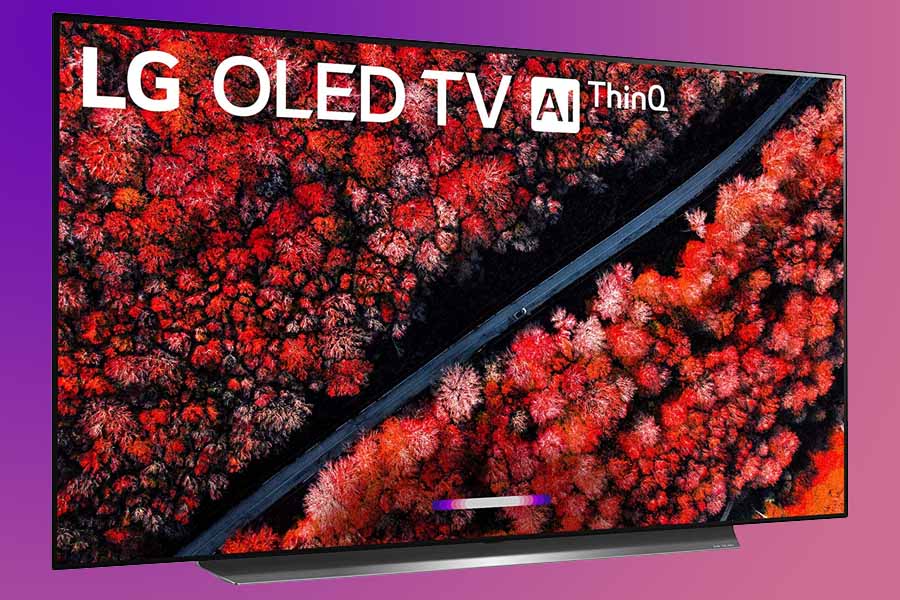
To improve the picture quality and to solve the issues with the LED televisions, LG brought the OLED technology, in which all the pixels on the screen individually turn on and off. If there is white/bright content, the pixel glows with full brightness and it completely turns off if there is anything black. And because of this property, OLED televisions have the perfect contrast ratio. This kind of expensive display technology also has amazing colors and saturation, while simultaneously offering a wider viewing angle. OLED also boasts a faster response rate thus making it perfect for high-frame-rate contents like gaming. However, it’s not all bells and whistles as OLED TVs have their disadvantages as well.
LG C9 Series 65-inch 4K Ultra HD Smart OLED TV
First and foremost, it just cannot get as bright as the high-end LED or QLED counterparts as it doesn’t use any backlighting mechanism. This, in return, crumbles the HDR experience. And there’s the dreaded screen burn-in and image retention issue with OLED! For general TV viewing use-case with minimal static frames, these shouldn’t be bothersome. It is also worth mentioning that the subjectively premium OLED TVs do not have a wider range of options when it comes to the size. The smallest one you can find will be of 48-inches, which was introduced by LG and Sony at CES 2020. Before that, the record belonged to 55-inch OLED TV.
QLED
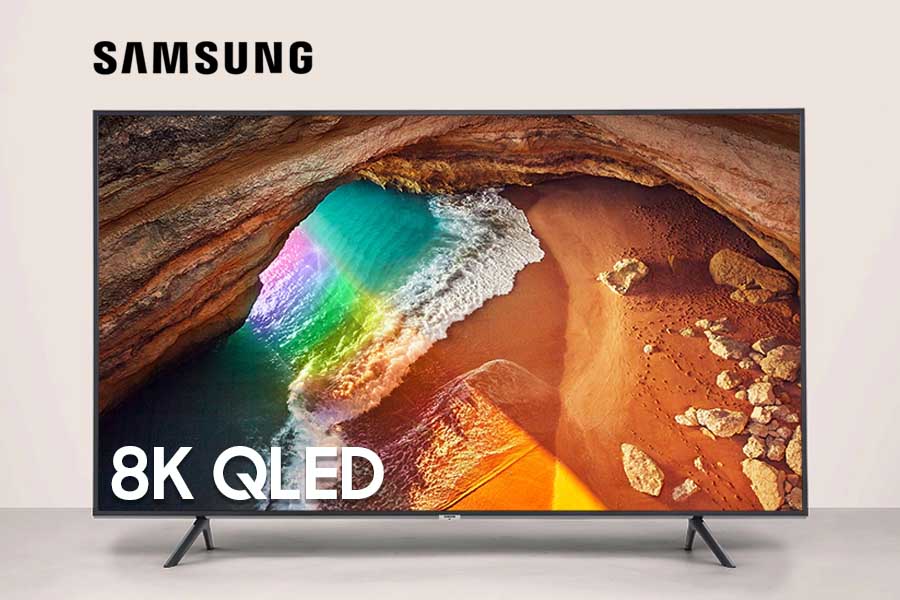
Samsung, on the other hand, uses QLED panels on its high-end TVs. The working principle of QLED is similar to the regular LED. But what sets them apart is that the QLED panel uses quantum dots instead of liquid crystals. Quantum dots are the tiny particles, which work similar to the liquid crystals but offer enhanced colors, contrast and brightness. QLED is the industry leader when it comes to color saturation and brightness in displays, & you can enjoy rich and vibrant colors, which can further be complemented by HDR. That’s the reason why the QLED panel looks better and far more superior to LED panels.
Samsung Q900R 8K Smart QLED TV
Therefore, many TV brands have done a licensing partnership with Samsung to use such high-end QLED panels to their TVs. For a quick example, the all-hyped OnePlus TV 55 Q1 and Q1 Pro use the same display technology. But it’s not perfect either, as QLED TVs have worse contrast ratio, viewing angle, and motion blur than OLED.
MicroLED (mLED)
And then there is MicroLED. This seemingly new display technology builds on the principle of OLED, such that it uses tiny self-emissive non-organic LEDs (three per pixel), which can be individually turned on and off, with an additional benefit of color correction. In other words, a pixel can glow differently than its neighboring pixels. And how it differs from traditional OLED is with its higher peak brightness, increased lifespan, and cost-effective production.
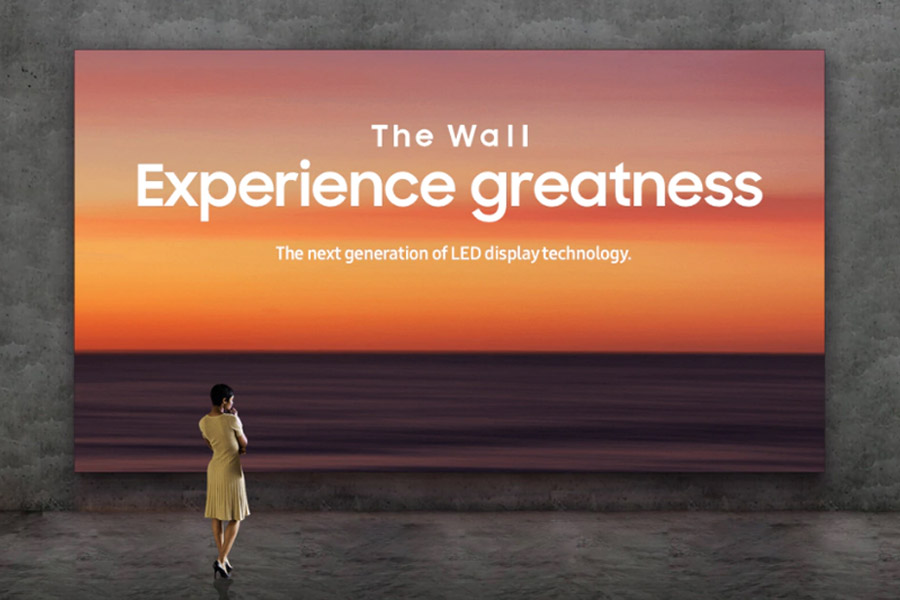
Expectedly, MicroLED has its disadvantages as well, which mainly revolves around manufacturing. It is comparably difficult to produce and therefore may cost extremely high this early on. You may have heard about Samsung’s The Wall, which is a modular MicroLED display, meaning you can rearrange the pieces as you like.
Samsun's "The Wall" Modular MicroLED TV
All in all, as you can tell,
each type of display technology comes with its own pros and cons.
LEDs are cheap and easily available, but they have comparatively poor color gamut, contrast ratio, and overall performance. On the other hand, Samsung’s QLED gives you the best color performance and brightness, while it lags behind the OLED in terms of contrast ratio and motion blur. Similarly, OLEDs will not be a good choice for a well-lit room/environment since it just can’t get bright enough, while MicroLEDs are only fit for enterprises at this point. Therefore, match your requirement from a TV with the gains and losses from various display quality& technology for the most ideal purchase decision.
HDR10 vs HDR10+ vs HLG vs Dolby Vision
The display panel does give some ideas about the colors that can be portrayed on the screen. But apart from that, you need to make sure if the TV is HDR10, HDR10+, HLG, or Dolby Vision compliant or not.
HDR & WCG
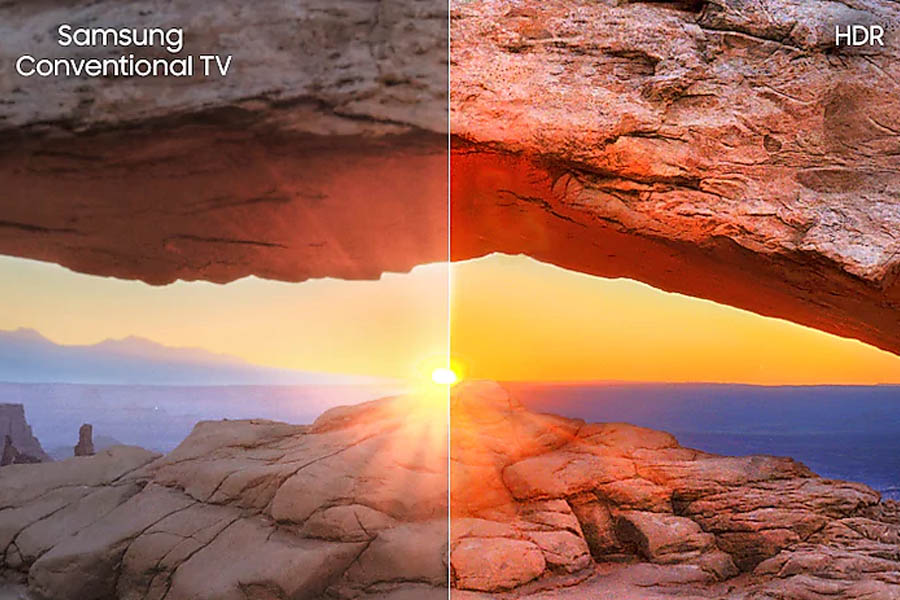
Before going into detail about these standards, let’s get to know HDR a little better. High Dynamic Range (HDR), as the name implies improves the dynamic range of the TV by expanding its contrast ratio and color palette. HDR contents, when watched on an HDR-enabled device, will give you more realistic and natural-looking images. Usually, HDR and Wide Color Gamut (WCG) come in side-by-side, but this may not always be the case. That’s another thing to be careful about. WCG basically offers a wider range of colors, meaning redder reds, bluer blues, greener greens, and so on.
HDR10
All these technologies basically focus on bringing true-to-life colors on the television screen. HDR10 is an open-source HDR standard, which does so by sending static metadata to the video stream. The metadata is actually the encoded information on color calibration settings required to make a picture look real.
SDR vs HDR display
In other words, the metadata tells the screen what the lightest and darkest points on the content is. The TV then utilizes this data to set one level of brightness for the entire content. Talking about brightness, HDR10 aims to produce a peak brightness of 1000 nits to achieve that.
HDR10+
The HDR10+ developed by Samsung and Amazon, on the other hand, sends dynamic metadata. It means that the brightness levels of HDR content can vary between shots, which gives filmmakers finer control over how the image looks. So, the HDR10+ tuned contents look more seamless and livelier on the screen. Both HDR10 and HDR10+ support 10-bit color depth. However, HDR10+ differs from HDR10 in terms of peak brightness as HDR10+ supports a maximum brightness of 4000 nits.
As of now, HDR10 and HDR10+ are usually associated with streaming contents and they haven’t been used much in the broadcasting system. To bridge that gap, BBC and Japanese broadcaster, NHK developed Hybrid Log Gamma or the HLG format.
HLG
It’s a type of high dynamic range that specializes in broadcast cable, satellite, and live TV. In other words, it helps to enrich our regular TV content with a higher dynamic range. This standard primarily uses SDR (or Standard Dynamic Range) signals and adds HDR information as an extra signal. So, while playing it on old SDR TVs, you’ll see normal SDR content with algorithmic HDR enhancements. And on HDR-enabled TVs, you’ll see HDR content. In other words, HLG is backward compatible.
As HLG doesn’t use metadata, it is also said that the colors can dynamically alter based on your environment. Due to the additional information in the signal, it may also improve color reproduction on SDR displays. But I didn’t tell you about the color depth or brightness, did I? Yeah, right. Well, it actually has a color depth of 10-bits and supports peak brightness of 4,000 nits.
Dolby Vision
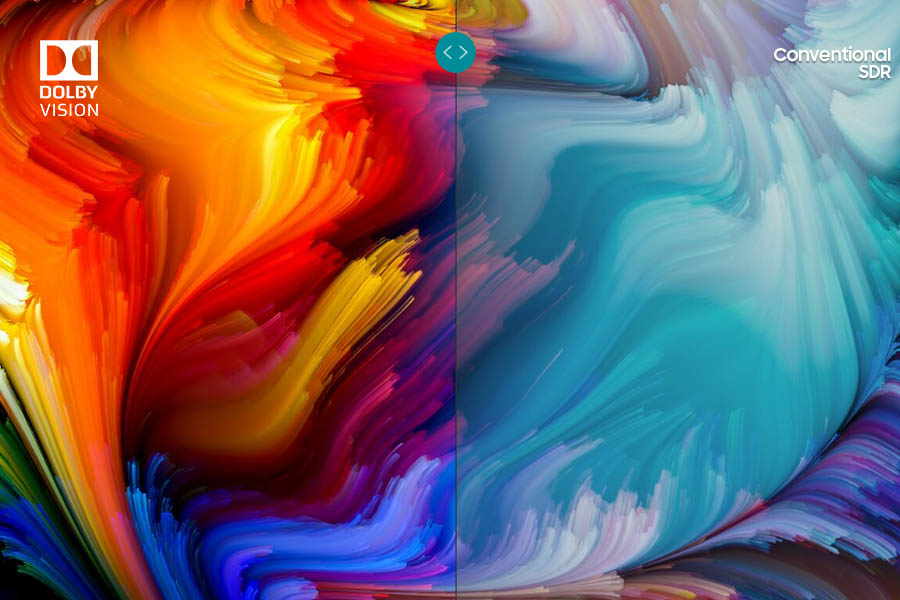
Apart from these three, there’s another standard of HDR, which is also the superior of them all. Dolby Vision is the HDR standard from Dolby, and its working process is similar to HDR10+. It also sends dynamic metadata to TV. But unlike HDR10+, Dolby Vision supports 12-bit color depth and aims at reproducing 10,000 nits of peak brightness. Frankly, there are not many TVs with the brightness that high. Nonetheless, this chosen standard of HDR by Netflix, HBO, and other content providers does a great job even on TVs with brightness lower than 10K nits.
Dolby Vision vs Conventional SDR display
Dolby Vision is the most advanced and sophisticated cinema technology and many high-end TVs are implementing it. Therefore, if everything favors, I recommend you to go with a TV with the Dolby Vision standard. But you’ll only find Dolby Vision in the most premium of TVs, as this standard isn’t open-source and the manufacturers have to pay a royalty to Dolby, to incorporate this HDR standard on their product.
But all these things are complicated right? So, making things simpler is Samsung’s PQI (Picture Quality Index). Of course, it only applies to Samsung TVs but if you’re one hundred percent leaning into the Samsung territory, the PQI value should more or less help you make a choice. It ranges between 100 to 3000 and as you might have already guessed – higher PQI means a better picture. It is an aggregate value of a TV, which is determined based on factors like resolution, color support, refresh rate, contrast ratio, noise reduction, and immersiveness.
Smart & non-smart TV
When it comes to features, TVs are broadly classified into smart and non-smart TVs.
Non-smart TV
The ones in which we can just watch TV channels by connecting a Set Top Box are called non-smart TVs and it doesn’t natively support internet connectivity. Therefore, you cannot stream online videos in non-smart TVs. To cope with this tradeoff, Smart TVs come into existence.
Smart TV
You can connect your smart TV with the internet and can watch videos and movies from platforms like YouTube, Netflix, Amazon Prime, HBO Max, and Hulu effortlessly. Apart from that, Smart TVs also come with several other amazing features.
But not every Smart TV comes bearing the same set of “smart” functionalities.
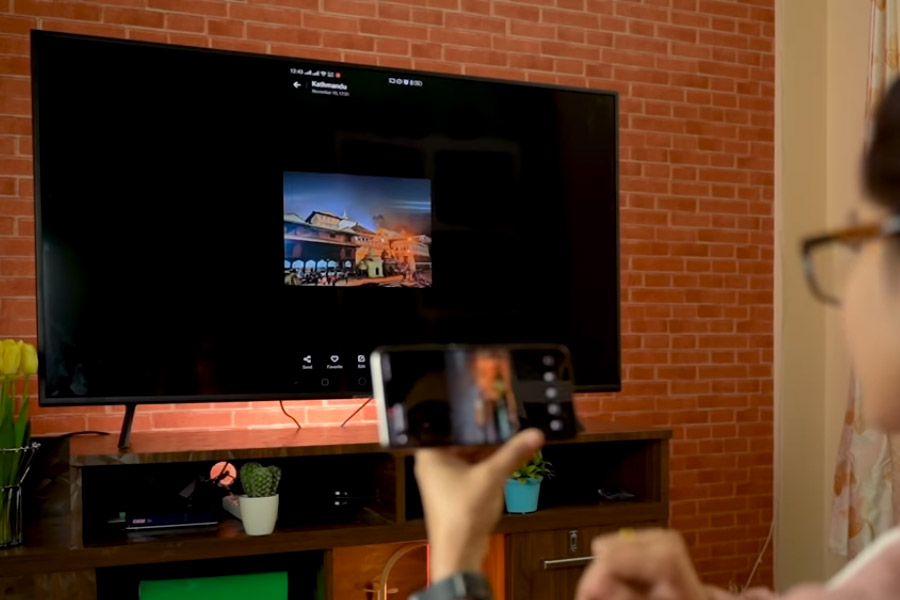
So, you also need to give extra attention to what's inside on the software front. For a quick idea, some of the TVs in the market come with Screen Casting technology with which you can cast the images and movies inside your smartphone directly to a big screen of the TV. Similarly, by pairing your phone to the TV via Bluetooth, you can also make your TV work as an audio system.
Screen Casting
To handle all the processing inside, Smart TVs come with their own processor, RAM, and internal storage. To navigate the UI and to access the feature, the processor and RAM plays a big role. That being the case, you need to make sure the TV you are buying has a capable set of internal hardware. With more storage, you can save more videos and movies, which saves you from the hassle of connecting thumb-drive every now and then.
Similarly, all smart TVs don't operate on the same platform. While most of them run on Android, brands like Samsung, LG, Panasonic, Xiaomi use their own software named Tizen OS, webOS, my Home Screen, and PatchWall respectively. All of these offer distinct UI and set of functionalities. As a result, your user experience across TVs from different brands will be unique.
Now you might have a clear idea that a Smart TV offers quite a lot of benefits over its non-smart counterpart. But did you know that you can also add some of those features and make your non-smart TV to work as a smart one? It’s possible by simply connecting a Smart TV Box to the regular TV.
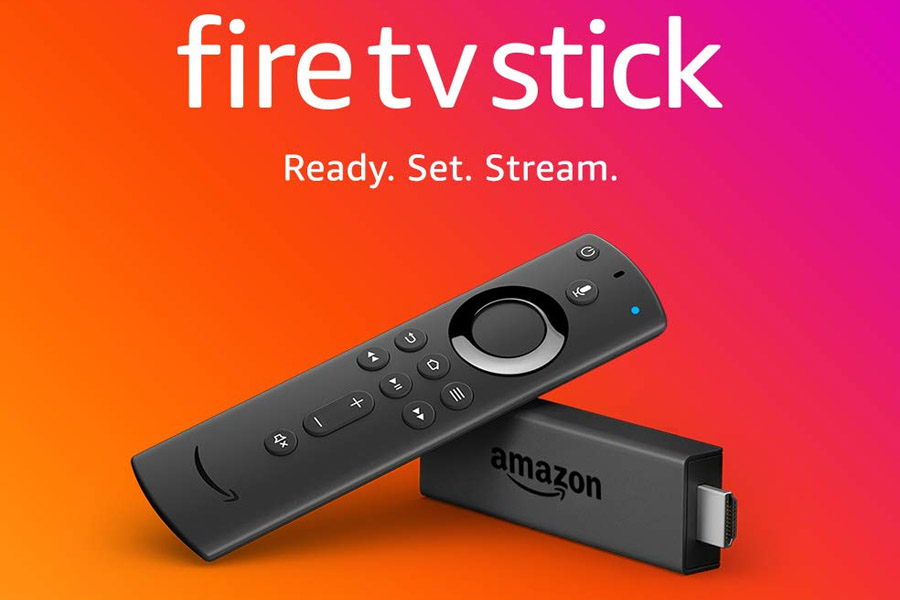
Amazon Fire TV Stick
At the price of some $25 to $200, you can find some amazing Smart TV boxes, which makes your non-smart TV work like a smart one. So if you are short on budget, you can go for the non-smart TV and separately buy a smart TV box. This combination usually costs less than a native smart TV.
Connectivity
In a TV, connectivity is definitely one of the most important aspects. While buying a TV, it is always advised that you go for one with more connectivity options. Modern-day TVs come with HDMI port, Digital Audio Out (Optical), USB port, S/PDIF port, LAN port, 3.5mm headphone jack, etc. On the wireless side, you get Wi-Fi and Bluetooth.
HDMI lets you connect your TV with your PC so that you can use your TV as a monitor. It also lets you connect your TV with the Set-Top Box. Apart from that, you can make use of the HDMI ports to connect your television with gaming consoles like PlayStation, Xbox, etc. and play games at ease. An HDMI ARC (Audio Return Channel) connection gives you the option to use HDMI both as audio input and output.
high-quality Dolby Atmos sound can only be achieved by connecting your audio output source into an HDMI ARC port.
Getting a true Dolby Atmos experience is a tricky job, which I’ll get into in greater detail later on.
Making use of connectivity options
Similarly, you can connect thumb drives on the USB ports to play movies and videos effortlessly. As some of the TVs comes with a conventional type of remote with no smart features, you can also connect a mouse and a keyboard to help to search the contents. Likewise, through an S/PDIF port and 3.5mm headphone jack, you can connect your TV to a speaker system or soundbar to amplify the audio output.
No gallery images available
The best part about smart TV is the feature to use the internet. But how good can a smart TV be without internet connectivity? Therefore, a good TV not just needs to have an internet feature but also needs to have better connectivity. Having good Wi-Fi connectivity would always be an advantage but if your TV is far from the router, there may occasionally be some lags.
For this, you can improve the quality by connecting the internet to the TV via a LAN cable. Apart from that, it is always better that your TV has Bluetooth connectivity with the latest version. In some cases, you might notice TVs with BLE standard, which is an acronym for Bluetooth Low Energy. As the name implies, it is a version of Bluetooth which is low on energy consumption for connection and data transfer between devices like the TV remote.
Audio
Having good audio quality is equally important on a TV. It’s another aspect, which makes or ruins the TV viewing experience. Usually, all the TVs these days come with two built-in speakers and almost all the TVs specify their audio output in the specs-sheet.
More the wattage of the audio output, louder the sound it produces.
For example, the 4CH (40W) speaker on the Samsung UA43N5300 will sound superior to LG 43UK6320’s 2CH (20W) speaker.
Similarly, the speakers also need to have a stereo output. In the stereo audio system, two speakers work independently to give an impression of sound coming from different directions. So, with stereo audio output at play, the audio becomes as natural as it can get, and TV viewing experience thus becomes immersive.
But only having a stereo system doesn’t mean it will have impressive audio quality. There are other things to keep in mind. Generally, knowing audio technology makes things somewhat easy. In the audio industry, Dolby Atmos, Dolby Audio, and DTS Virtual:X are mostly popular.
Dolby Audio
Dolby Audio is basically targeted for personal entertainment. It provides a more realistic view of the scene with audio control and dialogue enhancement. As our learning is sensitive to volume changes in speech, it gives true-to-life audio experience. Also, volume leveling in Dolby Audio helps to eliminate the annoying noise from the sound output.
Dolby Atmos
Dolby Atmos, on the other hand, provides a 360-degree surround sound. It technically is just metadata and not the actual soundtrack itself. The Dolby Atmos receiver then uses this information to separate the subject’s sound from background sounds giving the listener an immersive experience. Essentially, it creates an atmosphere of music all around you. In Dolby Atmos, audio usually circulates around us in a three-dimensional space, which consequently injects a feeling that we are in the action.
As I said, Dolby Atmos is just information about a subject’s sound, which lays on top of the existing surround sound signals. The Dolby Surround 7.1 that you’ll find in movie theatres these days are impressive. But because of the comparatively low processing power and bandwidth limitation,
The Dolby Atmos implementation on a consumer-grade TV isn’t on par with the Dolby Atmos in theatres.
Therefore, you are likely to get Dolby Digital Plus or Dolby TrueHD sub-stream on your TV which is still spectacular nevertheless.
Dolby TrueHD is the superior high-bandwidth platform that is only available in Blu-Ray discs and is transmitted through an HDMI cable. Similarly, the compressed low-bandwidthDolby Digital Plus is optimal for streaming services like Netflix and is compatible with HDMI-ARC.
If you recall, I had mentioned earlier that getting a true Dolby Atmos experience on a TV is a convoluted job. Every single component involved has to be Dolby Atmos compliant. Let me elaborate on what I mean.
Getting Dolby Atmos to work!
For it to work perfectly,
The video must be encoded with Dolby Atmos no matter its state (physical, download, stream).
The hardware playing the content must be able to decode Dolby Atmos and in turn, pass it to a Dolby Atmos compatible sound system.
Additionally, if you are playing the video through an app, it also must be able to carry the metadata to the device you’re playing it on.
Though it may seem like Dolby has a monopoly when it comes to audio in the field of entertainment, it’s got some competition as well.
DTS Virtual:X
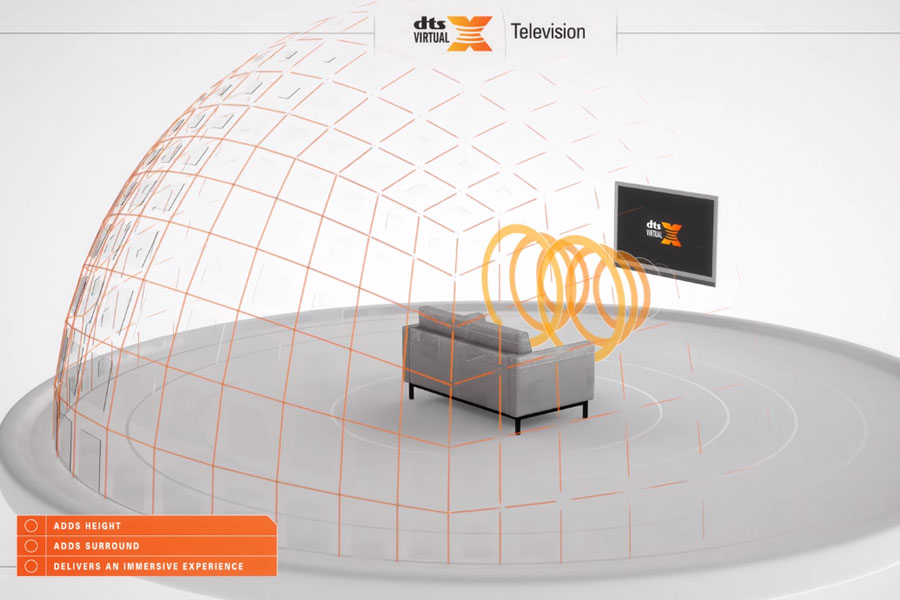
The most notable of them is DTS, with its DTS Virtual:X “phantom” surround sound technology, which is available in a variety of devices like TV, soundbars, and more. It is a post-processing audio technology, which creates an immersive and bass-rich audio experience by adding height and surround audio. It also works in all forms of speaker driver orientation on a TV, meaning it doesn’t matter if your TV’s speakers are upfront, on the bottom, or at the rear end – you’ll be able to enjoy the DTS audio.
But despite having these technologies, audio from television may still not be good. Since modern-day televisions come with a slim form factor, they deploy small audio drivers for audio output. And because such small drivers are incapable of replicating depth in the music or to produce louder audio, you might need a separate audio system. A high-end quality soundbar or a surround system can be used to enhance your TV viewing experience.
This is the present context of television on the audio front. But that may change really soon. When OnePlus released its TV, we got to see a dynamic audio system with a 50-watt 2.1 channel output. This audio system comprises of eight speakers in total – four of them are full-range front-facing speakers, two front-facing tweeters, and two rear sub-woofers for the bass. It’s like replacing the old-school speakers with an attached soundbar. Should such an audio system go mainstream, you don’t need to spend more on the audio system at all.
Refresh Rate
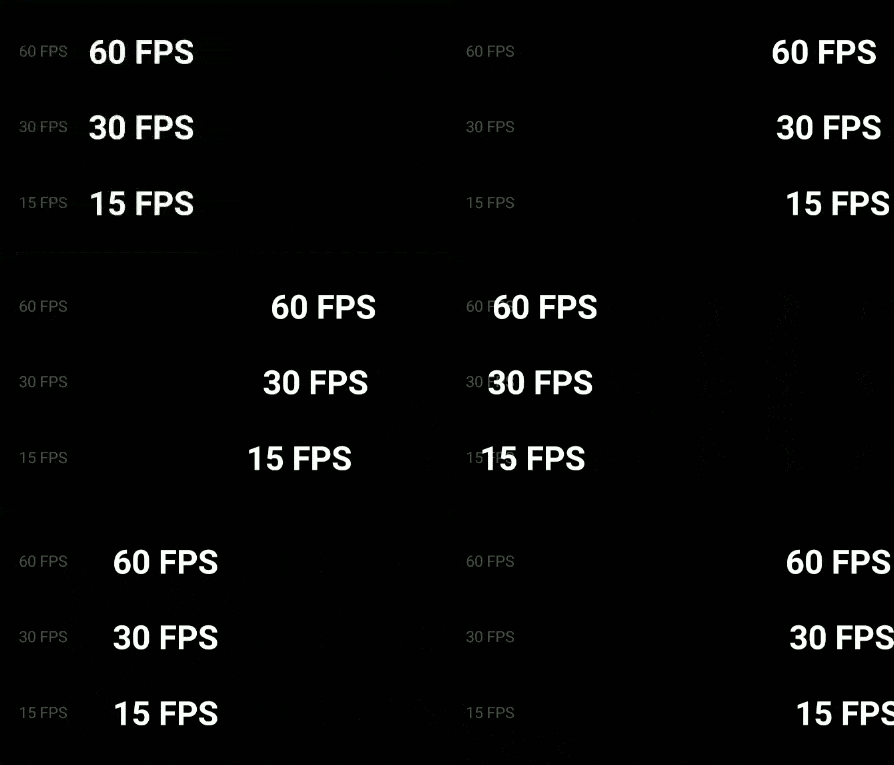
While not the most crucial factor when it comes to selecting a TV, the refresh rate is also worth considering, especially if you wish to use the TV as a gaming monitor as well. It is the number of times the image on the display is refreshed per second (or frames per second - fps) and is measured in Hertz (Hz). For instance, a 60Hz display means it shows 60 images every second. Thus, a higher refresh rate = smoother display.
The difference in refresh rate
However, refresh rates in TVs aren’t the same as refresh rates in other displays like monitors. Manufacturers aren’t even straightforward with their TV’s refresh rate and different brands have a different name for it.
“Motion Rate” from Samsung, “MotionFlow XR” from Sony, “TruMotion” from LG, and “Clear Motion Index” from TCL all refer to their TV’s refresh rate. But, a Motion Rate (or whatever other manufacturers call it) of 120 doesn’t mean it has a native 120Hz panel.
Rather, it means that the TV has a 60Hz panel which then simulates 120fps content.
Everything higher than 120 would then usually mean that the TV has a 120Hz native panel. Therefore, your game won’t necessarily run on 120Hz on if the TV claims it has a 120Hz Motion Rate.
Nevertheless, this will not be a problem if you’ll only be using your TV for general purpose because contents like movies, TV shows range between 24 to 30fps only. And let me tell you, you'll regret watching such low-fps content upscaled to higher fps, especially in terms of action movies. Also known as "motion smoothing" or the "soap opera effect", it turns the entire scene into something so unnaturally smooth that you'll have a hard time getting in on the action.
In short, a higher refresh rate is useful in case of gaming, live-events like sports, etc. but not quite so in case of TV shows & movies.
Considering all the aforementioned points, you need to go for a TV that best suits your budget. Additionally, while buying a TV, there are also a few other small but important points to consider like brand, aftersales services, warranty and breakage insurance.
Make sure the TV you are buying has better brand value, offers good after-sale services, & has a long warranty period. And as the TV screens are usually fragile, having screen breakage insurance would be another noteworthy advantage. After all, they are a long-term investment and the availability of such services only add to the longevity.
Final words
After all is said and done, it mainly comes down to your budget and use-case. For a budget buyer, an HD LED TV would do just fine and it also gives the best price-to-performance ratio. On the other hand, jumping to a Full-HD or 4K TV would be best if you’re into streaming or extreme gaming. Similarly, while an LED or QLED is best advised for such a scenario if you wish for the ultimate TV viewing experience, OLED is the way to go. However, its performance in a well-lit environment will be less than satisfactory. Aside from these, make sure the TV you are about buy has a decent set of speakers, ports, and other functionalities as well.
![TV Buying Guide [2020 Edition]](https://media.gadgetbytenepal.com/2020/02/TV-Buying-Guide-2020-Edition.jpg)
![LCD screen working principle [Credit: electroSome.com]](https://media.gadgetbytenepal.com/2020/02/How-an-LCD-screen-works.jpg)
 Dolby Audio is basically targeted for personal entertainment. It provides a more realistic view of the scene with audio control and dialogue enhancement. As our learning is sensitive to volume changes in speech, it gives true-to-life audio experience. Also, volume leveling in Dolby Audio helps to eliminate the annoying noise from the sound output.
 If you recall, I had mentioned earlier that getting a true Dolby Atmos experience on a TV is a convoluted job. Every single component involved has to be Dolby Atmos compliant. Let me elaborate on what I mean.
 But despite having these technologies, audio from television may still not be good. Since modern-day televisions come with a slim form factor, they deploy small audio drivers for audio output. And because such small drivers are incapable of replicating depth in the music or to produce louder audio, you might need a separate audio system. A high-end quality soundbar or a surround system can be used to enhance your TV viewing experience.
This is the present context of television on the audio front. But that may change really soon. When OnePlus released its TV, we got to see a dynamic audio system with a 50-watt 2.1 channel output. This audio system comprises of eight speakers in total – four of them are full-range front-facing speakers, two front-facing tweeters, and two rear sub-woofers for the bass. It’s like replacing the old-school speakers with an attached soundbar. Should such an audio system go mainstream, you don’t need to spend more on the audio system at all.
But despite having these technologies, audio from television may still not be good. Since modern-day televisions come with a slim form factor, they deploy small audio drivers for audio output. And because such small drivers are incapable of replicating depth in the music or to produce louder audio, you might need a separate audio system. A high-end quality soundbar or a surround system can be used to enhance your TV viewing experience.
This is the present context of television on the audio front. But that may change really soon. When OnePlus released its TV, we got to see a dynamic audio system with a 50-watt 2.1 channel output. This audio system comprises of eight speakers in total – four of them are full-range front-facing speakers, two front-facing tweeters, and two rear sub-woofers for the bass. It’s like replacing the old-school speakers with an attached soundbar. Should such an audio system go mainstream, you don’t need to spend more on the audio system at all.
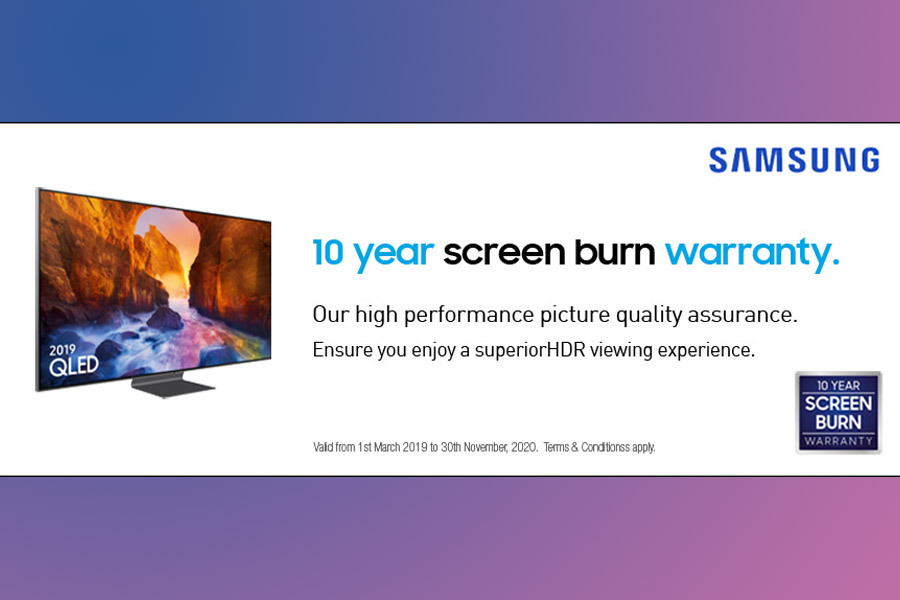 Make sure the TV you are buying has better brand value, offers good after-sale services, & has a long warranty period. And as the TV screens are usually fragile, having screen breakage insurance would be another noteworthy advantage. After all, they are a long-term investment and the availability of such services only add to the longevity.