ogle recently rolled out the feature to download your entire search history. To download your entire search history, follow the steps in this link:

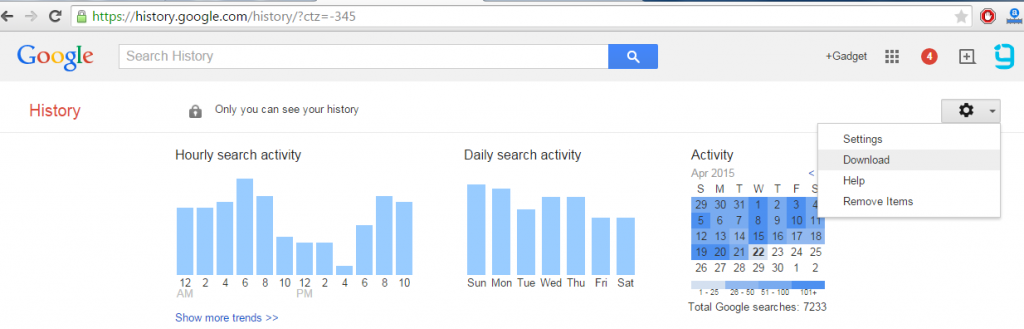
It’s no wonder Google keeps log of your every search term. It has one of the largest database of log of all your online activities. You probably already know how to monitor your search history, but did you know that you can download it as well? Google recently rolled out the feature to download your entire search history. To download your entire search history, follow the steps below:
 When you download your past searches, a copy of your history will be saved securely to the “Takeout” folder in Google Drive. You can download the files to your computer if you want a copy . Depending on the amount of data you’re downloading, you may have more than one file in your Takeout folder with your history in it.
Google notes “you shouldn’t download your search history onto a public computer”, which is for your own security reasons. If you’re going to download it, keep it safe.
[fbcomments]
When you download your past searches, a copy of your history will be saved securely to the “Takeout” folder in Google Drive. You can download the files to your computer if you want a copy . Depending on the amount of data you’re downloading, you may have more than one file in your Takeout folder with your history in it.
Google notes “you shouldn’t download your search history onto a public computer”, which is for your own security reasons. If you’re going to download it, keep it safe.
[fbcomments]
- Visit your Google History page
- In the top right corner of the page, click the option icon and click Download
- Click Create Archive.
- When the download is complete, you’ll get an email confirmation with a link to the data.
Article Last updated: April 22, 2015