Why Trust Gadgetbyte?
At Gadgetbyte, we invest substantial hours into rigorously testing each product or service we review, guaranteeing that you make informed purchases. Learn more about our testing process.
Review Overview
3.7
Design and comfort
7/10
Sound
6.6/10
Noise cancellation
7.6/10
Call quality
7.9/10
Battery life
8.3/10
Value for money
6.8/10
At NPR 3,499, the Ultima Aura brings several useful features but with a catch. The rotating dial, LDAC support, useful app features, and good battery life make it an interesting option, but the bass-heavy sound, average comfort, and inconsistent EQ keep it from being an easy recommendation.
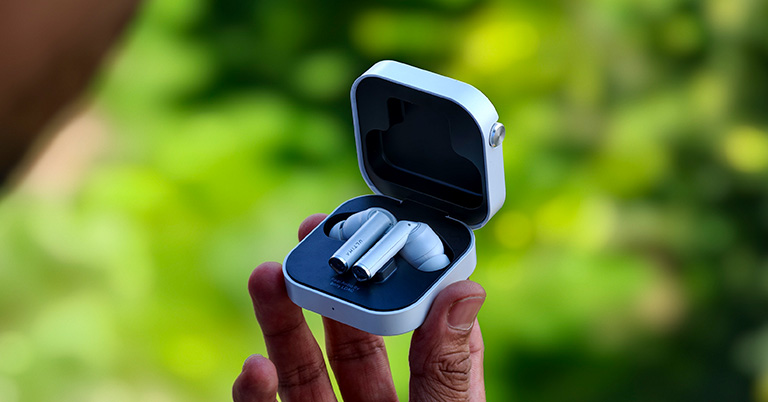
The Ultima Aura is a new pair of TWS earbuds from this Nepali OEM brand that tries to offer more than just the usual listening experience. When I first got the Ultima Aura, I was genuinely excited to try them with a lot of expectations, especially because of the Hi-Res LDAC support. At first glance, it looked like the kind of earbuds that could deliver a more refined audio experience, with ANC, a rotating dial on the charging case, app support, and several other interesting features.
Did it live up….?
So naturally, I was curious how much difference LDAC would actually make and whether Ultima could put all these features into a well-rounded pair of TWS earbuds. I also wanted to see how they would hold up in situations ranging from listening to music and watching movies to taking calls and travelling on buses. But after spending around two weeks with the Ultima Aura, I have a pretty clear idea of what it is like to live with these earbuds, with so many reality checks.
Ultima Aura Specifications:
- Design: In-ear fit, all-plastic build, metallic oil finish
- Dimensions and weight: 38 gm (case)
- Water resistance: IPX6 dust/splash resistance
- Connectivity: Bluetooth 5.3 (multi-point support)
- Sound driver: 11mm titanium dynamic driver
- Audio codecs: AAC, SBC, LDAC
- Noise cancellation: Yes (up to 50dB)
- Battery: Up to 50 hours of music playback with ANC off (earbuds + case)
- Control: Touch controls (buds), Bottom control (case)
- Companion app: Ultima Link (Android | iOS)
- Ultima Aura Price in Nepal: NPR 3,499*
Price in Nepal
| Device Name | Price in Nepal |
| Ultima Aura | NPR |


Ultima Aura Review:
Design: Simple but useful controls
- In-ear design with silicone ear tips
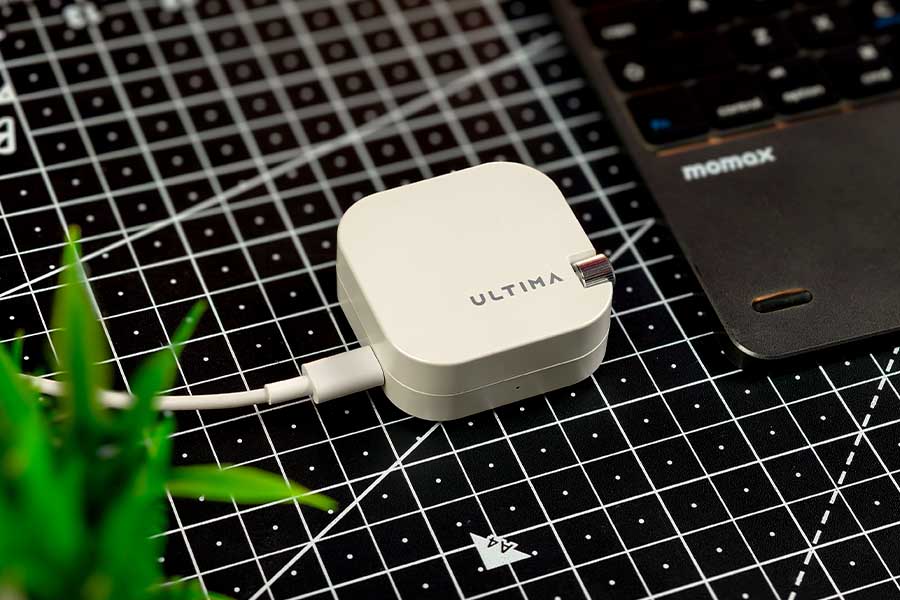
- Rotating dial on the charging case
- Volume control through the earbuds
Starting with the design, the Ultima Aura has a pretty simple and clean look. The charging case is compact enough to carry around easily, and the overall finish looks good without being too flashy. But the main thing that makes the case different is the rotating dial.

At first, I thought the dial might just be there to make the case look different, but I ended up finding it quite useful. I could use it to adjust the volume and control playback, which was especially handy while travelling on buses. I don't always like taking my phone out just to change the volume, so having the control directly on the case made things easier.
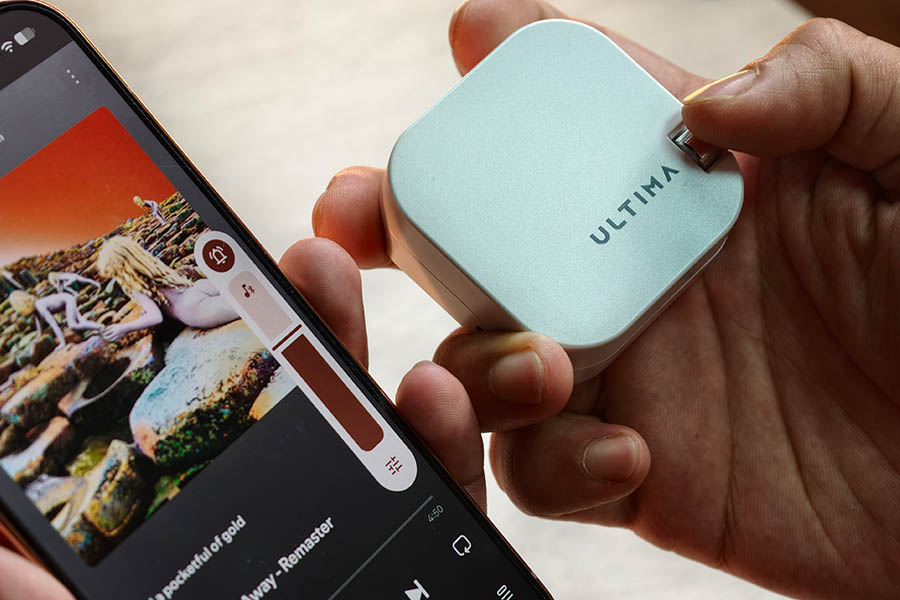
The earbuds themselves follow a stem-style design and come with silicone ear tips. I also get different sizes in the box, which help with getting a proper fit. Here, I liked the different control features the earbuds themselves have. I could simply swipe up or down on the stem to increase or decrease the volume, and the gesture worked without any issues during my use.
You might find a contrary statement, as both the earbuds and the case can do control but why I prefer dial in case more. As I am someone who just doesn't feel comfortable putting my hand to my ear again and again, the dial comes across as more convenient.
However, the comfort of the buds themselves wasn't as good for me. I have medium-sized ears, and while the earbuds felt fine during shorter listening sessions, wearing them for a longer period started to become uncomfortable. After a few hours, I could feel pressure around my ears, and I didn't find myself wanting to keep them on for extended listening.
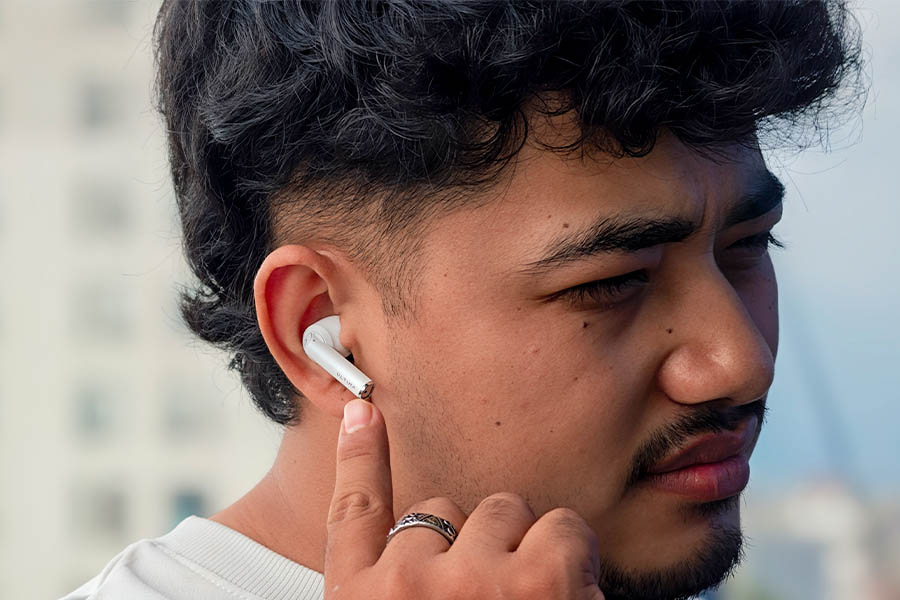
So, while I liked the simple design and the useful controls, long-hour comfort is definitely one area where Aura could have worked better. If you mostly listen for short periods, this may not be a big issue, but for long music sessions, travelling, or watching movies for hours, the fit could become noticeable.
And if you are wondering what I get inside the box, it is pretty basic. I get the earbuds, charging case, extra ear tips, USB Type-C cable, and the usual documentation.
Sound: Very bass-heavy by default
- Heavy bass-heavy default tuning
- LDAC support through the app
- Normal and 3D Audio modes
- Six EQ presets
- Very loud even around 60% volume
Coming to the audio, the first thing I noticed with the Aura was just how bass-heavy the default tuning is. The bass feels quite bloated and tends to overpower the mids and highs, giving the earbuds a rather dark and cloudy sound signature. Because of this, the vocals sound somewhat flattened and muffled, while the overall presentation lacks the clarity and naturalness I personally prefer. In simple terms, the default sound is quite muddy to my ears.
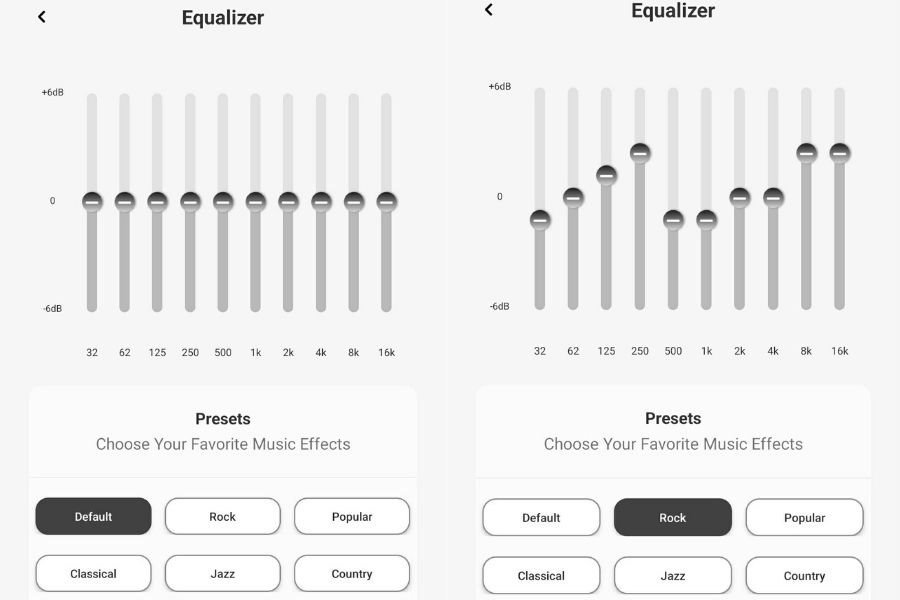
I went through all six presets to see if any of them matched my preference. However, I didn't notice a huge difference between the presets during casual listening. The Rock preset sounded a little better to me than the default, but it still wasn't enough. The option to customize the sound does give you some flexibility, although finding a tuning that actually matched my taste was a bit of a headache.
I personally prefer a more natural and balanced sound, so I ended up spending some time with the custom EQ. To get a somewhat balanced sound, I reduced the bass and lower-midrange by a few decibels, boosted the midrange around 1kHz, and added some treble as well. After these adjustments, the vocals finally opened up and had noticeably better detail, while the overall sound became much clearer and more natural. This is one area where I think the Aura could have done better out of the box, as I shouldn't have to spend this much time tuning the sound to get a balanced presentation. I also have shared the My EQ customization below, which you can copy if you like a bright sound signature.
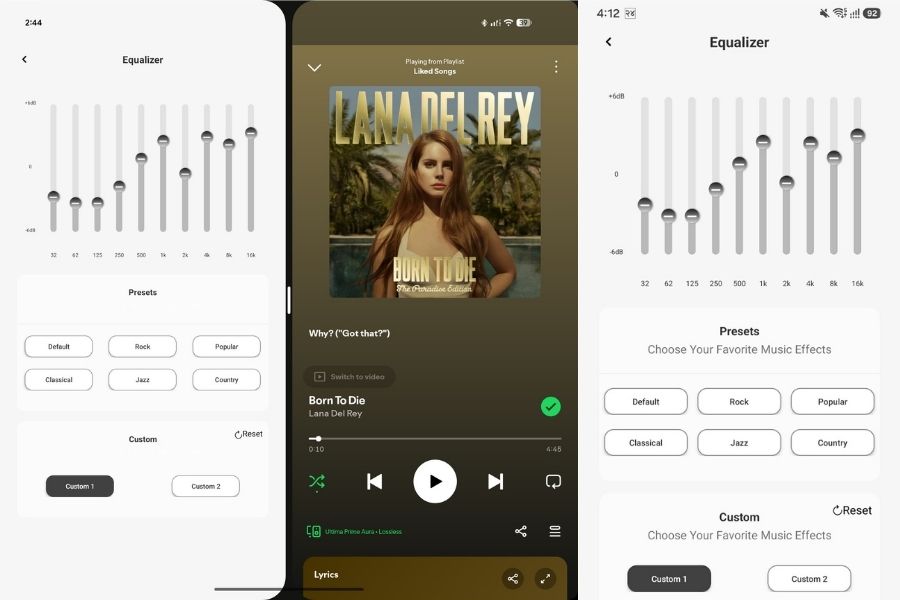
But the problem came when I ran into an issue with the custom EQ. Even when the app shows that my custom EQ is still selected, the earbuds can revert to the default sound after reconnecting. So, the app may show that the custom setting is active, but the actual sound doesn't always seem to follow it.
Coming to the soundstage, I initially found it relatively narrow. The different elements often felt like they were coming from the same place rather than being clearly separated. This, combined with the dark tuning, made the overall presentation feel less open than I would have liked. But later on, after customization, this issue was solved at some level.
For movies, the earbuds synced nicely with the content, and I didn't notice any lag between the audio and video. However, the overall sound quality wasn't particularly impressive for movie watching either. I also tried the 3D Audio mode, but I didn't notice any major improvement that made me want to keep it enabled.
One thing that did surprise me was the loudness. These earbuds get very loud even at around 60% volume. In fact, at this level, they were already louder than what some other earbuds I have used could achieve even at 100%. Because of this, I rarely felt the need to push the volume much higher during regular use.
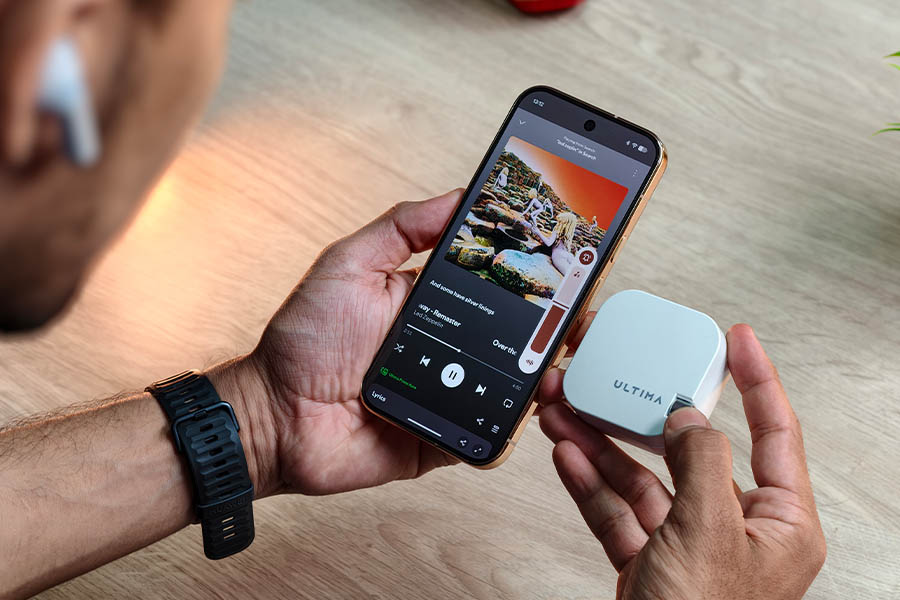
Overall, the Aura's audio experience is quite dependent on how much time you're willing to spend with the EQ. The default tuning is far too bass-heavy and muddy for my liking, while the soundstage is also relatively narrow. I was eventually able to get a much clearer and more balanced sound after tweaking the EQ, but the fact that the custom setting doesn't always stick makes the experience less straightforward than it should be.
LDAC: A useful addition, but not a night-and-day difference
- Sony-certified LDAC support
- Manual LDAC activation through the app
- Slightly better clarity and vocal separation
LDAC is one of the more interesting features of the Aura, but there is something you should know before using it. LDAC isn't simply enabled by default. I had to install the Ultima Link app and turn on the LDAC service to use it. Once enabled with a compatible device, I noticed some improvement in vocal clarity and separation, particularly when I was listening in a quieter environment.
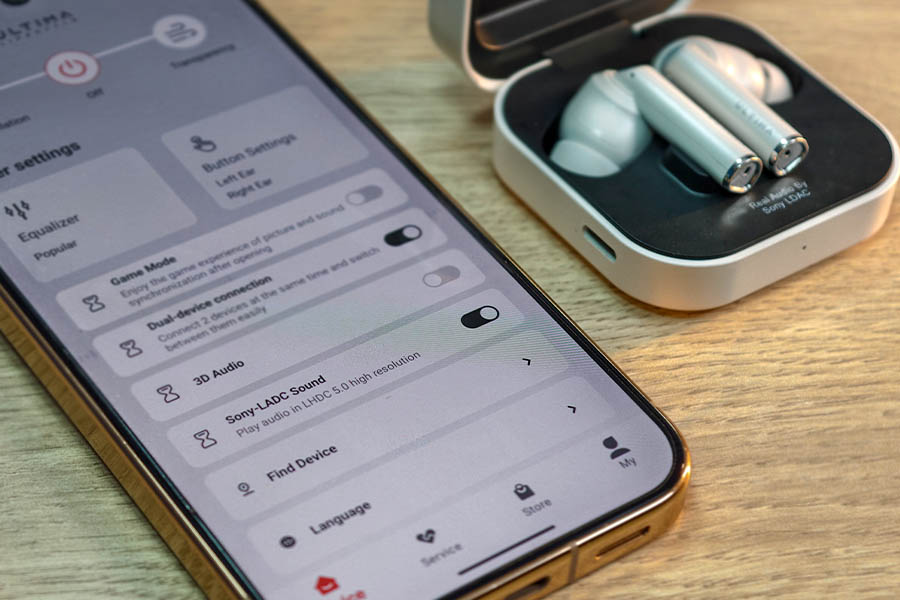
However, I wouldn't say the difference was huge. I need to pay attention to the audio to notice the change, and most importantly, the experience is also highly related to which platform you are using and the phone for streaming music.
So, I think LDAC is a nice feature to have, especially for people who actually use higher-quality audio sources. But I found that it doesn't suddenly transform the Aura's sound into a completely different experience.
Active Noise Cancellation: Decent, but not a major difference for me
- ANC, Transparency, and Off modes
- Ultima claims up to 50dB ANC
- Works better with continuous background noise
Let's talk about ANC. I tested the Aura's claim of up to 50dB of noise cancellation in various day-to-day situations that I was in, including from a busy workplace to travelling and construction sites.
When I was traveling during peak hours, the background noise of the vehicle engine and other low frequency were nicely reduced. However, Transparency mode was something that Ultima could have done better. I had to listen very attentively to remain aware of my surroundings.

That said, I don't think ANC is supposed to completely isolate you from the outside world either. It works differently depending on the type of noise. Continuous sounds are generally easier to deal with than sudden sounds such as horns or people talking. So, Aura has done well in the ANC department but could work a bit better on the transparency mode.
Calling and controls: Convenient for everyday use
- Multiple microphones for calls and ANC
- Touch controls with swipe gestures
- Rotating dial on the charging case
Alright, when it comes to calling, the Aura was pretty good in my experience. I used it for Messenger, WhatsApp, and regular phone calls, and I didn't really have any major issues. In normal surroundings, my voice was coming through pretty clearly to the other person, which I verified from the call recording.

When I was travelling or in a noisier environment, things were a little different. The microphones did pick up some of the surrounding traffic and road noise along with my voice. But even then, the person on the other side could still understand clearly, so I wouldn't say it was a major issue. In a quieter room, the voice pickup was cleaner and sounded more natural.
App and other features: Useful extras
- Ultima Link app
- Customizable controls and EQ
- Dual-device connectivity
- Find My Device
- Gaming mode
The Aura uses the Ultima Link app as its companion app. It gives you access to most of the important settings, including EQ, sound modes, controls, battery information, and other features.
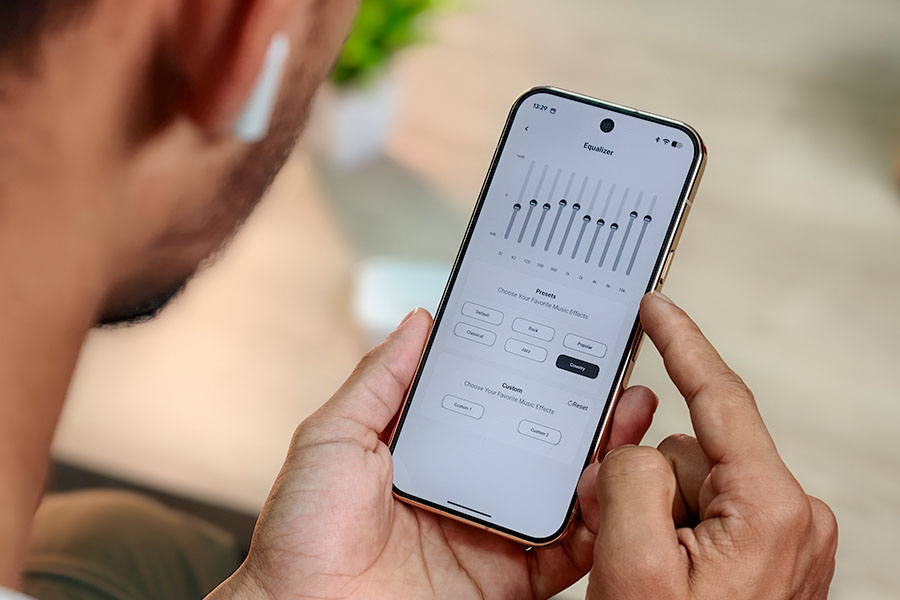
You can also customize the controls according to your preference. It also has six presets and coustomization option too that give you more flexibility than simply sticking with the default tuning. Further, it supports dual-device connectivity, allowing you to connect it to two devices. There is also a gaming mode that reduces audio delay while gaming.
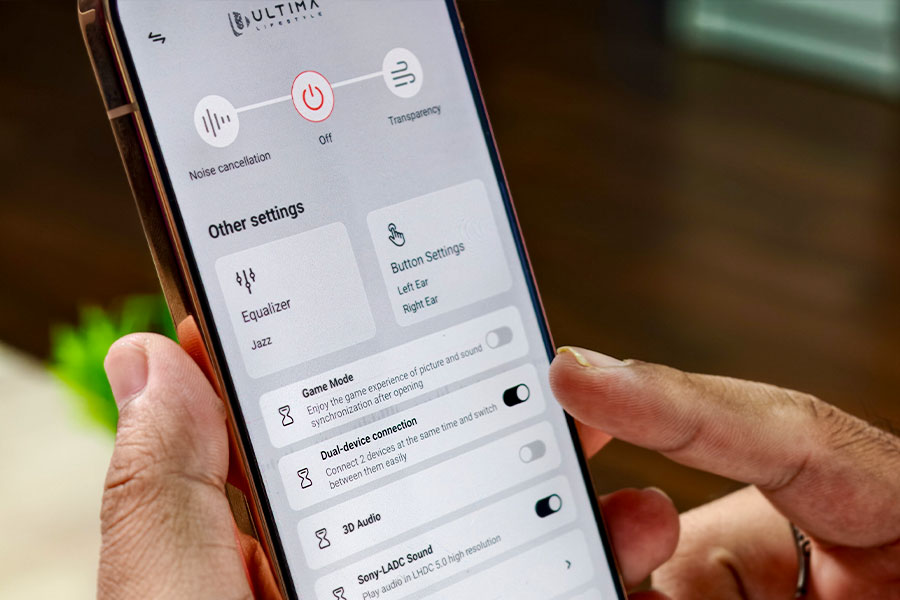
So, the Ultima Link app isn't anything extraordinary, but it does add useful features and gives me more control over how I use the earbuds.
Battery & Charging: Good endurance with ANC off
- Up to 50 hours of total playback
- Around 6 hours on a single charge with ANC at 60% volume
- Around 12 hours on a single charge with ANC off
- USB Type-C charging
Battery life is another area where my actual testing gave me a clearer picture. With ANC enabled and the volume around 60%, I was getting around 6 hours of playback on a single charge.
With ANC turned off, the battery life was considerably better. I was able to get around 12 hours of playback on a single charge, which is quite good for my regular use.
Ultima's claimed total playback time of up to 50 hours is therefore more relevant when I used the earbuds with ANC turned off and depending on other settings. Features such as LDAC and 3D audio also affect overall endurance.
As for charging, it took around 1.5 hours to fully charge the earbuds from the case when they were at a low battery level. The charging case uses a USB Type-C port, so I don't have to deal with an older charging standard.
Overall, I think the battery life is good enough for regular users. I mostly use the earbuds without ANC, and the 12-hour single-charge endurance is more than enough for me for long listening sessions.
Conclusion
After two weeks with the Aura, I think Ultima has some useful features, but my overall experience was a bit mixed. There are quite a few things I liked about it, especially the rotating dial on the charging case. I found it more convenient than using the touch controls on the earbuds. The battery life is also good, particularly with ANC turned off, while LDAC support, app features, and the loud output add to the overall package.
However, the audio experience is where I think the Aura falls short for me. The default sound is very bass-heavy, the vocals feel flatter, and I didn't find the EQ presets different enough to make a major difference. I eventually got a sound I liked more by manually adjusting the EQ, but having to spend that much time tuning the earbuds wasn't ideal.
There are a few other areas where I think Ultima could have done better:
- Better comfort for longer listening sessions
- A more balanced default sound profile
- More noticeable difference between ANC and Transparency modes
- More consistent custom EQ settings
In my view, the Aura could have been the capable pair of earbuds for the price, but the audio tuning and comfort keep it from being an easy recommendation at its current price. At NPR 3,499, I don't feel the sound quality is quite good enough to justify the price. If you could increase your budget by NPR 1000 to 1500, you will get more balanced earbuds like OnePlus Nord Buds 4 (review) and Soundcore R50i NC.
| Pros | Cons |
| Effective ANC for low-frequency noise | Earbuds can get uncomfortable during long use |
| Useful controls | Default sound is muffled |
| LDAC support | Need to customize EQ via the app |
| Good battery life with ANC off |
Article Last updated: September 29, 2026
![Honor Mobile Price in Nepal [2026 Updated]](https://media.gadgetbytenepal.com/2025/11/Honor-Mobile-Price-in-Nepal.jpg)