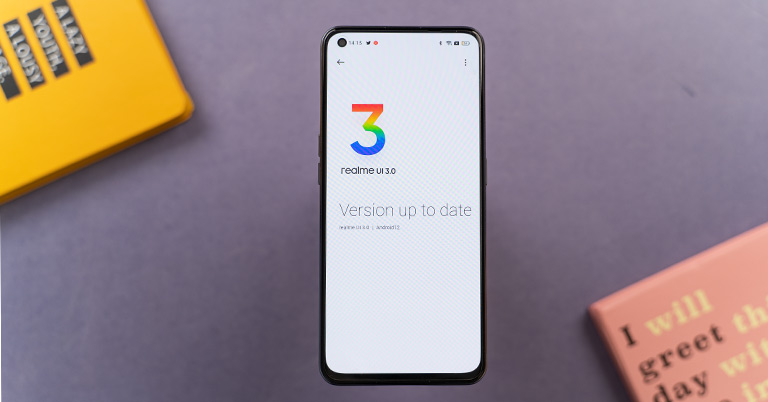
As Google has officially pulled the curtains off of Android 12, smartphone manufacturers have begun outlining their update rollout plans. In a similar vein, Realme has announced Realme UI 3.0 based on Android 12, which I got to play around with on my Realme GT 5G. So, let me take you through a walk describing what's new and what has changed in Realme UI 3.
Realme UI 3.0 Overview:
Before moving forward, allow me to talk a mile a minute about Realme. It originally started as a sub-brand of Oppo before parting and embarking on a new journey as an independent venture. And, as of now, the firm serves not just the smartphone industry but also the IoT and even launched its sub-brand called Dizo. But what hasn't really changed is that Realme hasn't quite managed to pull off its entire new Android-based user interface. At its origin, the brand relied on ColorOS, which later evolved into Realme UI in response to high consumer demand. However, it's primarily a skin-over ColorOS with minor UI/UX tweaks. So, don’t be surprised if you see similarities between ColorsOS 12 and Realme UI 3.
Subtle UI changes
I’ve been a Realme user for quite a long time now, and from my experience with the new skin, I can say that Realme UI 3 has gone through minor changes in terms of its look. While the overall interface seems more spread out, the notification drawer now occupies the whole screen and features distinct media output choices. The settings app feel less cluttered now.
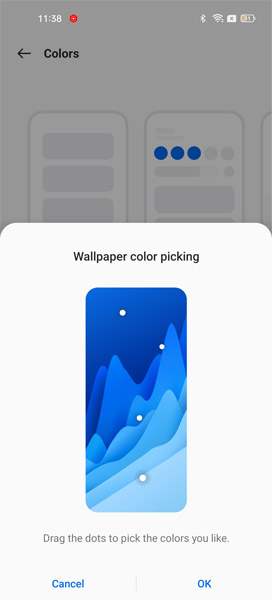
“Material You” like Personalization
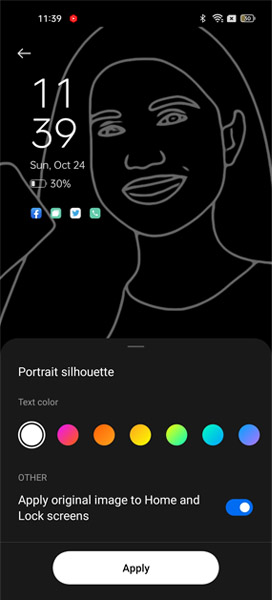
New AOD Screen
Fluidity
Moving on, the “Smooth Animation Engine” in Realme UI 3 claims to give a smooth experience when scrolling around the UI. Personally, in my time with the UI, it felt a bit more smoother than the Realme UI 2, and it was the case in third-party apps as well. In addition to fluidity, the new UI also aids in multitasking with Floating Window 2.0. Here, besides accessing the app from the Smart Sidebar, you can now scroll up the app to open a floating window. Also, by dragging a window to the right or left edge, you can easily conceal it.
Privacy
Native Android 12 features
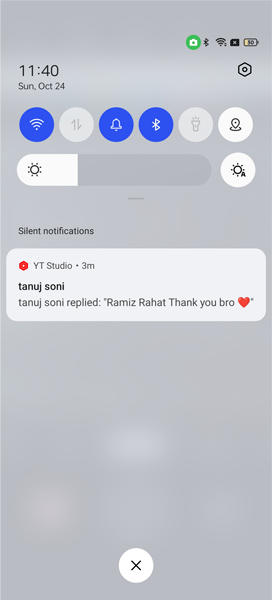
Android 12 introduces a slew of new privacy capabilities, which the Realme UI also takes advantage of. The feature that I found very handy (and I'm sure you will as well) is that you can now check which applications are permitted to access your camera or microphone.
Private Pic Share
Similar to MIUI 12, the Realme UI 3 allows you to share photographs without revealing your personal information. You may opt to delete your location, as well as phone model, aperture, shutter speed, and other parameters.
Connectivity
Moreover, as you may recall, Realme just released its first laptop, the Realme Book Slim. There, the company bragged about its "PC Connect" feature, which essentially creates a seamless connection between a laptop and a smartphone—but it was only available in the GT Master Edition. However, you can now use it on other Realme devices as well, thanks to the new Realme UI. It includes features like the ability to run an app on your laptop, quick file transfer, seamless copy and paste, and smart notifications that you can read and respond to straight from the Realme Book
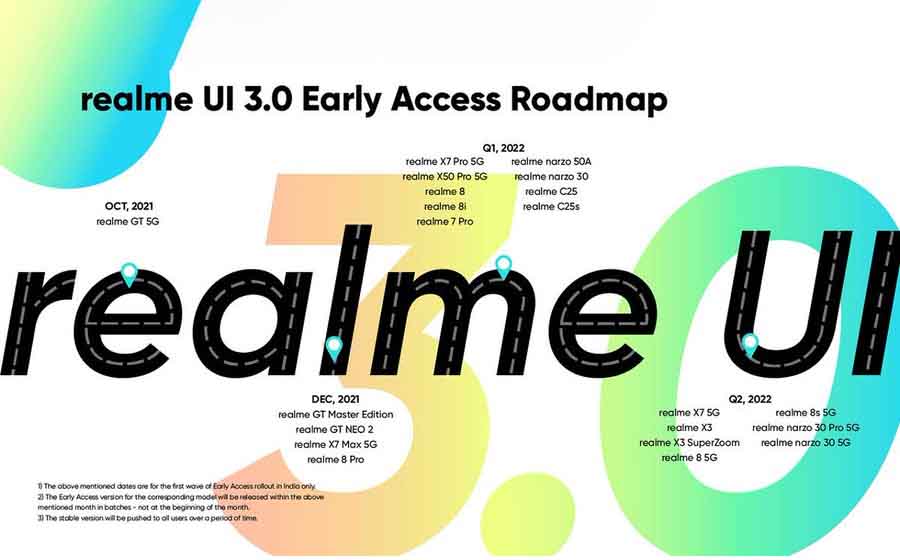
Realme UI 3.0 Rollout Plan
Realme UI 3.0: Verdict
To summarize, Realme UI 3.0 does not significantly alter the user interface. Still, the fact that all of Android 12's privacy features are present here is something to be appreciative of. Personally, I like the simplicity of this UI, and Realme has maintained this consistency by not making any flashy and hefty modifications this time as well. As a result, upgrading to the new skin won’t make you feel out of place.
- Meanwhile, check out our review of Realme 8s 5G.
Article Last updated: November 23, 2025