Why Trust Gadgetbyte?
At Gadgetbyte, we invest substantial hours into rigorously testing each product or service we review, guaranteeing that you make informed purchases. Learn more about our testing process.
Review Overview
4.6
Display
10/10
Battery
8.5/10
Software
9.6/10
Design and build
9.5/10
Health and fitness tracking
9.7/10
Companion app
9.5/10
Value for money
7.5/10
"Go big, or go home" is what Samsung must have thought when coming up with the Galaxy Watch Ultra 2. 'Cause besides that sky-high price tag, there's really not much to complain about here—making it one of the best smartwatches you can buy right now. It's as simple as that.
Look—I’ve been reviewing Samsung smartwatches for a while now.
And besides the base Galaxy Watches, everything from the “Classics” to the “Pro” and the “FE” has spent at least some time on my wrist. But never the Ultra.
Until a few weeks ago, when I finally got to take the new Galaxy Watch Ultra 2 for a spin. This is easily (I mean… easily) Samsung’s most “complete” smartwatch to date, which is also a not-so-subtle way of saying it’s overkill for most folks. Including yours truly. The Watch Ultra 2 is for those who want “adventure without limits”, for those who go diving, and also for those who want some of the best smartwatch experience money can buy.
You know what though? I believe Samsung might have just pulled it off this time ‘cause this is—without a shadow of a doubt—the best smartwatches I’ve ever used.
Samsung Galaxy Watch Ultra 2 review: Specifications
- Case: 47mm, Titanium frame
- Color options: Titanium Silver, Titanium Gray
- Dimensions and weight: 47.4 x 47.1 x 10.7 mm, 61.5 gm
- Durability: 10 ATM + IP69K rating, MIL-STD-810H + EN13319 certified
- Display: 1.52-inch Super AMOLED panel, Sapphire crystal protection, Up to 5,000 nits
- Processor: Snapdragon Wear Elite (3nm)
- Penta-core CPU: 1x Prime core (@ 2.1 GHz) + 4x Performance cores (@ 1.9 GHz)
- Adreno A622 GPU
- Memory: 2GB RAM, 64GB storage
- Software and UI: Wear OS 7 with Samsung's One UI Watch 9 on top
- Sensors: Samsung BioActive Sensor (Optical Bio-signal + Electrical heart rate + Bioelectrical Impedance Analysis), Temperature, Accelerometer, Barometer, Gyro, Geomagnetic, Light, GPS (L1 + L5)
- Companion app:
- Setup: Galaxy Wearable, Galaxy Watch Manager
- Health data: Samsung Health
- Battery: 800 mAh (with fast charging support)


Samsung Galaxy Watch Ultra 2 Price:
| Nepal | USA | India |
| NPR 123,499 | USD 699.99 | INR 64,999 |
Samsung Galaxy Watch Ultra 2 review:
Design and build
- Titanium case (47mm)
- "Cushion Design" with "Dynamic Lug" strap system
- 10 ATM + IP69K rating, MIL-STD-810H, EN13319 certified
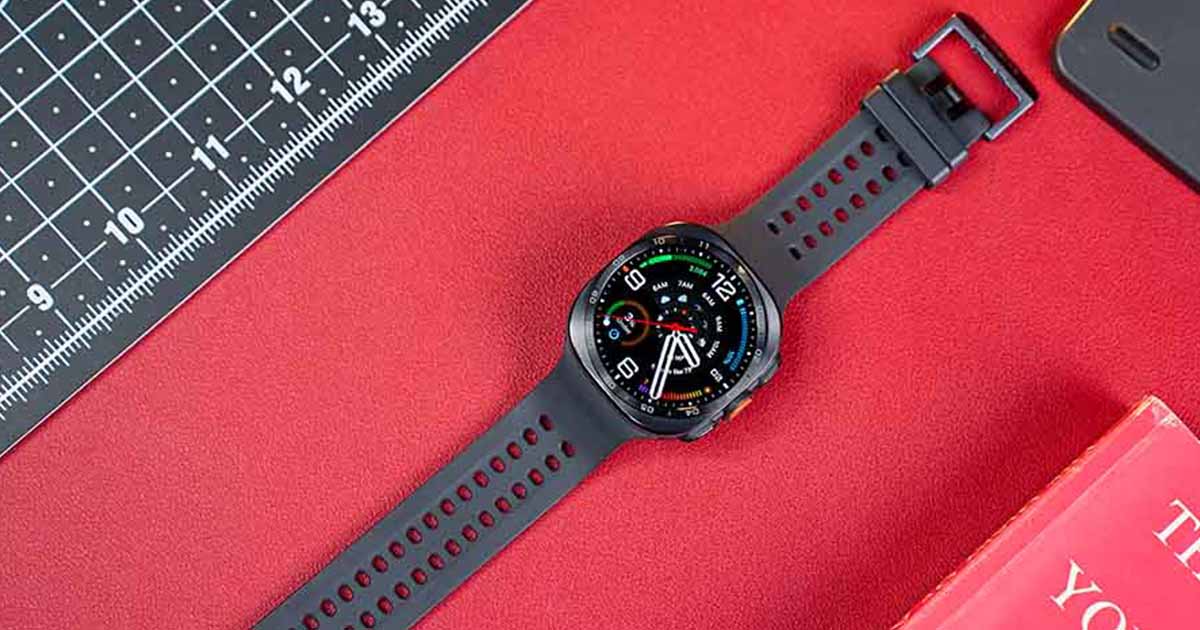
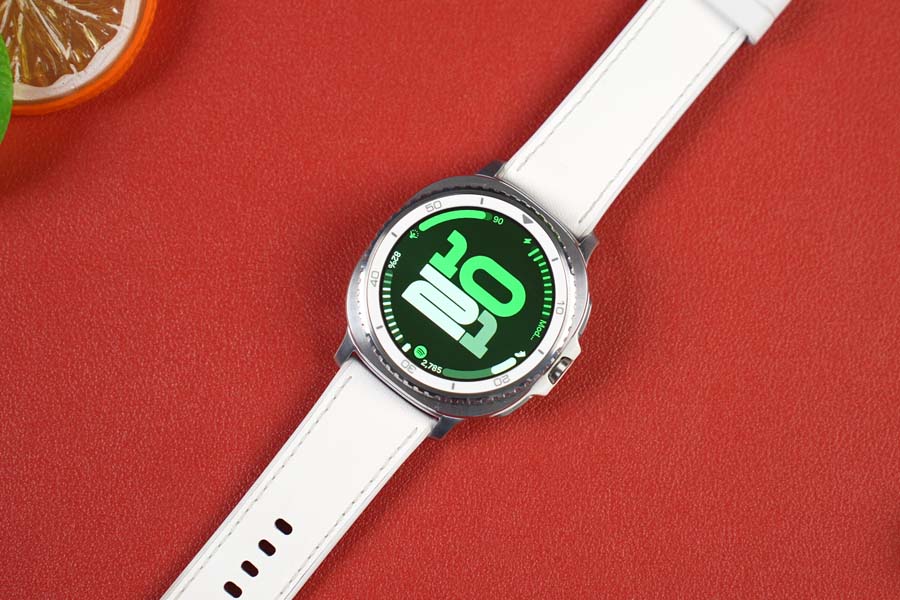
First things first, let’s get the obvious out of the way: this is a big watch. Which I guess is a given for something with a 47mm dial. I still wouldn’t say it overshadows my wrists or anything, but when I had some of my more… petite colleagues put it on, I couldn’t help but burst out laughing at how comical it looked. So if you have relatively small wrists, take this as a word of warning.
Not to mention, this “squircle” design only makes it look bulkier than it has to.
I also feared I would find this not-so-comfortable to wear throughout the day since it weighs 61.5 grams—although I actually forgot this was something I dreaded by day 2 already.
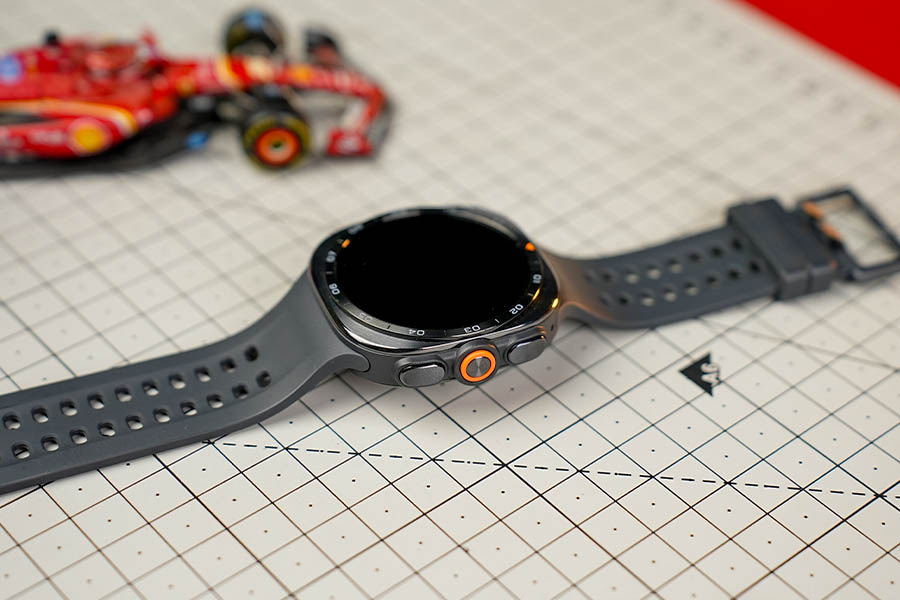
Most of that credit goes to Samsung’s clever engineering itself, actually. It isn’t apparent at a quick glance, but a 12% thinner design mixed with the default “Marine” band that is 26% lighter than before really made this thing so comfortable to put on throughout the day. Even though Samsung's proprietary strap system is still a pain since it doesn't accept universal watch bands.
Then factor in all of Samsung’s promises of toughness, like a titanium casing next to a bunch of durability acronyms that could very easily pass for serial numbers you’d see near the barcode on a shampoo bottle, I’d say “durability” is probably the last thing you’ll have to worry about here.
You know the phrase “built like a tank”? That’s exactly what it feels like.
I’m still mad that the Galaxy Watch Ultra 2 doesn’t get a physical rotating bezel, though. That is still exclusive to the Classic lineup, by the way. This is literally the smartwatch where I think a physical bezel is more of a “necessity” than “novelty” ‘cause… okay.
Let’s take a step back and look at the bigger picture for a moment.
- The Watch Ultra 2 is an outdoor-focused watch, right?
- Meaning Samsung expects you to wear it in various conditions, like when you’re cycling, when you’re underwater, out in the rain, and such.
But since all you have is this touchscreen for navigating across the UI, it quickly starts registering erratic touches if either your fingers or the screen is wet.
Guess what would’ve prevented this preventable problem?
Display
- 1.52-inch Super AMOLED panel
- Sapphire crystal glass protection
- Up to 5,000 nits of peak brightness
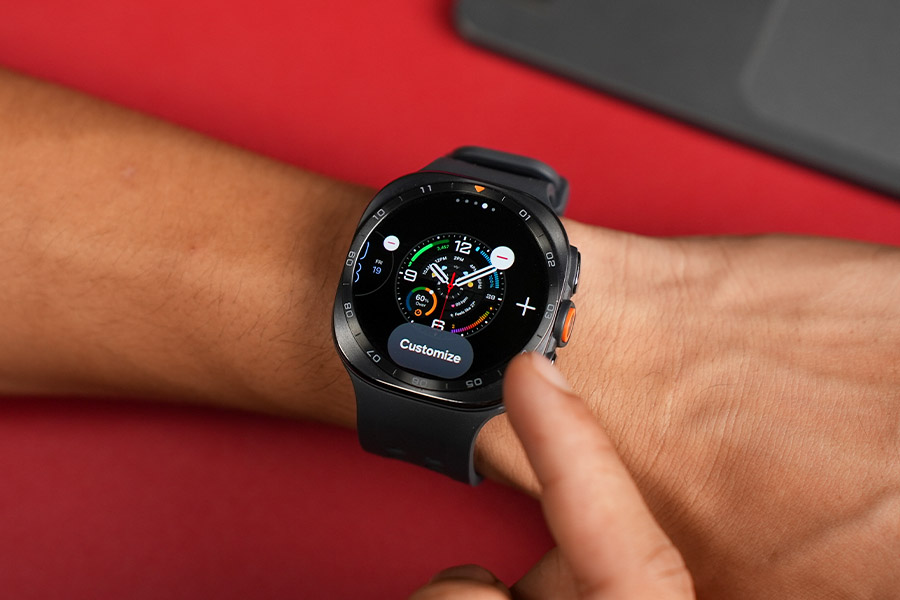
Alright. The display on Galaxy Watch Ultra 2 is about as good as it gets. No other way to say it. You’re looking at a slightly larger 1.52-inch AMOLED panel since Samsung also managed to thin out the bezels this time—and there’s not a single thing I would change about it.
The colors… the touch response… the viewing angles… Samsung is at the top of its game in the display world, and it really shows here. Even the haptic feedback on this thing is some of the most crisp and precise I’ve seen on a smartwatch. And because there’s a sapphire crystal glass sitting on top of this screen, I doubt even the clumsiest klutz will manage to scratch it. Oh—and did I mention that the Watch Ultra 2 is also the brightest smartwatch ever?
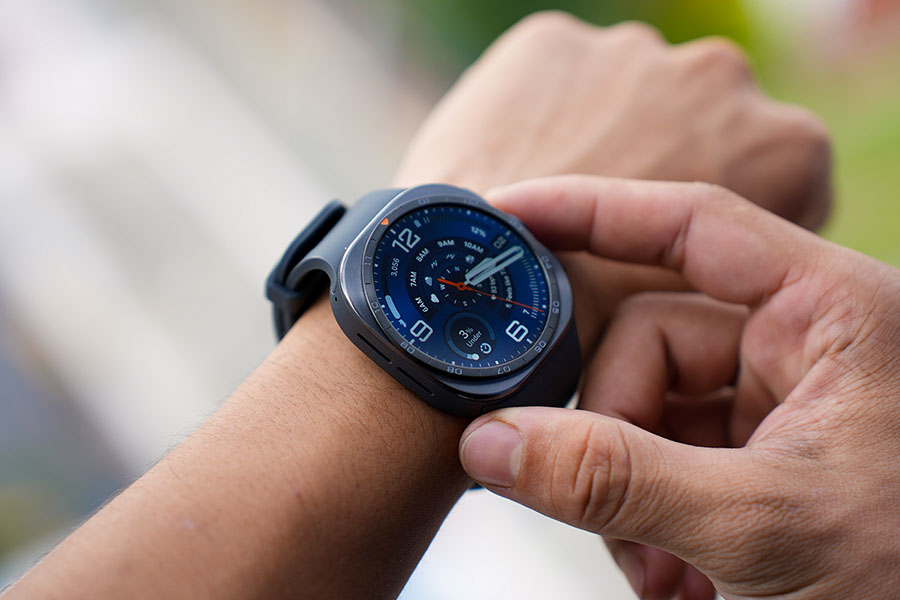
Yep. That title was previously held by Garmin’s Fenix 8 Pro with 4,500 nits of brightness, while Samsung has pulled one off better with a ridiculous a 5,000 nits display!
So like I said before, this screen is as good as it gets. There are also a couple of new watch faces to go with Samsung’s newest smartwatches as always—including a few minimalistic ones and a few that are maximalist in the most obvious way. With pretty much every pixel on the screen packed with some kind of information.
Performance
- Snapdragon Wear Elite chip (3nm)
- 2GB RAM + 64GB internal storage
Okay, okay, okay.
So while neither the design upgrades nor the display changes were… unexpected in any way, I must say I was genuinely surprised by Samsung’s decision to go with a Qualcomm chip for the Galaxy Watch 9 (review) and the Watch Ultra 2.
I know I had been nagging Samsung to do this exact same thing up until about a couple of years ago, but the Exynos W1000 on the two-year-old Watch 7 actually washed away any performance complaints I had. This sudden switch is particularly interesting ‘cause Samsung had never used a Qualcomm chip on its smartwatches.
The first Snapdragon on a Galaxy Watch!
Nope, it’s always been Exynos since the very first “Galaxy Watch”. And before I forget, the built-in storage has doubled from 32GB to 64GB too.
I feel like I now have a pretty good idea why the Watch Ultra 2 is powered by the Snapdragon Wear Elite chip. The first is the obvious performance jump. Which isn’t huge, but it’s definitely there to make it feel like the fastest, snappiest Android smartwatch I’ve ever used.
Software experience
- Wear OS 7 (with One UI Watch 9 on top)
- 5 years of guaranteed updates
The second reason I think has to do with on-device AI capabilities, since one of the highlighting features here is being able to speak to Gemini without any wake words like “Hey Google”. Made possible thanks to the built-in neural processor in that Qualcomm chip. So I can just raise my wrist and talk to Gemini about map directions, starting a timer, checking my emails, or even the most random things I would have Googled on my phone instead.
It’s a pretty neat trick—and I especially love how this acts as an additional layer of accessibility for those with vision, hearing, and physical needs. I just wish I could label it “perfectly reliable” ‘cause I’ve found myself speaking to an empty screen with no sign of Gemini… multiple times. Multiple.
Other than this, the software experience on the Watch Ultra 2 isn’t too different here.
That’s perfectly fine by me because Samsung had already introduced a major UI overhaul last year with One UI 8 Watch (based on Wear OS 6). No need for visual refreshes every single year. Although that doesn’t mean there’s nothing new to look forward to either.
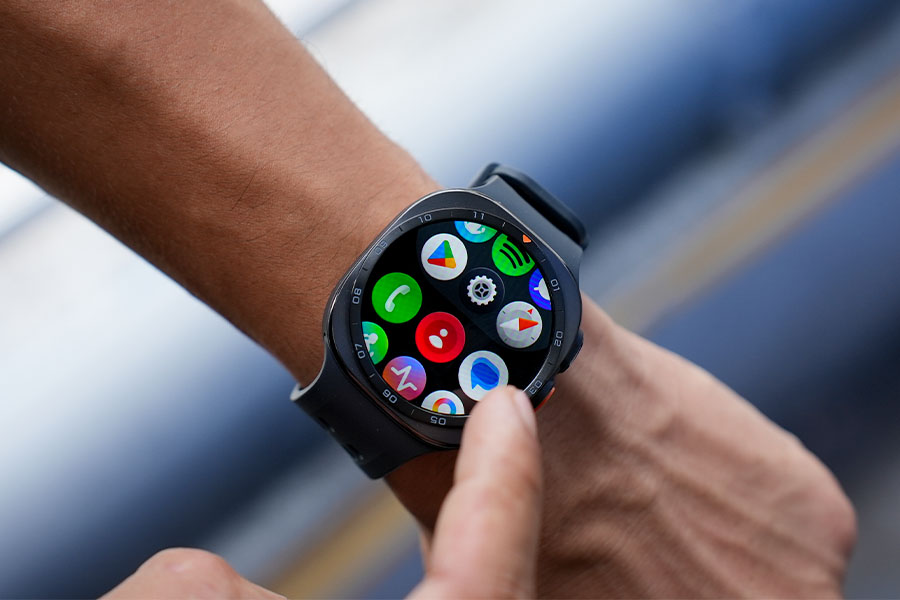
I already mentioned the new watch faces before—and other than that—I also love how the app icons have more depth to them.
Or how the default font size is slightly smaller than before to fit in more UI elements on a single page. Samsung has merged “double pinch” and “shake” gestures into one as well. Meaning I can now double-pinch to accept a call or shake my wrist to deny it.
There’s even a dash of “liquid glass” inspired aesthetics in some parts of the UI, like the notification panel, while you also have a couple of new health and fitness tracking features to look forward to.
I’ll get into those in just a minute, but perhaps the most exciting news for me is that the Watch Ultra 2 now has 5 years of updates to its name. Which is a first for any Samsung watch.
Battery life
- 800 mAh (up to 60 hours of usage)
- Fast charging support
And the hardware upgrades continue in the battery department.
The Galaxy Watch Ultra 2 gets its juice from an 800 mAh battery—a rough 35% jump from the original Ultra. I haven’t seen Samsung confirm this anywhere, but all signs point to a Silicon-carbon battery this time. I mean… a slimmer watch but a larger battery? Come on.
So as you can imagine, its battery life is the best I’ve had with any Galaxy Watch. Samsung had me expecting 60 hours of power (or 80 hours with always-on disabled), and that was pretty much what I was getting in my usage as well.
- I enable all the health tracking features available,
- I average roughly 15,000 steps a day—with approximately two hours of GPS tracking every single day,
- and I also receive at least a couple dozen notifications daily.
A reasonably impressive battery life.
With a…ll that, the Watch Ultra 2 managed to last anywhere between 3 – 4 days before begging me to plug it in. Maybe that number would’ve gone down drastically if I had enabled always-on display, but I’ve never cared for it, to be honest.
I’m also a bit happy with its charging speed situation since Samsung finally brought fast charging to its smartwatches. Leaving me with around 40% power after half an hour of topup. Even though a complete refill still takes a little less than 2 hours, mind you. I wanna quickly mention that connecting it to the charging puck is the only way you can fill up its battery. ‘Cause starting with the Galaxy Watch 7 a few years ago, these things no longer support reverse wireless charging via a Samsung phone.
Health and fitness tracking
- 100+ workout modes
- Heart rate, stress, sleep, body composition analysis
- (NEW) Vitals, Cardio Load, Heart Health, Fitness Index
Alright. I guess I’ve gone through everything else, so it’s finally time to talk about its health and fitness tracking features. The Watch Ultra 2 has the same second-gen BioActive sensor underneath—and I actually love how Samsung’s new health-related features complement the existing ones for a more in-depth analysis of my health.
I clearly remember feeling overwhelmed with all the new health metrics Samsung introduced last year, so this definitely feels more… calming in a way.
The first new feature that caught my eye is called “Vitals”. Which is almost exactly like the one you get on an Apple Watch.
Literally a vital addition
You feed it your sleep data for at least a week straight to create a baseline data → then the watch takes things like your heart rate, heart rate variability (HRV), respiratory rate, skin temperature, and blood oxygen (SpO2) level into account to look for any deviations.
I gotta say it’s been pretty spot-on with tracking my vitals as well. The Watch Ultra 2 has notified me three times about my breathing rate or HRV dipping below the baseline so far, although in both cases I was recovering from being tired during the day, so it was nothing alarming. Its sleep tracking itself feels more reliable in general, but I’m a little suspicious of the sleep scores I’m seeing.
Especially since Samsung clearly seems to put so much weight on “sleep latency” (which is the amount of time it takes for me to fall asleep).
So one day my sleep score is in the 50s, and the other day it’s in the 80s—despite almost every other sleep score factor being in the same range. Not to mention, I didn’t feel any differently when I woke up on either day. Maybe this is something worth looking into, Samsung?
Whereas the Watch Ultra 2 can also paint a quick picture of my heart health now. It looks into my average sleep time, the amount of exercise I put myself through the week, my vascular load, and my BMI (Body Mass Index)—and everything looks tip-top on my end so far.
There’s also the “Antioxidant Index” thing that made its debut with the Galaxy Watch 8 series a year ago. Which is basically like having a dietician with me at all times, reminding me to eat my greens and my veggies. But it’s also the one thing I keep forgetting to log since I have to take off the watch and press my thumb against the sensor to take a reading. Oh well!
The Watch Ultra 2 is, of course, a solid fitness tracker too.
Above all, I love how that “proactive” approach we saw in terms of health monitoring has cascaded down to its fitness tracking abilities as well. It’s got a new “Cardio Load” feature that tells me how balanced my training and recovery are—which then works alongside other factors like my body composition to paint a broader picture of my overall fitness itself under “Fitness Index”.
And man—this has been the single most humbling indicator about my fitness.
‘Cause while everything else is kinda… sorta… within the range I’d expect them to be, my “strength” numbers are almost laughably low. I’ve been meaning to pay my local gym a visit for some time now, and this might just be that last nudge I’ve always needed. Thanks… Samsung.
Then there are two new fitness features worth mentioning this time.
- The first one is that the Watch Ultra 2 is now dive-ready at up to 40 meters. Just like the Apple Watch Ultra.
Samsung has even partnered with “Mares” (a popular manufacturer of scuba equipment) for an exclusive “Diving” app, which should be available later on for different real-time data like current depth and water temperature. I don’t dive, and I don’t plan on diving anytime soon, but it’s a cool feature anyway.
- Next up is the new “Train Run” mode.
With this, I can download a GPX map of my trail route for real-time navigation, and there’s even the “Track Back” feature that helps me navigate back to my starting point in case I get lost. Now, neither of this is new—the Galaxy Watch 5 Pro (review) was already capable of both of those things.
What’s actually new is that the Watch Ultra 2 can give a deeper insight into managing my pace based on how I’m doing so far in my trail run. It can even estimate how much sweat I lost during my run and how much I need to hydrate myself! That’s pretty helpful.
Such impressive location tracking!
I almost forgot—the location tracking on this thing is also some of the best I’ve seen in any smartwatch.
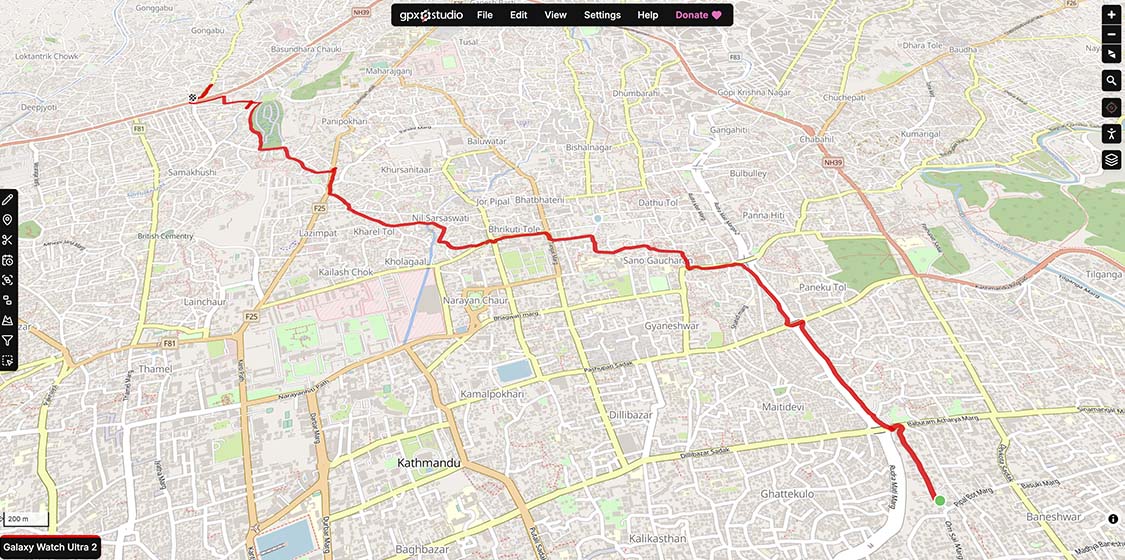
The Watch Ultra 2 is so. freakin’. quick to latch on to a signal, and I genuinely can’t believe how accurate it is! No, seriously. The Apple Watch Ultra has been my benchmark for the most reliable location tracking—but with the Galaxy Watch Ultra 2—I’m definitely thinking things over.
I also wanna give a quick shoutout to the redesigned "Samsung Health" app. There’s so much information to rifle through, but somehow… nothing feels overwhelming.
And the way Samsung has designed the interface, the way everything is color-coded, the way I can click on the “ⓘ” icon if I wanna learn more about something particular is just amazing. Samsung also redesigned the “Galaxy Wearable” app, which I feel looks too minimal for its own good, but this is incredible.
Samsung Galaxy Watch Ultra 2 review: Conclusion
So that is all for my full review of the new Samsung Galaxy Watch Ultra 2.
Unlike the Galaxy Watch 9, which barely had any meaningful upgrades worth discussing, Samsung clearly gave it all to this guy. It’s faster, more durable, has incredible battery life (at least in the context of Wear OS watches), and the health and fitness tracking features you get here are easily among the most reliable on any smartwatch.
But like I said in the very beginning, the Watch Ultra 2 is “an easy overkill for most folks”. Not to forget—it costs a pretty penny as well. That’s the more important thing.
So unless you’re among the handful of people who’s absolutely sure an “Ultra” smartwatch is really what you want (like a pro endurance athlete or an outdoor explorer), I don’t think it can get any better than this in the Wear OS camp. Especially if you already own a Samsung phone, since some of its features like ECG and blood pressure monitoring don't work with other brands.
Or if money is no object to you, then that works too I guess.
Of course, Huawei and Amazfit have their own adventure-focused smartwatches with 3 – 4x longer battery life—but you’ll be missing out on the rich software experience that Wear OS offers. So it’s not really a close call. I don’t wanna say the Apple Watch Ultra 3 is its closest competition either, since we’ll then be dealing with a different ecosystem altogether.
Which means, for everyone else, Samsung’s regular Galaxy Watches are probably the way to go. In particular, a few generations older ones like the Galaxy Watch 8 (review)—or even the Galaxy Watch 7 (review)—since Samsung smartwatches are notoriously bad value at launch.
- Our video review of the Samsung Galaxy Watch Ultra 2 is coming up pretty soon
Samsung Galaxy Watch Ultra 2 review: Pros and cons
| Pros | Cons |
| • A champion of durability | • Expensive |
| • 5,000 nits display! | • Uses a proprietary band system |
| • Hands-free Gemini is pretty cool | • Not the fastest charging speed |
| • Excellent health and fitness tracking features | • Some features only work with a Samsung phone |
| • Snappy performance | |
| • 3 – 4 days of battery life is sweet |
Article Last updated: September 4, 2026
![Best Flagship Smartphones To Buy In Nepal [Updated 2026]](https://media.gadgetbytenepal.com/2026/04/Best-flagship-smartphones-to-buy-in-Nepal-2026.jpg)