Why Trust Gadgetbyte?
At Gadgetbyte, we invest substantial hours into rigorously testing each product or service we review, guaranteeing that you make informed purchases. Learn more about our testing process.
Review Overview
4.1
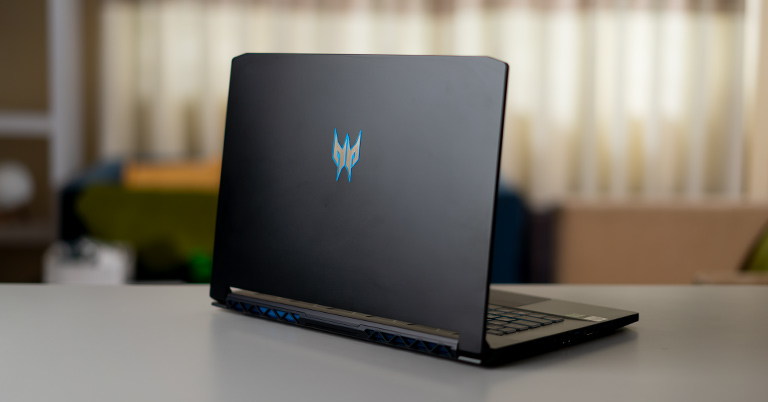
The Acer Predator Triton 500 2020 is a top-performance laptop that has a lot to offer. However, the trade off here seems to be the battery life.
Design and Build
9/10
Performance
9/10
Display
8/10
Gaming Performance
9/10
Keyboard
9/10
Trackpad
7/10
Battery
6/10
Value for Money
9/10
Acer Predator Triton 500 Specifications:
- Processor: Intel Core i7-10875H
- Display: 15.6" LED-Backlit FHD (1920x1080) 144Hz Anti-Glare IPS-level Panel
- GPU: Nvidia GeForce RTX 2070 Max-Q, with 8GB GDDR6 VRAM
- RAM: 16GB DDR4 2933MHz
- Storage: 512GB SSD
- Ports: 1 x USB 3.1 Type-C (Thunderbolt 3, DisplayPort), 3 x USB 3.2 Type-A, 1 x HDMI 2.0, 1 x mini DisplayPort 1.4, 1 x 3.5mm headphone jack
- Connectivity: Integrated 802.11 ac + Bluetooth 5
- Keyboard: Full-Size Chiclet Keyboard; Per-Key RGB Lighting
- Battery: 84 WH Lithium-Polymer Battery
- Price: Rs 265,000
Design and Build
- Check out all the pricing and details of Acer Swift laptops here
No gallery images available
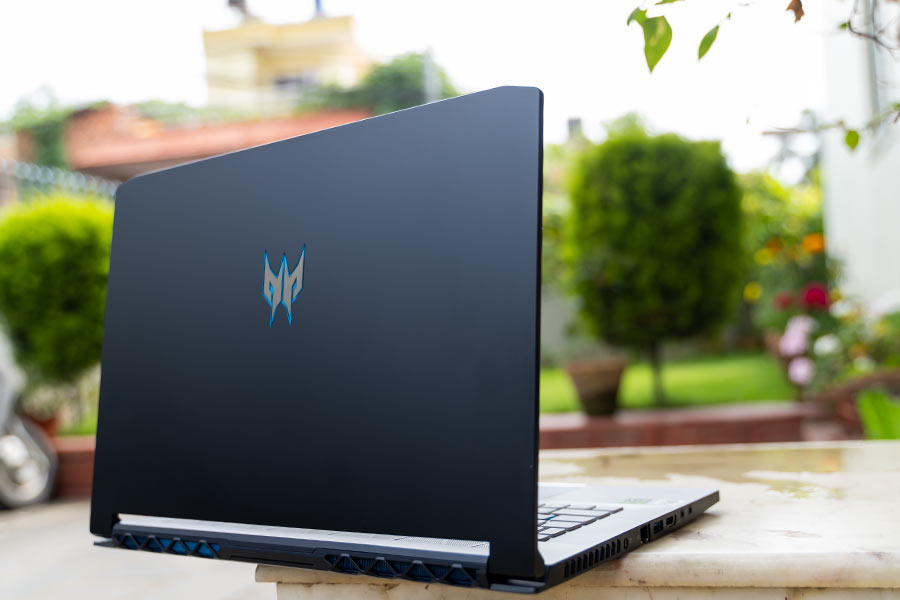
The IOs are divided between the left and the right-hand side. On the left, there’s the air vent, a charging port, an RJ45 LAN Port, a USB 3.2 Type-A, an HDMI port, a mic jack, and a headphone jack. The USB Type-A port on the left side has the Always-On feature. Meaning, you can use it to charge up other devices even if the laptop is off.
Similarly, on the right, you’ll find the other 2 USB 3.2 Type-A ports, a Thunderbolt 3 port, a mini-display port, a Kensington lock, and another air vent. The LED lights are also on the right side. Unfortunately, there isn’t any biometrics sensor or an SD card reader.
Finally, on the bottom, there are 4 rubber stands for a better grip, air vents, and the speaker grilles.
So, basically, look-wise there is not much difference between the 2020 model and the 2019 model. However, having said that, it is still a very good design and pretty robust too sans the flexy lid that is.
Keyboard and Trackpad

Pre-Installed Apps
As with the other Predator laptops, the Triton 500 comes with the PredatorSense app. You can access it with the help of the dedicated key right below the power button or through the windows menu. The apps UI is fairly simple and it is pretty much easy to use the app. You can use the PredatorSense app to adjust the fan speed, overclock GPU, monitor the system details, and adjust the RGB lighting of the keyboard.
Speakers
The Triton 500 packs in Acer’s TrueHarmony speakers. These stereo speakers are located on the underside of the laptop. They are loud, clear, and do not distort at higher sound levels. However, you’ll find a similar speaker setup on most ultrabooks these days, and it is something that won’t blow you away. They are fine for everyday use, but I would still suggest you get a good pair of headphones for a truly immersive experience. Furthermore, the volumes won’t count too much when the fans are on a blast during heavy usage.Thermals
Battery
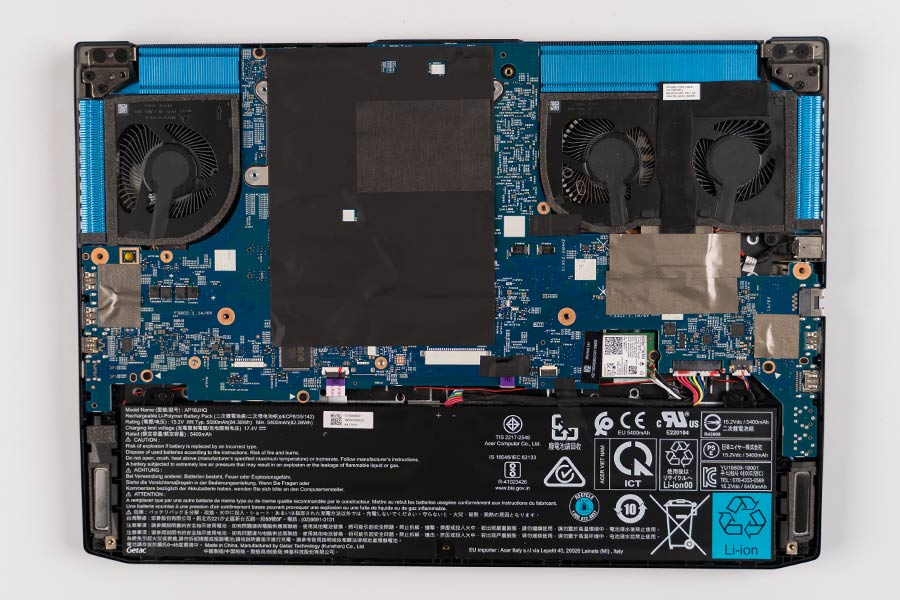
In default settings, the Triton 500’s battery life is something that did not impress me at all. I barely got 2 hours of battery life out of the laptop. Now, I should mention the fact that I was using it at the peak brightness with WiFi on, best performance battery mode, and the screen running at 144Hz. However, I was not doing any heavy stuff either. Now, you could tweak around a few settings to get better battery life. For instance, you can turn off the Discrete GPU when not needed and drop the refresh rate to 60Hz. In general, other laptops tend to drop the refresh rate automatically when unplugged. However, here you’ll have to configure the refresh rate manually. And this is another thing that Acer should probably look into. Furthermore, you’ll fare far better with the battery in the better performance mode. It is sort of the middle ground. In this mode with a 60Hz screen, a slightly less brightness, and for simple web browsing and YouTube, you should get around 6-7hrs of usage. So, you should tweak around the power settings on this laptop to get the best battery performance.Display
Though the display is a fairly standard 144Hz IPS LCD panel, it is a treat to look at. The 144Hz panel should be enough to play most games but for better performance, you should probably go for the 300Hz variant. It produces vibrant colors and has vertical and horizontal viewing angles. Viewing HD content on this screen is great due to its FHD resolution and the 16:9 format. And playing games on it is a real treat for the eyes. The panel is anti-reflective and has a fair amount of brightness. Thus, you should be able to use the laptop in bright outdoor conditions without too much of a problem.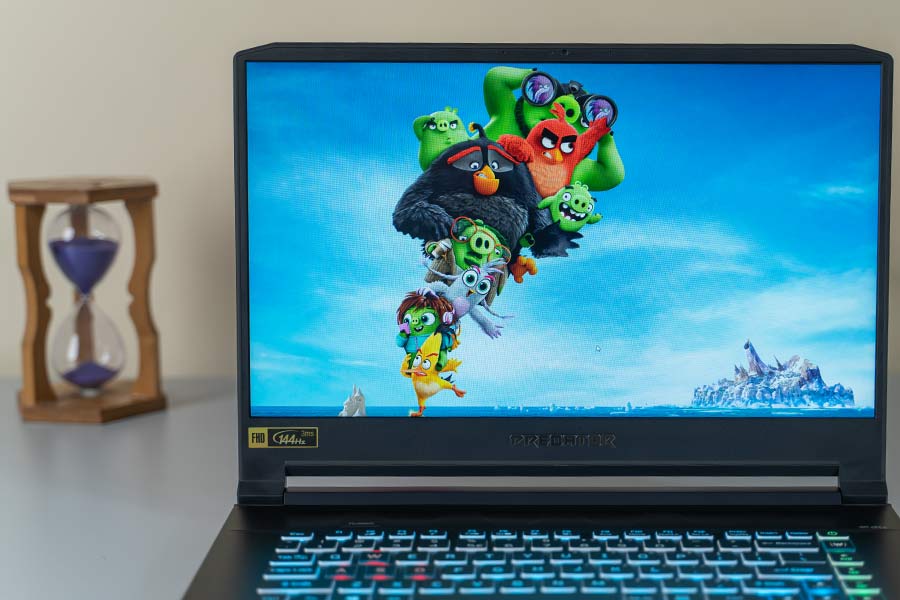
Hardware and Performance
Well, my review unit is not the top-most variant, however, it is the best spec’d Triton 500, currently available in Nepal. It comes with Intel Core i7-10875H (8 core) processor, 16GB 2933Mhz DDR4 dual-channel RAM, Nvidia GeForce RTX 2070 Max-Q 8GB GDDR6 GPU, and 512GB PCIe NVMe SSD. The setup can be upgraded, however, to do that you’ll need to remove the motherboard as Triton 500 implements a reversed design. And removing the motherboard means that your warranty will be void. So, be sure of whether you want to upgrade it or not. Even without any upgrade, this setup is more than enough. The CrystalDiskMark scores clearly show that you’ll enjoy a fast ride on this laptop. The Cinebench R15 scores clearly show how capable this CPU is. It scores 180cb on the single sore tests and 1479cb on multi-core. Now, I know that the score is not on the same level as that of the i9 9900K CPU, but still, it is a good one as anything above 160 on single-core spells for a smooth performance. As this is a gaming laptop, it would be a crime not to mention the gaming capability of the device. I ran a couple of games in various settings with the Turbo mode on and GPU overclocking in the Extreme profile to get the best result. And quite frankly, the results are outstanding. In Battlefield V without DX 12, the laptop managed around 103fps in the ultra settings. You can play the game in the medium setting to get around 130-135fps. Even with D12 and DXR on, the Triton 500 can manage a respectable 81-82 fps in the medium settings. You will face hiccups in the Ultra Preset with Ray Tracing on. However, this preset does not really add that much value to the experience. Thus, you can always go for the medium settings with Ray Tracing on for a good gaming experience. Other titles such as Witcher 3: Wild Hunt and Apex Legends too fared very well. They managed around 80 fps and 135 fps in the highest settings. Running games will increase the temperature, however, it will not trouble you that much. Still, as I had mentioned earlier, the keys will get heated up if you go for a long gaming session.
Verdict
The Triton 500 2020, might look like a simple hardware bump from last year’s model, however, the 10th Gen Intel chip and the Nvidia graphics bring a lot to the table. The ability to customize every key on the keyboard is a bonus. Furthermore, the laptop can act as an emergency power bank and also has a cleaner design with a stronger chassis. The performance of the laptop is great be it with games or with regular tasks. However, having said that, the laptop does have a few flaws. The speakers are not something that will wow you and battery life is something that was not impressed by. The fans will certainly trouble you if you do not use headphones and you might also want to look out for the light bleeding on your unit while buying.Article Last updated: September 22, 2020

![SSD Price in Nepal [2026 Updated]](https://media.gadgetbytenepal.com/2021/04/SSD-Price-in-Nepal-2023-Update.jpg)
![OPPO Mobile Price in Nepal [Updated 2026]](https://media.gadgetbytenepal.com/2025/11/Oppo-Mobile-Price-in-Nepal.jpg)