Why Trust Gadgetbyte?
At Gadgetbyte, we invest substantial hours into rigorously testing each product or service we review, guaranteeing that you make informed purchases. Learn more about our testing process.
Review Overview
4.2
HP Envy x360 13 (2022) could just be the breakout 2-in-1 laptop of this year. It impressively combines a great build quality alongside excellent battery life, display, and performance—all at a pretty amazing price as well.
Design and Build
9/10
Display
8/10
Keyboard
8/10
Trackpad
8/10
Performance
8/10
Audio
8/10
Webcam
9/10
Battery
9/10
Value for Money
9/10
I can’t tell you just how many times I’ve accidentally tried to adjust a laptop to 180° without realizing it can’t do so. Hope that habit doesn’t stick once I get back to my MacBook after this!

HP Envy x360 13 (2022) Review: Specifications
- Design & Build: All-aluminum build material (recycled metal), 11.75 x 8.46 x 0.63-inches (W x D x H), 1.38 kg
- Color Options: Natural Silver, Space Blue
- Display: 13.3″ glossy IPS 360° touchscreen, 60Hz refresh rate, 100% sRGB color gamut, 400 nits brightness, Corning Gorilla Glass NBT
- Stylus: HP Rechargeable MPP2.0 Tilt Pen support
- Resolution: WUXGA (1920 × 1200) resolution, 16:10 aspect ratio, 170 PPI
- Keyboard: Full-size island-style keyboard, Backlit
- Trackpad: Plastic trackpad with Microsoft Precision drivers
- Security: Windows Hello-certified IR webcam
- Processor: Intel Core i7-1250U CPU (Alder Lake), 10C/12T, 4.7 GHz Max Turbo Frequency, 12MB Intel Smart Cache, 9W base power, Intel 7 process
- Graphics: Intel Iris Xe (Integrated), 96 Execution Units (950 MHz)
- RAM: 8/16GB LPDDR4x-4266 RAM (non-upgradable)
- Storage: 512GB / 1TB SSD (M.2 NVMe PCIe 3.0 / PCIe 4.0)
- Audio: Down-firing stereo speakers, Audio by Bang & Olufsen
- Battery: 4-cell 66 Watt-hours Li-Ion battery
- Power Supply: 65W HP Smart AC adapter (USB Type-C)
- Webcam: HP True Vision 5MP infrared (IR) camera, Dual-array digital microphone (with temporal noise reduction)
- Connectivity: WiFi 6E (802.11 a/b/g/n/ac/ax), Bluetooth 5.2
- I/O Ports: 2x Thunderbolt 4 with USB Type-C (DisplayPort 1.4, Power Delivery 3.0, HP Sleep and Charge support) 2x USB 3.2 Gen 2 Type-A, 1x Micro SD card reader, 1x 3.5mm audio jack
- Price in Nepal: Rs. 140,000 (8GB RAM, 512GB SSD)
- What’s Inside The Box: Laptop, 65W HP Smart AC adapter (USB Type-C), User manual and other documents
HP Envy x360 13 (2022) Review:
Design and Build
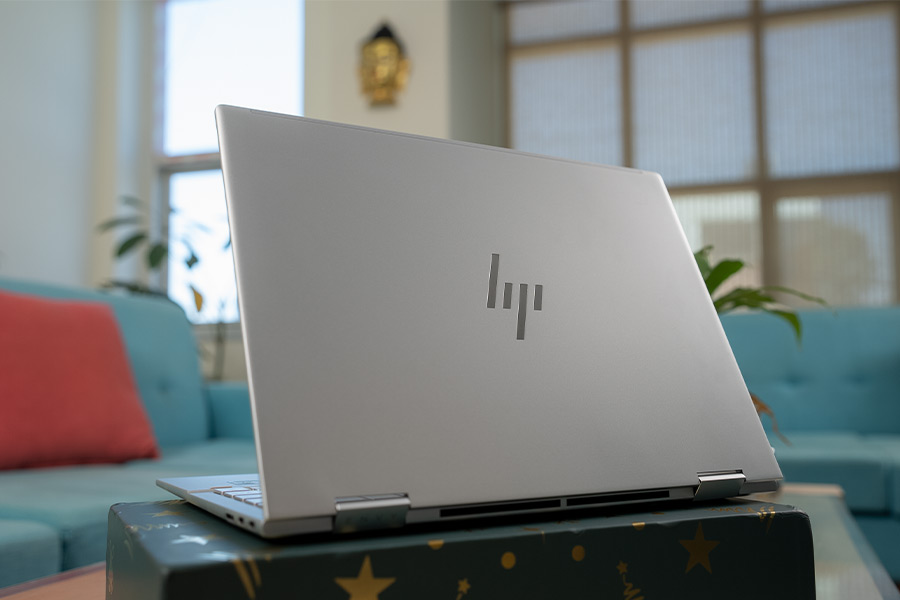
- 11.75 x 8.46 x 0.63-inches (W x D x H)
- 1.38 kg, Recycled aluminum build material
So far so good
I also like how HP’s clean and premium design has been complemented with great durability here. It doesn’t have those military-grade certifications or anything but I can tell you that this laptop is quite sturdy—especially for a 2-in-1 device. There’s minimal flex on the lid or anywhere else, and neither does that 360° hinge show any signs of weakness. Even the port selection is rather amazing on this thing. You get two Thunderbolt 4 connections on the right, both with up to 40 Gbps data rate, USB Power Delivery, DisplayPort support, and more. HP insisted on using a separate AC power pin on the last-gen Envy x360, and I’m really glad that has changed this time.Display
- 13.3" glossy WUXGA IPS touchscreen
- 60Hz refresh rate, 100% sRGB color gamut
- 400 nits brightness, Corning Gorilla Glass NBT
- Supports HP Rechargeable MPP2.0 Tilt Pen
HP promises 100% sRGB color coverage here and we found that to be perfectly accurate. Alongside 77% AdobeRGB and 78% DCI-P3 gamut.It goes without saying that the OLED display gives you the best visual experience out of all three choices, but don’t underestimate this IPS panel just yet.
Great display overall
Anyway, this screen gets bright enough for outdoor usage too, hitting 466 nits at 100%—which is actually quite higher than the official claim of 400 nits. I am especially impressed with its incredible 1,530:1 contrast ratio. As someone who prefers to use dark mode all day every day, I really appreciate the deeper blacks that this display manages. One more thing, I’m also really glad HP decided to skip that “Sure View” privacy filter this time because even when keeping it off, the last-gen Envy x360 suffered from poor viewing angles. For a 2-in-1 laptop that’s meant to be used in all sorts of ways, such limiting viewing angles was pretty counterproductive, and yeah… I couldn’t be happier here.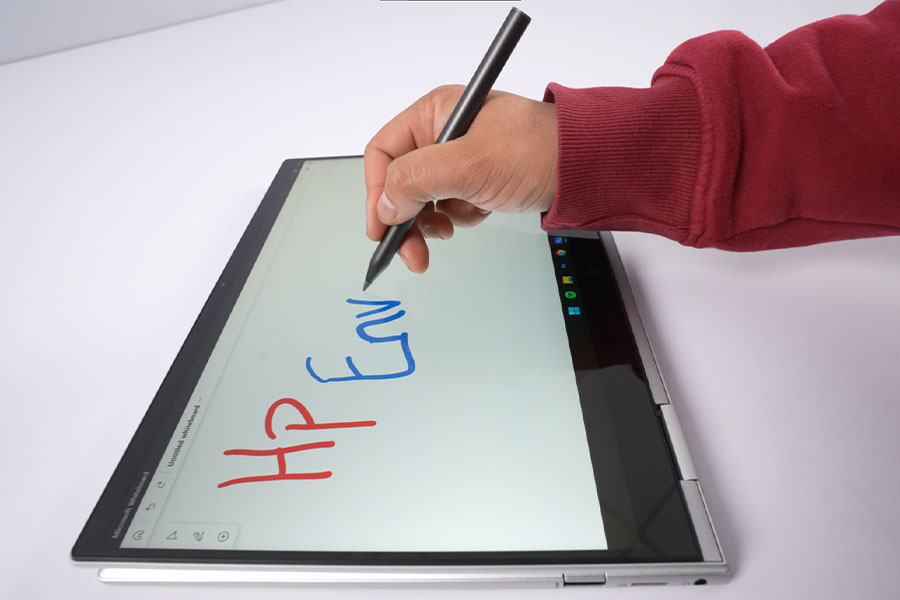
Keyboard and Trackpad
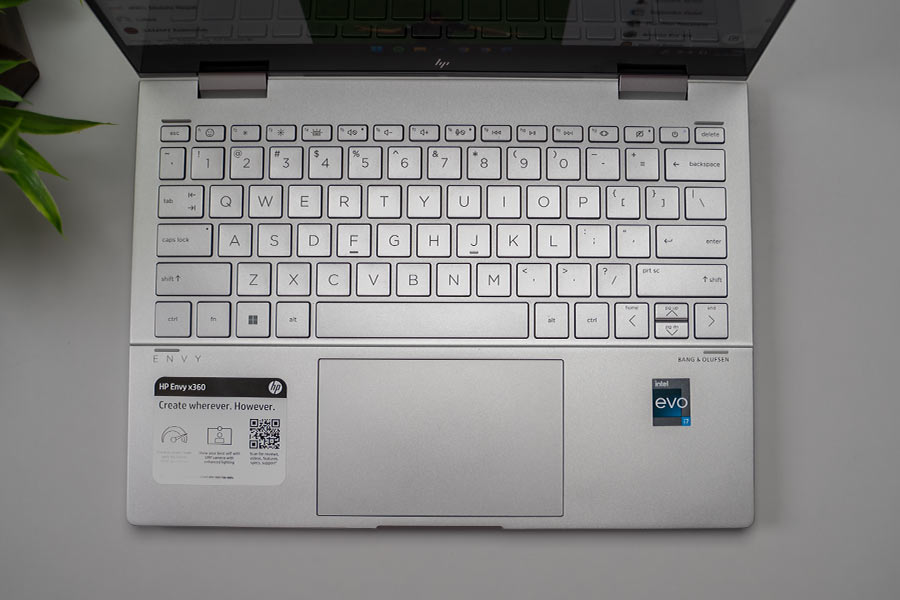
- Full-size backlit keyboard
- Plastic trackpad with Precision drivers
Audio
- Down-firing stereo speakers
- Audio by Bang & Olufsen
Webcam
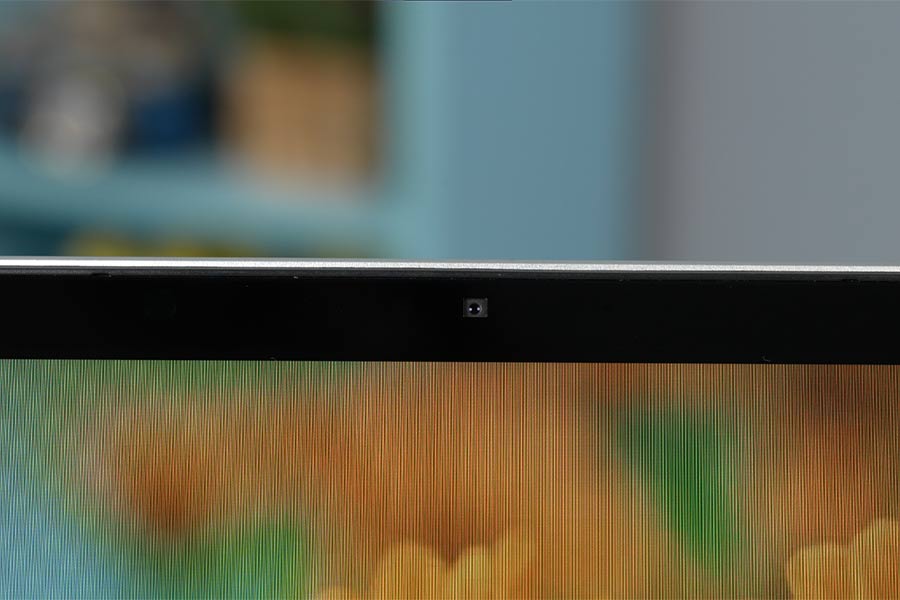
- HP True Vision 5MP IR camera
- Dual-array digital microphone
The Envy x360 also has a fantastic camera.
Performance
- Intel Core i7-1250U CPU (9W TDP)
- Intel Iris Xe Graphics (Integrated)
- 8GB LPDDR4x RAM, 512GB PCIe 3.0 SSD
| Core i5-1230U | Core i7-1250U | |
| Cores / Threads | 10 (2x P, 8x E) | 10 (2x P, 8x E) |
| 12 Threads | 12 Threads | |
| E-cores Max Frequency | 3.30 GHz | 3.50 GHz |
| P-cores Max Frequency | 4.40 GHz | 4.70 GHz |
| Intel Smart Cache | 12MB | 12MB |
| Graphics | Iris Xe | Iris Xe |
| Execution Units | 80 (850 MHz) | 96 (950 MHz) |
| Base Power | 9W | 9W |
| Max Turbo Power | 29W | 29W |

Reliable casual performance
As I said before, the Core i7-1250U is not that powerful of a processor. And when putting it against some relatively resource-heavy apps, I did notice some mild slowdowns. In Adobe Photoshop, for example, applying Content-Aware Fill or using the Object Selection tool takes just a tad bit longer than you’d expect.Battery
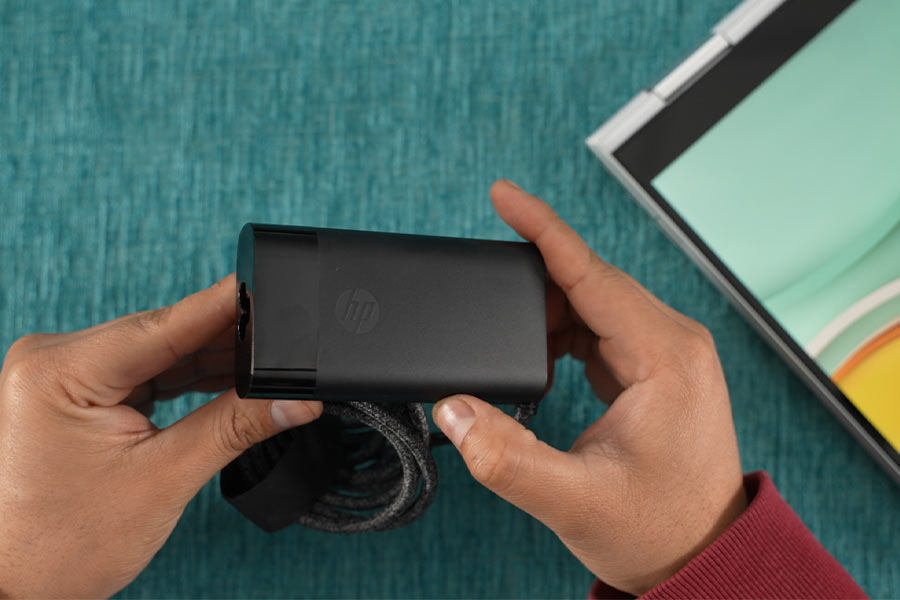
- 66 Watt-hour 4-cell battery
- 65W HP Smart AC adapter (USB Type-C)
HP Envy x360 13 (2022) Review: Conclusion
Summing up this review, the HP Envy x360 13 (2022) is an awesome 2-in-1 laptop that brings the right balance between portability and versatility. It’s got a premium, reassuring design, great battery endurance, a nice display, decent performance, and a webcam like no other in its category.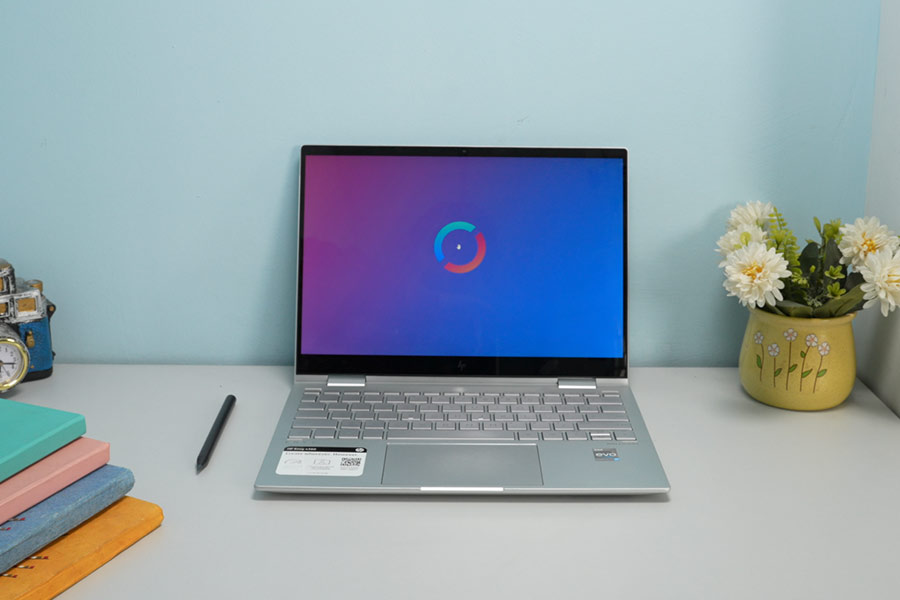
- Watch our video review of the HP Envy x360 13 (2022)
HP Envy x360 13 (2022) Review: Pros & Cons
Pros:- Premium metal build
- Couple of Thunderbolt 4 ports
- Great 360° touchscreen
- Decent keyboard, trackpad
- Best-in-class webcam
- Reliable everyday performance
- Excellent battery life
- Not the quietest keyboard
- RAM isn't upgradable
- Noticeable slowdown sometimes
Article Last updated: December 25, 2022