Searching for the best laptops at every price range in Nepal? Check our updated 2026 list of the best laptops in every price range with powerful performance and more!
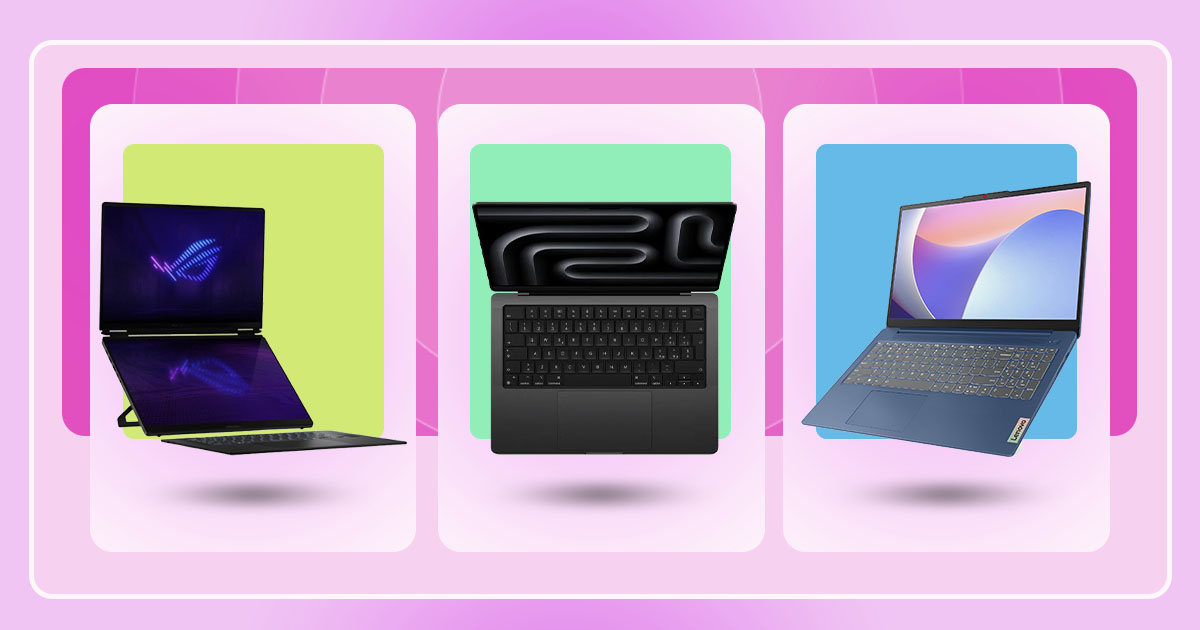
If you are searching for the best laptop in Nepal at every price range, then this buying guide covers the top options currently available. In 2026, laptops from different brands like Acer, Lenovo, ASUS, and more offer excellent performance, great display, and more at each price range.
How to find the best laptop in every price segment in Nepal?
If you are looking for a perfect laptop in any price range, it is relatively easy to find one, as you have to focus on a few key points that matter a lot. The first thing you want to check is the processor and RAM on the laptop. These two components play a key role in how fast the laptop will perform on a daily basis and during multitasking. Second in mind is to ensure that the laptop has a Solid State Drive (SSD), which will provide a significantly faster boot and snappy experince. Lastly, at the end, check out the display quality as it's IPS, OLED, Mini LED, and then check for battery life, and the overall build quality of the laptop before making your decision. By reviewing the specifications of these three categories as well as your personal budget, you can find your favourite laptop on our list of products below.
Also read:
List of Laptops to Buy in Nepal at Every Price Segment [2026 Updated]
Budget laptops
ASUS VivoBook Go 14
If you're looking for the cheapest laptop in Nepal, the ASUS VivoBook Go 14 is one of the most affordable options you can get right now. It comes with an Intel Celeron N4500 processor, 4GB DDR4 RAM, and a 128GB NVMe SSD. Now, you should know that these are pretty basic specs, so don't expect much in terms of multitasking or overall performance. But it's still good enough for everyday tasks like browsing the web, writing assignments, and attending online classes.
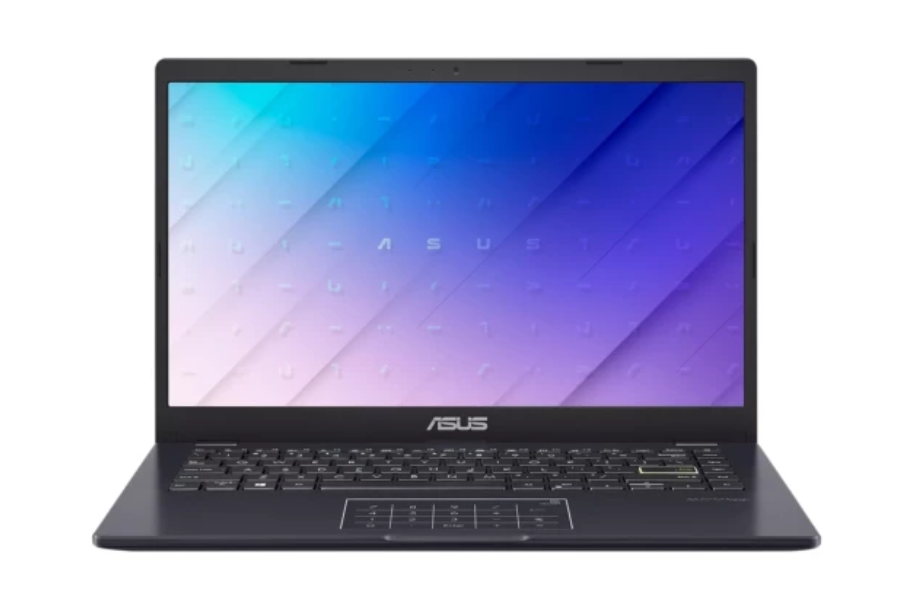
As for the display, here you get a 14-inch FHD IPS panel with 250 nits of brightness and 45% NTSC color coverage. It's fine for everyday use, but definitely not something I'd recommend for photo or video editing. You also get a 720p webcam, and the laptop weighs just around 1.3kg, so carrying it around shouldn't be a problem either.
One thing I'd suggest, though, is replacing Windows 11 with a lightweight Linux distro, as that could make the overall experience a bit smoother. As for the price, the ASUS VivoBook Go 14 costs NPR 45,999 in Nepal, which makes it a decent option if you just need a laptop for basic everyday tasks.
| ASUS VivoBook Go 14 E410KA Specifications: | |
| Display | 14" FHD 60Hz IPS, 250 nits, 45% ntsc |
| CPU | Intel Celeron N4500 (2 cores / 2 threads, up to 2.8 GHz) |
| GPU | Intel UHD Graphics |
| RAM | 4GB DDR4 |
| Storage | 128GB SSD |
| Battery | Li-Ion 42 Wh |
| Weight | 1.3 kg |
| Dimensions | 325 × 217 × 18 - 18.4 mm |
| Price | NPR 45,999 |


Dell Wyse 5470
If you can stretch your budget a little bit, the Dell Wyse 5470 is another option worth considering. It comes with an Intel Celeron N4100 processor which comes with (4 cores, 4 threads, up to 2.4GHz), 8GB DDR4 RAM, and a 256GB SSD. Now, compared to the ASUS VivoBook Go 14's Celeron N4500, the N4100 has more cores, but you should know that the N4500 is a newer chip with a slightly higher clock speed. So, both processors have their own advantages, but the Dell's 8GB RAM gives it an edge in multitasking. However, keep in mind that the RAM is not upgradeable, so consider this carefully if you're planning to use the laptop for the long term.
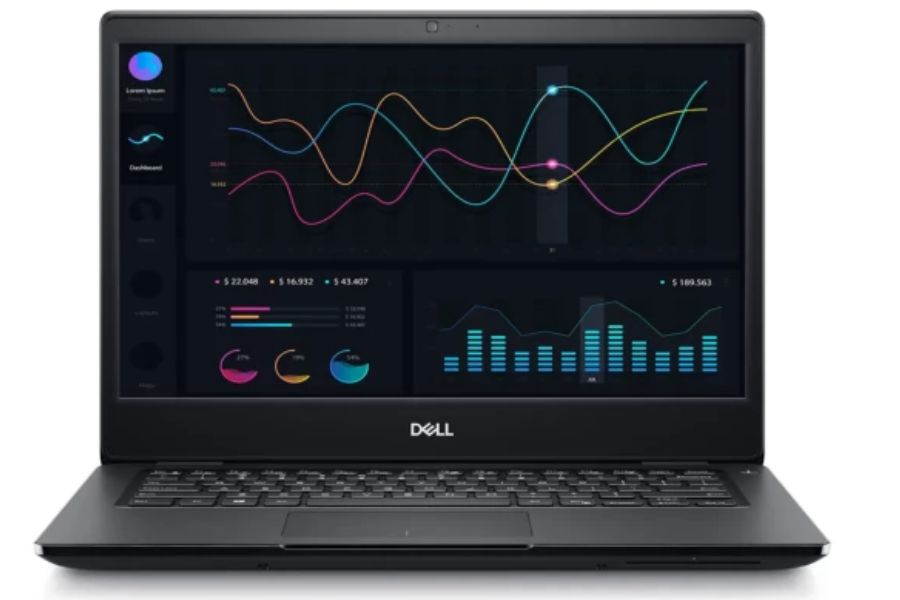
As for the display, you get a 14-inch FHD IPS panel with a 60Hz refresh rate, 250 nits of brightness, and 45% NTSC color coverage. It's a pretty basic panel, but it should be fine for everyday use. Now, it's a decent choice for students who need a laptop for assignments, web browsing, online classes, and other basic tasks.
| Dell Wyse 5470 Specifications | |
| Display | 14” IPS FHD (1920 x 1080 pixels), 60Hz , 250 nits (typ), 45% NTSC |
| CPU | Intel Celeron N4100 (4C/4T, up to 2.4 GHz) |
| GPU | Intel UHD Graphics 600 |
| RAM | 8GB DDR4 (2400 MT/s) |
| Storage | 256GB Gen4 NVMe SSD |
| Battery | Li-Ion 42 Wh |
| Weight | 1.79 kg |
| Dimensions | 330.03 x 238 x 20.6 mm |
| Price | NPR 58,999 |
Best Midrange Laptops (Rs. 60,000 - Rs. 1 Lakh)
ASUS Vivobook 14 X1404VA
If you're looking for a laptop for around NPR 70,000, the ASUS Vivobook 14 X1404VA is a very good option to consider. Under the hood, the laptop runs on an Intel Core i3-1315U processor with 6 cores and 8 threads, paired with 8GB RAM and a 128GB SSD. For regular use, this should be more than enough to handle your daily workload, whether that's browsing multiple tabs, working on documents, attending online classes, or doing a bit of multitasking. But just don't expect it to handle heavier workloads.
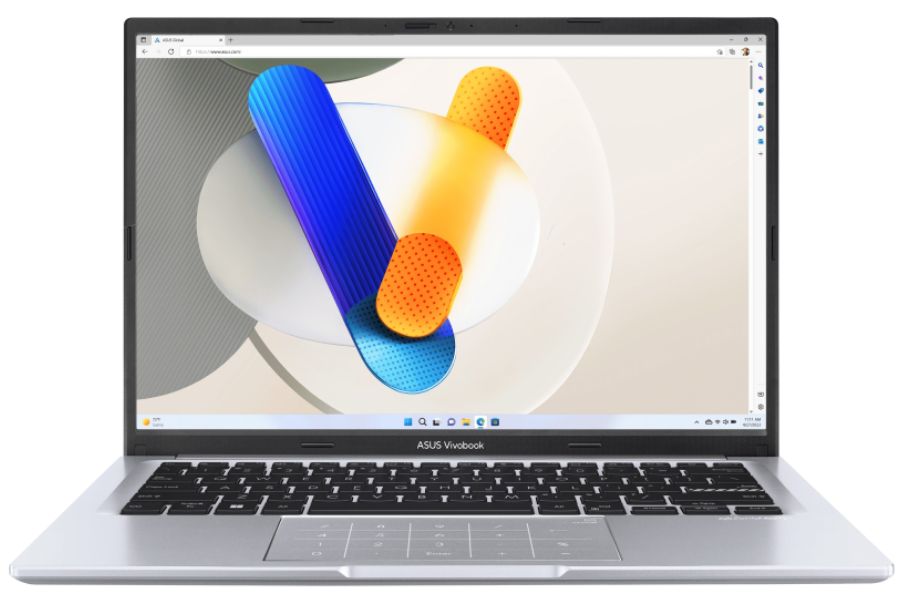
On the front, you get a 14-inch Full HD IPS display with a 60Hz refresh rate, which is decent for the price. Here, we get integrated Intel UHD Graphics, which are fine for basic graphics tasks, but don't expect much in terms of gaming or video editing. Other than that, we also get a Magic Numpad, which lets us use the touchpad as a numeric keypad, along with Wi-Fi 5, Bluetooth 5.1, and Windows 11. My only complaint here is the 128GB SSD, which isn't much if you plan to install several apps and keep a lot of files.
| ASUS Vivobook 14 Specifications | |
| Display | 14” FHD (1920 x 1080 pixels), 60Hz, 250 nits, 45% NTSC |
| CPU | Intel Core i3-1315U (6C/8T, up to 4.5 GHz) |
| GPU | Intel UHD Graphics |
| RAM | 8GB DDR4 |
| Storage | 128GB Gen4 NVMe SSD |
| Battery | Li-Ion 42 Wh |
| Weight | 1.4 kg |
| Dimensions | 325 x 214 x 18 mm |
| Price | NPR 70,999* |
Lenovo V15 G4
For around NPR 80,000, the Lenovo V15 G4 is one of the best options to consider. As it is powered by a 13th-gen Intel Core i3-1315U processor with 6 cores, 8 threads, and a boost clock of up to 4.5GHz. This processor is good enough for everyday work like web browsing, document editing, office tasks, and multitasking. It also has integrated Intel UHD Graphics, which is fine for regular use but not meant for demanding gaming or video editing.
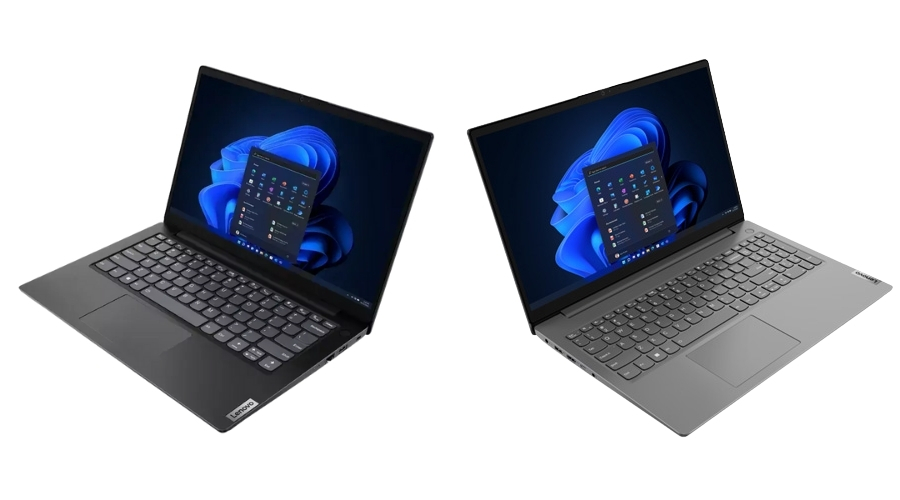
One thing I particularly like about this laptop is its upgradeability. Unlike some other options in this price range, the Lenovo V15 G4 lets us upgrade its RAM up to 24GB. So, if 8GB isn't enough for you, you have the option to add more memory. You also get a 512GB SSD, which gives you plenty of room for your files, software, and other applications.
| Lenovo V15 G4 Specifications | |
| Display | 15.6” IPS FHD (1920 x 1080 pixels), 60Hz, 300 nits |
| CPU | Intel Core i3-1315U (6C/8T, up to 4.5 GHz) |
| GPU | Intel UHD |
| RAM | 8GB DDR4 |
| Storage | 512GB Gen4 NVMe SSD |
| Battery | Li-Ion 45 Wh |
| Weight | 1.65 kg |
| Dimensions | 359.2 x 235.8 x 19.9 mm |
| Price | NPR 83,999* |
Lenovo IdeaPad Slim 3
Next up, we have the Lenovo IdeaPad Slim 3, which is a really good step up if you want more processing power. It comes with Intel's 13th Gen Core i5-13420H processor, an H-series chip with 8 cores and 12 threads. Compared to the U-series processors found in many everyday laptops, this CPU offers more performance for heavier tasks. So, apart from regular browsing and office work, you can also use it for light photo editing and other demanding workloads. However, the integrated Intel UHD Graphics is still not meant for serious gaming.
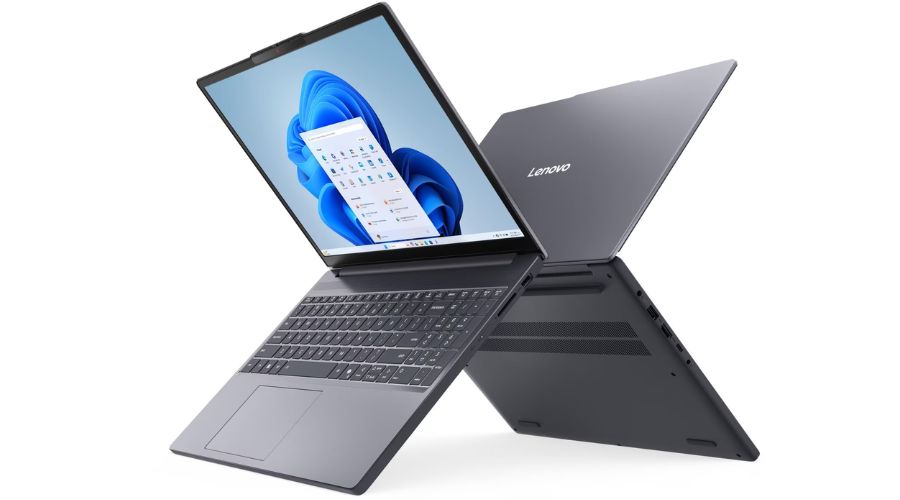
Moving to the display, you get a 15.3-inch WUXGA IPS panel with a 16:10 aspect ratio, a 60Hz refresh rate, and 300 nits of brightness. Here, the taller screen gives you a little more room when working with documents or browsing the web. The laptop comes with 8GB DDR5 RAM, but you can add another 16GB stick through the available SO-DIMM slot, bringing the total memory to 24GB. You also get a 512GB SSD with two storage slots for future expansion.
But just keep in mind that its 50Wh battery might not last as long under heavy workloads, especially with the power-hungry H-series processor. Overall, it's a good option if you want stronger CPU performance and room for future upgrades.
| Lenovo IdeaPad Slim 3 Specifications: | |
| Display | 15.3-inch IPS LCD panel, WUXGA (1920 x 1200 pixels), 60Hz refresh rate, 300 nits, 45% NTSC |
| CPU | Intel Core i5 13420H (8C/12T, up to 4.6 GHz) |
| GPU | Intel UHD Graphics |
| RAM | 8GB DDR5 (4800MHz) |
| Storage | 512GB NVMe SSD |
| Battery | Li-Ion 50 Wh |
| Weight | 1.52 kg |
| Dimensions | 343.4 x 239.5 x 17.8 - 18.8 mm |
| Price | NPR 101,999* |
Acer Aspire Lite 15 AL15-41
And finally, at around NPR 1 lakh, my top recommendation is the Acer Aspire Lite 15 AL15-41. What makes this laptop stand out compared to others is its overall balance. Here you get a capable processor, a bigger battery, upgradeable RAM, and expandable storage, making it a pretty well-rounded option for everyday use.
Under the hood, the laptop is powered by the AMD Ryzen 5 7430U processor with 6 cores and 12 threads. This is more than enough for everyday tasks like browsing, office work, multitasking, and even some light photo editing. Another thing I like is the 58Wh battery, which is fairly large, and paired with an efficient Ryzen processor, this should provide good battery life for daily use.
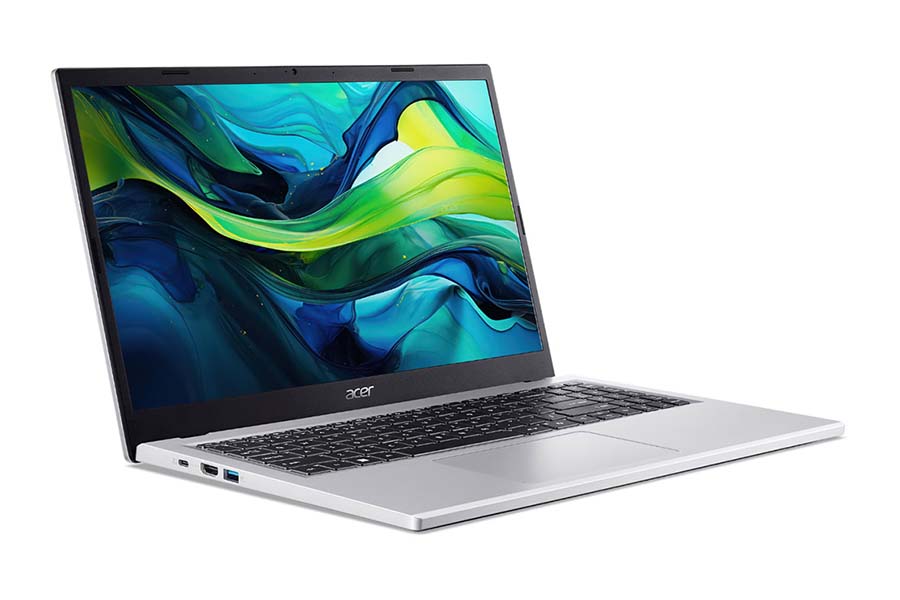
As for memory, you get 16GB DDR4 RAM, which is plenty for most people out here. And unlike some laptops with soldered memory, you can upgrade it up to 32GB later. Storage is also expandable, with a single SSD slot supporting up to 1TB.
On the display side, it has a 15.6-inch Full HD panel with a standard 60Hz refresh rate. It's nothing particularly special, but should be fine for everyday use. Acer has also included a good selection of ports, including three USB-A ports, a USB-C port, and HDMI. Overall, if you're spending around NPR 1 lakh, this would be my final recommendation for a well-rounded everyday laptop.
| Acer Aspire Lite AL15-41 Specifications: | |
| Display | 16-inch IPS LCD panel, FHD (1920 x 1080 pixels), 60Hz refresh rate, 250 nits, 45% NTSC |
| CPU | AMD Ryzen 5 7430U (6C/12T, up to 4.3 GHz) |
| GPU | AMD Radeon Graphics |
| RAM | 16GB DDR4 (3200MHz) |
| Storage | 512GB NVMe SSD |
| Battery | Li-Ion 36 Wh |
| Weight | 1.59 kg |
| Dimensions | 360 x 232 x 19.9 mm. |
| Price | NPR 97,999 |
Best Midrange Ultrabooks (Rs. 1.2 - 1.6 Lakh)
Apple MacBook Neo
If you want to try macOS without spending too much on a MacBook, then the MacBook Neo is the perfect option to consider. It is powered by Apple's A18 Pro chip with a 6-core CPU and 5-core GPU, which is good enough for everyday tasks like browsing, working on documents, attending online classes, and watching videos. However, it is not really meant for heavy video editing or other demanding workloads.
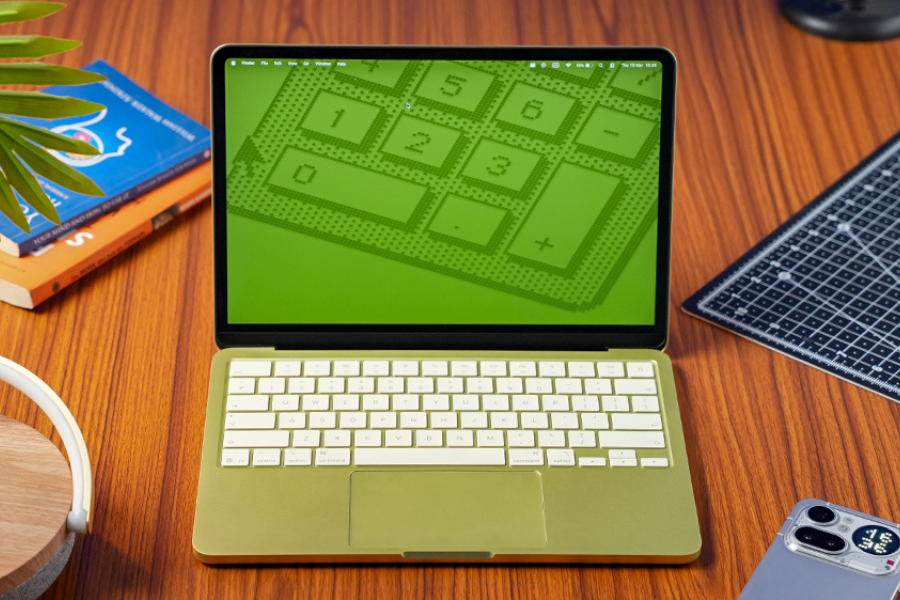
It comes with a beautiful 13-inch Liquid Retina display with a 2408 x 1506 resolution and 500 nits of brightness. You also get an aluminium body, a lightweight 1.23kg design, and a fanless cooling system. Apple claims up to 16 hours of video streaming or 11 hours of web browsing on a single charge. For connectivity, it has two USB-C ports and a 3.5mm headphone jack.
However, there are a few compromises. Here you only get 8GB of unified memory, which is not upgradeable, and the base 256GB variant misses out on Touch ID and a backlit keyboard. So, keep that in mind if these features matter to you.
Dell XPS 13
Next, we have the newly launched Dell XPS 13 (2026), which is a pretty good option if you want a thin and lightweight Windows laptop for everyday use. Under the hood, the laptop is powered by Intel’s latest Core 5 320 processor, paired with 8GB LPDDR5x RAM and a 512GB SSD. This six-core processor can handle everyday tasks like web browsing, working on documents, attending online classes, and general multitasking without much trouble. However, the 8GB RAM is soldered and cannot be upgraded, which is a major downside if you're planning to keep this laptop for several years.
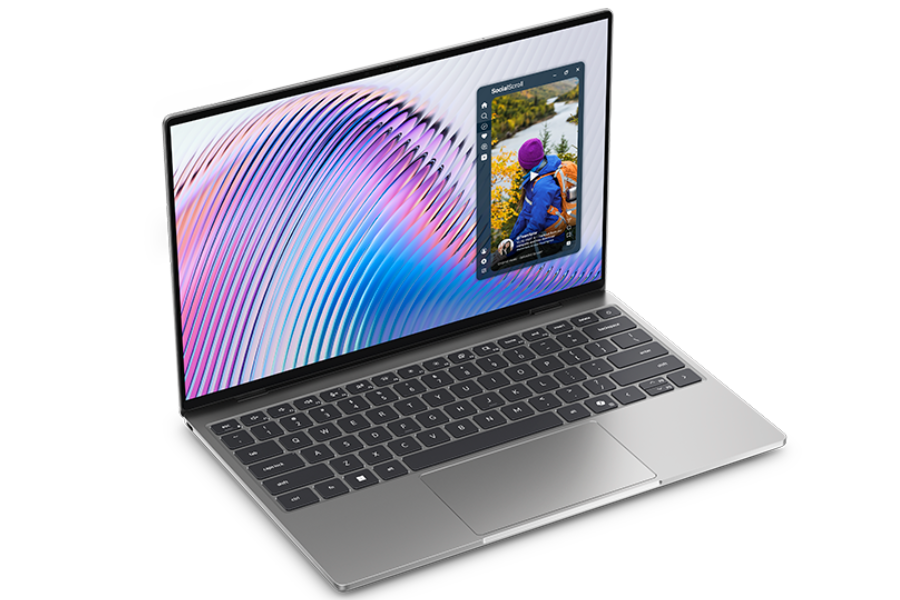
On the front, we get an outstanding 13.4-inch 2.5K IPS LCD touchscreen with a 120Hz refresh rate, 500 nits of brightness, and 100% DCI-P3 color coverage. This display produces sharp visuals and vibrant colors, making it suitable for office work, media consumption, and light creative tasks. Likewise, it also comes in a compact body, measuring just 12.75mm thick and weighing only 1kg, so carrying it around is pretty easy too.
So, if you prioritize portability, a premium design, and a high-quality touchscreen over raw performance, the Dell XPS 13 is worth considering.
| Dell XPS 13 DX13260 2026 Specifications: | |
| Display | 13-inch IPS panel, WQXGA (2408 x 1506 pixels), 60Hz refresh rate, 500 nits, 100% sRGB |
| CPU | Intel Core 5 320 (6 cores/ 6 threads, up to 4.6 GHz) |
| GPU | Intel Graphics |
| RAM | 8GB (1x 8GB) LPDDR5x 7467 MT/s |
| Storage | 512GB SSD |
| Battery | Li-Ion 52 Wh |
| Weight | 1 kg |
| Dimensions | 296.90 x 200.70 x 12.75 mm |
| Price | NPR 134,999 |
Lenovo Yoga Slim 7i Aura Edition
Lastly, we have the Lenovo Yoga Slim 7i Aura Edition (2025), a great option if you want a lightweight ultrabook with good everyday performance. It is powered by the Intel Core Ultra 5 226V processor, paired with Intel Arc 130V graphics, 16GB LPDDR5x RAM, and a 512GB SSD. This combo easily handles everyday tasks, multitasking, and light creative work with any issues. You can also enjoy some casual gaming on it.
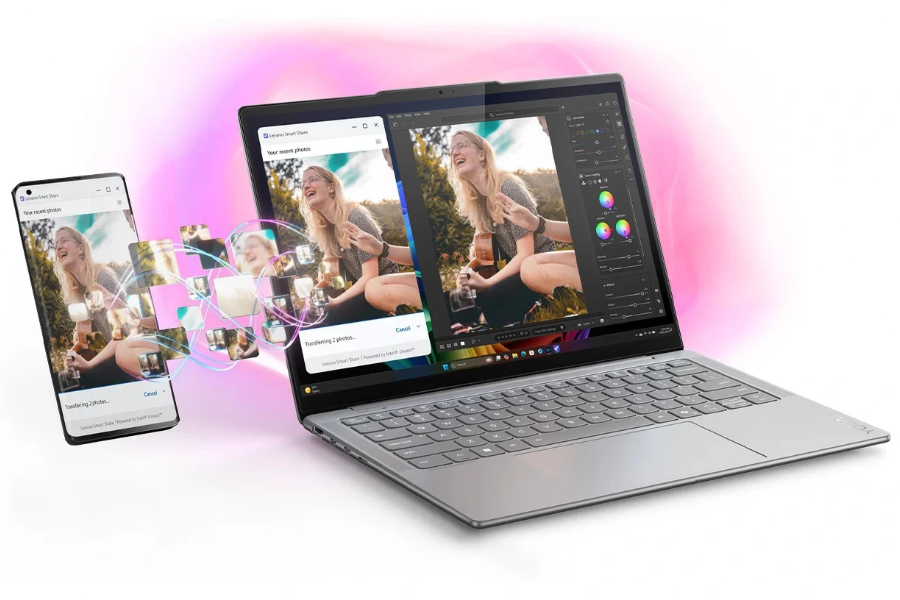
On the front, we have a 14-inch WUXGA OLED display with 100% DCI-P3 coverage, Dolby Vision, and DisplayHDR True Black 500 support. So, here you get vibrant colors and deep blacks, making it great for watching videos and doing some photo editing. However, one downside is the 60Hz refresh rate, especially at this price. Other than this, the laptop includes a 70Wh battery, dual Thunderbolt 4 ports, HDMI 2.1, Wi-Fi 7, and a 5MP IR webcam.
| Lenovo Yoga Slim 7i Aura Edition Specifications: | |
| Display | 14-inch OLED panel, WUXGA (1920 x 1200 pixels), 60Hz refresh rate, 600 nits, 100% DCI-P3 |
| CPU | Intel Core Ultra 5 226V (8 cores/ 8 threads, up to 4.5 GHz) |
| GPU | Intel Arc 130V |
| RAM | 16GB LPDDR5x 8533 MT/s |
| Storage | 512GB SSD |
| Battery | Li-Ion 70 Wh |
| Weight | 1.19 kg |
| Dimensions | 312 x 219.3 x 13.9 mm |
| Price | NPR 1,64,999 |
Best Premium Ultrabooks (Rs. 1.6 Lakh+)
ASUS Zenbook 14
If you're willing to spend over NPR 1.6 lakh, you can get some really good premium ultrabooks with better performance, high-quality displays, and a more premium build. My first recommendation in this price range is the ASUS Zenbook 14 (UM3406GA).
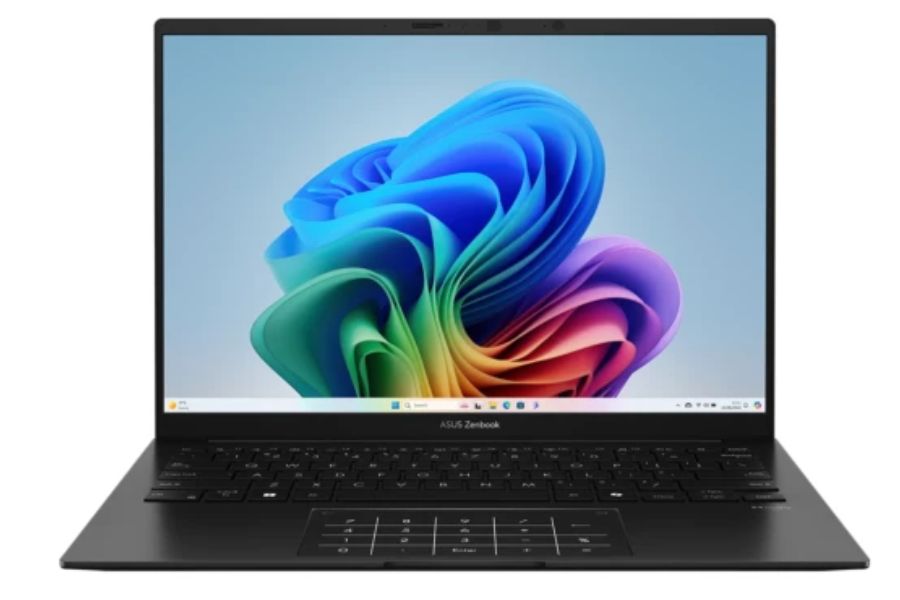
It is powered by the AMD Ryzen AI 7 445 processor, which has 6 cores and 12 threads. So, you get enough power for everyday office work, multitasking, programming, and even some light photo and video editing. It also comes with a dedicated AI engine for supported AI features. The integrated Radeon 840M graphics are good enough for casual gaming, but I wouldn't recommend it for demanding games. You also get 32GB RAM and a 1TB SSD, so there's plenty of memory and storage for your everyday work.
On the front, you get a 14-inch WUXGA OLED touchscreen with 100% DCI-P3 coverage, so colors look vibrant and blacks are properly deep. The 16:10 aspect ratio also gives you a little more vertical space when working, although the 60Hz refresh rate is a bit disappointing at this price. For battery life, ASUS has packed a large 75Wh battery, which should give you everyday use.
| Asus Zenbook 14 Specifications: | |
| Display | 14-inch OLED Touch panel, WUXGA (1920 x 1200 pixels), 60Hz refresh rate, 400 nits, 100% DCI-P3 |
| CPU | AMD Ryzen AI 7 445 (6 cores/ 12 threads, up to 4.6 GHz) |
| GPU | AMD Radeon 840M |
| RAM | 32GB LPDDR5x 8533 MT/s |
| Storage | 1TB SSD |
| Battery | Li-Ion 75 Wh |
| Weight | 1.2 kg |
| Dimensions | 312.4 × 220.1 × 14.9 mm |
| Price | NPR 254,999 |
Apple MacBook Air M5
Next up, we have the Apple MacBook Air M5, which is one of the easiest recommendations if you want a premium ultrabook with excellent performance, great battery life, and a well-rounded overall experience. It is powered by Apple's M5 chip with a 10-core CPU and up to a 10-core GPU, paired with 16GB unified memory and 512GB SSD storage. This combination offers great performance for office work, multitasking, programming, and even photo and video editing. Plus, Apple has finally bumped the base storage to 512GB, so you don't have to worry about running out of space as quickly as on older base models.
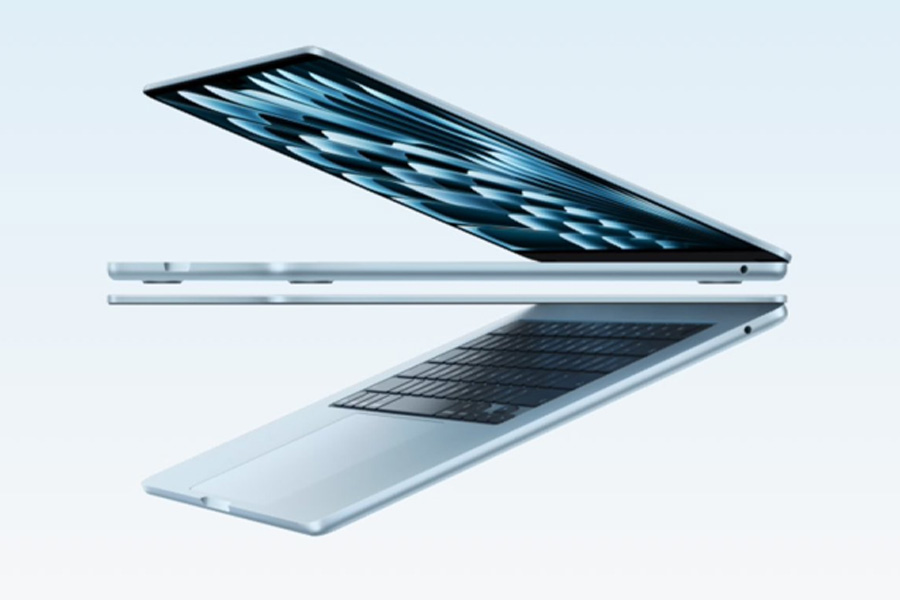
On the front, we get a sharp and color-accurate IPS display with 500 nits of brightness and 100% DCI-P3 coverage, along with a premium aluminum build, a comfortable keyboard, and excellent speakers. The MacBook Air M5 also offers impressive battery life, while its lightweight design makes it easy to carry around. The only real downside is its limited port selection, but you can always use a USB-C hub if you need more connectivity.
| Apple MacBook Air M5 Specifications: | |
| Display | 13.6 / 15.3-inch IPS panel, WQXGA (2560 x 1664 pixels / 2880 x 1864 pixels), 60Hz refresh rate, 500 nits, 100% DCI-P3 |
| CPU | Apple M5 (10 cores) |
| GPU | Apple M5 (8/10 cores) |
| RAM | 16 / 24GB unified memory |
| Storage | 512GB / 1TB SSD |
| Battery | Li-Ion 53.8 / 66.5 Wh |
| Weight | 1.23 / 1.51 kg |
| Dimensions |
|
| Price |
|
Apple MacBook Pro 14-inch (M6)
And finally, taking the top spot in our premium ultrabook list is the Apple MacBook Pro 14-inch (M6). It is powered by Apple's latest M6 chip with a 12-core CPU and 12-core GPU, offering plenty of power for everything from everyday tasks to demanding work like video editing, programming, and 3D rendering. Apple also claims up to 30% better graphics performance than the previous M5 model. Another advantage is its built-in fan, which helps keep performance stable when you're working on heavier tasks for longer periods.
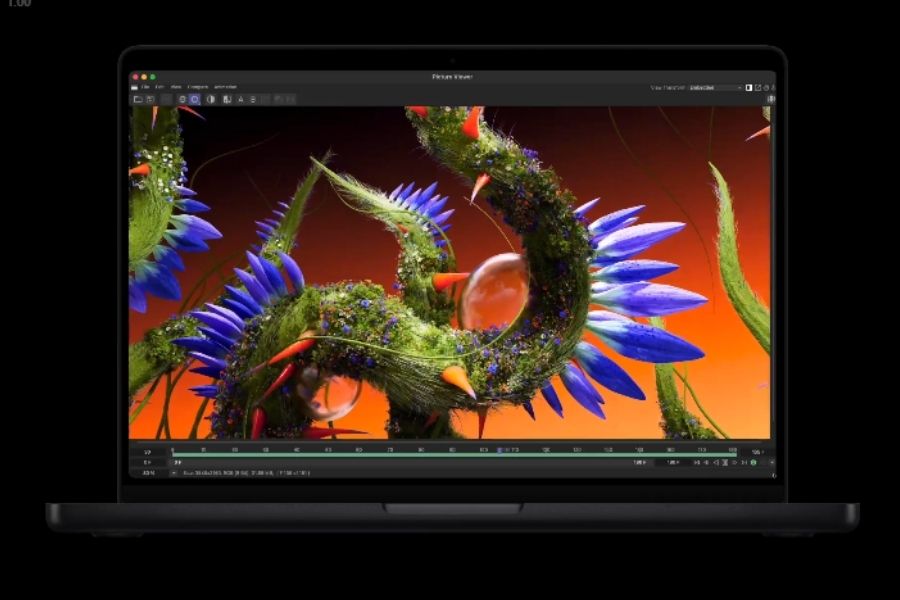
Another big highlight is its 14.2-inch Liquid Retina XDR display with a 120Hz ProMotion refresh rate and up to 1,600 nits of peak HDR brightness. You also get up to 24 hours of claimed video streaming, three Thunderbolt 4 ports, HDMI, an SDXC card slot, and MagSafe 3 charging.
At an expected price of around NPR 385,999, it is certainly expensive, but if you need a powerful laptop for professional work, the MacBook Pro M6 is our top pick.
| Apple MacBook Pro M6 Specifications: | |
| Display | 14.2-inch Liquid Retina XDR, 3024 × 1964 pixels resolution, 254 ppi, 120Hz, up to 1,000 nits |
| CPU | Apple M6 (12 cores) |
| GPU | Apple M6 (12 cores) |
| RAM | 16 / 24GB unified memory |
| Storage | 512GB / 1TB SSD |
| Battery | Li-Ion 72.4 Wh |
| Weight | 1.55 kg |
| Dimensions | 312.6 × 221.2 × 15.5 mm |
| Price | NPR 385,999 (16/512GB) [expected] |
Best Value 2-in-1 laptops (under 1.5 lakh)
Lenovo IdeaPad 5 2-in-1 14AGP11
Talking about value-for-money 2-in-1 laptops, the 2026 variant of Lenovo IdeaPad 5 2-in-1 is a pretty good option. It runs on the AMD Ryzen AI 5 430 processor, which has 4 cores and 8 threads and can reach speeds of up to 4.5GHz. You also get 16GB DDR5 RAM and a 512GB SSD, which should be enough for most everyday work, browsing, writing, and multitasking. It also has Radeon 840M integrated graphics and a 58 TOPS NPU for AI-related tasks. Plus, you can upgrade the RAM to 32GB later if needed.
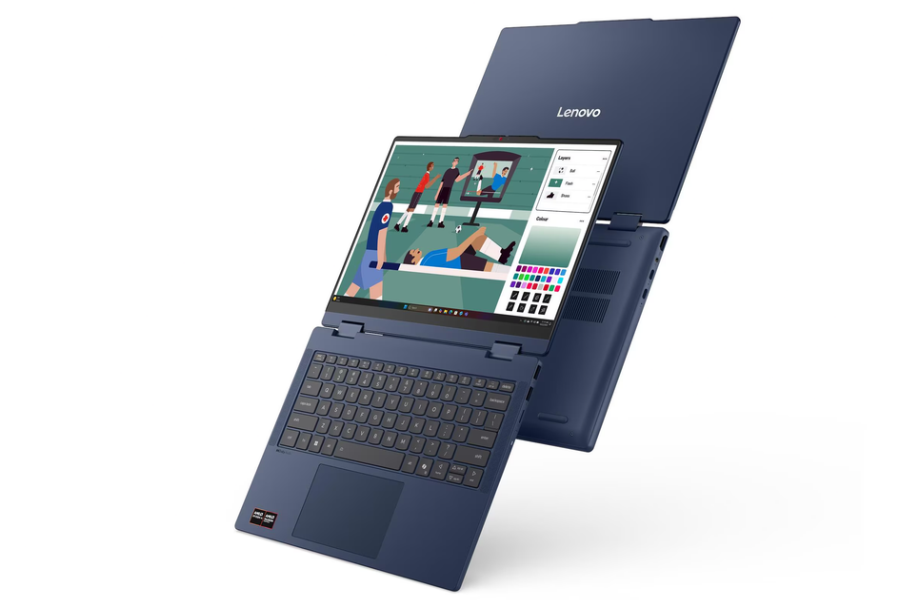
Talking about display, it comes with a 14-inch WUXGA IPS touchscreen with a 360-degree hinge, letting us fold the screen all the way back and use it like a tablet. The only one letdown here is the color accuracy, which is limited to just 45% NTSC.
| Lenovo IdeaPad 5 2-in-1 14AGP11 Specifications: | |
| Display | 14-inch IPS LCD, 1920 x 1200 pixels resolution, 60Hz, up to 400 nits, 45% NTSC |
| CPU | AMD Ryzen AI 5 430 ( 4 cores / 8 threads, up to 4.5 GHz) |
| GPU | AMD Radeon 840M |
| RAM | 16GB DDR5 |
| Storage | 512GB SSD |
| Battery | Li-Ion 60 Wh |
| Weight | 1.54 kg |
| Dimensions | 311.6 x 224.9 x 17.4 mm |
| Price | NPR 145,999 |
Lenovo IdeaPad 5 2-in-1 14IAL10
If you don't want to spend as much, the 2025 Lenovo IdeaPad 5 2-in-1 is also worth checking out. It comes with the Intel Core Ultra 5 225U processor, which has 12 cores and 14 threads and can boost up to 4.8GHz. So, for everyday stuff like browsing, writing documents, attending online meetings, and doing some multitasking, it should work just fine. You also get Intel integrated graphics and a 512GB SSD. The only thing I don’t like about this laptop is its 8GB RAM, which is soldered onto the motherboard, so there is no way to upgrade it later. This might become a problem if you usually have lots of apps and browser tabs open at the same time.
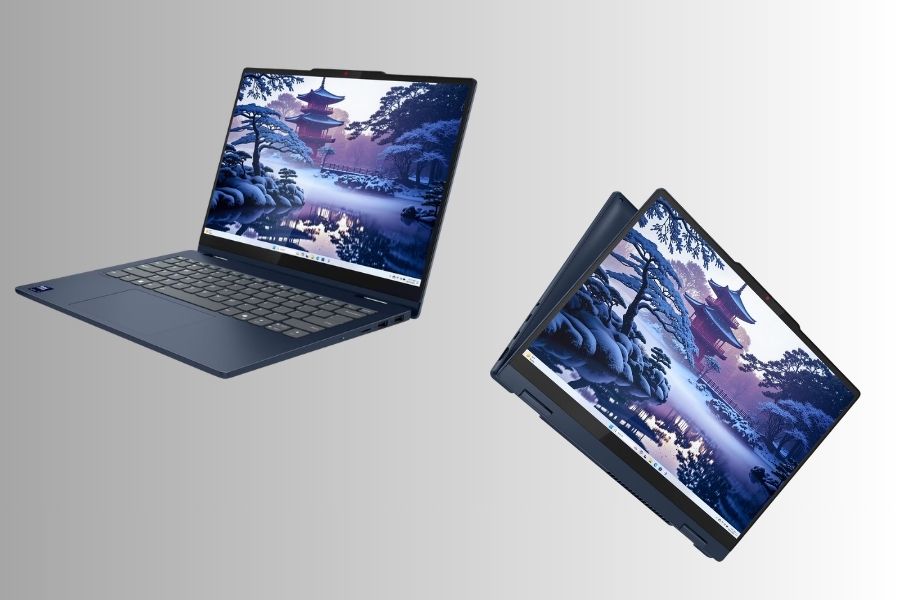
The laptop has the same 14-inch WUXGA IPS touchscreen and 360-degree hinge as the newer (2026) model. But its display is a bit dimmer at 300 nits, and the 45% NTSC color coverage is not ideal for photo or video editing.
| Lenovo IdeaPad 5 2-in-1 14IAL10 Specifications: | |
| Display | 14-inch IPS LCD, 1920 x 1200 pixels resolution, 60Hz, up to 300 nits, 45% NTSC |
| CPU | Intel Core Ultra 5 225U (12 cores / 14 threads, up to 4.8 GHz) |
| GPU | Intel Graphics |
| RAM | 8GB DDR5 |
| Storage | 512GB SSD |
| Battery | Li-Ion 57 Wh |
| Weight | 1.6 kg |
| Dimensions | 313 x 227 x 17.5 mm |
| Price | NPR 1,25,999 |
Best Value gaming laptops (under 1.5 lakh)
HP Victus (RTX 3050)
At around NPR 1.5 lakh, the HP Victus 15 is a great budget gaming laptop, especially if you want a capable processor along with a decent dedicated graphics card. Its Ryzen 5 8645HS can handle gaming, multitasking, and other demanding workloads without much trouble, while the RTX 3050 6GB is also good enough for playing most popular games at 1080p, although you will have to lower the graphics settings in some demanding titles.
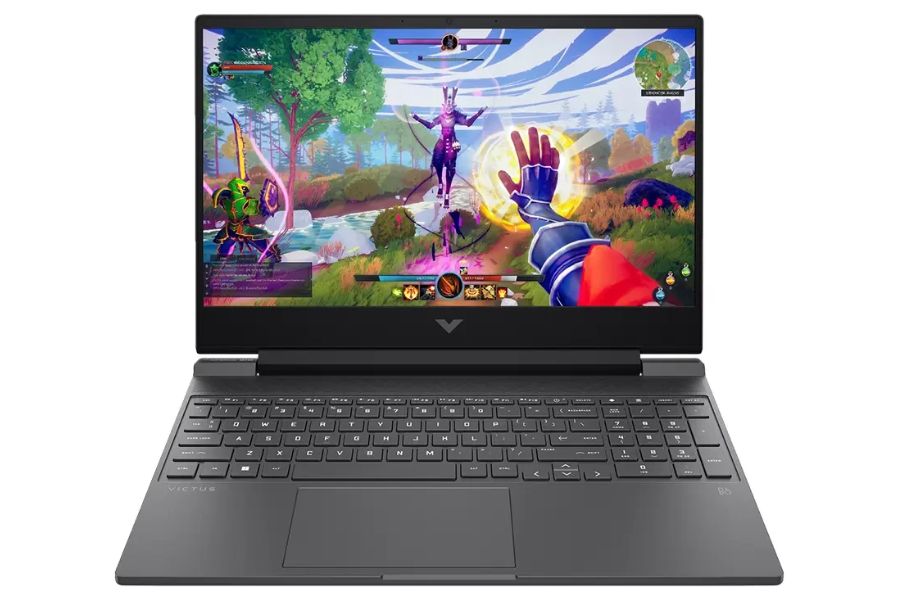
The 144Hz refresh rate also makes the gameplay feel much smoother, particularly in competitive games like valorant and CS2 and with 16GB DDR5 RAM and a 512GB SSD, you don't have to worry about upgrading the memory right away. So, at around NPR 1.5 lakh, the Victus 15 with RTX 3050 offers a decent balance of gaming and everyday performance.
| HP Victus 15 Specifications | |
| Display | 15.6” IPS FHD (1920 x 1080 pixels), 144Hz |
| CPU | AMD Ryzen 5 8645HS (6C/12T, up to 5 GHz) |
| GPU | NVIDIA RTX 3050 |
| RAM | 16GB DDR5 5600 MT/s |
| Storage | 512GB Gen4 NVMe SSD |
| Battery | Li-Ion 53 Wh |
| Weight | 2.29 kg |
| Dimensions | 357.9 x 255 x 23.5 mm |
| Price | NPR 149,000 |
HP Victus 15 (RTX 4050)
If you can stretch your budget a little bit more, at around NPR 1.65 lakh, the HP Victus 15 with an RTX 4050 GPU is worth considering at that price. It is powered by the 13th Gen Intel Core i5-13420H processor, which comes with 8 cores and 12 threads, paired with 16GB RAM, a 512GB NVMe SSD, and an NVIDIA RTX 4050 6GB GPU. So here, you get a good CPU and GPU combination for gaming, multitasking, and other demanding workloads.
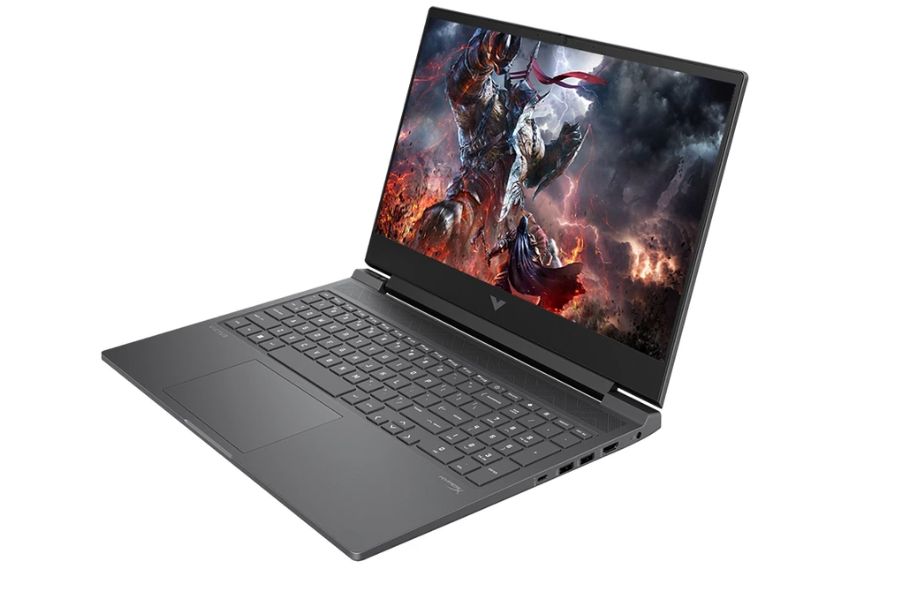
The main reason to spend extra on this model is its RTX 4050 GPU, which offers noticeably better gaming performance than the RTX 3050. Here you also get newer NVIDIA features like DLSS 3 and Frame Generation in supported games, which can help in improve performance in demanding titles. For the display, it has the same 15.6-inch FHD IPS panel with a 144Hz refresh rate, 250 nits of brightness, and 45% NTSC color coverage.
| HP Victus 15 Specifications | |
| Display | 15.6” IPS FHD (1920 x 1080 pixels), 144Hz |
| CPU | Intel Core i5-13420H (8C/12T, up to 4.6 GHz) |
| GPU | NVIDIA RTX 4050 |
| RAM | 16GB DDR5 5600 MT/s |
| Storage | 512GB Gen4 NVMe SSD |
| Battery | Li-Ion 52.5 Wh |
| Weight | 2.3 kg |
| Dimensions | 357.9 x 255 x 23.5 mm |
| Price | NPR 160,999 |
Best Midrange Gaming Laptops (Under 2 Lakh)
Lenovo LOQ 15 15AHP10
Now, moving into the mid-range gaming segment under NPR 2 lakh, we have the Lenovo LOQ 15 15AHP10. It comes with the AMD Ryzen 5 220 processor paired with the newer NVIDIA GeForce RTX 5050 GPU, which has a 100W TGP. Here you also get 16GB RAM and a 512GB SSD, making it a pretty solid combination for gaming and everyday work. The 100W power limit also allows the RTX 5050 to deliver good gaming performance without being held back by a lower TGP.
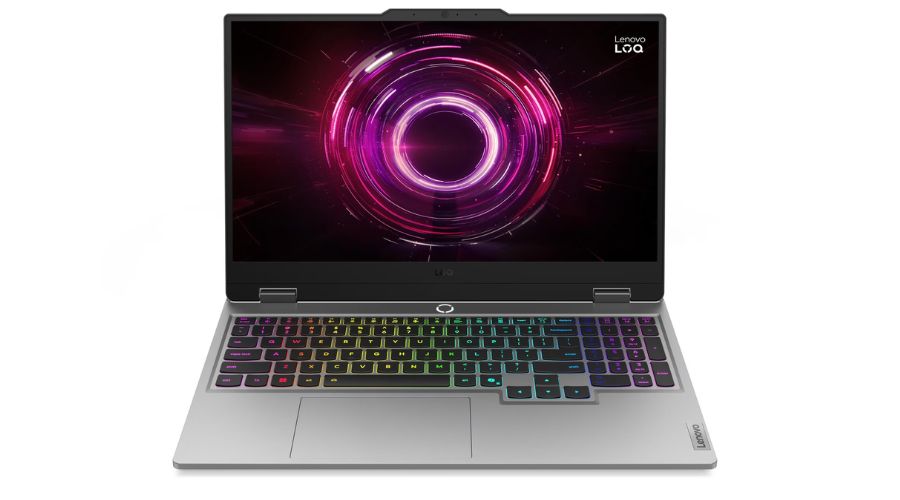
The main highlight here is the RTX 5050 GPU, which offers better gaming performance than the RTX 4050 and supports newer NVIDIA gaming features. The Ryzen 5 220 is also capable enough to handle modern games, multitasking, and regular work without much trouble. While it may not be the best choice for heavier CPU-intensive workloads, I think this is a good combination if gaming is your main priority. Overall, the Lenovo LOQ 15 is a strong option if you want to step up to an RTX 5050 gaming laptop without spending too much.
| Lenovo LOQ 15 Specifications | |
| Display | 15.6” FHD (1920 x 1080 pixels), 144Hz, 100% sRGB, 300 nits |
| CPU | AMD Ryzen 5 220 (6C/12T, up to 4.9 GHz) |
| GPU | NVIDIA RTX 5050 (100W TGP) |
| RAM | 16GB DDR5 |
| Storage | 512GB Gen4 NVMe SSD |
| Battery | Li-Ion 60 Wh |
| Weight | 2.4 kg |
| Dimensions | 359.86 x 258.7 x 21.9 - 23.9 mm |
| Price | NPR 194,999 |
Acer Nitro V15
Next, we have the Acer Nitro V15, which comes with an Intel Core 5 210H processor, an NVIDIA GeForce RTX 5050 GPU, 16GB RAM, and a 512GB SSD. So, here you get a good combination for gaming, multitasking, and everyday use.
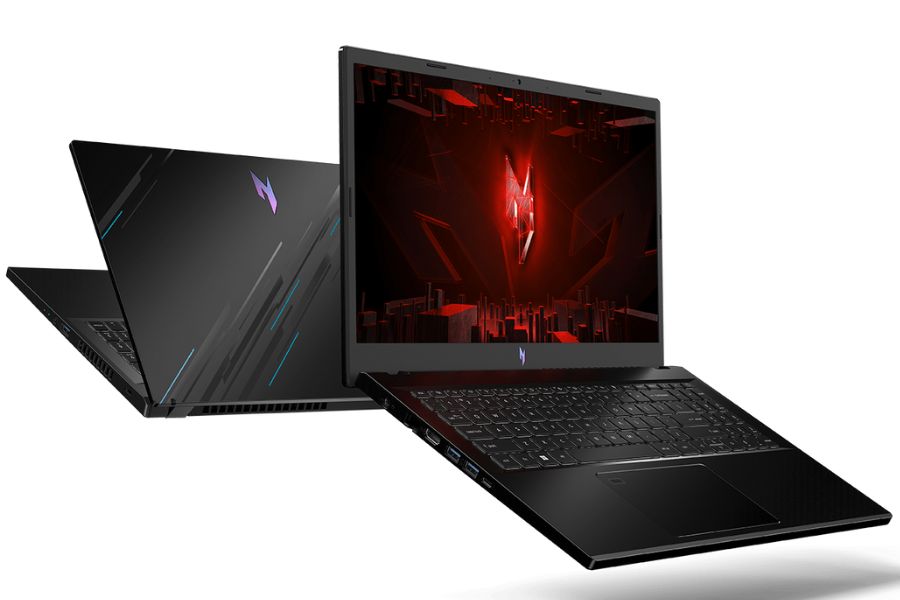
The main reason I'd put the Acer Nitro V15 above the Lenovo LOQ is due to its processor. Both laptops have the same RTX 5050 GPU, but the Core 5 210H in the Nitro V15 is more powerful than the six-core Ryzen 5 220 in the LOQ. This gives you better performance in CPU-heavy tasks like video editing and multitasking. It can also help in games that rely more on the processor, although the gaming difference won't be huge since both use the same GPU.
There's also a cheaper version of the Nitro V15 with the 13th Gen Intel Core i5-13420H and the same RTX 5050 GPU. It costs around NPR 5,000 less, so you can consider that one if you want to save some money. But if your budget allows, I suggest going with the newer Core 5 210H version for its better CPU performance.
| Acer Nitro V15 Specifications | |
| Display | 15.6” FHD (1920 x 1080 pixels), 165Hz, 45% NTSC, 300 nits |
| CPU | Intel Core 5 210H (8C/12T, up to 4.8 GHz) |
| GPU | NVIDIA RTX 5050 (75W TGP) |
| RAM | 16GB DDR4 |
| Storage | 512GB Gen4 NVMe SSD |
| Battery | Li-Ion 57.5 Wh |
| Weight | 2.1 kg |
| Dimensions | Unspecified |
| Price | NPR 182,400 |
Best Premium Gaming Laptops (Under 3 Lakh)
Acer Nitro V 16 AI ANV16-42 2025
Now, if we're talking about premium gaming laptops under NPR 3 lakh, the Acer Nitro V16 AI 2025 is an excellent option at around NPR 2 lakh 30 thousand. This is a full-sized gaming laptop, so Acer has a bit more room to push the hardware. So, here you get the Ryzen 7 350 CPU paired with an RTX 5060 8GB GPU, which runs at a 95W TGP. So, here you can expect solid gaming performance, even in more demanding titles.
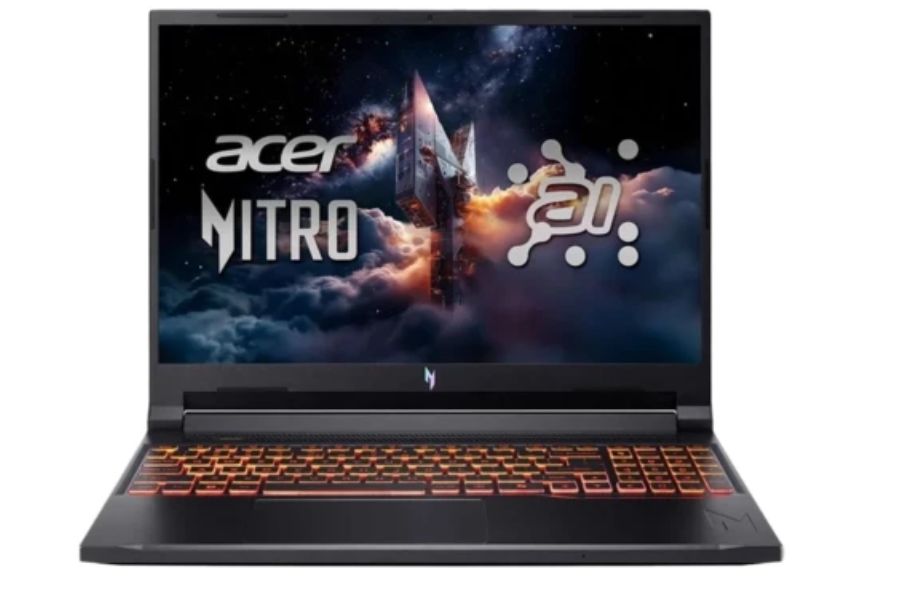
As for the other specs, you get a beautiful 16-inch WUXGA 180Hz display, 16GB of RAM, and a 1TB SSD. The Ryzen 7 350 CPU is also quite capable, so you won't have any trouble with gaming, multitasking, or even some heavier tasks.
Overall, this is a pretty well-rounded gaming laptop for the price. You get a capable processor, a powerful GPU, a fast high-refresh-rate display, and enough storage for your games and files.
| Acer Nitro V16 AI (2026) Specifications: | |
|---|---|
| Display | 16-inch IPS panel, WUXGA (1920 x 1200 pixels), 180Hz refresh rate, 300 nits, 100% sRGB |
| CPU | AMD Ryzen 7 350 |
| GPU | NVIDIA RTX 5060 (8GB GDDR7, 95W TGP) |
| RAM | 16GB DDR5 5600 MT/s |
| Storage | 1TB Gen4 NVMe SSD |
| Battery | Li-Ion 76 Wh |
| Weight | 2.10 kg |
| Dimensions | 357.63 x 263.1 x 20.1 mm |
| Price | NPR 230,999 |
Lenovo Legion 5 (2025)
Next up, we have the Lenovo Legion 5 15AHP10, which is a pretty solid option if you're looking for a premium gaming laptop under NPR 3 lakh. It comes with the AMD Ryzen 7 260 processor paired with an RTX 5060 8GB GPU running at a whopping 115W TGP. So here, you get plenty of power for modern AAA games. Despite packing this high-end hardware, it weighs around 2.1kg, which is quite reasonable for a gaming laptop.
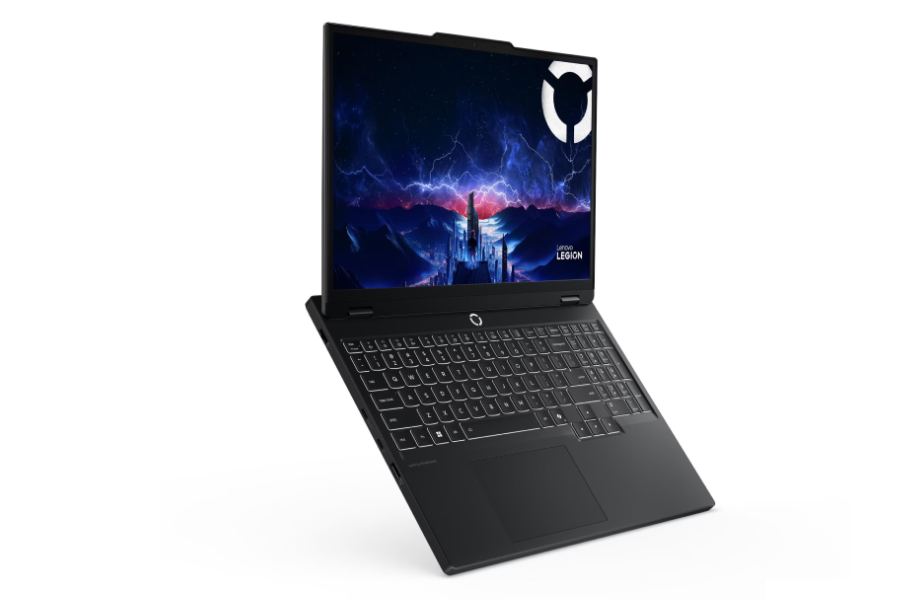
On the front, we get a 15.3-inch WUXGA IPS display with a 165Hz refresh rate, 100% sRGB coverage, and 300 nits of brightness. So, it's good for both gaming and some creative work. The laptop comes with 16GB DDR5 RAM and a 512GB SSD, with room to upgrade both RAM and storage. At NPR 2,49,999, the Legion 5 offers a nice mix of performance, display quality, and portability. BUT Just keep in mind that its display doesn't support G-SYNC, FreeSync, or VRR.
| Lenovo Legion 5 15AHP10 (2025) Specifications: | |
|---|---|
| Display | 15.3-inch IPS panel, WUXGA (1920 x 1200 pixels), 165Hz refresh rate, 300 nits, 100% sRGB |
| CPU | AMD Ryzen 7 260 (8C/16T, up to 5.1 GHz) |
| GPU | NVIDIA RTX 5060 (8GB GDDR7, 115W TGP) |
| RAM | 16GB DDR5 5600 MT/s |
| Storage | 512GB Gen4 NVMe SSD |
| Battery | Li-Ion 60 Wh |
| Weight | 2.1 kg |
| Dimensions | 344.9 x 255.35 x 22.50 - 23.99 mm |
| Price | NPR 259,999 |
Acer Predator Helios Neo 16S AI PHN16S‑71‑91AW 2025
And finally, if you're looking for the best gaming laptop under NPR 3 lakh, we have the Acer Predator Helios Neo 16S AI. Now, this one packs Intel's top-of-the-line Core Ultra 9 275HX processor with 24 cores, paired with an NVIDIA RTX 5060 8GB GPU. So, you're getting a lot of processing power here, whether it's for gaming, multitasking, or even demanding creative work. Plus, it is paired with 16GB of DDR5 RAM and a 1TB SSD, with room to upgrade both later.
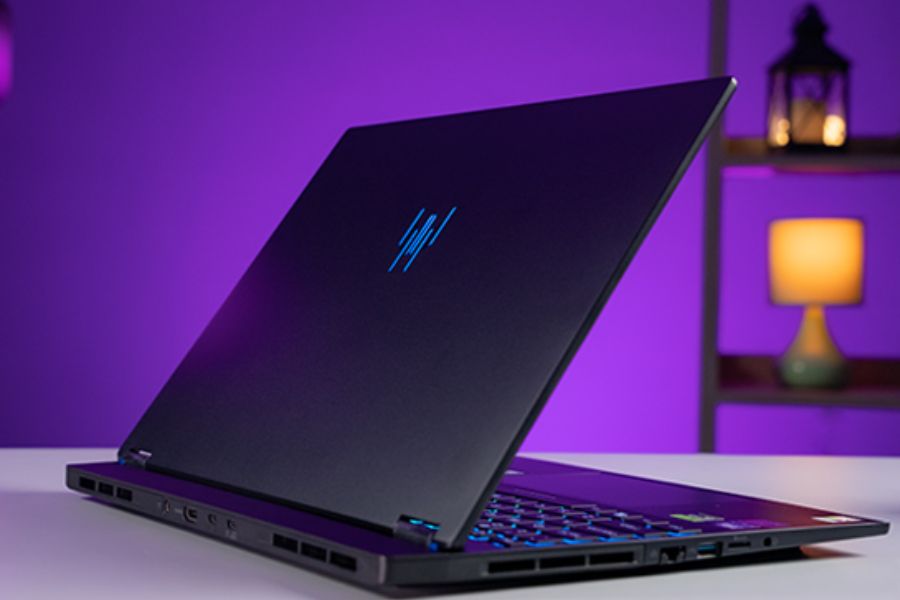
But what I really like about this laptop is its display. You get a beautiful 16-inch OLED panel with a 2560 x 1600 resolution, a buttery smooth 240Hz refresh rate, 100% DCI-P3 color coverage, and G-SYNC support. So, it's not just great for gaming but also a good option for content creation and color-accurate tasks. Along with this, you also get a decent selection of ports, Wi-Fi 6E, and a 76Wh battery. Overall, if you want a high-end Intel processor and a gorgeous OLED display without crossing the NPR 3 lakh mark, this Acer Predator is definitely worth considering.
| Acer Predator Helios Neo 16S AI (2025) Specifications: | |
|---|---|
| Display | 16-inch OLED panel, WQXGA (2560 x 1600 pixels), 240Hz refresh rate, 400 nits, 100% DCI-P3 |
| CPU | Intel Core Ultra 9 275HX (24C/24T, up to 5.4 GHz) |
| GPU | NVIDIA RTX 5060 (8GB GDDR7) |
| RAM | 16GB DDR5 6400 MT/s |
| Storage | 512GB Gen4 NVMe SSD |
| Battery | Li-Ion 76 Wh |
| Weight | 2.3 kg |
| Dimensions | 356.8 x 275.5 x 19.97 mm |
| Price | NPR 301,999 |
Best High-End Gaming Laptops (Rs. 3+ Lakh)
Lenovo Legion Pro 7i
Now, if budget is not really your main concern and you just want one of the best gaming laptops out there, the Lenovo Legion Pro 7i Gen 10 is worth looking at. This is Lenovo's absolute flagship gaming laptop for 2025, and it comes with some seriously powerful hardware. You can get it with an Intel Core Ultra 9 275HX processor, paired with NVIDIA RTX 5070 Ti, RTX 5080, or even the flagship RTX 5090 GPU. It also supports up to 64GB of RAM, so there's plenty of room for demanding games and heavy tasks.
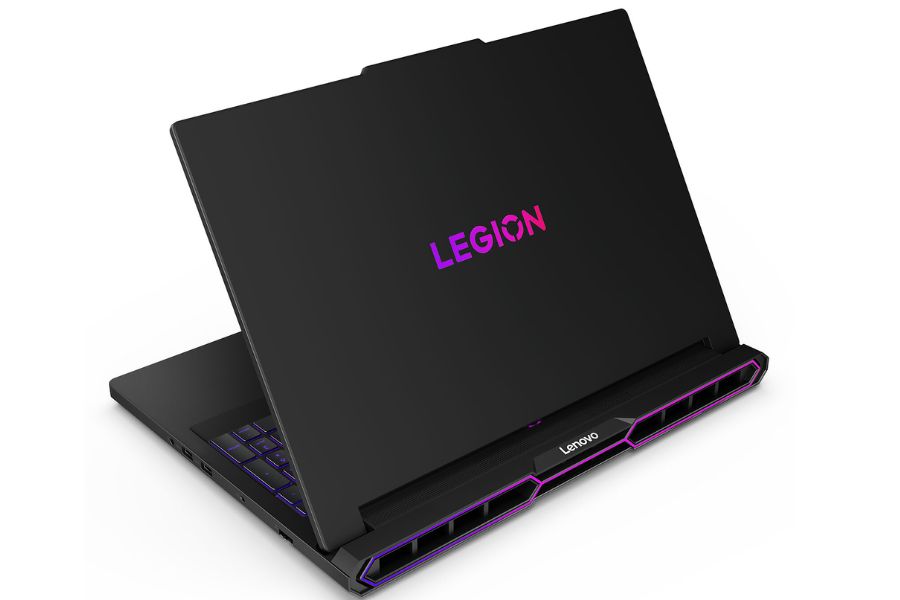
Another big highlight is its 16-inch OLED display with a 240Hz refresh rate. So here, you're getting a sharp, smooth, and vibrant display that's great for both gaming and content creation. As for the pricing, the RTX 5070 Ti variant starts at NPR 6,56,900, while the RTX 5080 model costs NPR 7,73,900. And if money isn't really an issue, you can get the RTX 5090 variant at NPR 9,93,900. Honestly, this is more than enough for most people who just need it for gaming, but if you want the absolute best performance for gaming, 3D rendering, or other demanding workloads, the Legion Pro 7i is a perfect pick.
| Specification | Details |
| Display | 16-inch OLED WQXGA (2560 x 1600), 240Hz, 500 nits, 100% DCI-P3 |
| CPU | Intel Core Ultra 9-275HX (24C/32T, up to 5.5GHz) |
| GPU | NVIDIA GeForce RTX 5070 Ti, 5080, 5090 (24GB) |
| RAM | 32GB DDR5-6400 (upgradeable to 64GB) |
| Storage | 1TB NVMe SSD (2 slots total) |
| Battery | 99.9Wh Li-ion (400W adapter) |
| Weight | 2.8kg |
| Dimensions | 363.4 x 260.35 x 25.8mm |
| Price |
|
MSI Vector 16 HX AI
Next, we have the MSI Vector 16 HX AI. Now, the interesting thing about this laptop is that it's one of the cheapest ways to get an RTX 5090 laptop GPU in Nepal. And it's not just about the GPU performance either; here you also get Intel's top-of-the-line Core Ultra 9 275HX processor, so the performance here is pretty much top-tier.
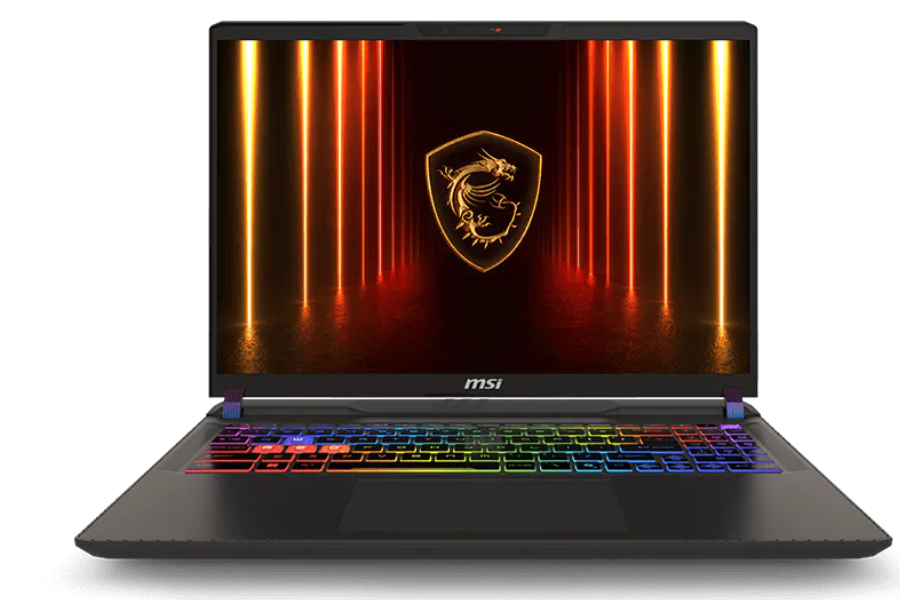
But there's one thing you should know before buying it. This particular variant comes with just 16GB of DDR5 RAM, which honestly feels a little low for an RTX 5090 laptop. The good thing is that you can upgrade it, and I'd definitely recommend going for 32GB if your budget allows. Other than that, you get a 16-inch QHD 240Hz display and a 1TB PCIe Gen 4 SSD. So, apart from the RAM, there's not much to complain about here.
| MSI Vector 16 HX AI Specifications: | |
| Display | 16” IPS QHD+ (2560x1600 pixels), 240Hz, 100% DCI-P3 |
| CPU | Intel Core Ultra 9 275HX (24C/24T, up to 5.4 GHz) |
| GPU | NVIDIA RTX 5090 (24GB GDDR7, 175W TGP) |
| RAM | 16GB DDR5 6400 MT/s |
| Storage | 1TB Gen 4 NVMe SSD |
| Battery | Li-Ion 90 Wh |
| Weight | 2.7kg |
| Price | NPR 610,000 |
Acer Predator Helios 18 AI
And lastly, we have the Acer Predator Helios 18 AI. This laptop comes with an NVIDIA RTX 5080 laptop GPU with 16GB of GDDR7 VRAM, paired with Intel's Core Ultra 9 275HX processor. So here, you've got plenty of power here, whether it's for playing demanding games or handling heavier tasks such as 4 K editing.
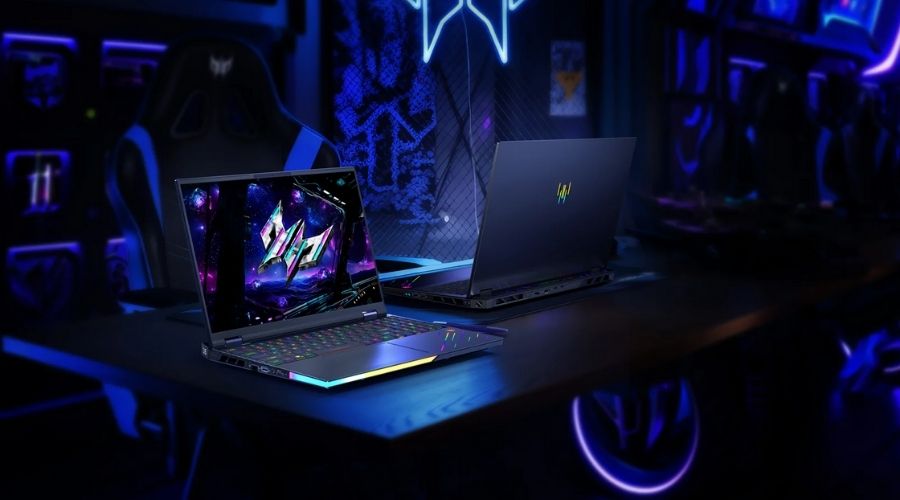
But what makes this laptop interesting is its massive 18-inch WQUXGA Mini LED display. The bigger screen is great for gaming and multitasking, and you also get good contrast and HDR support. Acer has also included 64GB of DDR5 RAM and a 1TB PCIe NVMe SSD, so you don't really need to worry about memory or storage upgrades either. It also packs a 99Wh battery. At NPR 5,85,000, this is a pretty interesting option if you want flagship gaming performance with a massive display.
| Acer Predator Helios 18 AI Specifications: | |
| Display | 18” Mini LED 4K (3840x2400 pixels), 250Hz, 100% DCI-P3 |
| CPU | Intel Core Ultra 9 275HX (24C/24T, up to 5.4 GHz) |
| GPU | NVIDIA RTX 5080 (16GB GDDR7, 175W TGP) |
| RAM | 64GB DDR5 6400 MT/s |
| Storage | 1TB Gen 4 NVMe SSD |
| Battery | Li-Ion 99 Wh |
| Weight | 3.50kg |
| Price | NPR 499,999 |
Best Laptops for Content Creators
Macbook Pro M5 Pro / M5 Max
Talking about creator laptops, first, we have the Apple MacBook Pro 14-inch and 16-inch (M5 Pro / M5 Max) models. MacBooks have always been one of the best choices for creators. Whether you're into video editing, photo editing, 3D rendering, or any other creative work, you really can't go wrong with a MacBook Pro. You can choose between the 14-inch and 16-inch models depending on your needs. The 14-inch version is easier to carry around, while the 16-inch model gives you more screen space to work with.
Coming to performance, you get Apple's M5 Pro or M5 Max chip, depending on the variant you choose. The M5 Pro offers up to an 18-core CPU and 20-core GPU, while the M5 Max goes up to a 40-core GPU. You can also get up to 128GB of unified memory and 8TB of SSD storage. Both models feature a beautiful Liquid Retina XDR mini-LED display with a 120Hz refresh rate and up to 1,600 nits of peak HDR brightness. And that's not all. You also get excellent speakers, a good selection of ports, and great battery life. In Nepal, the 14-inch model starts at NPR 4,74,500, while the 16-inch version starts at NPR 6,77,000.
| Apple MacBook Pro (M5/M5 Max) Specifications: | |
| Display | 14.2/16.2-inch mini-LED panel, 3/3.5K resolution, 120Hz refresh rate, 1,600 nits (HDR), 100% P3 |
| CPU | M5 Pro (up to 18-core) or M5 Max (up to 18-core) |
| GPU | M5 Pro (up to 20-core) or M5 Max (up to 40-core) |
| RAM | Up to 128GB (Unified) |
| Storage | Up to 8TB PCIe SSD |
| Battery | 72.4 / 100Wh (14-inch / 16-inch) |
| Weight | 1.60 – 2.15 kg |
| Price |
|
Asus ROG Zephyrus Duo GX651AX 2026
And finally, for the best laptops for creators, we have the ASUS ROG Zephyrus Duo (2026). Now, this one is quite different from your usual laptop because it comes with two 16-inch OLED displays. Both screens have 3K resolution, a 120Hz refresh rate, and 100% DCI-P3 color coverage. And if you're into some serious level of video editing or other creative work, having two large screens like this can be really useful. You can keep your editing timeline on one screen and all your tools or reference materials on the other. Basically, what I mean is that you get a lot more room to work with.
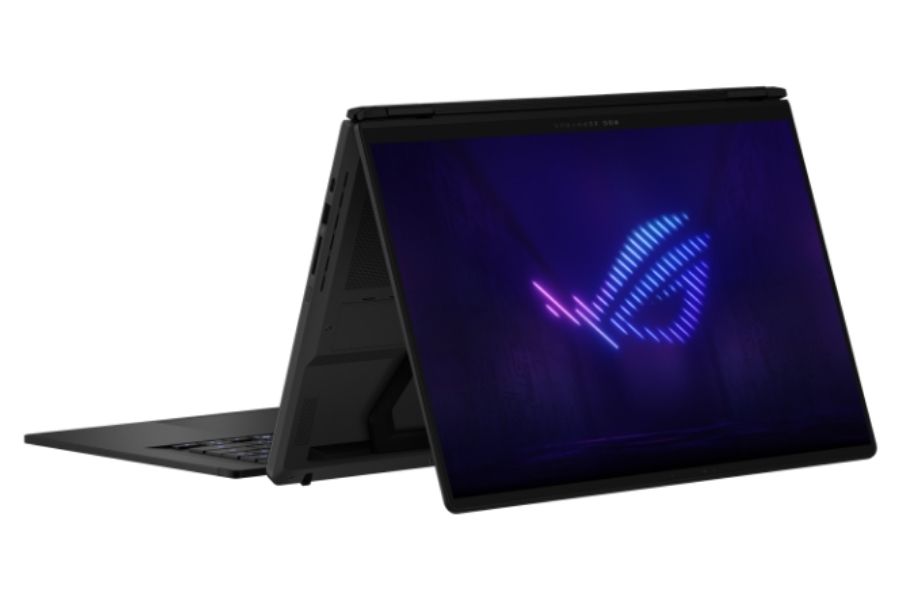
Under the hood, it packs an Intel Core Ultra 9 386H processor paired with an NVIDIA RTX 5090 laptop GPU with 24GB of GDDR7 VRAM. Here you also get 64GB of LPDDR5X RAM and a 1TB SSD, so handling demanding creative tasks shouldn't be a problem either. Another thing I really like about this laptop is that you can detach the keyboard and use the built-in kickstand to set up the laptop however you want. Other than this, you get Thunderbolt 4, HDMI 2.1, Wi-Fi 7, and a 90Wh battery. But do remember that the RAM is soldered, so you can't upgrade it later.
| ASUS ROG Zephyrus Duo GX651AX 2026) Specifications: | |
| Display | 16-inch Dual OLED, 3K resolution (2880x1800 pixels), 120Hz refresh rate, 100% DCI-P3 |
| CPU | Intel Core Ultra 9 386H(16 cores / 16 threads, up to 4.9 GHz) |
| GPU | NVIDIA RTX 5090 |
| RAM | 64GB LPDDR5X |
| Storage | 1TB PCIe Gen 4 SSD |
| Battery | 90 Wh |
| Weight | 2.82 kg |
| Price | NPR 13,38,899 |
Best laptops at every price segment in Nepal [Summary]
| Budget laptops | Price |
| Asus Vivobook Go 14 E410KA 2023 (Intel Celeron N4500, 4GB, 128GB, 14" FHD) | Rs. 45,999 |
| Dell Wyse 5470 2022 (Intel Celeron N4100, 8GB, 256GB, 14" FHD) | Rs. 58,999 |
| Midrange laptops (60k - 1 lakh) | |
| Asus Vivobook 14 X1404VA 2023 (Intel Core i3-1315U, 8GB, 128GB, 14" FHD) | Rs. 70,999 |
| Lenovo V15 G4 IRU 2023 (Intel i3-1315U, 8GB, 512GB, 15.6" FHD) | Rs. 84,000 |
| Lenovo IdeaPad Slim 3i 14IRH10 2025 (Intel Core i5-13420H, 8GB, 512GB, 14" WUXGA) | Rs. 101,999 |
| Acer Aspire Lite 15 AL15-41 2024 (Ryzen 5 7430U, 16GB, 512GB, 15.6" FHD) | Rs. 97,999 |
| Midrange Ultrabooks (1 lakh - 1.6 lakh) | |
| Apple MacBook Neo | Rs. 134,999 |
| Dell XPS 13 DX13260 2026 (Intel Core Ultra 5 320, 8GB, 512GB, 13.4" 2.5K IPS Touch) | Rs. 134,999 |
| Lenovo Yoga Slim 7i Aura Edition 14ILL10 2025 (Intel Core Ultra 5 226V, 16GB, 512GB, 14 WUXGA OLED) | Rs. 164,999 |
| Premium Ultrabooks (1.6 lakh+) | |
| Asus Zenbook 14 OLED UM3406GA 2026 (Ryzen AI 7 445, 16GB, 512GB, 14" WUXGA OLED Touch) | Rs. 254,999 |
| Apple MacBook Air M5 13/15-inch | Rs. 234,900 / 269,900 |
| Apple MacBook Pro 14-inch M6 (2026) | Rs. 385,999 (expected) |
| 2-in-1 laptops | |
| Best Value 2-in-1 laptops (under 1.5 lakh) | |
| Lenovo IdeaPad 5 2-in-1 14AGP11 2026 (Ryzen AI 5 430, 16GB, 512GB, 14" WUXGA IPS Touch) | Rs. 145,999 |
| Lenovo IdeaPad 5 2-in-1 14IAL10 2025 (Intel Core Ultra 5 225U, 8GB, 512GB, 14" WUXGA IPS Touch) | Rs. 125,999 |
| Gaming Laptops | |
| Best Value Gaming Laptops (under 1.5 lakh) | |
| HP Victus 15 15‑FB3009AX 2025 (Ryzen 5 8645HS, RTX 3050, 16GB, 512GB, 15.6" FHD IPS 144Hz) | Rs. 148,999 |
| HP Victus 15 2023 (13th Gen i5-13420H, RTX 4050, 16GB, 512GB, 15.6" FHD 144Hz) | Rs. 165,999 |
| Midrange Gaming Laptops (under 2 lakh) | |
| Lenovo LOQ 15 15AHP10 2025 (Ryzen 5 220, RTX 5050, 16GB, 512GB, 15.6″ FHD 144Hz) | Rs. 194,599 |
| Acer Nitro V 15 ANV15-52-57DY 2025 (Intel Core 5 210H, RTX 5050, 16GB, 512GB, 15.6'' FHD 165Hz) | Rs. 182,400 |
| Premium Gaming Laptops (under 3 lakh) | |
| Acer Nitro V 16 AI ANV16-42 2025 (Ryzen 7 350, RTX 5060, 16GB, 1TB, 16" WUXGA 180Hz) | Rs. 239,999 |
| Lenovo Legion 5 15AHP10 2025 (Ryzen 7 260, RTX 5060, 16GB, 512GB, 15.3" WUXGA 165Hz) | Rs. 259,999 |
| Acer Predator Helios Neo 16S AI PHN16S‑71‑91AW 2025 (Intel Core Ultra 9 275HX, RTX 5060, 16GB, 1TB, 16″ OLED WQXGA 240Hz) | Rs. 301,999 |
| Best High-end gaming laptops (3 lakh+) | |
| Lenovo Legion Pro 7i (Intel Ultra 9 275HX, RTX 5070 Ti – RTX 5090, 32TB, 1TB, 16" WQXGA OLED 240Hz) | Rs. 6,56,900 - 993,900 |
| MSI Vector 16 HX AI A2XWJG 2025 (Intel Core Ultra 9 275HX, RTX 5090, 16GB, 1TB, 16″ QHD+) | Rs. 610,000 |
| Acer Predator Helios 18 AI PH18-73-99HE 2025 (Intel Core Ultra 9 275HX, RTX 5090, 96GB RAM, 2TB, 18" 4K Mini LED 120Hz) | Rs. 950,000 |
| Best Laptop for Content Creator | |
| Macbook Pro M5 Pro / M5 Max | Rs. 474,500 - 833,000 |
| ASUS ROG Zephyrus Duo GX651AX 2026 (Intel Core Ultra 9 386H, RTX 5090, 64GB, 1TB, 16" 3K OLED Touch) | Rs. 13,38,899 |
Which high-end laptop should you buy?
Pure gaming performance: The Legion Pro 7i with RTX 5080 or 5090 delivers the absolute highest frame rates, but you're paying premium prices for diminishing returns.
Value for money high-end gaming: The MSI Vector 16 HX AI with RTX 5090 offers great performance at a lower price with good thermals and build quality.
Content creation on macOS: The MacBook Pro M5 Pro/Max provides great creative performance with unmatched battery life and display quality for professional work.
Gaming + content creation: The Acer Predator Helios Neo 16S AI 2025 is the only laptop that truly excels at both demanding creative work and high-end gaming without compromise.
Best value in mid-range: The Acer Nitro V 16 AI gives you flagship performance at the lowest entry price, though build quality and thermals aren't quite as refined as other competitors.
The reality is that once you're spending over Rs. 4 lakh on a laptop, you're paying for the absolute best performance available. The differences between these models come down to your specific needs - pure gaming, content creation, or the rare combination of both at the highest level.
Frequently Asked Questions
Article Last updated: November 19, 2026