Why Trust Gadgetbyte?
At Gadgetbyte, we invest substantial hours into rigorously testing each product or service we review, guaranteeing that you make informed purchases. Learn more about our testing process.
Review Overview
4.3
Design and Build
9/10
Display
8.5/10
Performance
9/10
Back Camera
7.5/10
Front Camera
7.5/10
Software and UI
8/10
Battery
9/10
Audio
9.5/10
Value for Money
8.5/10
OnePlus Pad gets a lot of things right for a premium tablet experience. Including a premium design, great display, reliable performance, and decent battery backup. The only thing holding it back from achieving its full potential — unfortunately — is the weak state of app optimization in the Android ecosystem itself.
This is my long-term review of the OnePlus Pad after using it for over a month. So as we all know, OnePlus has been in the smartphone business for a long time now. Almost a full decade, in fact. The company opened its account with the OnePlus One, which was such a revolutionary product that it gave birth to a whole new category of phones called "flagship killers". Fast forward to 2023, OnePlus has finally entered the tablet market with the aptly named "OnePlus Pad". With a pretty design, powerful specs, and a price tag that seems reasonable enough for everything it offers, the OnePlus Pad heads into the tablet industry in this… sort of renaissance phase where there’s once again some excitement for Android tablets. But of course, when a hip company like OnePlus enters this space, people are going to draw comparisons to Apple’s iPads as well. It’s only natural. So does the OnePlus Pad really has what it takes to be an "iPad killer"?

More importantly, does it even need to be an iPad killer?
OnePlus Pad Long-Term Review: Specifications
- Body: 258 x 189.4 x 6.5mm, 552gm, Glass front, Metal back/frames, No IP rating
- Display: 11.61-inches IPS LCD panel, 144Hz refresh rate, ΔE<2
- Other Properties: 500 nits peak brightness (typical), 1400:1 contrast ratio
- Resolution: (2800 x 2000 pixels), 296 PPI, 7:5 aspect ratio
- Chipset: MediaTek Dimensity 9000 5G (4nm mobile platform)
CPU: Octa-core:
– 1x Cortex-X2 (3.05 GHz)– 3x Cortex-A710 (2.85 GHz) – 4x Cortex-A510 (1.80 GHz)- GPU: Arm Mali-G710 MC10
- Memory: 8/12GB LPDDR5 RAM, 128/256GB UFS 3.1 storage (fixed)
- Software & UI: Android 13 with OnePlus' OxygenOS 13 on top
- Rear Camera: Single (13MP, f/2.2 sensor)
- Front Camera: 8MP, f/2.3 sensor (horizontally aligned)
- Audio: Quad speaker, No 3.5mm headphone jack, Dolby Atmos audio
- Security: No biometric option
- Sensors: Acceleration, Color temperature, Geomagnetic, Gravity, Gyro, Hall, Light
- Connectivity: WiFi 6 (Dual-band), Bluetooth 5.3, GPS / AGPS / Galileo / Glonass / BDS, USB-C
- Battery: 9510mAh with 67W fast charging (67W adapter provided)
- Color Options: Halo Green
- What’s Inside The Box: OnePlus Pad, USB-A to USB-C cable, 67W power adapter, User manual and other documents
- Price in Nepal: NPR 66,500 (8/128GB)
OnePlus Pad Long-Term Review:
Design and Build
- 258 x 189.4 x 6.5mm, 552 grams
- Glass front, Metal back/frames
- No IP rating
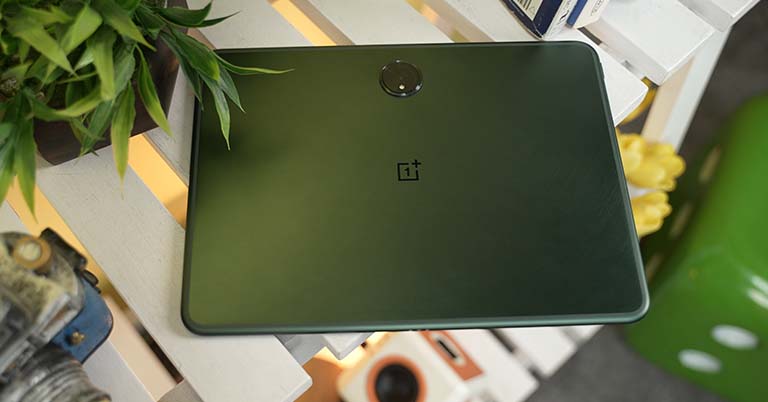
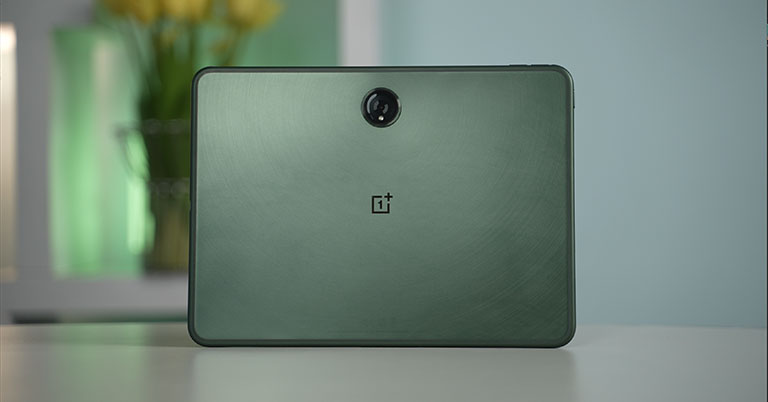
Okay, let's start this OnePlus Pad long-term review with the design; which is one of the best things about this tablet. While the veterans of the tablet business like Apple and Samsung shifted to flat edges with their latest devices, I’m glad OnePlus decided against it. I mean — sure — a smooth surface looks cool on official renders and stuff but that comes at a direct expense of comfort. And trust me, you don’t want that on something you’d be carrying with your hands most of the time.
Display
- 11.61-inches IPS panel
- 2800 x 2000p resolution, 7:5 aspect ratio
- Up to 144Hz refresh rate
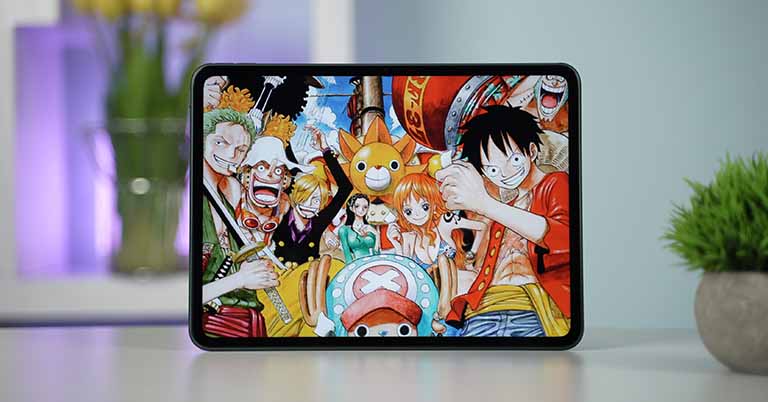
Alright. Like how OnePlus has pretty much nailed the hardware and design side of things — for the most part — this display is also quite great. Right off the bat, you should know that you’re not looking at an OLED screen here, but don’t dismiss it just yet! This 11.6" LCD panel is actually pretty fantastic. The contents look sharp, it gets plenty bright, has a decent viewing angle, and its 144Hz refresh rate means everything feels fairly smooth to get around as well (more on that in just a minute).
- Meanwhile, check out all the prices and specs of tablets from OnePlus here!
And to make sure you don’t miss the rich colors of an OLED display, OnePlus also ships it with the "Vivid" picture mode by default which is a bit too punchy and saturated for my eyes, to be fair. The white balance also looks a little off on this profile, but thankfully I can turn it all around by switching to the "Pro" mode and dialing down the color temperature.
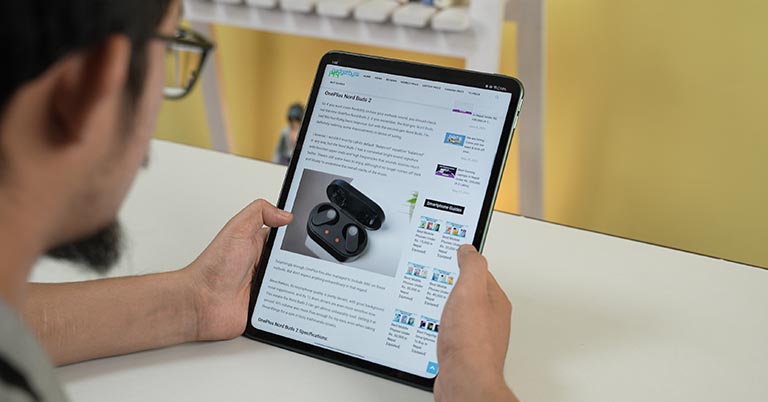
Like you’re actually reading a book or something.
Okay, although that 7:5 display is great for reading and browsing the web and such, it also means you’re gonna be blasted with black bars at the top and the bottom of the screen whenever streaming videos from anywhere. You can always crop in the video to fit the display better but that’s never an elegant solution.
Slow response time
This honestly didn’t bother me that much, but its slow response time certainly did. I also passed it along to a bunch of my colleagues and most of them noted that the "ghosting" effect when scrolling or something like that was definitely noticeable and somewhat irritating. And the way OnePlus Pad handles its 144Hz refresh rate is also a little annoying. Out of all the apps I’ve tried, only Chrome and AnTuTu actually hit 144Hz — whereas the rest of them run at either 60 / 90 / or 120Hz.
Audio
- Quad speaker setup
- Dolby Atmos audio, No headphone jack
That reminds me, the speakers on this thing are pretty great. Much better than most tablets I’ve used in recent times. You get four speakers in total — two on each side — and they get plenty loud while maintaining decent clarity even at max volume. As expected there’s not much to look forward to on the bass department and I wish it handled high notes with a bit more finesse too, but OnePlus Pad is great for listening to music or watching movies and shows.
Performance
- Octa-core MediaTek Dimensity 9000 5G SoC (4nm)
- 8/12GB LPDDR5 RAM, 128/256GB UFS 3.1 storage (fixed)
- Android 13 with OnePlus' OxygenOS 13 on top
- 3 years of OS, 4 years of security updates
As for performance, OnePlus has gone with Dimensity 9000 for its first tablet, which is a year-old flagship MediaTek chip that trades blows with Qualcomm’s Snapdragon 8 Gen 1. MediaTek’s premium chipsets have been absolutely knocking it out of the park in the past few years and the Dimensity 9000 is one fine example. Yeah, yeah, a newer and faster processor would’ve been even better but I actually don’t mind this.
The age-old problem
Except for Google apps, a bunch of high-profile apps like Facebook and Instagram aren’t optimized for landscape mode either. OnePlus has built an option to force-enable fullscreen for such apps but it simply doesn’t work.
How's the stylus?
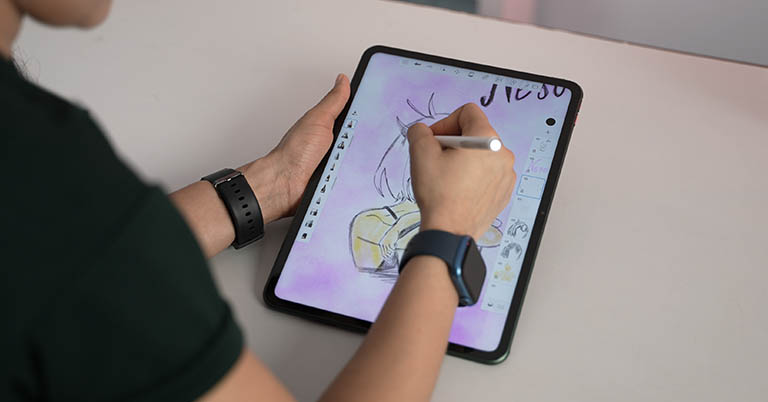
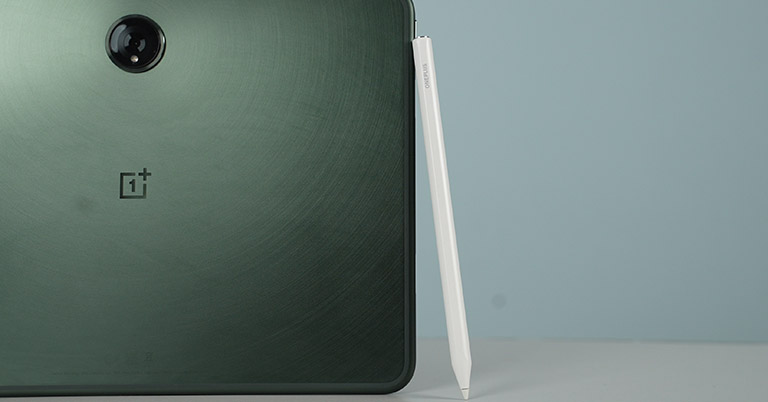
For the extra burst of productivity, OnePlus sells a stylus and a keyboard accessory for its tablet too. I couldn’t get my hands on the keyboard but this stylus called "OnePlus Stylo" is pretty great. And pretty similar to the 2nd Gen Apple Pencil with a flat edge on one side and shortcuts like double-tap to switch between the current tool and an eraser or previously used tool. Its touch input delay is still somewhat noticeable but it wasn’t a big deal for an amateur artist like me.
Gaming experience
Anyway, OnePlus Pad is a great gaming machine too. And even after back-to-back gaming sessions, I never felt the area where my hands would naturally rest on the tablet get warm or anything. The Dimensity 9000 can’t deliver a steady 60 fps on demanding games like Genshin Impact at the highest settings — as expected — but it gets pretty close. And I’m pretty surprised to see that OnePlus has enabled 90 fps mode on PUBG Mobile here. Still, high-fps-ready titles like Injustice 2 and Mech Arena are locked at just 30 and 60 fps on the OnePlus Pad, so I’d like to get that fixed pretty soon.
Camera
- 13MP (f/2.2) sensor at the back
- 8MP (f/2.3) sensor at the front
Camera-wise, the OnePlus Pad brings a 13MP sensor at the back and a horizontally laid 8MP sensor up front. Nice! As you can imagine, their image quality is perfectly fine for quick snaps when you don’t have your phone with you. But don’t expect anything more.
Battery
- 9510mAh battery with 67W fast charging
Powered by a big 9,510mAh battery, this tablet’s battery backup is quite impressive. I was consistently getting 7 – 7.5 hours of screen time under a usage pattern consisting of a little bit of everything. Including playing games, streaming YouTube videos, browsing the web, listening to music, and occasional video calls. The overnight battery drain is also pretty minimal here, while the included 67W charger takes the OnePlus Pad from 0 to 100% in like an hour and 20 minutes.
OnePlus Pad Long-Term Review: Conclusion
So that was all for my long-term review of the OnePlus Pad. All things considered, it's a great device with an excellent design, a good display, solid speakers, powerful performance, and terrific battery life. And OnePlus is off to a fantastic start in the tablet industry. So if you’re in the OnePlus ecosystem and all of what I just said checks off your list, then this could be definitely worth it to you.
Having said that, the OnePlus Pad is nowhere near to being an iPad killer. I don’t think any Android tablet could be an iPad killer at this point, to be honest.
Not just from a performance standpoint but all the "Apple" benefits you get from an iPad are simply unmatched. The sad fact is that it’s not just up to Google or tablet makers to fix this mess either. And developers have to come on board to optimize their apps for large-screen Android devices as well.
- Our video review of the OnePlus Pad is coming up pretty soon as well

OnePlus Pad Long-Term Review: Pros and Cons
Pros:
- Sturdy, premium build quality
- Nice 7:5 display
- Powerful quad speakers
- Reliable performance overall
- Usable cameras
- Decent battery endurance
Cons:
- The age-old problem of app optimization
- A bit heavy
- Noticeably slow response time
- No cellular option
Article Last updated: February 4, 2026

![Best Laptops to Buy in Nepal at Every Price Segment [Updated]](https://media.gadgetbytenepal.com/2025/11/Best-Laptops-to-Buy-in-Nepal-at-Every-Price-Segment-2025.jpg)