Looking for the best SSD price in Nepal? This guide covers every SSD available in Nepal in 2026!
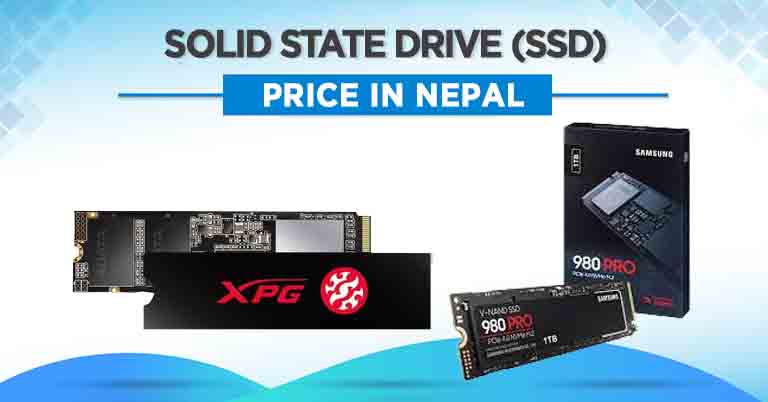
One of the most effective and easiest ways to speed up an old setup is to swap the HDD (Hard Disk Drive) for an SSD (Solid State Drive). If you are looking to include one in your system, you have come to the right place, as we have listed all the SSDs that you can currently buy in Nepal, along with their specs and price.
SSD vs HDD: Which one should you choose?
Solid State Drive or SSD is a technology that is rapidly replacing the Hard Disk Drive in the computer world. Like HDDs, SSDs are also data storage devices, and the difference between the two lies in how they store data. In HDD, data are read and written on spinning disks using an arm. Since HDDs have actual moving parts, they tend to be more prone to mechanical failures. Furthermore, these parts also create noise during read and write operations. SSDs, on the other hand, do not have any moving parts. Thus, they are less prone to physical failure and mechanical accidents. However, data can still get corrupted in case of a power failure, as it is stored digitally in flash memory. Generally, SSDs are smaller and faster and thus are used to speed up performance in computers.
How about both?
There is no denying that SSDs are both faster and more versatile than HDDs. However, it also doesn’t come cheap. As a result, most users turn to a dual drive configuration to take advantage of both Solid State Drive and Hard Disk Drive. So, what’s dual drive storage? In a dual-drive configuration, a lower-capacity SSD is paired with a higher-capacity HDD. SSD is used as a primary drive; that is, all of the important programs, including the OS, are in the SSD. This will help the system load apps quickly and result in an overall responsive system. On the other hand, the HDD will store all the large files, including images, videos, and project files.
How much SSD storage do you need?
| Use Case | Recommended SSD Size | Why |
| Every day browsing, Office use | 256GB | Enough for Windows + core apps |
| General work, students, light gaming | 512GB | Comfortable headroom for growth |
| Gaming, video editing and content creation | 1TB+ | Modern games are 50–100GB each |
| Professional workstations | 2TB+ | Large project files and fast cache |
Our recommendation: If your budget allows, go for at least 512GB of storage. A 256GB drive fills up faster than most people expect, especially as Windows updates and programs grow over time.
Things to consider while buying an SSD in Nepal
There are a number of things to consider before investing in an SSD. Factors such as:
- Compatibility: Check if your laptop/PC has an M.2 slot, 2.5" bay, or mSATA slot.
- Interface: Confirm whether your M.2 slot supports NVMe or only SATA.
- Capacity: Buy at least 512GB for everyday use.
- Brand warranty: Before purchasing, check the local warranty support in Nepal.
- TBW rating: Higher is better, especially if you handle large files frequently.
Which SSD Type Should You Buy in Nepal?
2.5” SATA SSD
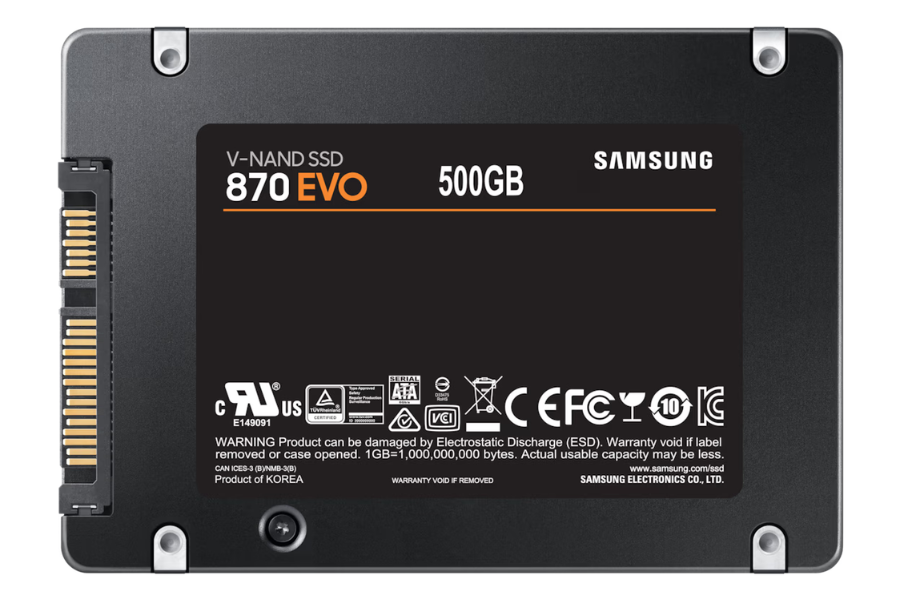
These are the most common types of SSDs. They are as compact as a 2.5” HDD and even use the same SATA connector. There are standards within the SATA connectors, and you have to pay attention to the compatibility of your drive and the SSD. For instance, SATA III is faster (6Gbps) than SATA II (3Gbps). You also need to take care of the thickness of the SSD. The most common thickness is 7mm, but you may also find SSDs that are 9.5mm or 12.7mm thick.
mSATA SSD
mSATA SSDs are typically smaller than the 2.5-inch drive and are designed to plug into mSATA sockets. Normally, you would not notice much difference in speed between a SATA SSD and an mSATA. The latter is just a smaller form factor than the former. You would normally find them in thin and portable devices such as laptops. However, these have become quite rare as users have already moved to M.2 SSDs.

M.2 SSD
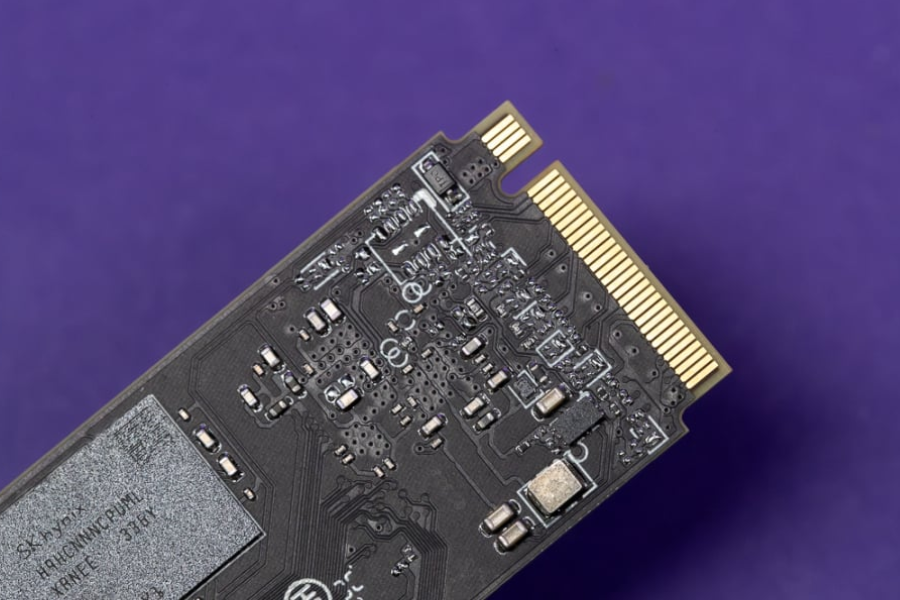
M.2 SSDs are a lot more compact in size compared to the SATA and mSATA counterparts. An M.2 SSD can support either SATA or PCIe. The ones that support PCIe are faster than those with support for SATA and thus are more expensive. M.2 SSDs come in different sizes but the most common is the Type-2280 measures 22mm in width and 80mm in length. It is also comparable to a RAM stick.
SATA vs NVMe: Which Is Faster?
The next thing to consider is the interface. You can find SSD with SATA and PCI Express (PCIe) interfaces in Nepal. For simplicity, all 2.5-inch SSDs have a SATA interface. Since the SATA interface was originally designed for Hard Drives, they have limited bandwidth when compared to PCI Express. M.2 SSDs can get trickier as the models available in Nepal can either be PCIe or SATA. Moreover, M.2 SSDs have three different connector pins. So, make sure you pick the one that your motherboard supports.
Pick NVMe SSD whenever you can
Most modern M.2 SSDs now support NVMe which performs a lot faster than the standard SATA. The difference can be significant if you plan to run resource-heavy tasks on your laptop. So, always check if the SSD you are getting has NVMe support or not.
Type of NAND Flash
As mentioned in the beginning, SSDs are stored digitally on flash memories using NAND chips. However, not all NAND chips are made equal. There have been different generations of SSD NAND chips, with each kind differing in speed, durability, storage density, and price.
- Single-Level Cell (SLC): The first SSDs were based on Single-Level Chip technology. SLC SSDs were named so because they could only store 1 bit of data per cell. This results in a lower storage density and higher price tag. However, they are still in big enterprises because of their speed.
- Multi-Layer Cell (MLC): MLC was introduced as a cheaper alternative to the SLC. It was able to store 2 bits of data per cell, bringing down the cost of SSD. However, they cannot match the speed of the SLC SSDs because of the higher storage density. Hence, these SSDs usually came with a write buffer that allowed them to be a bit faster.
- Triple-Level Cell (TLC): In today’s consumer market, Nepal included, you are most likely to encounter SSD with TLC and QLC technology because of their lower price. The former boasts a storage density of 3 bits per cell. As with the MLC, you can find Triple-Level Cell SSDs with a portion of a faster buffer to make up for their lower speed.
- Quad-Level Cell: Finally, Quad-Level Cell SSD is the most affordable NAND technology among users in Nepal because of its high storage density and lower cost. However, these SSDs don’t last as long as other SSDs if you are constantly reading and writing large data. However, endurance should not be a concern for most users.
If you still fear your SSD giving up on you, you should check out the endurance of the SSD before buying. Most manufacturers do mention the corresponding endurance rating in the box or the official specifications.
Solid State Drive (SSD) Price in Nepal [2026 Update]
SATA SSD in Nepal by Brands
| Product Name | Storage | Price (NPR) |
| PNY CS900 | 250GB | Rs. 7,000 |
| PNY CS900 | 500GB | Rs. 15,850 |
| PNY CS900 | 1000GB | Rs. 24,000 |
| Transcend | 128GB | Rs. 8,500 |
| Transcend | 256GB | Rs. 10,000 |
| Transcend | 512GB | Rs. 14,000 |
| Transcend | 1TB | Rs. 15,250 |
| Transcend | 2TB | Rs. 25,000 |
| Transcend | 4TB | Rs. 63,000 |
| Kingston | 240GB | Rs. 20,000 |
| Kingston | 480GB | Rs. 28,000 |
| Kingston | 960GB | Rs. 42,000 |
| Hiksemi | 128GB | Rs. 2,445 |
| Hiksemi | 256GB | Rs. 3,670 |
| Hiksemi | 512GB | Rs. 6,555 |
| Hiksemi | 1TB | Rs. 11,320 |
| Kioxia | 256GB | Rs. 6,175 |
| Kioxia | 512GB | Rs. 9,025 |
| Kioxia | 1TB | Rs. 16,625 |
| Team Group | 128GB | Rs. 3,500 |
| Team Group | 256GB | Rs. 5,050 |
| Team Group | 512GB | Rs. 8,700 |
NVMe PCIe 3 SSD in Nepal by Brands
| Product Name | Storage | Price (NPR) |
| PNY | 500GB | Rs. 11,675 |
| Transcend | 128GB | Rs. 9,400 |
| Transcend | 512GB | Rs. 14,050 |
| Transcend | 1TB | Rs. 19,000 |
| Kioxia Exceria Plus G2 | 512GB | Rs. 12,825 |
| Kioxia Exceria Plus G2 | 1TB | Rs. 24,225 |
| Kioxia Exceria Plus G2 | 2TB | Rs. 60,325 |
| Kioxia Exceria | 256GB | Rs. 6,840 |
| Kioxia Exceria | 512GB | Rs. 9,880 |
| Kioxia Exceria | 1TB | Rs. 17,670 |
| Hikvision | 128GB | Rs. 5,130 |
| Hikvision | 256GB | Rs. 5,577 |
NVMe PCIe Gen 4 SSD in Nepal by Brands
| Product Name | Storage | Price (NPR) |
| PNY | 500GB | Rs. 21,000 |
| PNY | 1TB | Rs. 32,000 |
| PNY | 2TB | Rs. 45,000 |
| Kingston | 500GB | Rs. 28,000 |
| Kingston | 1TB | Rs. 55,000 |
| Kingston | 2TB | Rs. 87,000 |
| Samsung 990 Pro | 2TB | Rs. 60,000 |
| Samsung 990 Evo | 1TB | Rs. 27,000 |
| Samsung 990 Evo | 2TB | Rs. 52,000 |
| Samsung 990 Pro | 2TB | Rs. 63,000 |
| Sandisk WD SN850X | 1TB | Rs. 37,000 |
| Sandisk WD SN850X | 2TB | Rs. 54,000 |
| Kioxia Exceria Pro | 1TB | Rs. 40,375 |
| Kioxia Exceria Pro | 2TB | Rs. 68,875 |
NVMe PCIe Gen 5 SSD in Nepal by Brands
| Product Name | Storage | Price (NPR) |
| SAMSUNG SSD 9100 PRO | 1TB | Rs. 35,000 |
| SAMSUNG SSD 9100 PRO | 2TB | Rs. 73,000 |
| SanDisk WD SN8100 | 1TB | Rs. 46,000 |
| SanDisk WD SN8100 | 2TB | Rs. 124,000 |
Besides the price of the SSD in Nepal, you might also be interested in :
Article Last updated: March 19, 2026