The Android 14 update, initially introduced on Pixel phones, is gradually making its way through. Oppo, the Chinese tech giant has also disclosed the Android 14 roadmap with ColorOS 14. Here's a brief overview of the updated roadmap and key features of ColorOS 14 for Oppo smartphones.
Oppo ColorOS 14 Update Roadmap:
The ColorOS 14 update has already started. The first one to get a stable version of this OS will be Oppo Find N2 Flip in mid-November. Others will first get the beta update, and based on the feedback, Oppo will fine-tune the stable release of the OS for that device.
Beta Update Rollout timeline
The ColorOS 14 beta update timing may vary depending on the region you live in. But here is the general schedule:
October 2023
- Find X series: Oppo Find X5 Pro, Oppo Find X5
- Reno series: Oppo Reno10 Pro+ 5G, Oppo Reno8 Pro 5G
- A-series: Oppo A77
November 2023
- Find X series: Oppo Find X3 Pro 5G
- Reno series: Oppo Reno10 Pro 5G, Oppo Reno10 5G, Oppo Reno8 5G, Oppo Reno8 T 5G, Oppo Reno8, Oppo Reno8 T, Oppo Reno7
- F-series: Oppo F23 5G, Oppo F21s Pro 5G, Oppo F21 Pro
- A-series: Oppo A98 5G, Oppo A78 5G, Oppo A77s
December 2023
- K series: Oppo K10 5G
- A-series: Oppo A77 5G
January 2024
April 2024
- Reno series: Oppo Reno8 Z 5G
- F-series: Oppo F21s Pro 5G
- A-series: Oppo A95 5G
One flaw I found here is that the Oppo F21s Pro 5G has been mentioned twice. Hence, one of them might be the F21 Pro 5G.
What’s new in Oppo ColorOS 14?
There are many tweaks and turns in this update. But I will focus on the important ones quickly.
Design
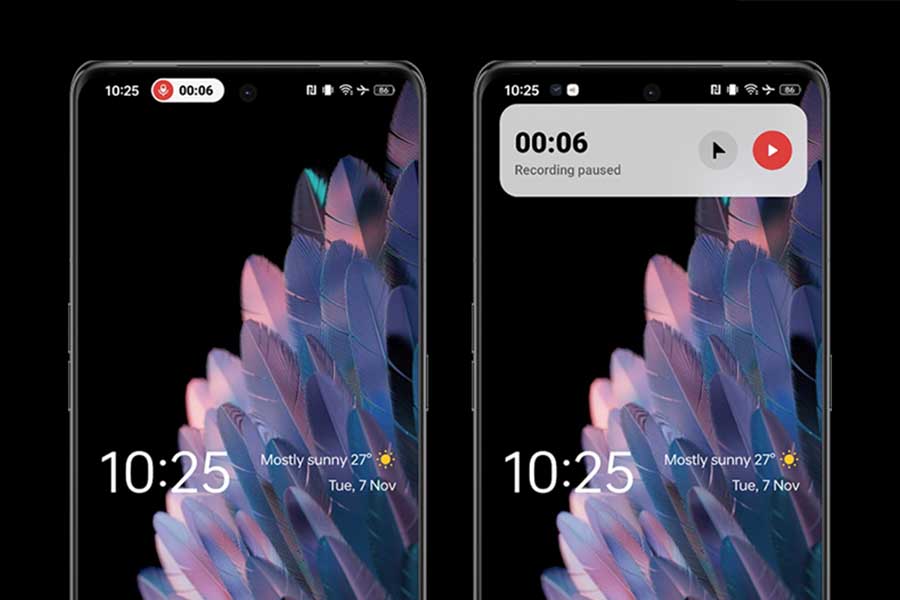
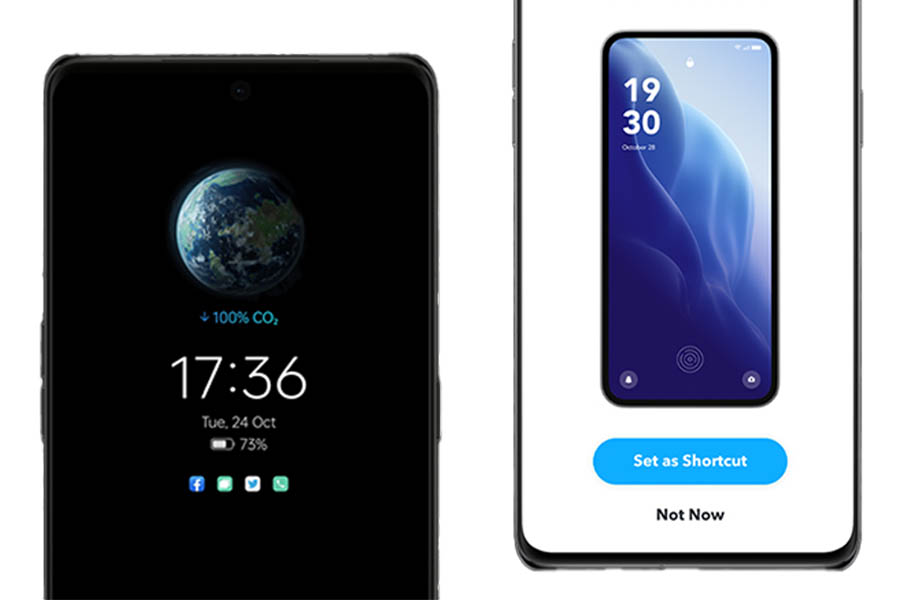
Remember the Aquamorphic design from the last version? It is getting an upgrade in ColorOS 14. Specifically, the feature will have new sound effects, color systems, and interactions based on the smartphone's status, time, and on-screen content. Plus, the new Aqua Dynamics design integrates bubbles, capsules, and panels expandable from the status bar for enhanced interaction.
AI-powered features
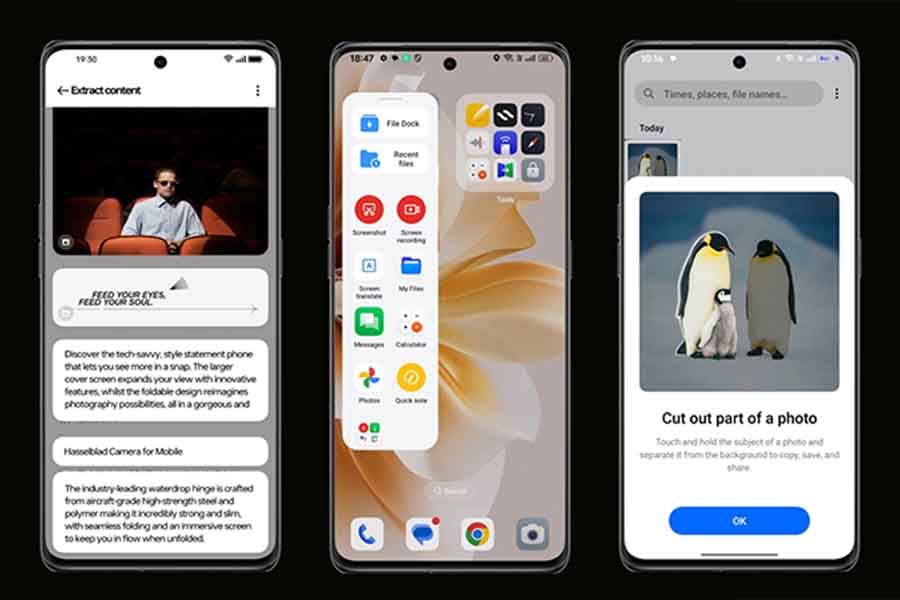
The AI-based Smart Touch enables users to collect texts, images, and videos from all apps into the new File Dock (situated at the Smart Sidebar). The stored contents can then be dragged and used across other apps. The added benefit is that this "clipboard-like thing" is synced across Oppo devices.
Trinity Engine
ColorOS 14 promises smoother performance across Oppo devices, thanks to virtualization in their Trinity Engine. ROM virtualization compresses apps and files to save up to 20GB of data. While the RAM virtualization keeps more memory for background apps. And lastly, CPU virtualization strikes a balance between efficiency and performance using better scheduling of tasks.

Privacy
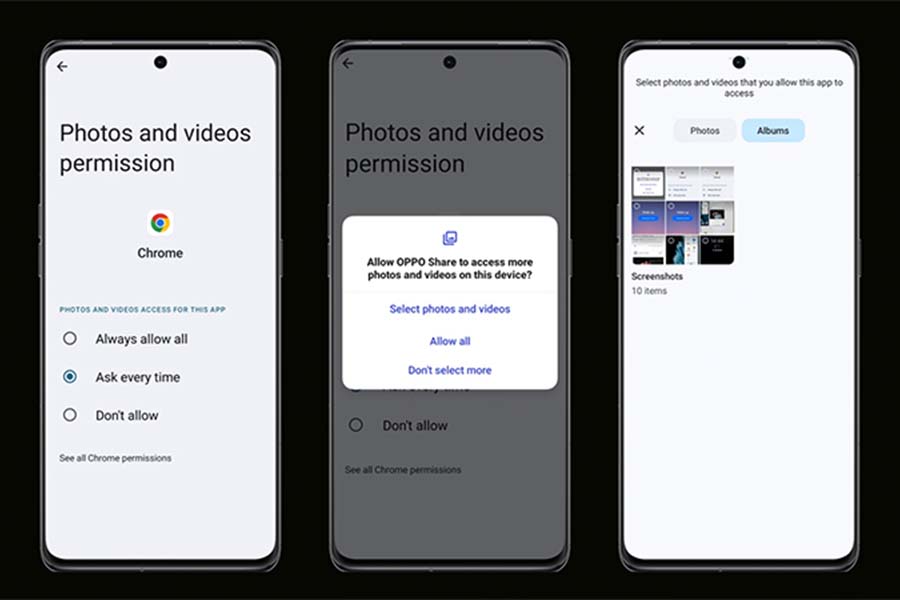
Aside from that, ColorOS 14 also focuses on privacy. It introduces Picture Keeper, retaining Android 14's ability to prevent apps from getting your whole gallery. Instead, the app will need permission for selected images from the user every time for added security.
- You might also be interested in:
Article Last updated: April 26, 2026