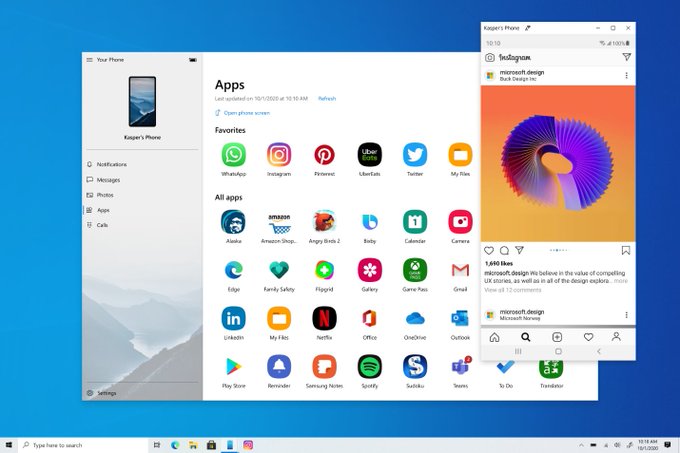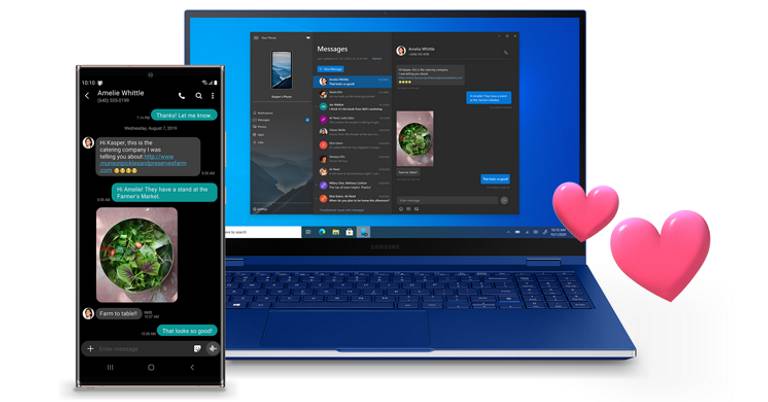
Microsoft and Samsung have had a tight bond over the years. From shipping a large percentage of Samsung smartphones with Microsoft's Office Suite applications to other assorted integrations, one could even say that in some intricately contrived way, Microsoft never actually left the smartphone scenario. And with the latest release of the Galaxy Note 20 and Note 20 Ultra, these two companies cemented their relationship even further. From bundling the Project xCloud to allowing Samsung Galaxy Note 20 series owners to run their phone's app on a PC via the Microsoft Your Phone app, it's clear that their collaboration isn't ending anytime soon.
Microsoft Your Phone x Samsung
And now, as promised, Microsoft has expanded the availability of this service to much more Samsung Galaxy smartphones. In a post by Microsoft Your Phone's official Twitter handle, the company confirmed that the feature will be widely available to a bunch of different Samsung Galaxy devices; starting September 18th.Availability
Like I said in the beginning, this feature was initially exclusive to the Note 20 series. But now, it is available in a bunch of Galaxy devices including Samsung's foldables, S-series, and few devices under the A-series. Here's the complete list:| Series | Device Model |
| Galaxy A | A8s, A30s, A31, A40, A41, A50, A50s, A51, A51 5G, A60, A70, A70s, A71, A71 5G, A80, A90s, A90 5G |
| Galaxy S | S9, S9+, S10, S10+, S10 Lite, S10e, S20, S20+, S20 Ultra |
| Galaxy Note | Note 9, Note 10, Note 10+, Note 10 Lite, Note 20, Note 20 Ultra |
| Galaxy Fold | Fold |
| Galaxy Z | Z Flip, Z Flip 5G, Z Fold 2 5G |
| Galaxy XCover | XCover Pro |
- Watch: Apple iPhone SE 2020 vs OnePlus Nord
Article Last updated: September 17, 2020

![HMD Mobile Price in Nepal [Updated]](https://media.gadgetbytenepal.com/2026/03/HMD-Mobile-Price-in-Nepal.jpg)
![Best Mobile Phones Under Rs. 60,000 in Nepal [Updated 2026]](https://media.gadgetbytenepal.com/2025/11/Best-Mobile-Phones-Under-Rs.-60,000-in-Nepal-1.jpg)